Google Just Dropped Lyria 3 — Upload Any Photo and It Creates a Song That Matches the Vibe
The AI music generator inside Gemini that turns your vacation pics, memories, and random thoughts into full 30-second tracks with vocals…
Google Just Dropped Lyria 3 — Upload Any Photo and It Creates a Song That Matches the Vibe
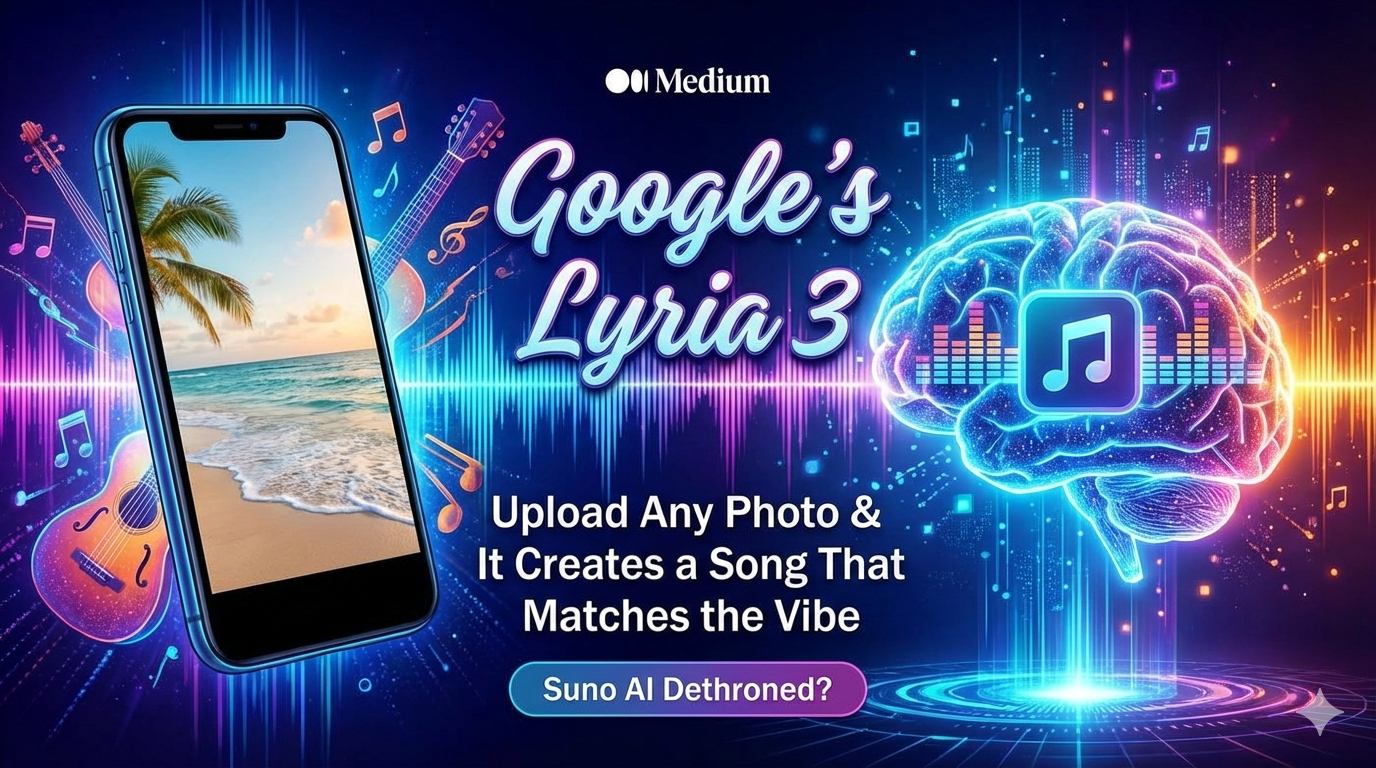
“Visuals meet vocals: Google’s Lyria 3 turns your gallery into a discography, generating custom 30-second tracks from a single photo. Is this the end of the Suno AI era? | Image generated by Gemini”
The AI music generator inside Gemini that turns your vacation pics, memories, and random thoughts into full 30-second tracks with vocals and lyrics. Suno AI might have just been dethroned.
A few hours ago, Google quietly released something that’s about to change how we think about music creation.
Lyria 3 — their latest AI music generator — just went live inside the Gemini app.
And the wildest feature? Upload literally any photo, and it generates a complete song that matches the vibe.
Not just instrumental background music. A full track with vocals, lyrics, melodies, and even album artwork — all created in seconds from a single image.
Vacation photo from the beach? Here’s a chill lo-fi track about summer memories.
Picture of your dog? Here’s a heartfelt ballad from your pet’s perspective.
Screenshot of a rainy window? Moody indie track about introspection and longing.
This isn’t some distant future concept. It’s rolling out right now to Gemini users (aged 18+) across 8 languages.
And according to early testers, it might actually be better than Suno AI — the previous king of AI music generation.
Let me show you exactly what Lyria 3 can do, how it compares to competitors, and why this matters for anyone who’s ever wanted to create music but didn’t know how.
What Is Lyria 3? The Complete Breakdown
Lyria 3 is Google DeepMind’s most advanced AI music model, now integrated directly into the Gemini app.
It’s the third generation of Google’s music AI (following Lyria 1 and Lyria 2), and it represents a massive leap forward in what AI-generated music can do.
Core Capabilities
Here’s what Lyria 3 can actually generate:
- Text-to-Music Generation
Type a description and get a song:
- “An upbeat Afrobeat track celebrating my mother and the wonderful times we shared during my childhood”
- “A melancholic piano ballad about losing someone you love”
- “Energetic 90s hip-hop with positive vibes for a workout”
- Photo-to-Music Generation (The game-changer)
Upload any image and Lyria 3:
- Analyzes the visual content
- Interprets the mood and atmosphere
- Generates a song that matches the vibe
- Video-to-Music Generation
Upload video clips and get matching soundtracks
- Complete Music Production
Each generated track includes:
- 30-second audio (high-fidelity music)
- Vocals (sung lyrics, not robotic text-to-speech)
- Lyrics (automatically written based on your prompt)
- Album artwork (custom cover art generated by Google’s Nano Banana image model)
What Makes It Special
You don’t need to write lyrics. The AI does it for you.
You don’t need to describe musical elements unless you want to. The AI infers genre, mood, tempo, and style from your prompt or image.
You get control if you want it. Specify genre, vocal style, tempo, and other parameters directly in your prompt.
How to Use Lyria 3: Step-by-Step
As of February 18, 2026, Lyria 3 is rolling out gradually to Gemini users.
Note: Not all accounts have access yet. Google is doing a phased rollout, so if you don’t see it today, check back over the coming days.
Method 1: Text-to-Music
Step 1: Open the Gemini app or visit gemini.google.com
Step 2: Type a prompt describing the music you want
Examples:
- “Create a lo-fi beats track perfect for studying”
- “Generate a birthday jingle for my friend Sarah who loves jazz”
- “Make a dramatic orchestral piece about overcoming challenges”
Step 3: Lyria 3 generates your track in seconds (typically 10–30 seconds of processing)
Step 4: Listen, download, or regenerate with tweaks
Method 2: Photo-to-Music (The Mind-Blowing Feature)
Step 1: Upload a photo to Gemini
Step 2: Ask Lyria 3 to create music based on it
Example prompts:
- “Create a song that captures the mood of this photo”
- “Generate music about the memories this picture represents”
- “Make a track that matches the vibe of this image”
Step 3: Lyria 3 analyzes:
- Visual composition (colors, lighting, subject matter)
- Implied mood and atmosphere
- Context clues (beach = relaxed, cityscape = energetic, etc.)
Step 4: Get a custom track with lyrics reflecting the image’s essence
Method 3: Video-to-Soundtrack
Step 1: Upload a video clip to Gemini
Step 2: Request a matching soundtrack
Step 3: Lyria 3 generates music synchronized to the video’s mood and pacing
Customization Options
You can specify:
- Genre (hip-hop, jazz, rock, electronic, classical, etc.)
- Mood (happy, sad, energetic, calm, mysterious)
- Vocal style (male/female, harmony, a cappella, instrumental only)
- Tempo (slow ballad, mid-tempo groove, fast-paced)
- Instrumentation (piano-focused, guitar-driven, synth-heavy)
Example detailed prompt:
“Create a slow-tempo indie folk song with female vocals about this sunset photo, emphasizing acoustic guitar and gentle harmonies, with lyrics about finding peace at the end of the day.”
The Photo-to-Music Feature: How It Actually Works
This is the headline capability that sets Lyria 3 apart.
Real-World Examples (Based on Google’s Demos)
Example 1: Vacation Photo
You upload a photo of yourself on a tropical beach.
Lyria 3 generates:
- Upbeat reggae-influenced track
- Lyrics about relaxation and paradise
- Sunny, carefree vibe matches the visual
Example 2: Pet Portrait
You upload a picture of your cat lounging in sunlight.
Lyria 3 generates:
- Whimsical acoustic song
- Lyrics from the cat’s perspective about lazy afternoons
- Gentle, playful melody
Example 3: Urban Landscape
You upload a photo of a rainy city street at night.
Lyria 3 generates:
- Moody electronic track with atmospheric synths
- Lyrics about solitude and reflection
- Tempo and rhythm match the rain’s cadence
The Technology Behind It
Lyria 3 uses multimodal AI (the same technology powering Gemini’s image understanding) to:
- Analyze visual content (subject, composition, colors, lighting)
- Infer emotional context (what feeling does this image evoke?)
- Map to musical elements (which genres, instruments, tempos match this mood?)
- Generate coherent lyrics (what story does this image tell?)
- Synthesize audio (create the actual music with realistic vocals and instruments)
All of this happens in under 30 seconds.
Lyria 3 vs. Suno AI: The Comparison Everyone’s Making
Before Lyria 3, Suno AI was widely considered the best AI music generator available.
So how does Google’s new offering stack up?
Quality: Audio Fidelity
Suno AI (v4):
- High-quality audio output
- Realistic vocals (most of the time)
- Occasionally produces artifacts or unnatural transitions
Lyria 3:
- Google claims “more realistic and musically complex tracks”
- Early user reports suggest comparable or slightly better audio quality
- Better vocal naturalness in early demos
Verdict: Roughly tied, with Lyria 3 having a slight edge in vocal realism.
Accessibility
Suno AI:
- Standalone platform (suno.com)
- Free tier: Limited generations per day
- Paid tiers: $8–30/month for more generations
- Works everywhere (web-based)
Lyria 3:
- Integrated into Gemini (no separate app needed)
- Currently free (though Google hasn’t announced long-term pricing)
- Requires a Gemini account (18+ age restriction)
- Gradual rollout (not available to all users yet)
Verdict: Suno AI is more accessible right now (available to everyone), but Lyria 3’s Gemini integration makes it more convenient for existing users.
Use Cases
Suno AI is better for:
- Creating longer, more complete songs
- Professional content creation (YouTube background music, podcasts)
- Custom lyrics that tell specific stories
- Iterative refinement (extending, remixing tracks)
Lyria 3 is better for:
- Quick, casual music creation (birthday cards, memes, social media)
- Photo/video-based music (matching media with soundtracks)
- Integrated creative workflows (using Gemini for writing + music + images)
- Experimentation and fun (“What does this random photo sound like?”)
Language Support: Breaking Down Barriers
Lyria 3 launches with support for 8 languages:
- English
- German
- Spanish
- French
- Hindi
- Japanese
- Korean
- Portuguese
Why this matters:
Previous AI music generators were primarily English-focused. Lyria 3’s multilingual support means:
- Non-English speakers can create music in their native language
- Lyrics and vocal styles appropriate to each language and culture
- Global accessibility from day one
According to Arab News, Google specifically highlighted the Arabic language support as part of its global expansion strategy.
What You Can (and Can’t) Do With Lyria 3
Let’s be clear about limitations and ethical guardrails.
What’s Allowed
Personal creative expression:
- Birthday songs for friends
- Soundtrack your vacation photos
- Create jingles for personal projects
- Experiment with music creation
- Generate background music for personal videos
Commercial use (with restrictions):
- Google hasn’t fully clarified commercial licensing yet
- Likely similar to other Gemini outputs (check terms before commercial use)
What’s NOT Allowed
- Artist Mimicry
You cannot prompt: “Create a song in the style of Taylor Swift” or “Make music that sounds exactly like The Beatles”
If you try, Google says: “Gemini will take this as broad creative inspiration and create a track that shares a similar style or mood”
Translation: It won’t copy specific artists, but it might create something generically similar to a genre or era.
**2. Copyrighted Content Recreation
You can’t ask it to recreate existing songs, even if you own them.
- Harmful or Inappropriate Content
Standard content policies apply (no hate speech, violence, explicit content, etc.)
The 30-Second Limitation
Currently, all Lyria 3 tracks max out at 30 seconds.
Why?
- Computational cost (longer tracks require exponentially more processing)
- Quality control (maintaining coherence over longer durations is harder)
- Use case alignment (Google positioned this for casual, personal use — not professional music production)
Will this change?
Possibly. YouTube’s Dream Track feature (which uses Lyria) may eventually offer longer formats, but no official announcement has been made yet.
Real-World Use Cases: What People Are Actually Creating
Based on early access users and Google’s examples:
1. Personalized Greetings
Scenario: Your friend’s birthday is tomorrow and you forgot to get a card.
Solution: Upload a photo of you two together, prompt: “Create a fun birthday song celebrating our friendship”
Result: Custom birthday track with personal lyrics and matching album art — better than any generic card.
2. Social Media Content
Scenario: You’re a travel influencer posting about your trip to Iceland.
Solution: Upload your best Iceland landscape photo, prompt: “Epic soundtrack for my Iceland adventure”
Result: Dramatic, atmospheric music matching the scenery for your Instagram Reel or TikTok.
3. Memory Preservation
Scenario: You have old family photos and want to create an emotional tribute.
Solution: Upload photos, prompt: “Heartfelt ballad about family memories and the passage of time”
Result: Touching song with lyrics about nostalgia and connection.
4. Creative Experimentation
Scenario: You’re curious what different everyday objects “sound like.”
Solution: Upload photos of random things (coffee cup, houseplant, city skyline) and generate music for each.
Result: Unexpected, creative soundscapes you’d never think of manually.
5. Meme Culture
Scenario: You want to turn a funny photo into an ironic musical experience.
Solution: Upload the meme-worthy image with a humorous prompt.
Result: Absurdist music that makes the meme even funnier.
The Technology Behind Lyria 3: How It Works
For those curious about the AI magic:
Training
Lyria 3 was trained on:
- Massive music datasets (licensed, public domain, and synthetic)
- Multimodal datasets connecting images/videos with music
- Lyric-music pairings to understand how words and melodies relate
Architecture
While Google hasn’t revealed full technical details, Lyria 3 likely uses:
- Transformer-based models (similar to GPT for text, but for audio)
- Diffusion models (generating high-quality audio waveforms)
- Multimodal embeddings (understanding relationships between images, text, and music)
The Generation Process
- Input processing: Analyze your prompt/image/video
- Musical conceptualization: Decide on genre, mood, structure, and instrumentation
- Lyric generation: Create words that match the concept (using Gemini’s language model)
- Melody and harmony creation: Generate musical elements coherently
- Vocal synthesis: Produce realistic sung vocals
- Audio rendering: Combine all elements into final track
- Album art generation: Create a matching cover image (using Nano Banana)
All of this in 10–30 seconds of processing time.
The Copyright Question: Who Owns AI-Generated Music?
This is murky legal territory.
What Google Says
Google’s terms state that Lyria 3 is “designed for original expression, not for mimicking existing artists”.
The music is generated, not copied, meaning it doesn’t directly infringe existing copyrights.
Who Owns the Output?
Likely scenario (based on similar AI tools):
- You own the output (the specific song generated)
- Google retains rights to the underlying model
- Commercial use may require additional licensing (check Gemini’s terms)
Important: This hasn’t been fully tested in courts yet. If you’re creating music for commercial purposes, consult legal advice.
Training Data Controversy
Like all generative AI, Lyria 3 learned from existing music.
Questions remain:
- Were all training sources properly licensed?
- Should original artists receive compensation when AI creates “similar” music?
- How do we balance AI innovation with artist rights?
These debates continue across the AI industry.
Artist Reactions: Threat or Tool?
The music industry is divided.
The Concerned
Professional musicians and songwriters worry about:
- AI devaluing human musical skill
- Platforms favoring cheap AI music over paid artist tracks
- Loss of income as businesses use AI instead of licensing real songs
- Cultural homogenization (AI generating “average” music that sounds similar)
The Optimistic
Some artists and producers see potential:
- Rapid prototyping of musical ideas
- Democratizing music creation for non-musicians
- New creative tools for experimentation
- AI handling boring parts (background loops) while humans focus on innovation
The Pragmatic
Most industry observers recognize:
- AI music is here to stay
- It won’t replace top-tier human artistry (at least not soon)
- Different use cases: AI for casual/background, humans for emotional/cultural depth
- Adaptation is necessary
How to Get Access Right Now
Step 1: Make sure you have a Gemini account
- Visit gemini.google.com or download the Gemini app
- Sign in with your Google account
- Must be 18+ years old
Step 2: Check if Lyria 3 is available in your account
- Look for music generation options in the interface
- Try prompting: “Create a song about…” and see if Lyria 3 responds
Step 3: If not available yet, wait
- Google is doing a gradual rollout
- Check back over the next few days/weeks
Step 4: Ensure your language is supported
- Currently: English, German, Spanish, French, Hindi, Japanese, Korean, Portuguese
The Bottom Line: Revolution or Gimmick?
Is Lyria 3 a revolutionary tool that democratizes music creation?
Or is it a fun gimmick that produces 30-second novelty tracks?
The honest answer: Both.
For Casual Users
Lyria 3 is fantastic for:
- Quick, fun musical experiments
- Personal creative projects
- Social media content
- Unique gifts and greetings
The photo-to-music feature alone is worth trying — it’s genuinely impressive and often produces surprisingly good results.
For Professional Musicians
Lyria 3 is not replacing you.
30-second tracks without custom lyrics or long-form structure aren’t competing with professional music production.
But it is a tool you might use for:
- Rapid ideation
- Generating reference tracks
- Exploring musical concepts quickly
- Background elements in larger projects
For the Music Industry
Lyria 3 represents one more step in AI’s gradual encroachment into creative fields.
It’s not the final form. It will get better — longer tracks, more control, higher quality.
The question isn’t whether AI music is coming.
The question is: How do we ensure it complements human creativity rather than replacing it?
Have you tried Lyria 3 yet? What photo would you turn into a song? How do you think AI music tools will evolve? Share your thoughts in the comments!
메타데이터
- post_id
- 5f5e88677d28
- slug
- google-just-dropped-lyria-3-upload-any-photo-and-it-creates-a-song-that-matches-the-vibe-5f5e88677d28
- url
- https://medium.com/ai-tomorrow/google-just-dropped-lyria-3-upload-any-photo-and-it-creates-a-song-that-matches-the-vibe-5f5e88677d28
- canonical_url
- https://medium.com/ai-tomorrow/google-just-dropped-lyria-3-upload-any-photo-and-it-creates-a-song-that-matches-the-vibe-5f5e88677d28
- author_url
- https://medium.com/@milandanushka
- status
- ok
- fetched_at
- 2026-06-24 04:09:36