APIOps with Azure API Management — Infrastructure and Code Deployments
with Terraform and Azure Powershell in Github Actions
APIOps with Azure API Management — Infrastructure and Code Deployments
with Terraform and Azure PowerShell in GitHub Actions
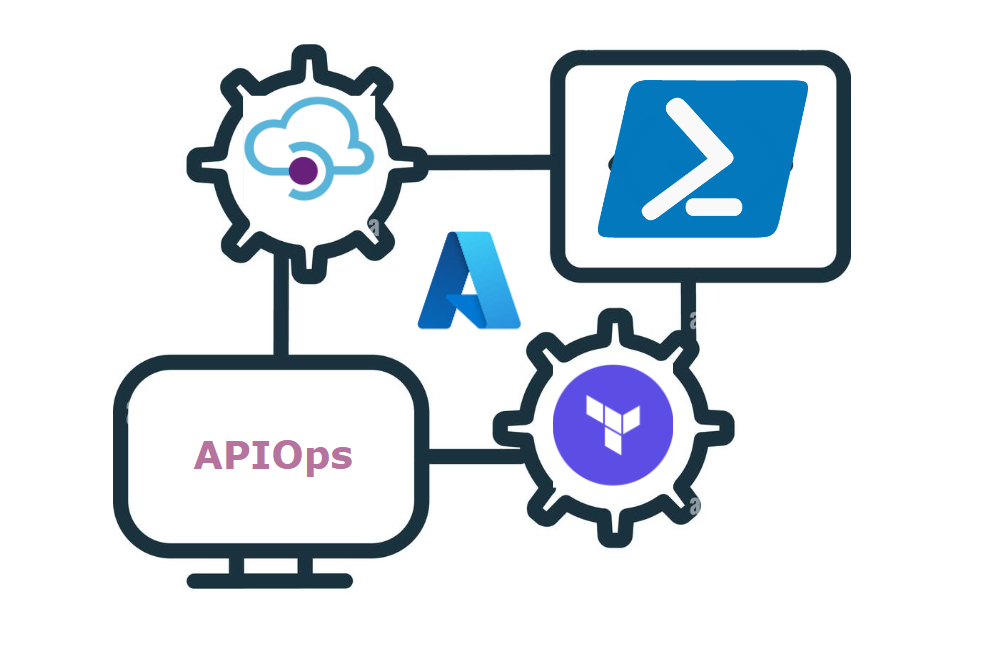
This blog explains the automation of Azure API management resource provisioning using terraform and code deployment using GitHub actions pipeline along with Azure PowerShell to deploy the policies dynamically with reusable and better maintainability pattern.
Contexts
- APIM Keywords
- Implementation Diagram for Automated Deployment
- APIM Infrastructure deployment
- APIM API Policies deployment
- Realtime use cases
- Conclusion
APIM Keywords
- apim api — application programming interface’s created with inbound — outbound- backed and secured with integrated policies.
- apim product — user created category for api’s to belong .
- apim subscription — creating a subscription for product makes it easy to share the designated apim to external users with defined scope of api’s usage.
- apim named values — helpful to retain the secret values which will be used by the apim api’s
Implementation Diagram for Automated deployment

Fig 1.0 Overall Automated Deployment Pattern for APIM
I have ensured to create two repositories considering the one repository for Cloud Infrastructure deployment and other for Azure PaaS Code Deployments. if you have a large infrastructure in cloud and wants to segregate and maintain then its good to have two repos otherwise you can use single repository to deploy both infrastructure and policy updates.
I will explain the above deployment pattern in two categories .
- Category 1: APIM Infrastructure Deployment
- Category 2: APIM API policies Deployment
APIM Infrastructure Deployment
Skipping creation of resource group — virtual network — keyvault with terraform code.
💡 For Entra ID set up (backend-service) ensure to checkout this blog ➡️ https://medium.com/@devopswithyoge/streamlining-azure-integration-services-via-microsoft-entra-id-using-terraform-f41b64b02020
Note: For Azure APIM if you use internal or External virtual network connectivity then create public IP and a dedicated subnet for APIM alone.
you can generate OpenAPI Specifications from tools like Swagger and Postman .
Consider a separate repository to maintain the infrastructure as Code components and deploy the resources in cloud using it .
APIM Creation with Terraform
For APIM — enable RBAC to the storage accounts/servicebus/eventhubs or follow az ad group deployment pattern from the highlighted link.
Create a Open API specification for your API — I have used the sample Open api specification generated from postman
{
    "openapi":"3.0.1",
    "info": {
        "version" : "1",
        "title": "storage-get"
    },
    "paths" : {
        "/": {
            "get" : {
                "operationId": "get",
                "tags":["Storage Read"],
                "parameters": [],
                "responses":{
                    "200":{
                        "description": "Success Reponse"
                    },
                    "default" : {
                        "description": "Response Message",
                        "content" : {
                            "application/json" : {
                                "schema" : {
                                    "$ref": "#/components/schemas/response-message"
                                }
                            }
                        }
                    }
                }
            }
        }
    },
    "components": {
        "schemas" : {
            "response-message" : {
                "type" : "object",
                "properties" : {
                    "correlationId" : {
                        "type": "string"
                    }
                }
            }
        }
    }
}
############################## Terraform Block ###################################
#Azure APIM Creation
resource "azurerm_api_management" "example" {
  name                = "example-apim"
  location            = azurerm_resource_group.example.location
  resource_group_name = azurerm_resource_group.example.name
  publisher_name      = "DevOpsWithYoge"
  publisher_email     = "user@devopswithyoge.io"

  sku_name = "Developer_1"
}
# Azure APIM API
resource "azurerm_api_management_api" "example" {
  name                = "storage-read"
  resource_group_name = azurerm_resource_group.example.name
  api_management_name = azurerm_api_management.example.name
  revision            = "1"
  display_name        = "Example API"
  path                = "example"
  protocols           = ["https"]

  import {
    content_format = "openapi+json"
    content_value  = file("../OpenAPISpecifications/storage-read.openapi.1.json")
  }
}

#Azure APIM Products
resource "azurerm_api_management_product" "example" {
  product_id            = "storage-fetch"
  api_management_name   = azurerm_api_management.example.name
  resource_group_name   = azurerm_resource_group.example.name
  display_name          = "Storage Fetch Services"
  subscription_required = true
  approval_required     = true
  published             = true
}

#Azure APIM Product API
resource "azurerm_api_management_product_api" "example" {
  api_name            = data.azurerm_api_management_api.example.name
  product_id          = data.azurerm_api_management_product.example.product_id
  api_management_name = data.azurerm_api_management.example.name
  resource_group_name = data.azurerm_api_management.example.resource_group_name
}

# Named values for APIM api (optional)
# resource "azurerm_api_management_named_value" "example" {
#     name                = "example-apimg"
#     resource_group_name = azurerm_resource_group.example.name
#     api_management_name = azurerm_api_management.example.name
#     display_name        = "ExampleProperty"
#     value               = "Example Value"
#   }
APIM API policies Deployment
💡Note: Ensure Policies are deploment from separate repository if you use other Azure PaaS resource , if you only using apim in azure then it can be coupled with the infrastructre pipelines and repo itself.
Policies for APIM api can be kept in the scope of Global — Product — API le
Policy in Folder: SampleAPI/blob/read-blob.xml.
<!-- Policy to Read Blob from storage account -->
<policies>
  <inbound>
      <base/>
      <set-variable name="x-ms-date" value="@(DateTime.UtcNow.ToString("R"))" />
      <authentication-managed-identity resource="https://storage.azure.com" output-token-variable-name="msi-access-token" ignore-error="false" />
      <set-header name="Authorization" exists-action="override">
         <value> @("Bearer "+ (string)context.Variables["ms-access-token"]) </value>
      </set-header>
      <set-header name="Content-Type" exists-action="override">
         <value>application/json </value>
      </set-header>
      <set-header name="x-ms-date" exists-action="override">
         <value>@((string)context.Variables["x-ms-date"])</value>
      </set-header>
      <set-header name="x-ms-version" exists-action="override">
         <value>2019-04-01</value>
      </set-header>
      <set-method>GET</set-method>
      <set-backend-service base-url="https://#{STORAGE_ACC_NAME}#.blob.core.windows.net/" />
      <rewrite-uri template="#{STORAGE_CONT_NAME}#/#{FILE_NAME}#" />
  </inbound>
  <backend>
     <base/>
  </backend>
  <outbound>
      <base/>
  </outbound>
  <on-error>
      <base/>
  </on-error>
</policies>
YAML — To deploy APIM API Policies
Base Pipeline — in .github/workflows
name: Read-blob-api-policy
on:
  push:
    branches:
      - master
    paths:
      - 'SampleAPI/blob/read-blob.xml'
  workflow_dispatch: # for enabling manual trigger
env:
  API_NAME: 'storage-read' #apim api name
  POLICY_PATH: 'SampleAPI/blob/read-blob'
  BLOB_CONTAINER: 'samplecontainer'
  ENVIRONMENT_NAME: 'dev'
  OPERATION_NAME: 'sampleGet'

jobs:
  deploy_dev:
    runs-on: 'ubuntu-latest'
    environment: Development
    steps:
      - name: Checkout action
        uses: actions/checkout@master
      - name: Update Environment Variables
        shell: pwsh
        run: |
          echo "BLOB_FILE_NAME= Sample/${{env.ENVIRONMENT_NAME}}joke.json" | Out-File FilePath $Env:GITHUB_ENV -Encoding utf 8 -Append

      - name: apim_policy_stg
        id: apim_policy_stg
        uses: ./pipelines/apim_policy/deploy/stg
        with:
           ad_client: ${{secrets.AD_CLIENT_ID}}
           ad_client_secret: ${{secrets.AD_CLIENT_SECRET}}
           ad_tenant_id: ${{secrets.AD_TENANT_ID}}
           subscription_id: ${{var.SUBCRIPTION_ID}} #from Environment variables
           api_name: ${{env.API_NAME}}
           blob_container_name: ${{env.BLOB_CONTAINER}}
           blob_name: ${{env.BLOB_FILE_NAME}} #dynamically read from previous step
           policy_path: ${{env.POLICY_PATH}}
           environment_name: ${{env.ENVIRONMENT_NAME}}
           apim_operation_name: ${{env.APIM_OPERATION_NAME}}
Here in the specified location ./pipelines/apim_policy/deploy/stg — retain the reusable pipeline templates
name: APIM STORAGE POLICY
description: 'deploy APIM policy for storage account read data'
inputs:
   ad_client:
     description: 'client id'
     required: true
   ad_client_secret:
     description: 'client secret'
     required: true
   ad_tenant_id:
     description: 'tenant id'
     required: true
   subscription_id:
      description: 'subcription id'
      required: true
   api_name:
     description: 'api name'
     required: true
   blob_container_name:
     description: 'storage container name'
     required: true
   blob_name:
     description: 'blob name'
     required: true
   policy_path:
     description: 'policy path'
     required: true
   environment_name:
     description: 'environment name'
     required: true
runs:
  using: "composite"
  steps:
    - uses: actions/checkout@v2
    - name: Update vars with env
      shell: pwsh
      run: |
         echo "RG_NAME=rg-${{inputs.environment_name}}-apim" | Out-File -FilePath $Env:GITHUB_ENV -Encoding utf-8 -Append
         echo "APIM_NAME= apim-${{inputs.environment_name}}-int" | Out-File -FilePath $Env:GITHUB_ENV -Encoding utf-8 -Append
         echo "AAD_APP_NAME=api-${{inputs.environment_name}}-backend-${{inputs.apim_name}}" | Out-File -FilePath $Env:GITHUB_ENV -Encoding utf-8 -Append
         echo "STORAGE_ACC_NAME=stg${{inputs.environment_name}}stack" | Out-File -FilePath $Env:GITHUB_ENV -Encoding utf-8 -Append

    - name: Install Az Module
      shell: pwsh
      run: Install-Module -Name Az.Accounts -Scope CurrentUser -Repository PSGallery -force

    - name: Azure Login
      uses: azure/login@v1
      with:
        client-id: ${{ inputs.ad_client }}
        tenant-id: ${{ inputs.ad_tenant_id }}
        subscription-id: ${{ inputs.subscription_id }}
        enable-AzPSSession: true

    - name: Update APIM policy
      id: apim_policy
      uses: azure/powershell@v1
      azPSVersion: latest
      with:
        inlineScript: |
          $applicationID = (Get-AzADApplication -DisplayName "${{env.AAD_APP_NAME}}").AppId
          $PolicyPath = "${{inputs.policy_path}}"
          $apimContext = New-AzApiManagementContext -ResourceGroupName "${{env.RG_NAME}}" -ServiceName "${{env.APIM_NAME}}"
          $Policy = Get-Content -Path $PolicyPath

          #################### updating the static placeholders with dynamic values #################
          $Policy = $Policy.replace('#{BACKEND_APP_ID}#', $applicationID)
          $Policy = $Policy.replace('#{TENANT_ID}#', ${{inputs.ad_tenant_id}})
          $Policy = $Policy.replace('#{CLAIM_ROLE}#', ${{inputs.apim_name}}.${{inputs.apim_operation_name}})
          $Policy = $Policy.replace('#{STORAGE_ACC_NAME}#', ${{env.STORAGE_ACC_NAME}})
          $Policy = $Policy.replace('#{STORAGE_CONT_NAME}#', ${{inputs.blob_container_name}})
          $Policy = $Policy.replace('#{FILE_NAME}#', ${{inputs.blob_name}})

          Set-Content -Path $PolicyPath -Value $Policy
          Set-AzApiManagementPolicy -Context $apimContext -ApiId "${{inputs.apim_name}}" -OperationId "${{inputs.apim_operation_name}}" -PolicyFilePath -Format "application/vnd.ms-azure-apim.policy.raw+xml"
Using this APIM you can connect to other Azure resources like service bus , event-hubs, storage accounts , function app and logic apps etc.
GihubLink : apiops-repo
Real Time use cases:

Fig 1.1 Use case connectivity depection for APIM and Azure PaaS
- You wanted to expose your function app url to the client , in that case you can add function app (https triggered) url as api backend and whenever the api is trigger it will inturn trigger the function app to process the data with business logic and sends the results to the client whether its success or failed.
- Same applicable for logic apps
- In some scenarios you want to send messages to service bus designated topic’s subscription in that case also you can use the api to have service bus subscriptions in backend and it will be helpful to communicate internally.
Conclusion
- The APIM can also be connected to On Prem DB. Just that in this article I have focused in APIM and functionalities with Azure PaaS service.
- Its capability is expandable. APIM makes the development of API easy and quick time to market .
- Enabling Developer portal as its plus and minuses. Best practice is develop the APIM from code base and complete it. if its necessary a fast paced project then you can opt for developer portal.
I hope now you understood the complete automation of apim with respect to deployment and code aspect.
Give a 👏Clap if you enjoyed this content! 🤝 Don’t forget to hit that follow button for more exciting updates! Your support fuels my creativity! 🚀
References
메타데이터
- post_id
- 5fdc66841da7
- slug
- apiops-with-azure-api-management-infrastructure-and-code-deployments-5fdc66841da7
- url
- https://medium.com/@devopswithyoge/apiops-with-azure-api-management-infrastructure-and-code-deployments-5fdc66841da7
- canonical_url
- https://medium.com/@devopswithyoge/apiops-with-azure-api-management-infrastructure-and-code-deployments-5fdc66841da7
- author_url
- https://medium.com/@devopswithyoge
- status
- ok
- fetched_at
- 2026-07-23 21:46:44