A Developer’s Best Friend: A Complete Guide to HTTP Caching
Let’s be honest. In the world of web development, we’re obsessed with speed. A fast website is a happy website, and a happy website leads…
A Developer’s Best Friend: A Complete Guide to HTTP Caching
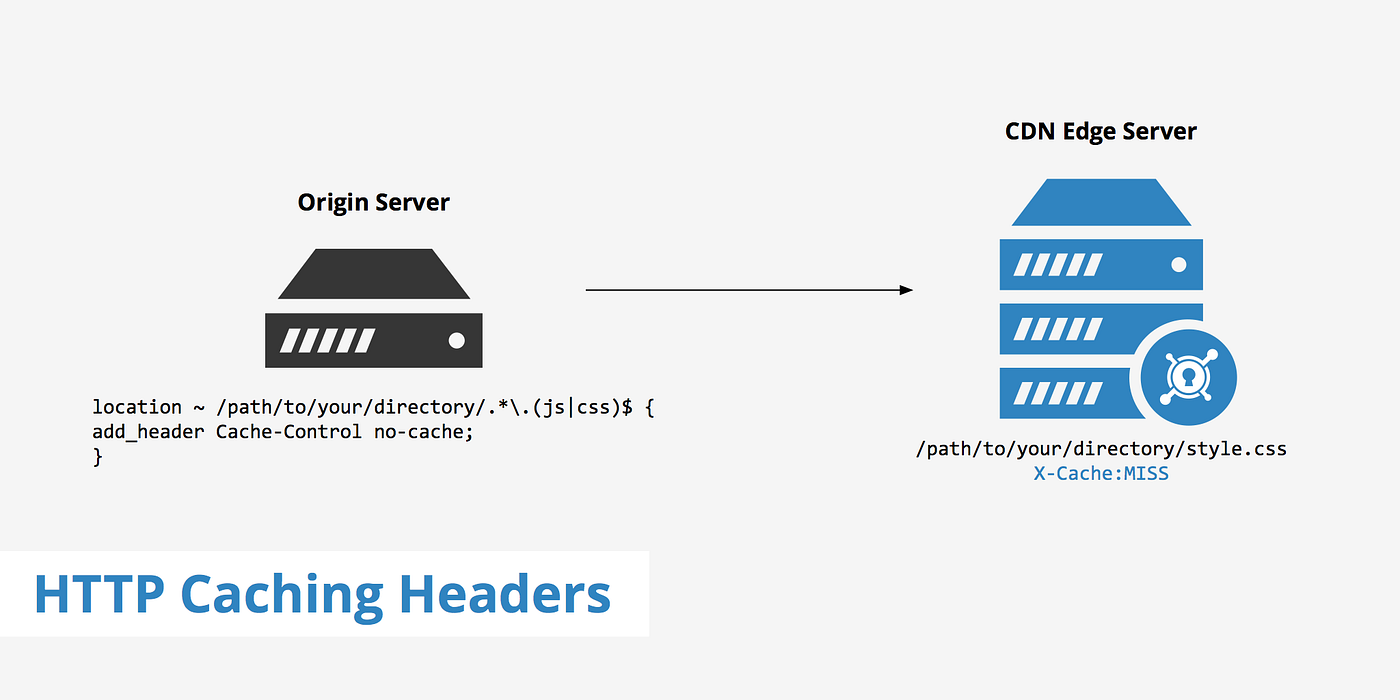
Let’s be honest. In the world of web development, we’re obsessed with speed. A fast website is a happy website, and a happy website leads to happy users. One of the most powerful, yet often misunderstood, tools in our performance toolbox is HTTP Caching.
So, grab a coffee, and let’s demystify it. This isn’t just a dry spec review; it’s a practical guide to making your apps blazingly fast.
What is HTTP Caching, Anyway?
In simple terms, caching is the art of saving a copy of something so you don’t have to fetch it again later. Think of it like your favorite coffee mug. You know where it is, you don’t have to go to the cupboard to get a new one every time, and it’s ready to go.
HTTP Caching does this for web requests. When a user visits your site, their browser can store (or “cache”) things like images, CSS, and JavaScript files. The next time they visit, the browser can use the local copy instead of asking your server again. This is a huge win:
- Faster load times for your users.
- Reduced server load, meaning you can handle more traffic with less hardware.
- Happier developers (that’s you!).
The magic happens through a conversation between the client (a browser) and the server. They use HTTP headers to decide what to cache, for how long, and when to check for updates.
The Two Main Flavors of HTTP Caching
There are two primary caching strategies, and they often work together.
1. Freshness: The “Cache-Control” Header (The Boss)
This is the modern, powerful way to control caching. The Cache-Control header is like giving a direct command to the browser and any intermediate caches (like a CDN).
Here are the most important directives you’ll use:
public: This response can be cached by any cache (browser, CDN, etc.). Use this for generic, shared resources.private: This response is only for a single user. It can be stored in their browser cache, but not by a shared CDN. Use this for personalized data.max-age=<seconds>: This is the star of the show. It tells the cache how long the resource is considered "fresh," in seconds.no-cache: Don't use the cached response without first checking with the server if it's still valid. It doesn't mean "don't cache." It means "always validate."no-store: This is the real "don't cache." The response should not be stored anywhere. Use this for sensitive data.
Let’s see it in code (Server-Side Examples):
Node.js (Express):
app.get('/styles.css', (req, res) => {
  // Tell the browser to cache this CSS file for 1 hour (3600 seconds)
  res.set('Cache-Control', 'public, max-age=3600');
  res.sendFile('/path/to/styles.css');
});

app.get('/user-profile', (req, res) => {
  // This is user-specific, so only cache it in their private browser cache for 5 minutes
  res.set('Cache-Control', 'private, max-age=300');
  res.json(userData);
});

app.get('/sensitive-data', (req, res) => {
  // Super secret, don't even think about caching it
  res.set('Cache-Control', 'no-store');
  res.json(sensitiveData);
});
PHP:
<?php
// Cache a public image for a day
header('Cache-Control: public, max-age=86400');
readfile('hero-image.jpg');

// A user's private data
header('Cache-Control: private, max-age=300');
echo json_encode($userData);
?>
With max-age, the browser sits back, relaxes, and uses its local copy without bothering your server. It's simple and incredibly effective.
2. Validation: The “ETag” & “Last-Modified” Headers (The Librarian)
What happens when max-age expires? The browser doesn't just download the whole file again. It can ask the server, "Hey, has this thing changed?" This is called validation.
The server provides two main validators:
ETag(Entity Tag): A unique string for a specific version of a resource (like a hash of the file content). It's like a fingerprint.Last-Modified: The date and time the resource was last changed.
When the cache becomes “stale,” the browser sends a request with either:
- An
If-None-Matchheader (containing theETagit has). - An
If-Modified-Sinceheader (containing theLast-Modifieddate it has).
The server then checks:
- If the
ETagis still valid or the file hasn't been modified, it responds with a304 Not Modifiedstatus and an empty body. This is the magic—the data transfer is tiny! - If it has changed, the server sends a normal
200 OKresponse with the fresh data.
Example Flow:
- First Request
GET /article.html
-->
HTTP/1.1 200 OK
Cache-Control: public, max-age=60
ETag: "a1b2c3d4"
Last-Modified: Tue, 24 Oct 2023 10:00:00 GMT
[Content here...]- Second Request (after 60 seconds)
GET /article.html
If-None-Match: "a1b2c3d4"
If-Modified-Since: Tue, 24 Oct 2023 10:00:00 GMT
-->
HTTP/1.1 304 Not Modified
Cache-Control: public, max-age=60
ETag: "a1b2c3d4"
Last-Modified: Tue, 24 Oct 2023 10:00:00 GMT
// No body! The browser uses its cached copy.
The “Cache-Busting” Problem & Solution
You’ve cached your app.js file for a year. Great! But then you deploy a new version. How do you force users' browsers to get the fresh file?
The answer is to change the URL. The browser sees a new URL and fetches it, bypassing the old cache.
The most common way is to add a fingerprint or version to the filename during your build process:
app.js->app.a1b2c3d4.jsstyles.css->styles.v2.1.0.css
This is why tools like Webpack, Vite, and Parcel do this by default. Your HTML references the new, unique URL, and the browser happily downloads the new resource.
Putting It All Together: A Real-World Example
Imagine a blog homepage.
- Logo Image (
logo.png): Never changes. Cache it for a year!
Cache-Control: public, max-age=31536000
- CSS File (
styles.a1b2c3.css): Has a hash in the filename. Cache it forever!
Cache-Control: public, max-age=31536000, immutable
- Article List (
/api/posts): Changes when a new post is published. Cache for a short time and then validate.
Cache-Control: public, max-age=300// 5 minutesETag: "etag-for-current-post-list"
- User Avatar in Navbar (
/api/me): User-specific. Cache privately.
Cache-Control: private, max-age=120// 2 minutes
Final Pro-Tips
- Start Simple: Use
Cache-Control: public, max-age=3600for your static assets. It's an easy win. - Leverage Your CDN: Services like Cloudflare, AWS CloudFront, and Fastly are caching experts. They respect these headers and will speed up your site globally.
- Check Your DevTools: The Network tab in your browser’s developer tools is your best friend. Look for size indicators like
(memory cache)or(disk cache)and pay attention to the status codes (200,304).
Caching might seem complex at first, but once you get the hang of Cache-Control, you'll see massive performance gains with minimal effort. Your users (and your server) will thank you.
Happy caching.
A message from our Founder
Hey, Sunil here. I wanted to take a moment to thank you for reading until the end and for being a part of this community.
Did you know that our team run these publications as a volunteer effort to over 3.5m monthly readers? We don’t receive any funding, we do this to support the community. ❤️
If you want to show some love, please take a moment to follow me on LinkedIn, TikTok, **Instagram. You can also subscribe to our [weekly newsletter](https://newsletter.plainenglish.io/)**.
And before you go, don’t forget to clap and follow the writer️!
메타데이터
- post_id
- 605d46f0b59c
- slug
- a-developers-best-friend-a-complete-guide-to-http-caching-605d46f0b59c
- url
- https://javascript.plainenglish.io/a-developers-best-friend-a-complete-guide-to-http-caching-605d46f0b59c
- canonical_url
- https://javascript.plainenglish.io/a-developers-best-friend-a-complete-guide-to-http-caching-605d46f0b59c
- author_url
- https://medium.com/@imranfarooq_81537
- status
- ok
- fetched_at
- 2026-08-10 23:13:24