Connect to Amazon Glue for metadata from watsonx.data
Using Presto Custom Storage Connector to connect to Iceberg & Hive tables in Glue
Connect to Amazon Glue for metadata from watsonx.data
Using Presto Custom Storage Connector to connect to Iceberg & Hive tables in Glue
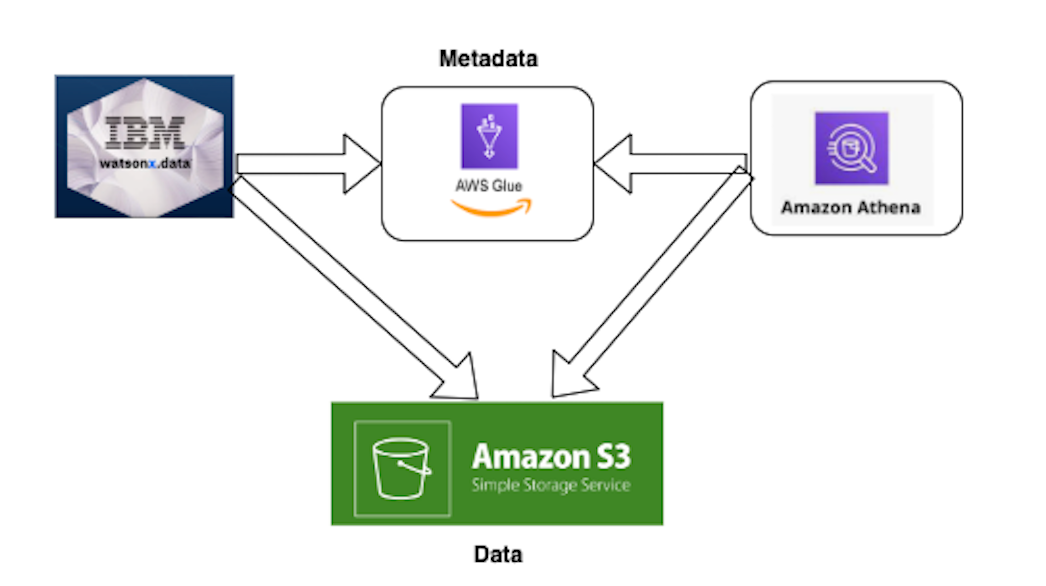
Presto in WXD and Athena in AWS connecting to Glue to CREATE and SELECT from TABLEs
Overview
In a previous blog, Import Iceberg Tables Created via Spark application in EMR Studio into watsonx.data, we looked at how you can register external iceberg tables with watsonx.data. In that scenario, the tables were initially created on Amazon S3 and tables metadata were accessible on Glue/Athena. When we imported/ registered the tables into watsonx.data, we saw the issue where we have two different systems having their own copy of metadata and saw data/metadata sync can be a problem. That situation requires careful control of which system should “own” and update the data/metadata.
In this blog, we’ll explore another option in watsonx.data where you can connect to the Glue using the custom storage connector and have both systems access the same metadata. In this method, updating or modifying in one system is automatically reflected on the other side.
First, Create Iceberg Table (student_info) on AWS S3 Glue
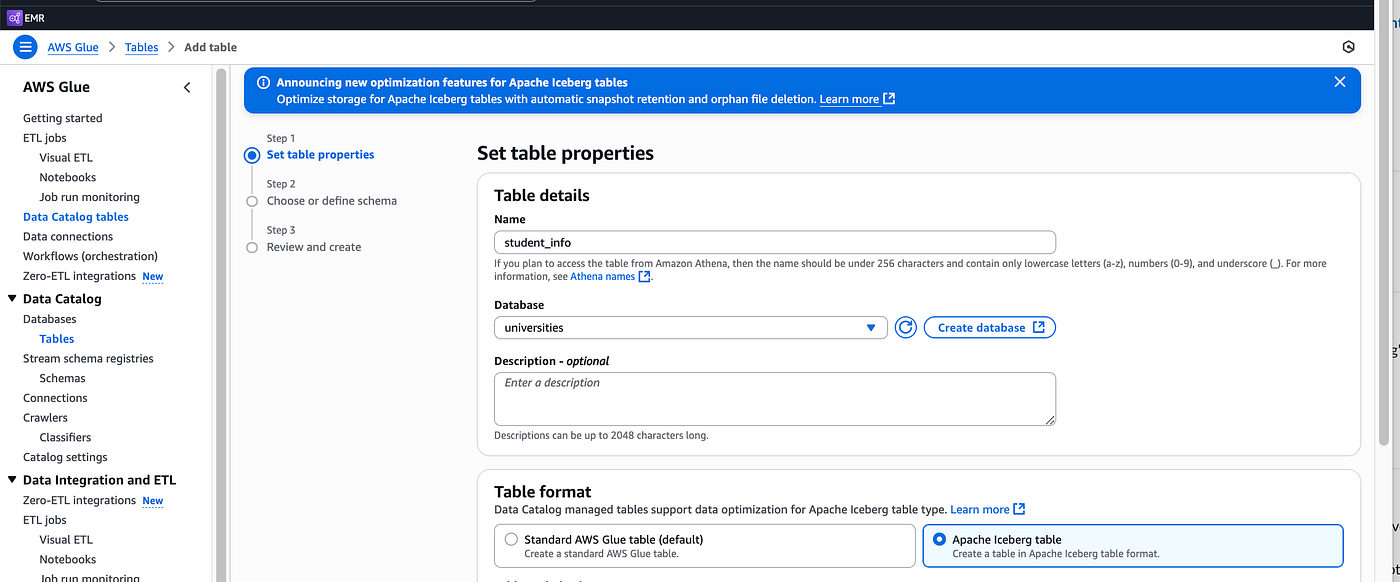
First from Glue, let’s create a new iceberg table

Make sure to choose the Iceberg table option here
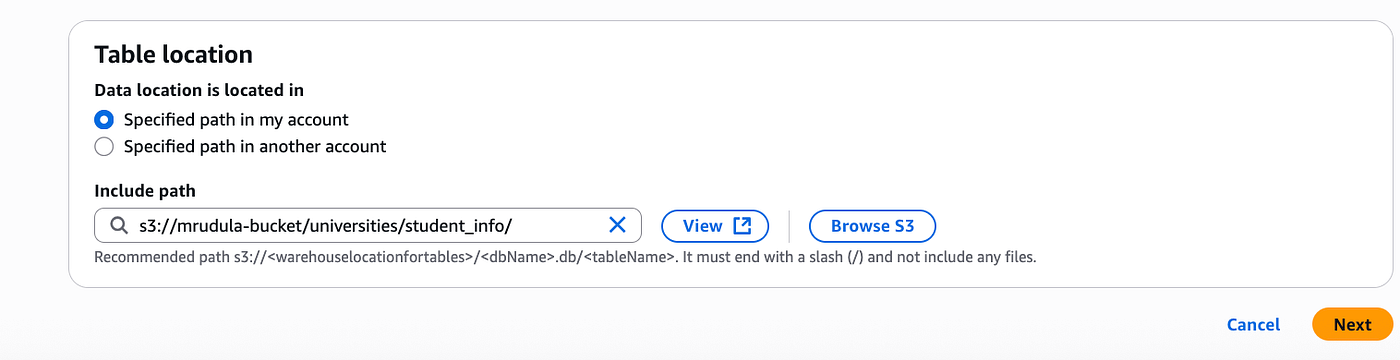
Give a valid location like this
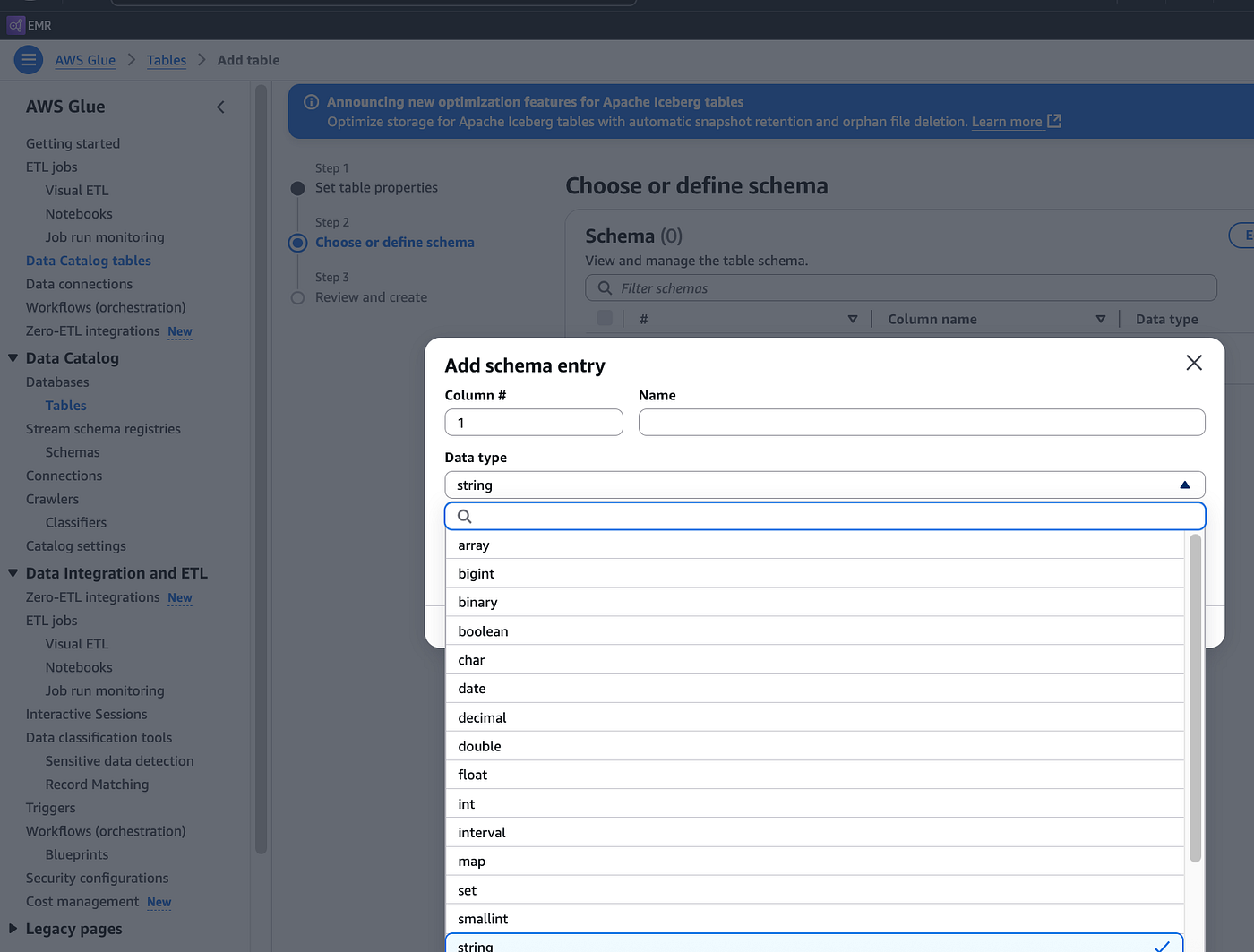
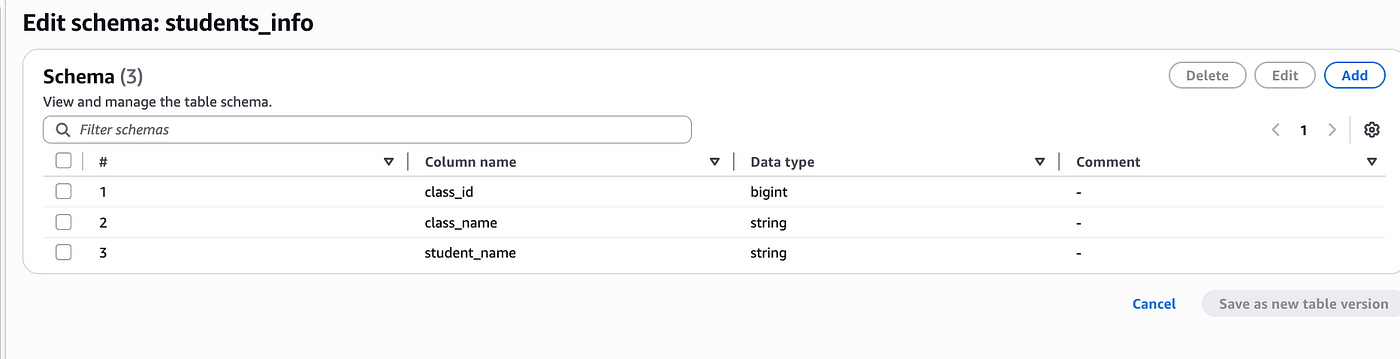
Then define the table schema
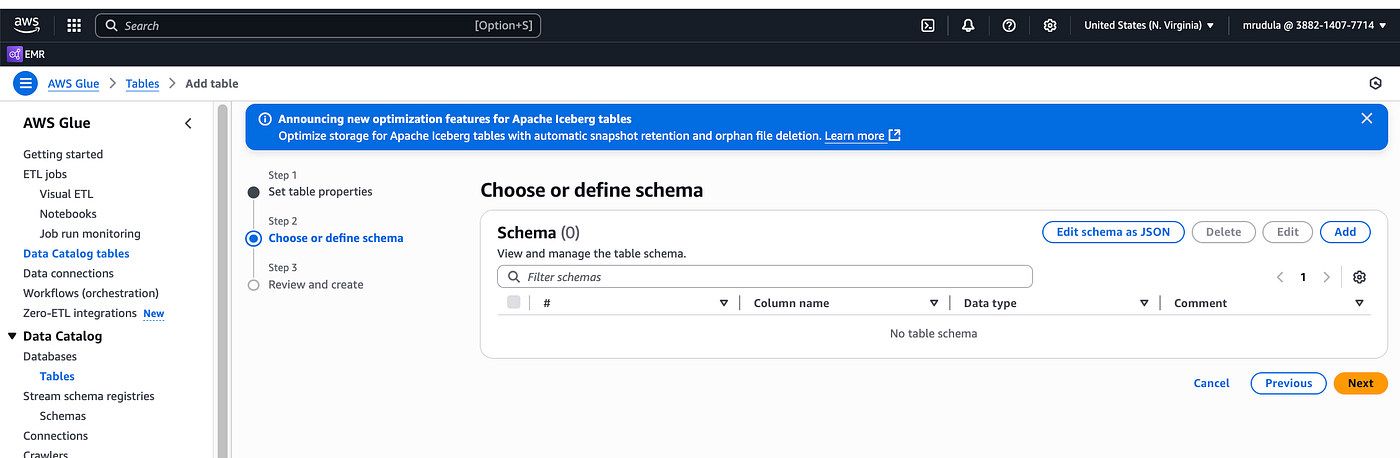
I chose to use manual way of adding schema (column names and types of the table)
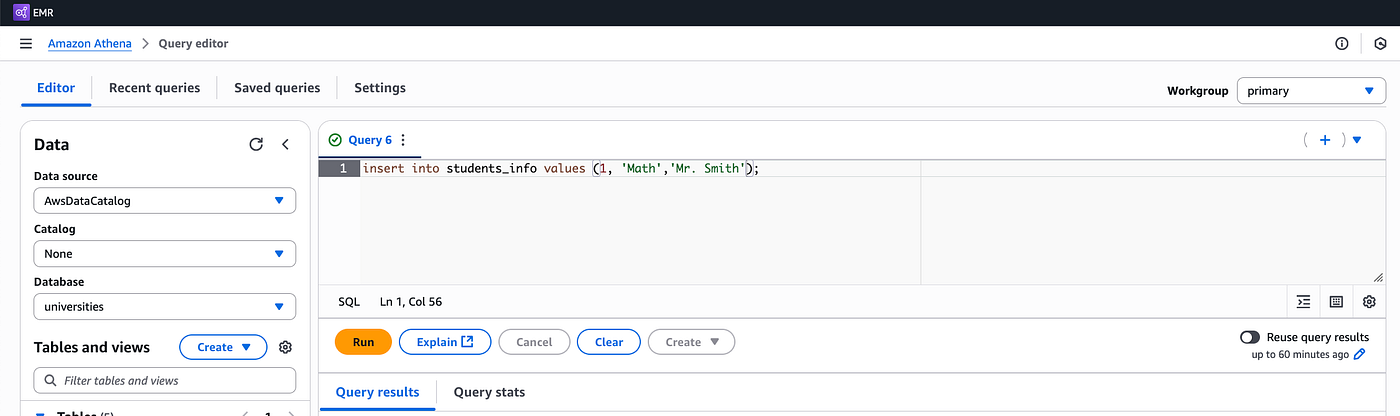
Next, insert some data into the students_info table using Athena
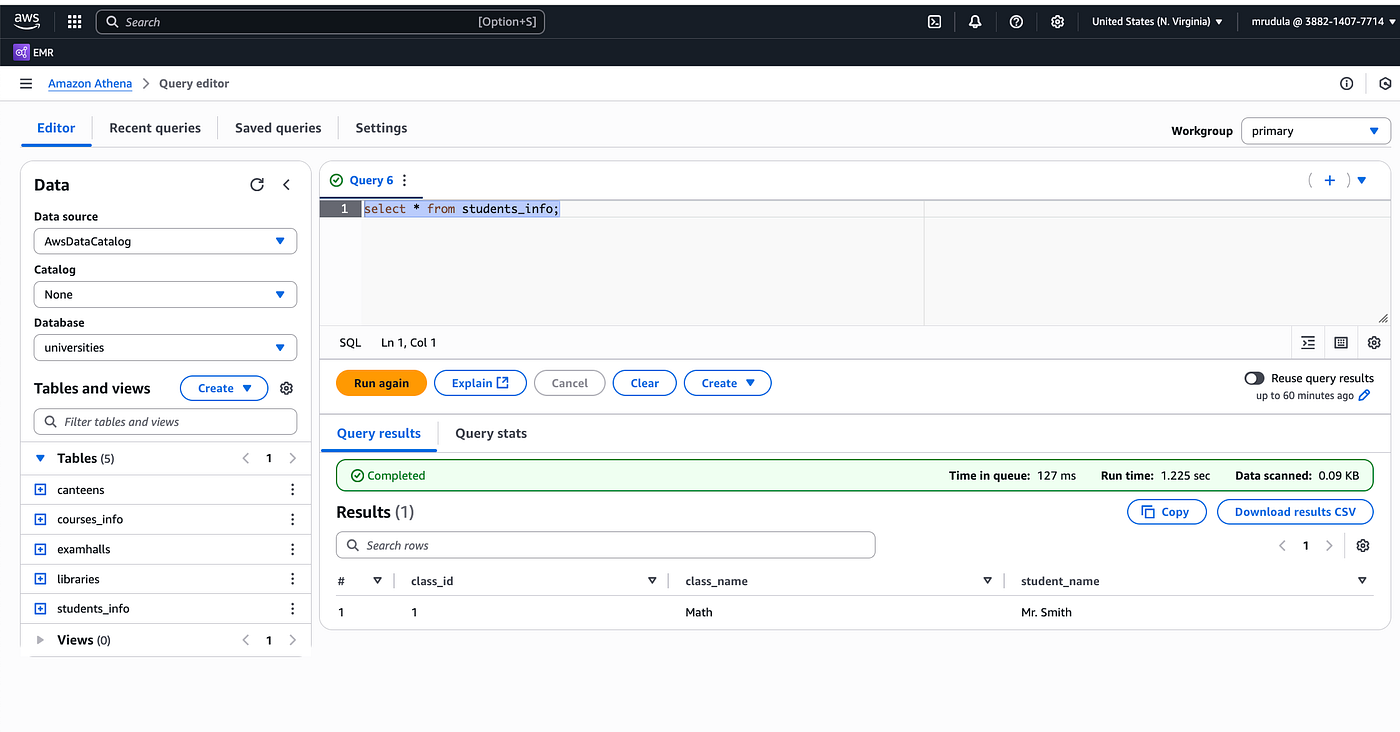
When you select the data from Athena, you can see it
Add Custom Storage on wxd to associate the Glue catalog
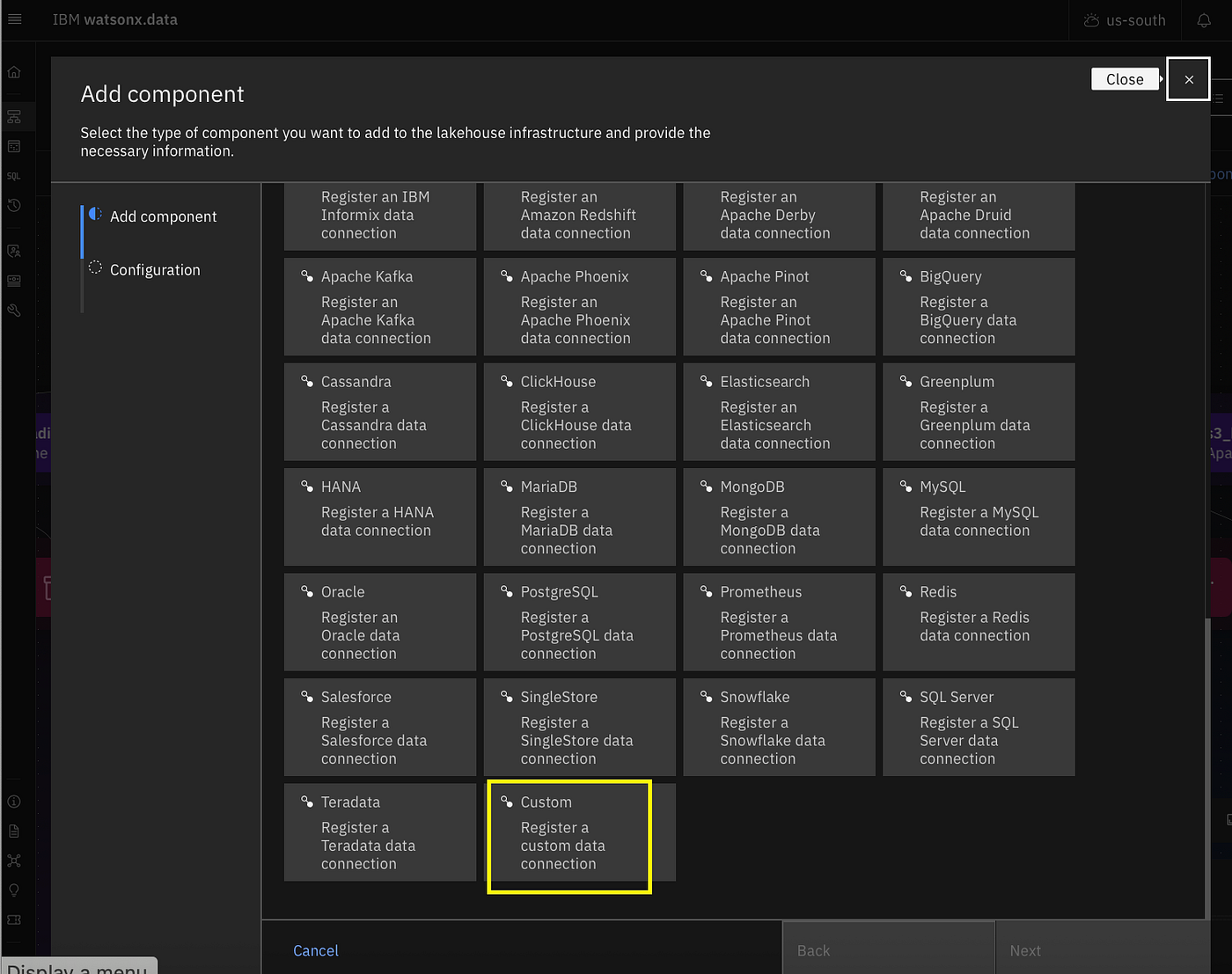
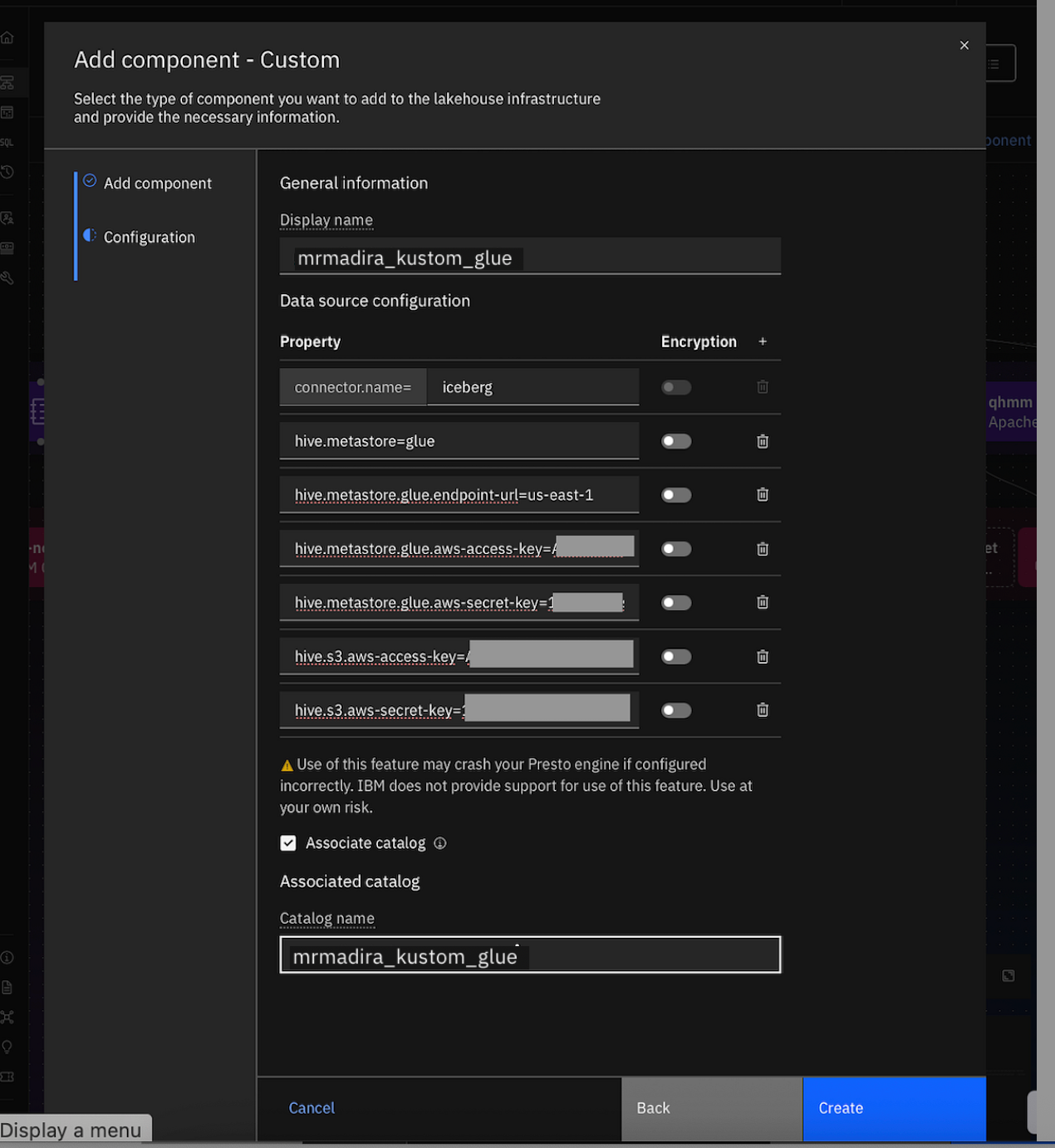
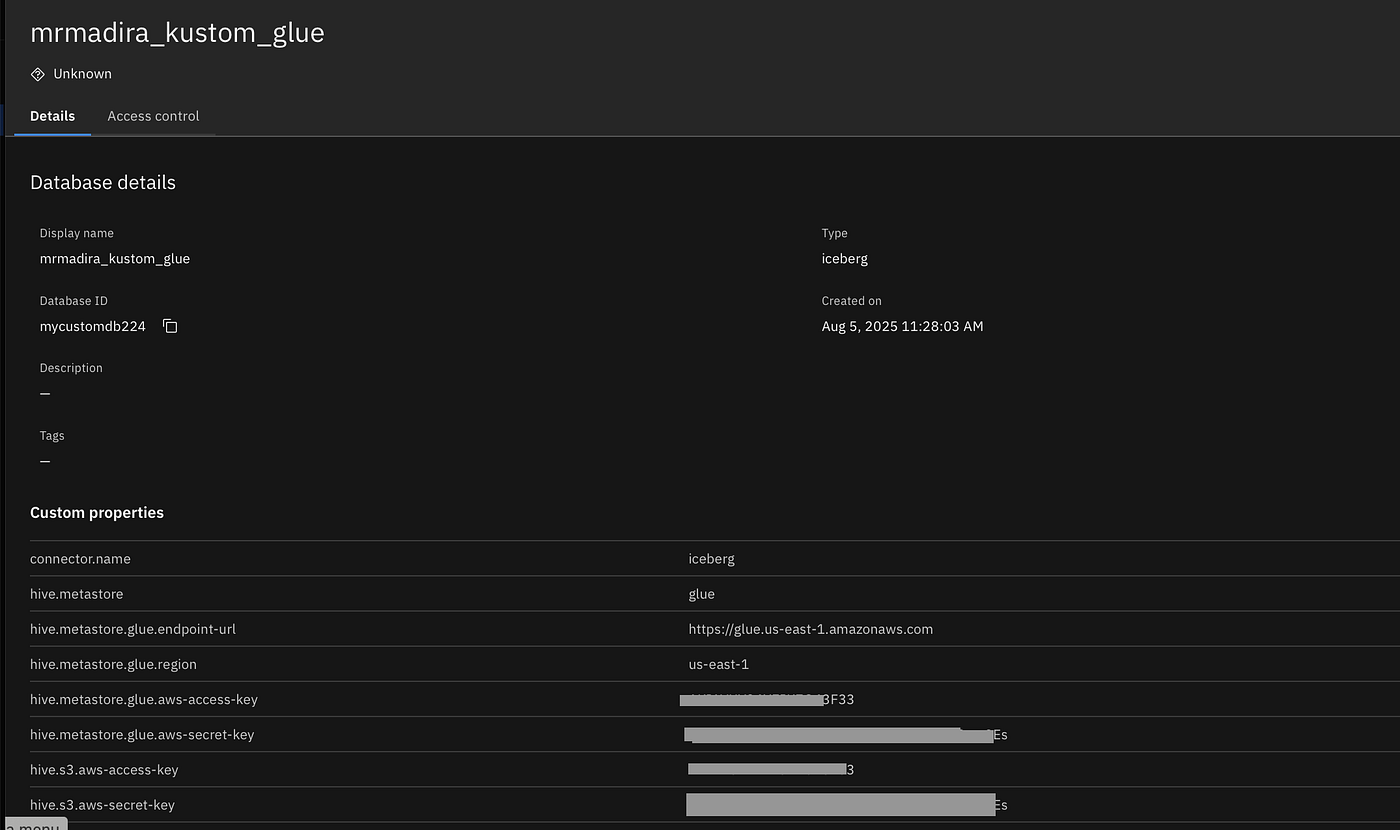
Glue Connection Properties
Note that you need to enter the access key value/secret key values twice with different attribute names as given here
connector.name=iceberg
hive.metastore = glue
hive.metastore.glue.endpoint-url = https://glue.us-east-1.amazonaws.com
hive.metastore.glue.region=us-east-1
hive.metastore.glue.aws-access-key=<LORUM>
hive.metastore.glue.aws-secret-key=<IPSUM>
hive.s3.aws-access-key=<LORUM>
hive.s3.aws-secret-key=<IPSUM>
Run SELECT on students_info table from wxd
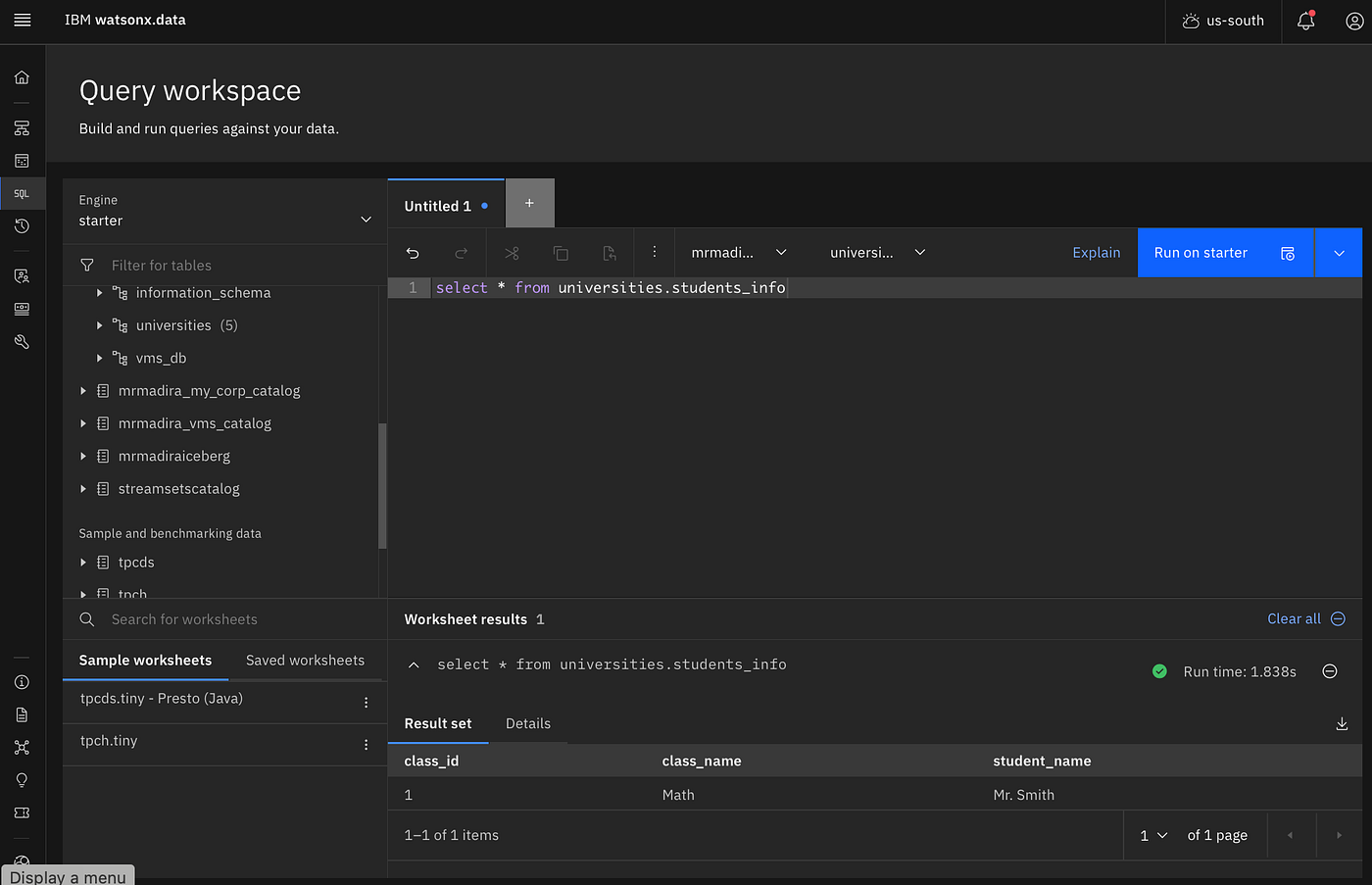
Now create a new table (examhalls) from wxd in the custom glue catalog
create table examhalls (id INTEGER, location varchar ) with (location='s3://mrudula-bucket/universities/examhalls');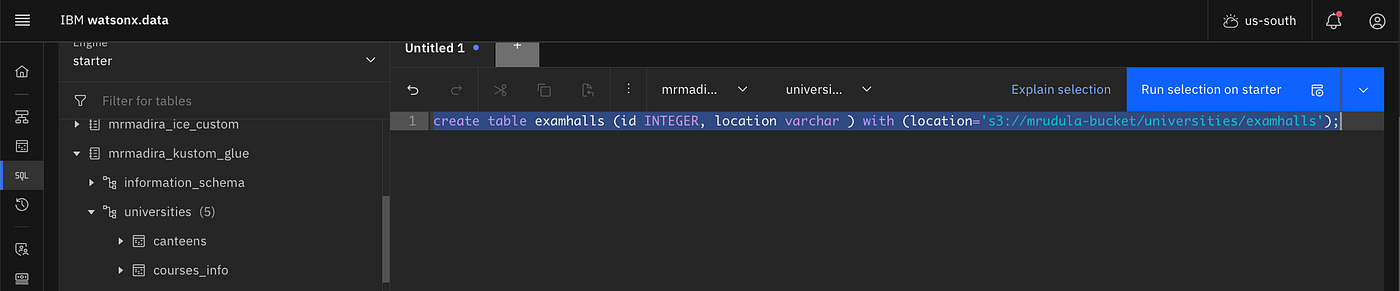
Insert some data from wxd and you can view the data from Glue; insert some data in Glue and you can view them from wxd.
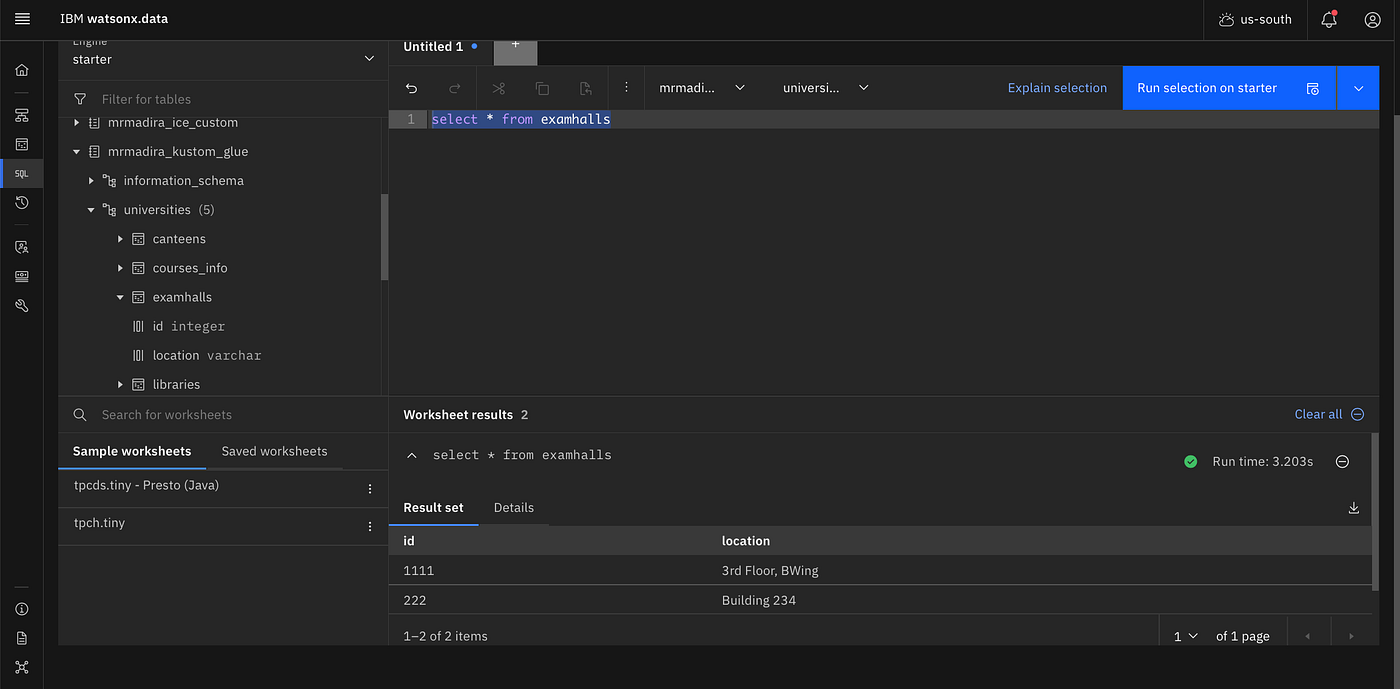
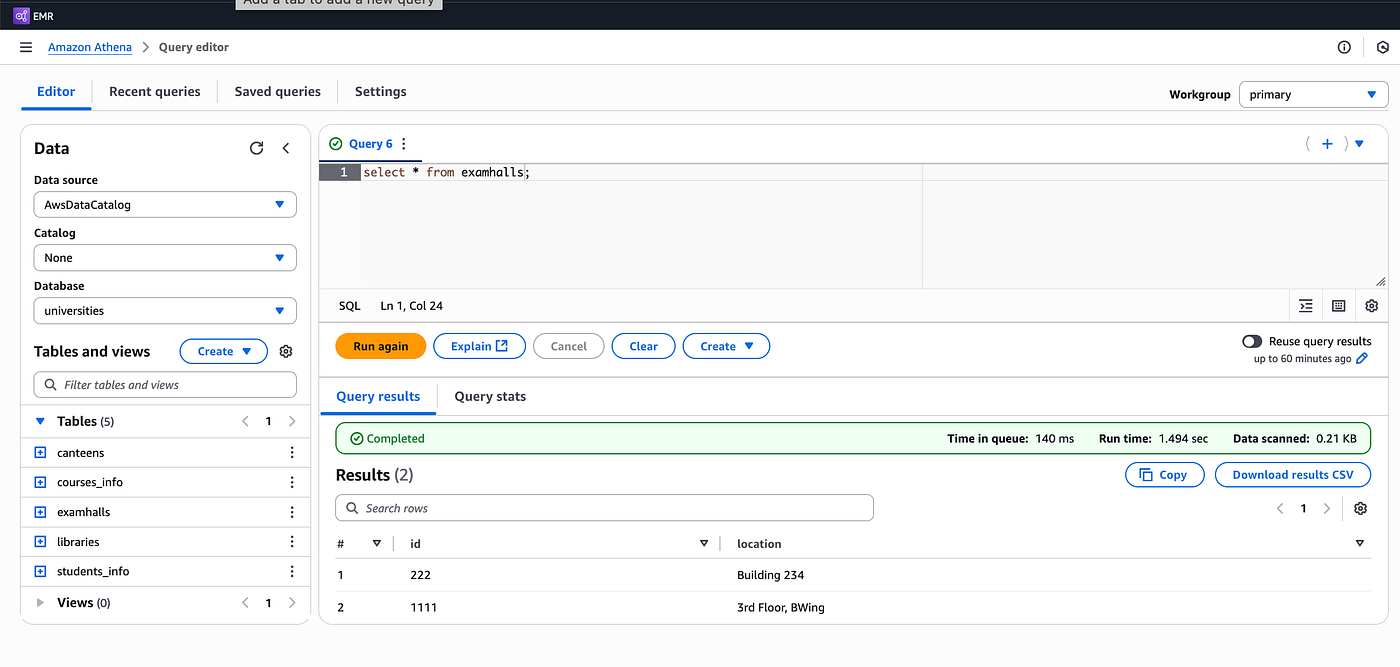
Hive Tables in Glue
All of the previous sections described how you can create iceberg tables in Glue and access them from wxd and viceversa.
You can do the similar thing for Hive tables. Here I have created a hive table “canteens”
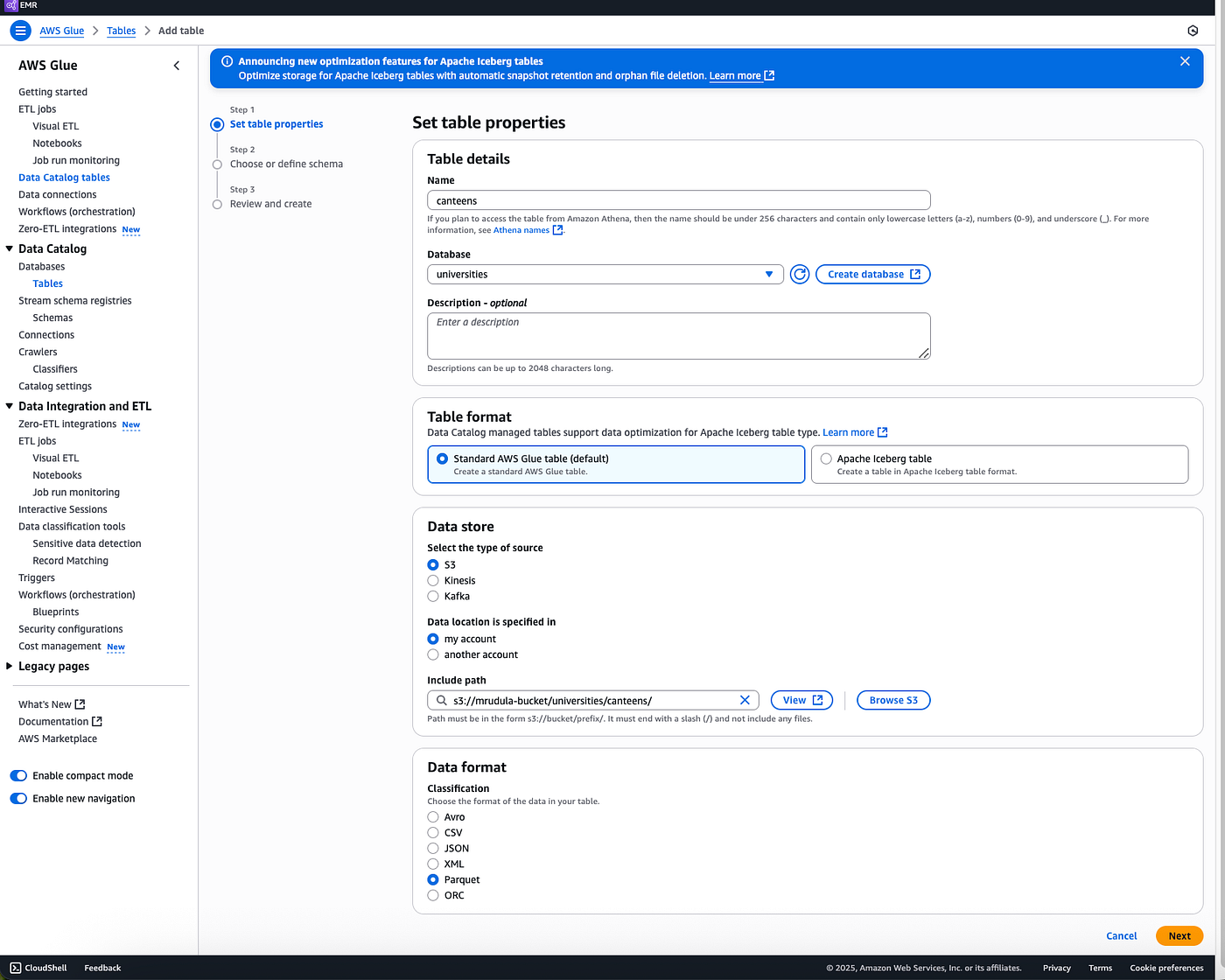
Inserted some data, selected

From WXD setup another Custom Stroage and Catalog for Hive
This time give the connector.name as hive-hadoop2
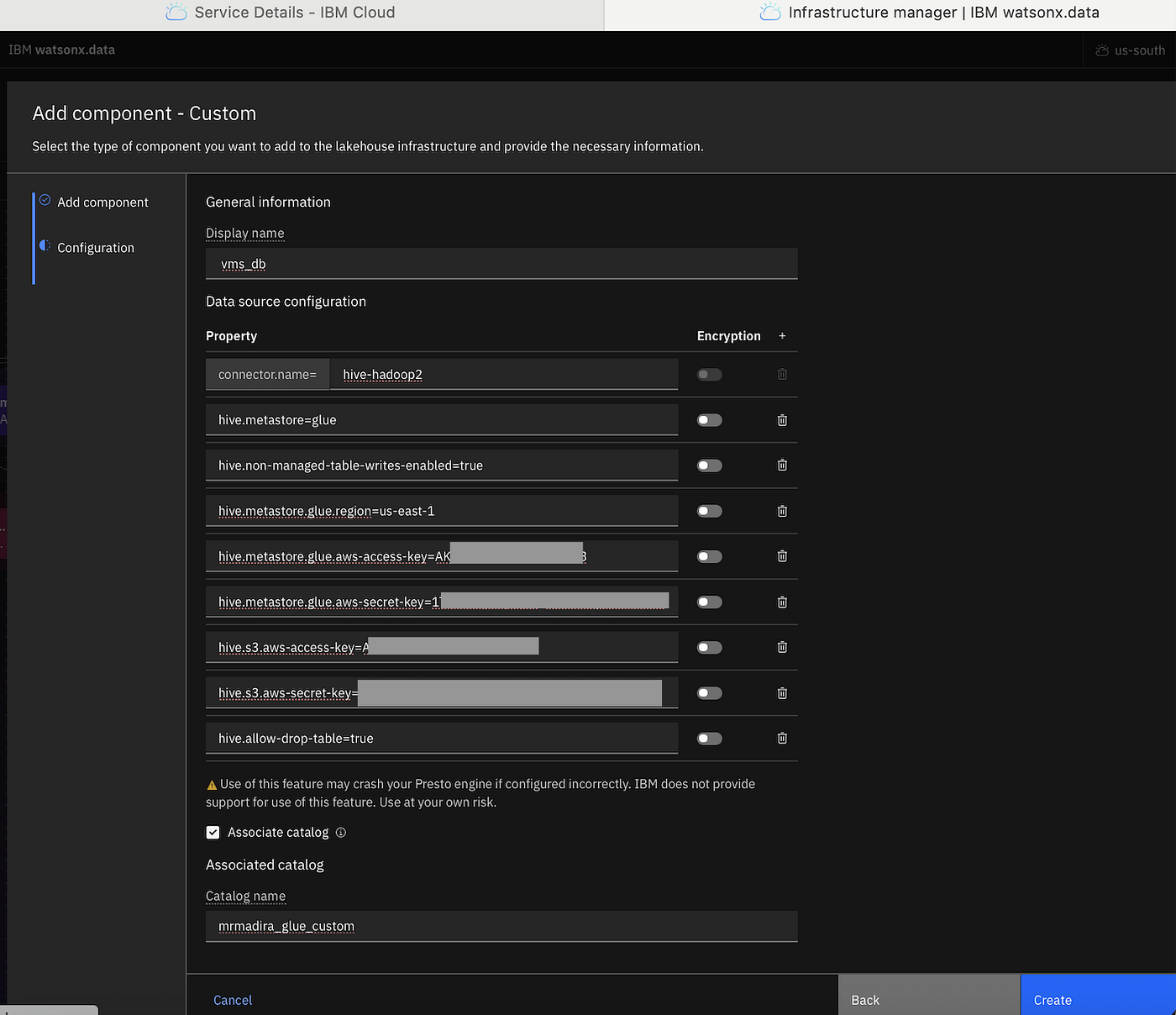
connector.name=hive-hadoop2
hive.metastore=glue
hive.non-managed-table-writes-enabled=true
hive.metastore.glue.region=us-west-2
hive.metastore.glue.aws-access-key=
hive.metastore.glue.aws-secret-key=
hive.s3.aws-access-key=
hive.s3.aws-secret-key=
hive.allow-drop-table=true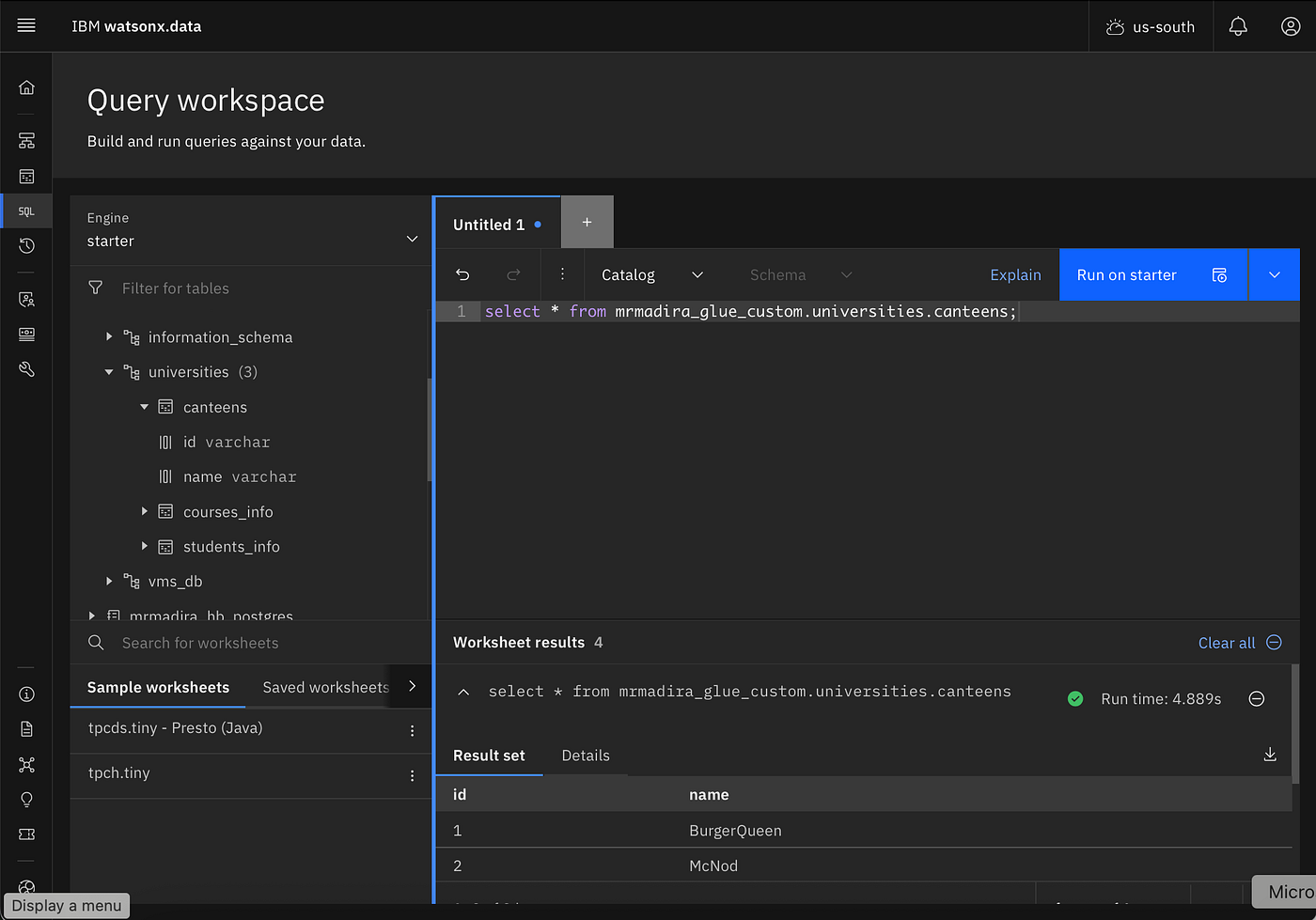
A few Gotchas!
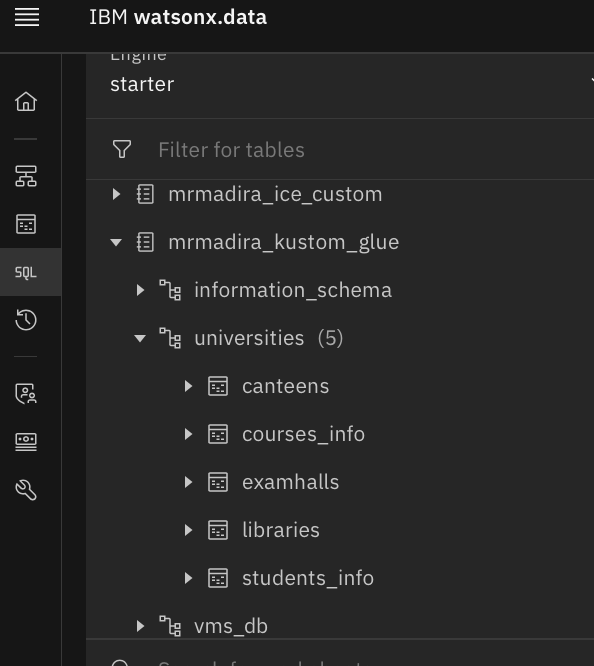
When you setup the catalogs to connect to Glue, you will see all the schemas and tables in the system because unlike in WXD where catalog is of a specific table format type (iceberg, hive, hudi, delta) in Glue, there can be a mix of table types against the same Glue endpoint.
mrmadira_kustom_glue catalog of type iceberg on wxd
mrmadira_glue_custom catalog of type hive on wxd
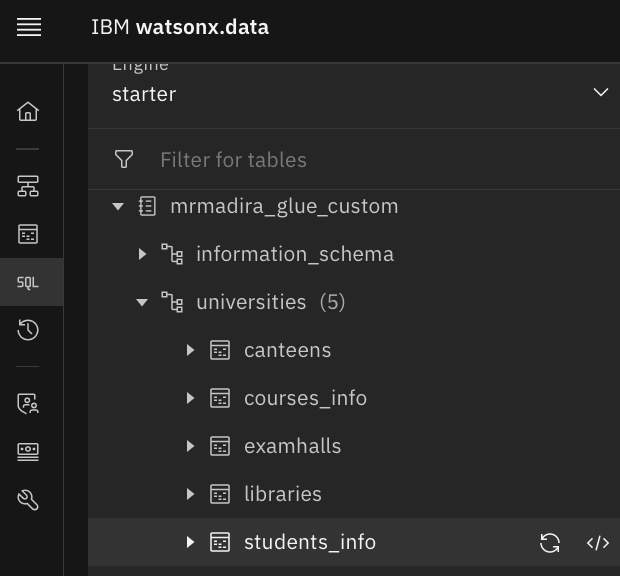
But when you select hive table from iceberg catalog it will give error on wxd side.
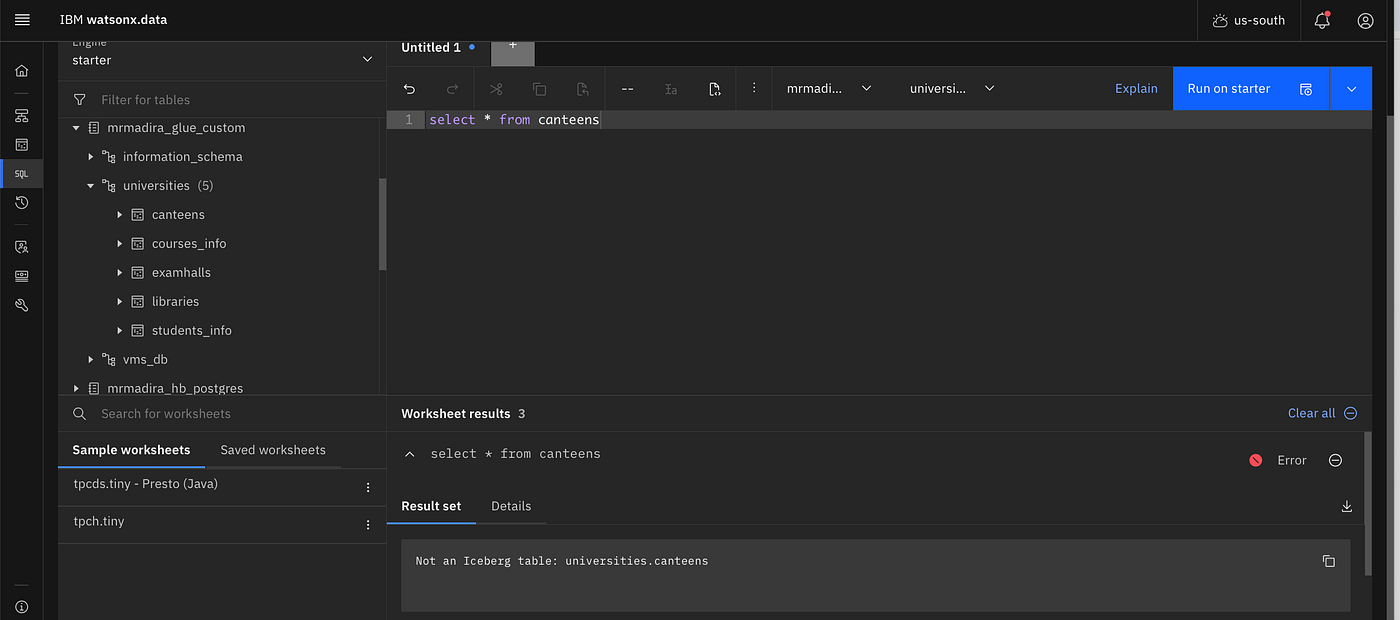
Similarly on the other side, if you select iceberg tables from hive catlog, wxd will throw an error

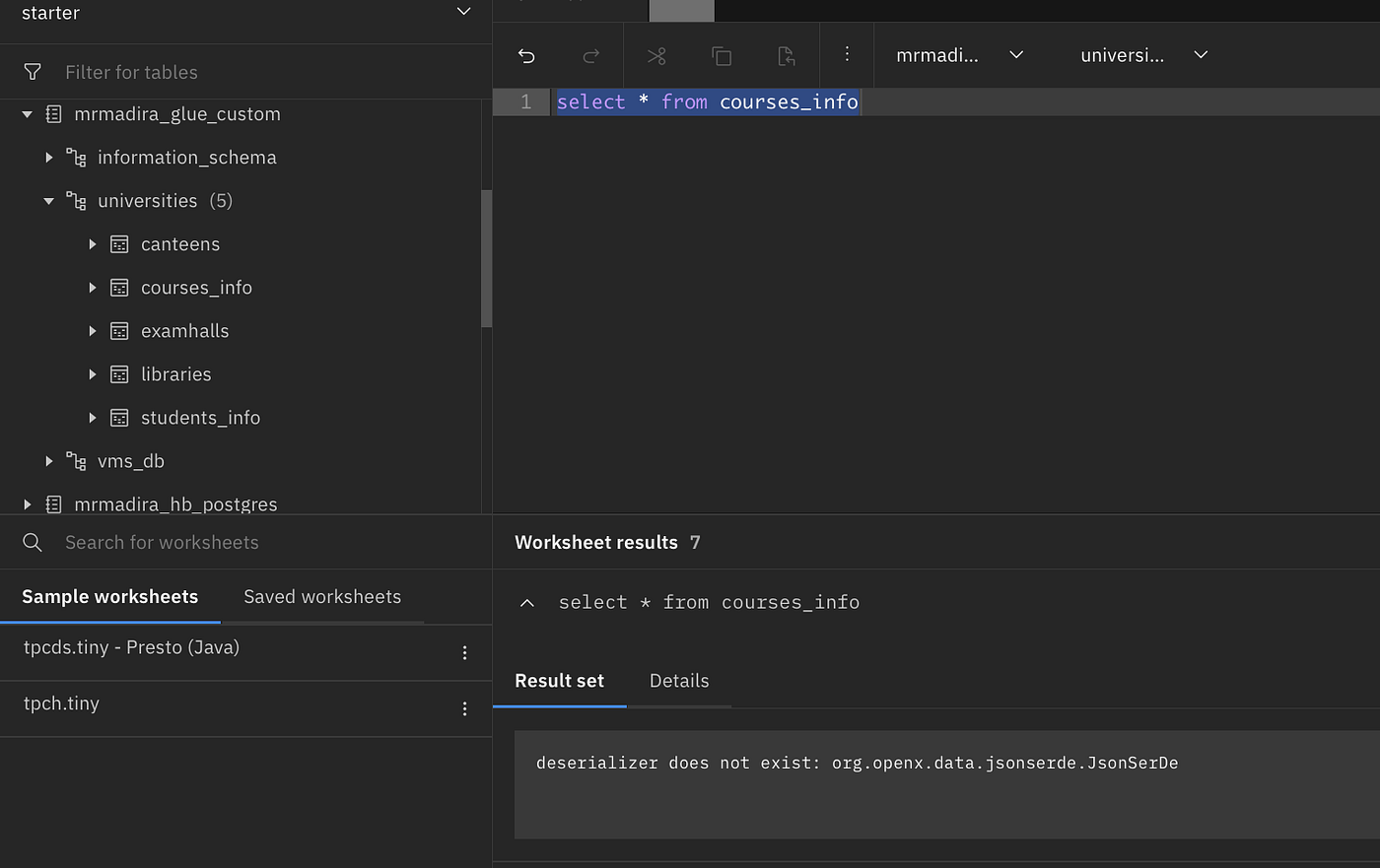
Another issue I faced with hive table, is that it worked for me only when I chose the dataformat to be of type parquet while creating table in Glue. For the default JSON data type, it gives this error on wxd.
Conclusion
So there are two ways you can “integrate” external iceberg tables into wxd. In this context, external tables is where data resides in AWS S3 (with Metadata in AWS Glue)
- “custom storage” option from wxd — where it uses presto general connector and connects to an external system where you specify the endpoints and access credentials. This way you are “cataloging” the external system into wxd. This allows you to browse data, select data, run joins across tables from external and WXD using Presto as the execution engine.
- “register iceberg tables” : which scans the object storage for iceberg tables and automatically adds the metadata into wxd (It doesn’t refer to metadata in Glue) Again you are able to browse, select, run joins etc
Flows on which the two methods are similar:
- Execution of your SQL queries from Presto; You are still leveraging Presto planner and execution engine for pushdown of filters, projections, and joins.
- There is no loss of functionality or performance from Presto.
Flows in which the two methods differ
- Metadata Pointer : One fundamental difference is that you are having one system for metadata which is the external Glue. So both WXD and Athena/Glue are pointing to the same metadata system. This way you will not have the problem of syncing of metadata between the two systems. If you update/insert/delete from one, it reflects in the other system automatically.
- Difference in UI response time: In the first approach, the metadata is still external — you are connecting to external glue at runtime, every time you are browsing on the UI; and fetching the schema and table information on the fly. (so there is a slight delay); In the second approach metadata resides within WXD (inside of the Metadata Service (MDS) — So there will be slight improvement in performance.
- Lesser ACL Control : Catalogs created for custom storage — currently you are not able to apply L3 (Data Policies) for access control. So you cannot have granular control ; for example — who in the system can access specific columns of the table. You cannot leverage IKC for data masking and other related capabilities.
- Spark Engine: These custom catalogs cannot be leveraged from other engines in the wxd — like Spark
So it all depends on the usecase and features you are looking for. While the first method demonstrates interoperability with rest of the eco-system, the second method assures metadata gravity within WXD.
If you liked this article, clap, share and subscribe! And let me know in comments what other topics you would like to know about watsonx.data.
메타데이터
- post_id
- 625f09ab60a1
- slug
- connect-to-amazon-glue-for-metadata-from-watsonx-data-625f09ab60a1
- url
- https://medium.com/@mrudulamadiraju/connect-to-amazon-glue-for-metadata-from-watsonx-data-625f09ab60a1
- canonical_url
- https://medium.com/@mrudulamadiraju/connect-to-amazon-glue-for-metadata-from-watsonx-data-625f09ab60a1
- author_url
- https://medium.com/@mrudulamadiraju
- status
- ok
- fetched_at
- 2026-08-10 04:45:40