Inspire Creativity: A Useful SwiftUI Animation Library
Review Part #1: worth trying if you build SwiftUI interfaces.
Inspire Creativity: A Useful SwiftUI Animation Library
Review Part #1: worth trying if you build SwiftUI interfaces.
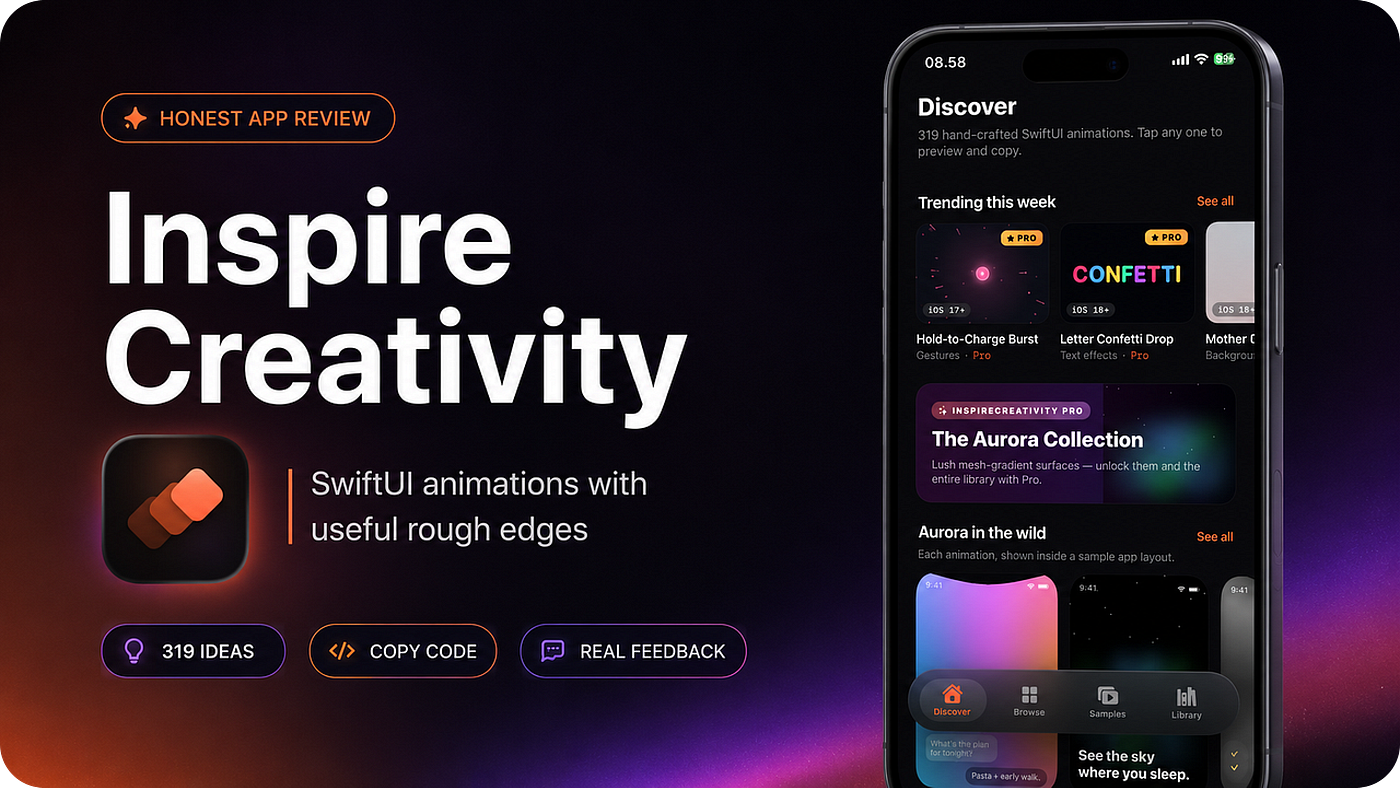
I recently tried an app from a colleague of mine called inspireCreativity.
Why this is useful for iOS developers
The main value of inspireCreativity is speed.
When you are building an app, it is easy to waste time searching for animation ideas, watching short clips, recreating the effect manually, then adjusting the code until it finally works in your project.
This app shortens that loop.
You can browse the animation, see the effect, and copy the SwiftUI code.
For developers who build side projects, client apps, prototypes, or internal product screens, that can save real time.
I also see this as an inspiration tool, not only a code library.
For example, one animation might become a better loading state.
Another might become a premium paywall background.
Another could be adapted into a small game mechanic.
Sometimes a new product idea starts from seeing one visual interaction that feels fresh.
That is the part I appreciate most: the app helps you think in motion.
It is now available on the App Store, and the idea is simple: give iOS developers a place to discover SwiftUI animations, preview them, and copy the code into their own projects.
That is already useful.
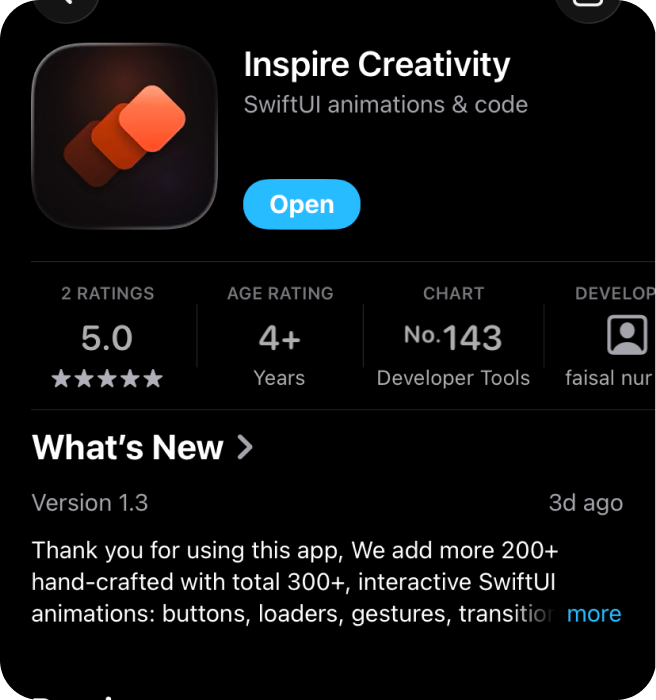
As an iOS developer, I am always looking for small interaction ideas that can make an app feel more alive without turning the whole project into a heavy design experiment.
Sometimes one good animation is enough to improve an onboarding screen, a loading state, a button interaction, a dashboard moment, or even a prototype for a game.
That is where inspireCreativity is interesting.
What the app offers
From the app screens I reviewed, inspireCreativity presents itself as a collection of hand-crafted SwiftUI animations.
The Discover screen shows 319 animations, and the product flow is built around a practical promise:
Tap an animation, preview it, then copy the code.
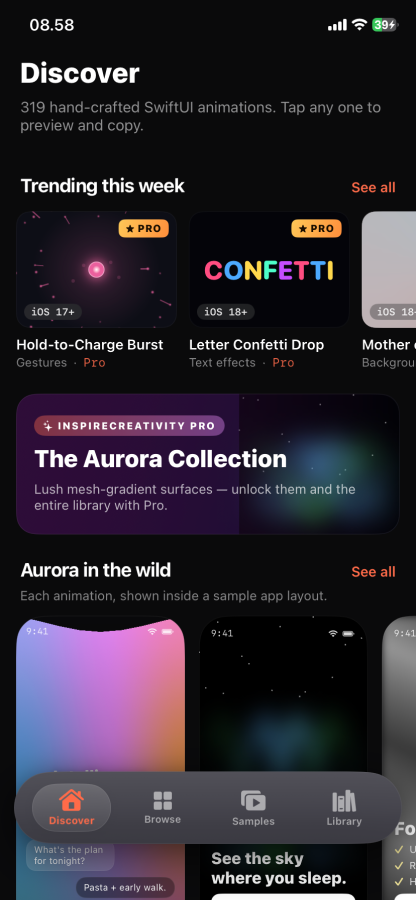
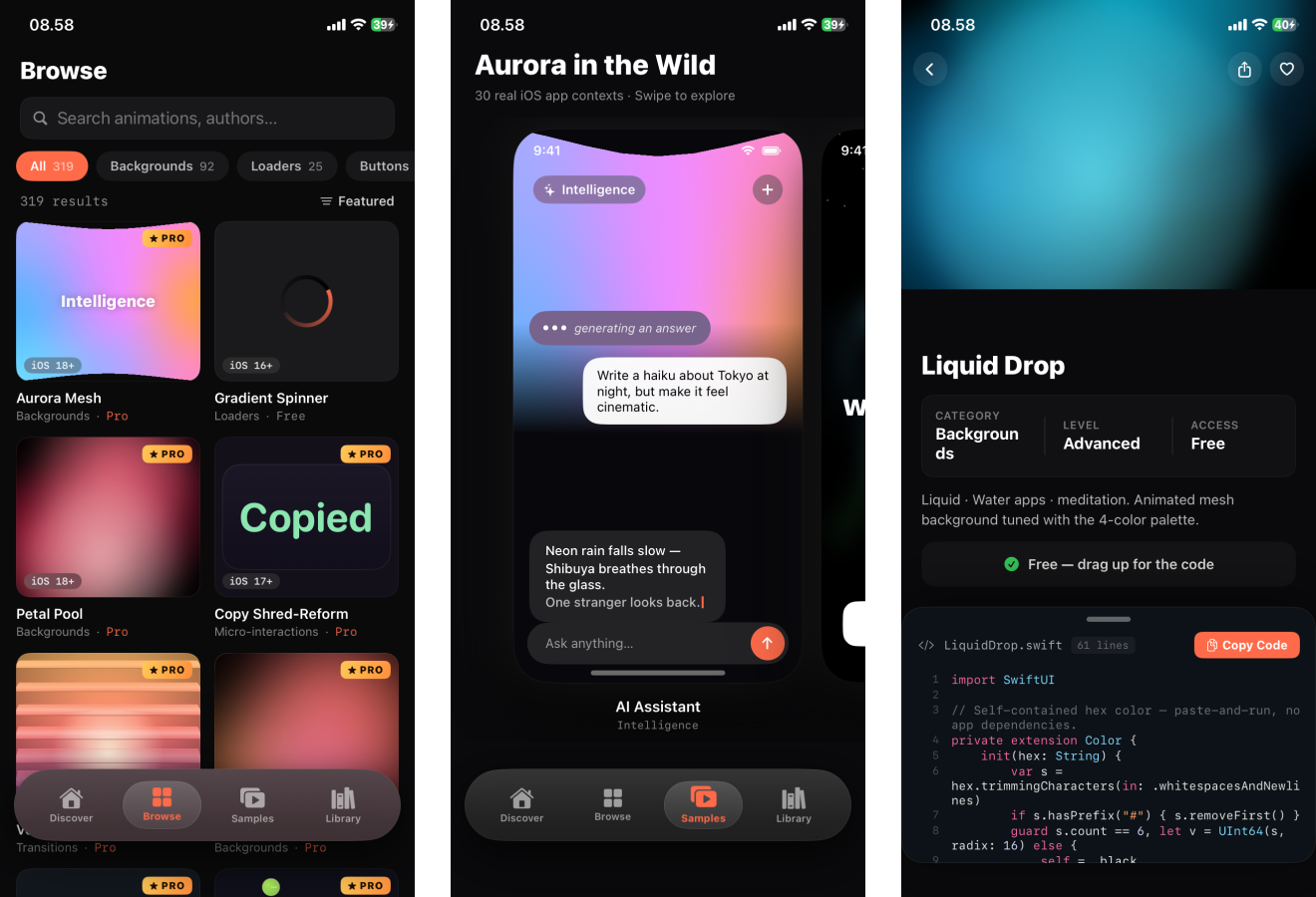
The app includes categories such as backgrounds, loaders, buttons, transitions, and micro-interactions.
Some animations are marked as Free, while others are part of Pro.
The animation cards also show iOS version labels, which is helpful because SwiftUI code can behave very differently across iOS versions.
One detail I like is that the app does not only show animations as isolated visual effects.
It also has sample app contexts, so you can see how an animation might feel inside a real interface.
That matters because an animation that looks impressive by itself can feel too heavy or distracting once it is placed inside a real product screen.
My honest experience
Overall, the app has a strong concept and a clear audience.
It is made for developers who want practical SwiftUI inspiration, not for people who only want to look at pretty motion design.
Pros / Cons
Pros:
- Clear value for iOS developers who need SwiftUI animation ideas.
- The preview-and-copy-code flow is practical, not just visual.
- The app shows many animation categories, including backgrounds, loaders, buttons, transitions, and micro-interactions.
- iOS version labels are useful because SwiftUI behavior can vary across OS versions.
- Some examples are shown inside sample app contexts, which makes the ideas easier to imagine in real products.
Cons:
- One SwiftUI animation got stuck during my testing.
- I noticed lag while scrolling.
- Animation-heavy browsing needs more performance polish.
- Copied code should still be reviewed, adapted, and tested before production use.
- I would like clearer technical notes for each snippet, such as performance cost and best use case.
Disclosure: inspireCreativity was built by a colleague of mine. That is why I wanted to try it, but this review is still based on what I actually saw while using the app.
I have already shared several issues with my colleague. If you have any feedback, you can share it with me or contact him directly through the app’s contact support.
What I would improve
If I were improving this product, I would focus on three areas.
First, I would make the browsing experience as smooth as possible.
Animation-heavy lists can become expensive quickly, so the app should be careful about when previews run, when expensive effects are loaded, and how much work happens during scrolling.
Second, I would add clearer technical notes for developers.
For example: iOS version, expected performance cost, whether the snippet is self-contained, and whether it is better for production use or experimentation.
Third, I would make stuck or failed animations recover gracefully.
Even a simple reset button or safer preview lifecycle can make the experience feel more reliable.
Those changes would make the product feel more professional and more trustworthy for developers who want to use the code in real projects.
Who should try it
inspireCreativity is worth checking out if you are:
- An iOS developer looking for SwiftUI animation ideas.
- An indie developer building a more polished app UI.
- A mobile engineer who wants copyable interaction snippets.
- A product builder looking for visual ideas for onboarding, loading states, buttons, backgrounds, or prototypes.
It is probably not for you if you expect every animation to be a complete production-ready design system component.
I would still treat the copied code as a starting point.
Review it, adapt it to your architecture, test it on real devices, and make sure it fits your product.
That is normal for any code snippet product.
Final verdict
I like the idea behind inspireCreativity.
It solves a real problem for iOS developers: finding animation inspiration and turning it into usable SwiftUI code quickly.
The app already has a strong foundation because it is visual, practical, and developer-focused.
The ability to preview and copy animation code makes it more valuable than a simple gallery.
At the same time, the current experience still needs performance polish.
The stuck animation and scroll lag are the main issues I noticed, and they should be fixed to make the product feel more reliable.
My honest take:
inspireCreativity is a useful app for SwiftUI developers who want fresh animation ideas, but it should keep improving performance and preview stability.
If you build iOS apps and want more motion inspiration for your next project, you can check it out here:
inspireCreativity on the App Store
Product review requests
I also support independent developers who are building mobile apps, developer tools, source-code products, or digital products for other builders.
If you would like your product reviewed with honest developer feedback, contact me at:
email: jeriisdev@gmail.com
Thank you for reading! If you enjoyed it, please consider clapping and following for more updates! 👏
메타데이터
- post_id
- 6476d7474e80
- slug
- inspire-creativity-a-useful-swiftui-animation-library-6476d7474e80
- url
- https://medium.com/macoclock/inspire-creativity-a-useful-swiftui-animation-library-6476d7474e80
- canonical_url
- https://medium.com/macoclock/inspire-creativity-a-useful-swiftui-animation-library-6476d7474e80
- author_url
- https://medium.com/@21zerixpm
- status
- ok
- fetched_at
- 2026-07-08 17:17:42