From PWA to Native App: Converting Your React App with Capacitor
So, you’ve built a sleek, responsive React Progressive Web App (PWA). It has service workers, it handles offline mode, and users can…
From PWA to Native App: Converting Your React App with Capacitor
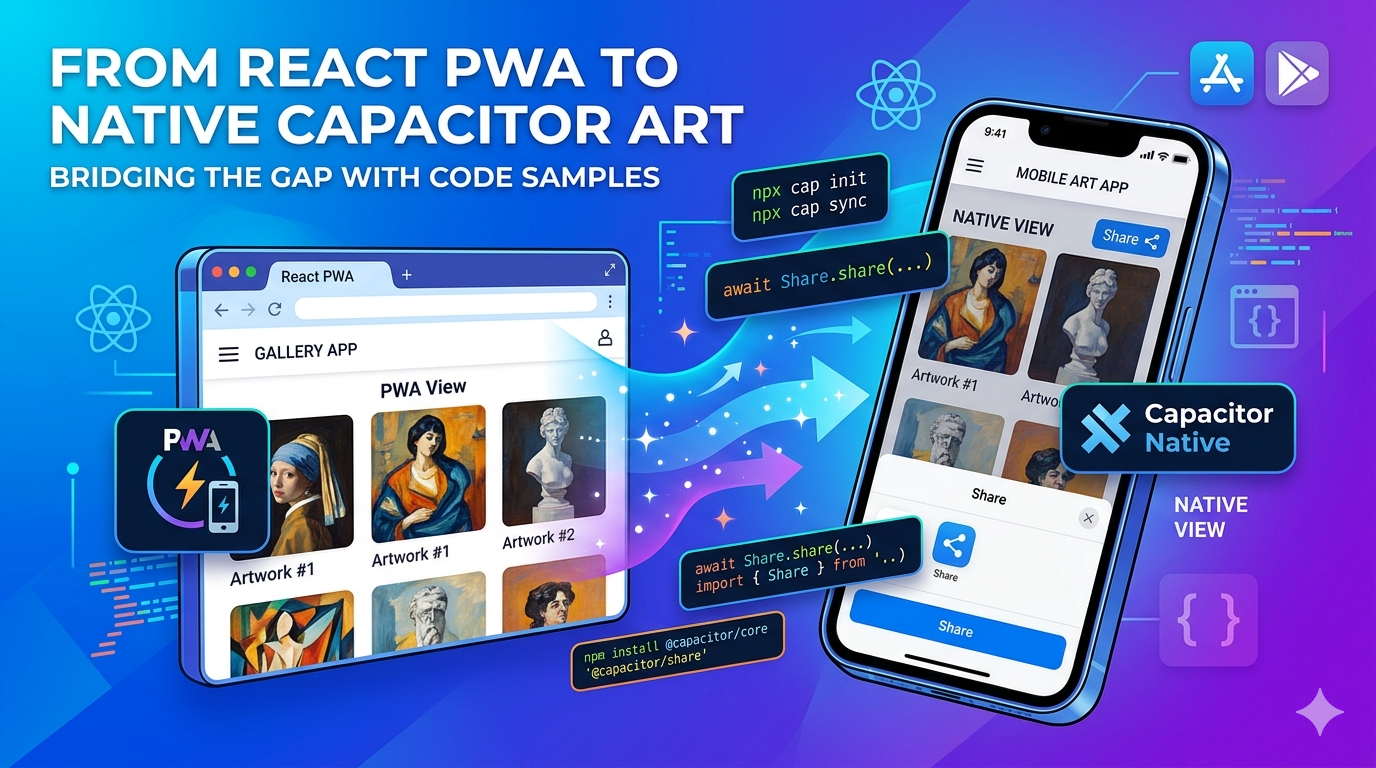
So, you’ve built a sleek, responsive React Progressive Web App (PWA). It has service workers, it handles offline mode, and users can install it on their desktops or home screens. That’s awesome.
But then comes the inevitable product requirement: “Hey, can we put this on the Apple App Store and Google Play Store?”
Suddenly, your PWA needs to become a native app. The good news? You don’t need to throw away your code and rewrite everything in React Native or Swift/Kotlin. Enter Capacitor — Ionic’s spiritual successor to Cordova that lets you wrap your existing web app into a native container with minimal friction.
Let’s walk through how to take your React PWA and transform it into a native mobile powerhouse.
Why Capacitor Over Cordova or React Native?
If you already have a working web app, React Native requires you to replace your HTML elements (<div>, <span>) with native components (<View>, <Text>). That’s a total rewrite.
Cordova is a bit dated and often feels like a black box.
Capacitor, on the other hand, just treats your web app as a first-class citizen. It spins up a native WebView, drops your production build into it, and provides a clean, modern TypeScript API to access native device features (like the camera, biometrics, or geolocation).
Step 1: Prepare Your React Build
Before touching Capacitor, make sure your React app is ready for production. Capacitor needs a static folder of HTML, JS, and CSS assets to bundle into the native wrapper.
If you are using Vite (which you probably should be), run your build command:
npm run buildThis typically generates a dist folder. If you are using Create React App (CRA), it will generate a build folder. Keep note of this folder name!
Step 2: Install and Initialize Capacitor
Now, let’s inject Capacitor into your project. Run the following commands in your project root:
# Install the core CLI and configuration tools
npm install @capacitor/core @capacitor/cli
Next, initialize Capacitor. This will prompt you for an app name and a unique package ID (like com.yourcompany.appname).
npx cap initDuring initialization, make sure to set the web asset directory to match your build folder (dist or build). Your capacitor.config.json (or .ts) should end up looking something like this:
JSON
{
  "appId": "com.example.reactpwa",
  "appName": "React Native Art App",
  "webDir": "dist",
  "bundledWebRuntime": false
}
Step 3: Add Mobile Platforms
Capacitor treats iOS and Android builds as actual native project folders. First, install the platform packages, then add them to your workspace:
# Install the platform dependencies
npm install @capacitor/android @capacitor/ios
# Add the native platforms to your project
npx cap add android
npx cap add iosYou’ll see two new folders appear in your directory tree: /android and /ios. These are real Android Studio and Xcode projects. You can open them up, customize native splash screens, or configure app permissions directly inside the native IDEs.
Step 4: Syncing Your React Code to Native
Every time you make a change in your React code and want to see it on a phone or emulator, you need to run a two-step process: build the web assets, and then sync them into the native wrappers.
# 1. Build your latest React code
npm run build
# 2. Copy the assets into Android and iOS folders
npx cap syncPro Tip: You can easily chain these together in your
package.jsonscripts:
*"app:sync": "npm run build && npx cap sync"*
To test it out, you can boot up your native IDEs directly from the CLI:
npx cap open android
npx cap open ios
Step 5: Level Up From PWA to Native Features
A standard PWA uses browser-based APIs. While those mostly work inside a WebView, Capacitor provides native plugins that are much more reliable and don’t prompt the user with ugly browser permission popups.
Let’s look at a quick example of replacing a standard web share or alert with a native experience using a Capacitor plugin.
npm install @capacitor/shareHere’s how you can use it inside a React component:
JavaScript
import React from 'react';
import { Share } from '@capacitor/share';
const ShareArtButton = ({ artTitle, artUrl }) => {
const handleNativeShare = async () => {
try {
// Check if the platform actually supports the native share sheet
const canShare = await Share.canShare();
if (canShare.value) {
await Share.share({
title: `Check out this artwork: ${artTitle}`,
text: 'Found this amazing piece on our app!',
url: artUrl,
dialogTitle: 'Share with friends',
});
} else {
// Fallback for standard web/desktop browsers
navigator.clipboard.writeText(artUrl);
alert('Link copied to clipboard!');
}
} catch (error) {
console.error('Error sharing content', error);
}
}; return (
<button
onClick={handleNativeShare}
className="px-4 py-2 bg-amber-500 text-white rounded-lg shadow"
>
Share Artwork
</button>
);
};export default ShareArtButton;Wrapping Up
That’s literally it. You don’t have to sacrifice your PWA capabilities either; you can keep maintaining your web application deployment pipeline while using Capacitor to build binaries for the App Store.
You get the best of both worlds: a fast, single-codebase React application that lives on the web, runs offline, and sits proudly in the app stores next to heavy, fully native applications.
메타데이터
- post_id
- 65c6104eb5cb
- slug
- from-pwa-to-native-app-converting-your-react-app-with-capacitor-65c6104eb5cb
- url
- https://medium.com/@shahanas.abdul/from-pwa-to-native-app-converting-your-react-app-with-capacitor-65c6104eb5cb
- canonical_url
- https://medium.com/@shahanas.abdul/from-pwa-to-native-app-converting-your-react-app-with-capacitor-65c6104eb5cb
- author_url
- https://medium.com/@shahanas.abdul
- status
- ok
- fetched_at
- 2026-06-13 00:08:42