How to Install Nagios in Ubuntu 16/18 | Cloud2Help
In this article, we are going to see how to install Nagios in ubuntu 16 and 18. Nagios is one of the most popular continuous Monitoring…
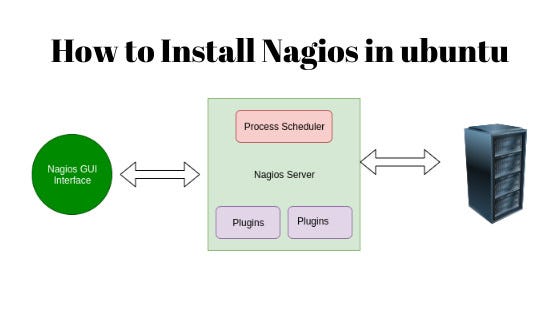
How to Install Nagios in Ubuntu 16/18 | Cloud2Help
In this article, we are going to see how to install Nagios in ubuntu 16 and 18. Nagios is one of the most popular continuous Monitoring Tools which continuously monitoring the IT infrastructure like Server, Services, Applications, Printer, Router, Switches, etc. It can detect and repair infrastructure problems, and stop future issues before they affect end-users. It gives your IT infrastructure complete status and its performance.
Read: How to install Nagios on Redhat/CentOS 7 and 8
Why Nagios?
- Nagios Core is an Open Source monitoring Tool.
- Easy to set up and manage.
- Continuously Monitoring IT Infrastructure.
- It monitoring Database services and Application services (Apache, Postfix, LDAP, Citrix, etc.).
- It runs on any Operating Systems.
- It has a wide community of support
- Nagios also has Altering Feature.
Pre-Installation Step:
before the installation of Nagios, some packages must be present in your Linux Box Apache and PHP.
For Ubuntu/Debian
Enable Some modules which require for Nagios
sudo a2enmod cgi auth_digest rewirte auth_form authz_groupfile session_cookie session_cryptoAfter installation of Apache starts the Apache service, by running the below commands.
sudo systemctl restart apache2 sudo systemctl enable apache2 sudo systemctl status apache2To read the complete article please visit Below Links
How to Install Nagios in Ubuntu 16/18
Originally published at https://www.cloud2help.com on January 22, 2020.
메타데이터
- post_id
- 65eae00fe00a
- slug
- how-to-install-nagios-in-ubuntu-16-18-cloud2help-65eae00fe00a
- url
- https://medium.com/@cloud2help/how-to-install-nagios-in-ubuntu-16-18-cloud2help-65eae00fe00a
- canonical_url
- https://medium.com/@cloud2help/how-to-install-nagios-in-ubuntu-16-18-cloud2help-65eae00fe00a
- author_url
- https://medium.com/@cloud2help
- status
- ok
- fetched_at
- 2026-07-29 07:49:46