Building Your Own Custom ChatGPT: A Beginner’s Guide to Custom GPTs
What if ChatGPT already knew everything about your business before you typed a single word? That’s what a Custom GPT does. Here’s how to…
Building Your Own Custom ChatGPT: A Beginner’s Guide to Custom GPTs
What if ChatGPT already knew everything about your business before you typed a single word? That’s what a Custom GPT does. Here’s how to build one.
If you want practical guides like this one delivered weekly, my newsletter covers the AI tools and workflows that actually move the needle for freelancers and small businesses. [Join free here] — honest, practical, no fluff.
Let me describe a scenario that’s going to sound familiar.

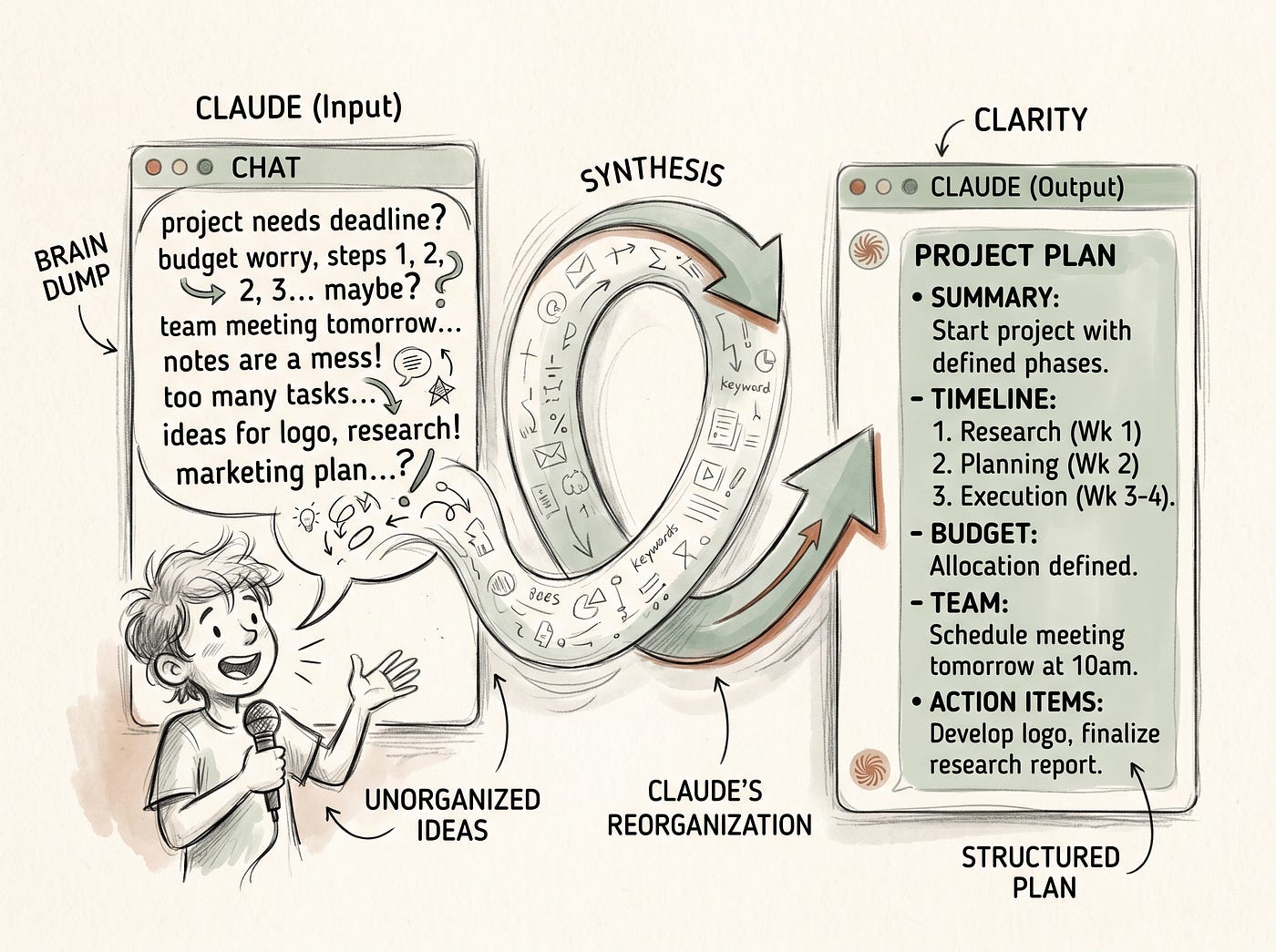
Created with Google Labs
You open ChatGPT. You have a task to do. Before you can get to the actual task, you spend the first few minutes doing what you always do. You explain who you are. You explain what kind of writing you do. You explain your audience. You explain the tone you want. You paste in some context about the project. You remind it about the things it always forgets. You correct the first draft because it used bullet points when you specifically don’t want bullet points.
And then you finally get to the useful part.
This is the standard ChatGPT experience for anyone using it seriously for work. And yes, Custom Instructions helps with this significantly. I wrote about that recently and the improvement is real. But Custom Instructions has limits. It gives ChatGPT background about you in general. It doesn’t give it deep knowledge about a specific product, a specific client, a specific process, a specific voice that’s distinct from your general preferences.
Custom GPTs solve a different and bigger problem. They let you build a version of ChatGPT that is configured, trained, and constrained specifically for one job. Not ChatGPT as a generalist who knows some things about you. ChatGPT as a specialist that knows everything about a specific task and approaches every interaction with that specialization fully loaded.
The kicker is that building one requires no coding, no technical background, and for a specific set of use cases takes about thirty minutes from start to something genuinely useful.
Let me show you exactly how it works.
What a Custom GPT Actually Is
A Custom GPT is a version of ChatGPT that you configure for a specific purpose. You give it a name. You give it detailed instructions about what it’s for, how it should behave, what it should always do and never do. You can upload files and documents that it can reference. You can connect it to external tools if you want more advanced functionality.
Once built, it lives in your ChatGPT account. You open it the same way you’d open a regular chat, except instead of starting cold with a blank general-purpose AI, you’re starting with something that already knows exactly what it’s doing.
You can keep it private for your own use, share it with specific people, or publish it to the GPT Store where anyone can find and use it. For most freelancers and small business owners, the private use case is the most immediately valuable, so that’s what we’ll focus on here.
Custom GPTs are available on ChatGPT Plus, which is the paid plan at around twenty dollars a month. If you’re on the free plan, this feature isn’t accessible. If you’re already paying for Plus, you have it available right now and may not have fully explored what it can do.
The Difference Between Custom Instructions and Custom GPTs
This distinction trips people up because both features involve giving ChatGPT information about you and your preferences. They solve related but different problems.
Custom Instructions are global. They apply to every conversation you have with standard ChatGPT. They’re for persistent background context and style preferences that are consistent across everything you do. Your general tone. Your general audience. Your formatting preferences. Things that are true across all your work.
A Custom GPT is purpose-built. It’s configured for one specific job and knows everything relevant to that job in depth. It can have its own name, its own personality, its own specific instructions, its own uploaded knowledge base. When you’re using it, you’re not using general ChatGPT with some preferences applied. You’re using a specialized tool.
Think of it this way. Custom Instructions is like briefing an assistant on your general working style. A Custom GPT is like hiring a specialist who has been trained specifically for one function in your business.
You might have Custom Instructions that set your general tone and audience. And then you might have a Custom GPT specifically for writing client proposals, another one for research tasks, another one for generating social media content in your specific voice. Each one is deeply configured for its specific job. None of them are trying to do everything.
The Kinds of Custom GPTs Worth Building
Before getting into the how, it’s worth thinking about the what. Because building a Custom GPT without a clear use case in mind is how you end up with something that sounds useful and doesn’t get used.
The best Custom GPTs share a few qualities. They’re used frequently enough that the configuration investment pays off quickly. They involve repetitive context that you’d otherwise provide manually in every session. They have clear, specific requirements that distinguish them from general ChatGPT use.
Here are the ones that have produced the most genuine value for freelancers and small business owners I’ve talked to.
A writing assistant configured to your specific voice. This goes deeper than Custom Instructions. You upload examples of your best writing, give detailed instructions about your stylistic choices, specify the exact patterns to avoid, explain your audience in granular detail, and name the specific qualities you’re always trying to achieve. The result is a writing assistant that understands your voice at a level of specificity that generic ChatGPT can’t match, even with good prompting.
A client communication assistant configured for a specific client or client type. You upload the client brief, past communications, notes on their preferences, their communication style, anything relevant to this relationship. Every email, update, or response you draft for this client starts from a base of deep context rather than having to be re-established every session.
A research assistant configured for your specific field. You upload your most important reference documents, give it instructions about the sources and approaches you trust and don’t trust, tell it how you like research organized and presented. It becomes a specialist rather than a generalist, which produces better results for domain-specific work.
A content repurposing assistant that knows your full content library. You give it instructions about how to transform existing content into different formats, upload examples of successful transformations, specify the platforms and formats you use regularly. Instead of explaining the transformation task from scratch every time, you open the GPT and it already knows the job.
A proposal or pitch writer configured with your service offerings, pricing, common objections, and success stories. Instead of building each proposal from a blank page, you open the GPT, give it the client context, and get a strong first draft calibrated to your actual business rather than a generic consulting template.
How to Actually Build One, Step by Step
Here’s the practical walkthrough. This is genuinely not complicated once you can see the steps.
Open ChatGPT and click on your profile in the left sidebar. You’ll see an option called My GPTs. Click it. Then click Create a GPT. The GPT builder opens.
The builder has two sides. On the left is the configuration interface. On the right is a preview where you can test your GPT as you build it. You’ll spend most of your time on the left.
The name and description. Give your GPT a specific, descriptive name that tells you immediately what it’s for. Not “Writing Assistant.” Something like “Medium Article Writer” or “Client Email Drafter” or “Proposal Builder.” The description is for your own reference and anyone you share it with.
The instructions box. This is the heart of your Custom GPT and deserves real thought and real time. This is where you tell the GPT exactly what it is, what it does, how it should behave, and what it should never do. The more specific and detailed this is, the better the GPT performs.
For a writing assistant, this might include: the specific voice and tone you want, the audience it’s always writing for, formatting rules like no bullet points or no em dashes, the structure principles you follow, the phrases and patterns to avoid, examples of the quality and style you’re aiming for, what to do when the brief is unclear, how to handle requests that fall outside the GPT’s purpose.
Write this section the way you’d write a detailed brief for a new employee on their first day. Not vague directives. Specific, behavioral instructions. “Always open articles with a strong hook that creates curiosity rather than a definition or generic scene-setting.” “Never use bullet points unless the user specifically requests them.” “When asked to write an email, ask for the recipient relationship and desired tone before drafting if they haven’t been specified.”
The knowledge base. Under the Configure tab, you’ll see an option to upload files. This is where you add documents that you want the GPT to be able to reference. Your best writing examples. Your brand guidelines. A client brief. Reference documents for your field. Style guides. Anything that would help the GPT do its specific job better.
The GPT can reference these documents when generating responses, which means it can pull specific information, match specific styles, and apply specific knowledge that you’ve given it rather than relying only on its general training.
The conversation starters. These are optional but useful. They’re the prompt suggestions that appear when you first open the GPT. Designing them well means you or anyone using the GPT can get to the useful part immediately rather than figuring out how to begin. For a proposal writer GPT, the conversation starters might be: “Draft a proposal for a new client.” “Improve this existing proposal section.” “Help me handle a common client objection.”
Testing and Refining
This is the step people want to skip and shouldn’t.
Once you’ve built the initial version, spend thirty minutes actually using it for real tasks. Not test prompts. Things you actually need done.
What you’re looking for: does it behave the way the instructions specified? Does it maintain the right tone throughout without drifting? Does it reference the uploaded knowledge appropriately? Does it avoid the patterns you told it to avoid? Does it ask clarifying questions in the right situations?
What you’ll almost certainly find: at least two or three things where the actual behavior doesn’t match what you intended. The instructions were slightly ambiguous and the GPT interpreted them differently than you meant. A pattern you told it to avoid is still showing up occasionally. It’s not using the uploaded documents the way you expected.
Go back to the instructions and refine. Be more specific about the areas where the behavior drifted. Add examples of what you want and what you don’t want. Test again. The iteration cycle between instructions and behavior is how you get from something that’s roughly useful to something that’s genuinely excellent.
Most Custom GPTs that get abandoned are abandoned because the builder did one iteration and gave up when the results weren’t perfect immediately. Most Custom GPTs that become genuinely valuable went through four or five rounds of testing and refinement before they settled into reliable, high-quality behavior.
The refinement is the work. It’s also where the payoff comes from.
The Honest Limitations
A few things worth knowing before you go in with unrealistic expectations.
Custom GPTs inherit the limitations of the underlying model. They can still hallucinate. They can still produce outputs that sound confident but are wrong. The configuration makes them more consistently useful for specific tasks, but it doesn’t make them infallible. You still need to review and edit outputs rather than treating them as finished.
The knowledge base has limits. Uploaded documents give the GPT material to reference, but it doesn’t memorize them perfectly or reference them with perfect accuracy every time. For critical information that needs to be precisely accurate, verify the output against the source document rather than trusting the GPT’s recall.
Very long or complex instruction sets can produce inconsistent behavior. GPTs with extremely detailed, long instructions sometimes follow them inconsistently, applying some rules reliably and occasionally forgetting others. If you notice specific instructions being ignored, it often helps to move those instructions to the top of the instruction box, where they’re more reliably applied.
And the GPT won’t update itself. If your business changes, your voice evolves, or a client’s requirements shift, you need to go back and update the configuration manually. Set a reminder to review your Custom GPTs every couple of months and update anything that’s drifted out of alignment with your current reality.
This kind of step-by-step practical breakdown is what my newsletter delivers every week. Real tools, real setups, real results for freelancers and small business owners. [Subscribe free here] — takes ten seconds, you can leave anytime.
What Changes When This Is Working Well
Here’s what the experience of using a well-configured Custom GPT actually feels like compared to regular ChatGPT.
You open it and it’s already oriented. There’s no warm-up. No context-setting. No correcting the tone in the first response. You give it the task and it does the task in the way you need it done, from the first output, because the configuration is doing all the work that you used to do manually in every session.
Over time, the time savings compound in a specific way. Not just the minutes saved per session, but the cognitive overhead that disappears when you’re not managing the AI’s behavior alongside managing the task. You think about the work. The GPT handles how to do the work in a way that fits your standards.
For the tasks you do most frequently and most repeatedly, this shift is genuinely significant. The proposal writer GPT that you open for every new client pitch. The email drafter that you use for every tricky client communication. The content assistant that you open every time you sit down to write. These become tools you reach for the way you reach for any reliable tool in your stack, not because you have to set them up every time but because you set them up once and they just work.
That’s the goal. A few hours of upfront configuration work. Tools that perform reliably for months or years from that investment. Time and cognitive overhead recovered every week from that point forward.
Thirty minutes to build the first one. Most people who build one build several more within the month, because once you’ve felt the difference between a generic AI and a specialized one configured for your specific work, going back to starting every session from scratch feels like unnecessary friction.
Start with the task you do most often. Build it this week.
See you in the next one.
— Mubashir :)
P.S. — My newsletter is where I share the specific, practical AI tool guides and workflow experiments that actually make a difference for freelancers and small business owners. It’s free, it’s weekly, and it’s the most useful AI content I put out. [Join here] — and if you build a Custom GPT after reading this and want to share what you built it for and how it’s working, drop it in the comments. The specific use cases are always more interesting than the general concept, and hearing what people actually build is one of my favorite parts of running this page.
메타데이터
- post_id
- 65fbacbf16f7
- slug
- building-your-own-custom-chatgpt-a-beginners-guide-to-custom-gpts-65fbacbf16f7
- url
- https://medium.com/kairi-ai/building-your-own-custom-chatgpt-a-beginners-guide-to-custom-gpts-65fbacbf16f7
- canonical_url
- https://medium.com/kairi-ai/building-your-own-custom-chatgpt-a-beginners-guide-to-custom-gpts-65fbacbf16f7
- author_url
- https://medium.com/@mubashirburfat4
- status
- ok
- fetched_at
- 2026-06-10 08:17:25