Mastering Regular Expressions in JavaScript: A Complete Guide
Regular expressions (regex) are powerful tools for pattern matching and text manipulation in JavaScript. They provide a concise way to…
Mastering Regular Expressions in JavaScript: A Complete Guide
Regular expressions (regex) are powerful tools for pattern matching and text manipulation in JavaScript. They provide a concise way to search, match, and replace text patterns within strings. Whether you’re validating user input, parsing data, or cleaning text, regex is an essential skill for any JavaScript developer.
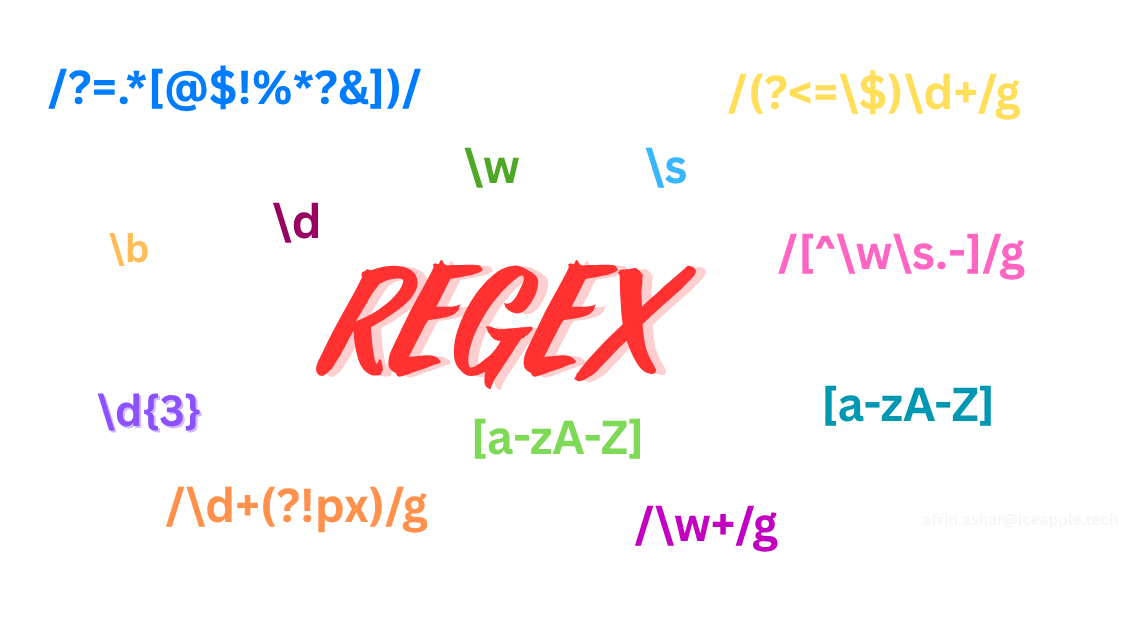
REGEX
What are Regular Expressions?
Regular expressions are sequences of characters that define search patterns. They act like a mini-language for describing text patterns, allowing you to find, extract, or replace specific content in strings with remarkable precision.
Simple example to Check a string contains digits
const text = "I have 2 cats and 14 fish.";
const numbers = text.match(/\d+/g);
console.log(numbers); // ["2", "14"]
Explaination This is the input string. It contains two numbers: 2 and 14.
text.match(/\d+/g)
- match() is a JavaScript method used to find matches in a string using a regular expression.
- The pattern /\d+/g is the regular expression.
Types of Regular Expressions
1.Character Classes and Special Characters
One of the most useful parts of regex is character classes, which help define what kind of characters you want to match. 1.1 Basic Character Classes
JavaScript regex includes shorthand character classes that represent common types of characters
// \d - Matches any digit (0–9)
const digits = /\d+/;
"Age: 25".match(digits); // ➞ ["25"]

// \w - Matches any word character (letters, digits, underscore)
const wordChars = /\w+/g;
"ice_apple123".match(wordChars); // ➞ ["ice_apple123"]

// \s - Matches any whitespace character (spaces, tabs, newlines)
const whitespace = /\s+/g;
"ice apple\t\n".match(whitespace); // ➞ ["   ", "\t\n"]

// \D, \W, \S - Negated versions (non-digit, non-word, non-whitespace)
const nonDigits = /\D+/g;
"abc123def".match(nonDigits); // ➞ ["abc", "def"]
1.2 Custom Character Classes
You can also define your own character sets using square brackets [].
// [aeiou] - Match any of the specified vowels (case-insensitive with 'i')
const vowels = /[aeiou]/gi;
"Hello World".match(vowels); // ➞ ["e", "o", "o"]

// [a-z] - Match a range of lowercase letters
const lowercase = /[a-z]+/g;
"Hello World 123".match(lowercase); // ➞ ["ello", "orld"]

// [^aeiou\s] - Match anything except vowels and whitespace
const nonVowels = /[^aeiou\s]/gi;
"Hello World".match(nonVowels); // ➞ ["H", "l", "l", "W", "r", "l", "d"]
2. Quantifiers
Quantifiers tell the regular expression engine how many times a pattern should occur. They’re essential when you’re looking to match repeated characters, digits, or words. 2.1 Zero or More Matches the preceding element zero or more times.
const zeroOrMore = /colou*r/g;
"color colour colouur".match(zeroOrMore);
// ➞ ["color", "colour", "colouur"]
Matches “color”, “colour”, “colouur” — the “u” can appear zero or more times.
2.2 One or More Matches the preceding element one or more times.
const oneOrMore = /\d+/g;
"I have 5 apples and 10 oranges".match(oneOrMore);
// ➞ ["5", "10"]
2.3 Zero or One (Optional)
Makes the preceding element optional — it may occur once or not at all. Useful for handling differences like “color” (US) vs. “colour” (UK).
const optional = /colou?r/g;
"color colour".match(optional);
// ➞ ["color", "colour"]
2.4 Exactly n Times Matches the preceding character or group exactly n times.
const exactlyThree = /\d{3}/g;
"123 45 6789".match(exactlyThree);
// ➞ ["123", "678"]
2.5 Between n and m Times Matches between n and m times, inclusively.
const range = /\d{2,4}/g;
"1 22 333 4444 55555".match(range);
//➞ ["22", "333", "4444", "5555"]
Matches digit sequences of 2 to 4 characters.
2.6 n or More Times Matches the preceding pattern n or more times (no upper limit).
const nOrMore = /\d{3,}/g;
"12 123 1234".match(nOrMore);
// ➞ ["123", "1234"]
Captures digit sequences of 3 or more digits.
3. Anchors and Boundaries :
Anchors and boundaries help you control the position of your match — whether it appears at the start or end of a string, or between word boundaries.

Regular Expression Boundary
3.1 Start of String or Line
The caret ^ matches the start of a string (or line, in multiline mode).
const startsWith = /^ice/;

startsWith.test("ice apple"); // ➞ true
startsWith.test("apple ice");   // ➞ false
3.2 End of String or Line
The dollar sign $ matches the end of a string (or line, in multiline mode).
const endsWith = /apple$/;

endsWith.test("ice apple");   // ➞ true
endsWith.test("apple ice");   // ➞ false
3.3 Word Boundary
The \b anchor matches a word boundary — the position between a word character (\w) and a non-word character (\W), such as space, punctuation, or string edges.
const wordBoundary = /\bcat\b/g;

"The cat catches cats".match(wordBoundary);
// ➞ ["cat"]
It ensures “cat” is matched only as a whole word, not as part of “catches” or “cats”.
3.4 Non-Word Boundary
The \B anchor matches positions that are not at a word boundary.
const nonWordBoundary = /\Bcat\B/g;

"concatenation".match(nonWordBoundary);
// ➞ ["cat"]
Use this when you want to match a pattern that appears inside a word.
4. Groups and Capturing
In regular expressions, groups allow you to:
- Capture parts of a match for later use.
- Apply quantifiers to multiple characters at once.
- Organize patterns for readability and logic.
Let’s look at how to use capturing groups, named groups, and non-capturing groups in JavaScript.
4.1 Capturing Groups
Capturing groups are defined using parentheses () and store matched substrings in an array.
const datePattern = /(\d{4})-(\d{2})-(\d{2})/;
const match = "2023-12-25".match(datePattern);

console.log(match[0]); // "2023-12-25" (entire match)
console.log(match[1]); // "2023" (1st group - year)
console.log(match[2]); // "12"   (2nd group - month)
console.log(match[3]); // "25"   (3rd group - day)
This is useful for extracting structured data like dates, times, or file paths.
4.2 Named Capturing Groups
Named groups make your regex easier to read and your code more descriptive. Instead of accessing matches by number, you can use meaningful names.
const namedPattern = /(?<year>\d{4})-(?<month>\d{2})-(?<day>\d{2})/;
const namedMatch = "2023-12-25".match(namedPattern);

console.log(namedMatch.groups.year);  // "2023"
console.log(namedMatch.groups.month); // "12"
console.log(namedMatch.groups.day);   // "25"
4.3 Non-Capturing Groups
Sometimes, you want to group part of a pattern without saving it as a captured result. That’s where non-capturing groups come in.
const nonCapturing = /(?:Mr|Mrs|Ms)\. (\w+)/;
const result = "Mr. Smith".match(nonCapturing);

console.log(result[1]); // "Smith"
5. Lookahead and Lookbehind
Lookaheads and lookbehinds are zero-width assertions — they match a pattern based on what comes before or after it, without including those parts in the match.
These are incredibly powerful when you want to check for conditions around a pattern, without capturing or consuming those characters.
5.1 Positive Lookahead
Matches a pattern only if it’s followed by another pattern
const negativeLookahead = /\d+(?!px)/g;
"10px 20em 30pt".match(negativeLookahead);
// ➞ ["20", "30"]
Matches numbers not followed by px — so it skips 10px, but gets 20 and 30.
5.2 Positive Lookbehind
Matches a pattern only if it’s preceded by another pattern.
const positiveLookbehind = /(?<=\$)\d+/g;
"$100 €200 $50".match(positiveLookbehind);
// ➞ ["100", "50"]
Matches digits only if preceded by $ — extracts the numeric part of dollar values.
5.3 Negative Lookbehind
Matches a pattern only if it’s NOT preceded by another pattern.
const negativeLookbehind = /(?<!\$)\d+/g;
"$100 €200 50".match(negativeLookbehind);
// ➞ ["200", "50"]
Matches numbers not preceded by $, so it ignores "100" but captures "200" and "50".
Practical Examples of Regex in JavaScript
Now that you’ve seen the theory, let’s put it into action. Here are some practical, real-world examples of how regex is used in JavaScript to validate, clean, and extract data.
1. Email Validation
Use regex to validate a basic email format.
function validateEmail(email) {
    const emailRegex = /^[a-zA-Z0-9._%+-]+@[a-zA-Z0-9.-]+\.[a-zA-Z]{2,}$/;
    return emailRegex.test(email);
}
console.log(validateEmail("user@example.com")); // true
console.log(validateEmail("invalid.email"));    // false
Checks for username, @, domain, and a valid TLD.
2. Phone Number Formatting (U.S. Format)
Format a string of digits (or messy input) into the standard (123) 456-7890 format.
function formatPhoneNumber(phone) {
    const cleaned = phone.replace(/\D/g, '');
    const match = cleaned.match(/^(\d{3})(\d{3})(\d{4})$/);

    if (match) {
        return `(${match[1]}) ${match[2]}-${match[3]}`;
    }
    return null;
}
console.log(formatPhoneNumber("1234567890"));     // "(123) 456-7890"
console.log(formatPhoneNumber("123-456-7890"));   // "(123) 456-7890"
Cleans input and formats if it’s exactly 10 digits.
3. Password Strength Validator
Check for password strength based on multiple conditions.
function validatePassword(password) {
    const checks = {
        length: password.length >= 8,
        uppercase: /[A-Z]/.test(password),
        lowercase: /[a-z]/.test(password),
        number: /\d/.test(password),
        special: /[!@#$%^&*(),.?":{}|<>]/.test(password)
    };

    const score = Object.values(checks).filter(Boolean).length;
    return { checks, score, isValid: score >= 4 };
}
console.log(validatePassword("MyPass123!"));
// ➞ { checks: {…}, score: 5, isValid: true }
Ensures strong password with a mix of characters. Adjust rules as needed.
4. Extract URLs from Text
Use regex to find all links in a block of text.
function extractUrls(text) {
    const urlRegex = /(https?:\/\/[^\s]+)/g;
    return text.match(urlRegex) || [];
}
const text = "Visit https://example.com and http://test.org for more info";
console.log(extractUrls(text));
// ➞ ["https://example.com", "http://test.org"]
🔗 Great for parsing links from content, logs, or user input.
5. Clean and Format Messy Text
Clean up a string by removing unnecessary spaces and unwanted characters.
function cleanText(text) {
    return text
        .replace(/\s+/g, ' ')           // Convert multiple spaces to single space
        .replace(/[^\w\s.-]/g, '')      // Remove special characters except . and -
        .trim()                         // Remove leading/trailing whitespace
        .toLowerCase();                 // Convert to lowercase
}
console.log(cleanText("  Hello!!!   WORLD???  "));
// ➞ "hello world"
Useful for preparing input before storage, comparison, or display
Best Practices & Tips
Writing and maintaining regular expressions can get tricky, especially as patterns grow in complexity. Here are some best practices to help you write clean, readable, and efficient regex in JavaScript.
1. Prefer Literal Notation for Readability
When possible, use regex literals instead of the RegExp constructor — it's cleaner and easier to read, especially when working with backslashes.
// Avoid this if not dynamically building a pattern
const badRegex = new RegExp("\\d+\\.\\d+");
// Prefer this
const goodRegex = /\d+\.\d+/;
Literal notation is parsed at compile time and improves clarity.
2. Break Down Complex Patterns
Regex can quickly become unreadable. Split complex expressions into parts using variables or commented regex (via template strings if needed).
// Hard to read and maintain
const complexRegex = /^(?=.*[a-z])(?=.*[A-Z])(?=.*\d)(?=.*[@$!%*?&])[A-Za-z\d@$!%*?&]{8,}$/;
// Easier to maintain and understand
const hasLowercase = "(?=.*[a-z])";
const hasUppercase = "(?=.*[A-Z])";
const hasDigit     = "(?=.*\\d)";
const hasSpecial   = "(?=.*[@$!%*?&])";
const validChars   = "[A-Za-z\\d@$!%*?&]{8,}";
const passwordRegex = new RegExp(`^${hasLowercase}${hasUppercase}${hasDigit}${hasSpecial}${validChars}$`);
Consider using multiline template strings or comments in tools like regex101.com to annotate your expressions.
3. Optimize for Performance
Reuse Compiled Regex
Avoid recreating the same regex inside loops or functions. Compile it once and reuse:
const emailRegex = /^[^\s@]+@[^\s@]+\.[^\s@]+$/;
function validateEmails(emails) {
    return emails.filter(email => emailRegex.test(email));
}
Bad: Recompiling Regex Each Time
emails.forEach(email => {
    if (/^[^\s@]+@[^\s@]+\.[^\s@]+$/.test(email)) {
        // Bad: regex is recompiled for every iteration
    }
});
Regex creation is expensive — cache and reuse where possible.
Common Regex Pitfalls to Avoid in JavaScript
Regular expressions are powerful, but they can also be tricky and error-prone if you’re not careful. Here are two of the most common mistakes developers make — and how to fix them.
1. Greedy vs Non-Greedy Matching
Regex quantifiers (*,+, {n,m}) are greedy by default — they match as much as possible. This often leads to overmatching, especially when parsing HTML or structured text.
Greedy Match (Too Much)
const html = '<div>Hello</div><div>World</div>';
const greedy = /<div>.*<\/div>/;
console.log(html.match(greedy)[0]);
// ➞ "<div>Hello</div><div>World</div>"
The .* greedily consumes everything until the last <div/>.
Non-Greedy Match (Just Enough)
const nonGreedy = /<div>.*?<\/div>/g;
console.log(html.match(nonGreedy));
// ➞ ["<div>Hello</div>", "<div>World</div>"]
The .? makes the match lazy, stopping at the first valid closing tag.*
Tip: Always consider greediness when your matches go beyond what you expect.
2. Escaping Special Characters in Dynamic Input
If you’re building regex patterns dynamically (e.g., from user input), you must escape special characters like . , * , +, ?, ( etc.
Incorrect: Unescaped Input
const searchTerm = "example.com";
const wrongRegex = new RegExp(searchTerm);
"Visit example-com or example.com".match(wrongRegex);
// ➞ Matches "example-com" too (because `.` matches any character)
Correct: Escape Special Characters
const escapedTerm = searchTerm.replace(/[.*+?^${}()|[\]\\]/g, '\\$&');
const rightRegex = new RegExp(escapedTerm);
"Visit example.com or test.com".match(rightRegex);
// ➞ ["example.com"]
\$& is the magic part: it replaces each special character with its escaped version.
Demo
Understanding regular expressions is easier when you can test them live.
live demo : Regex pattern matcher demo
Cheatsheet:
A handy guide to regex patterns, syntax, and JavaScript methods for quick access and easy reference.
Regex Flags

| Flag | Meaning     | Description                       |
| ---- | ----------- | --------------------------------- |
| `g`  | Global      | Match all occurrences             |
| `i`  | Ignore case | Case-insensitive match            |
| `m`  | Multiline   | `^` and `$` match line boundaries |
| `s`  | Dotall      | `.` matches newline (`\n`)        |
| `u`  | Unicode     | Enables full Unicode support      |
| `y`  | Sticky      | Match from `lastIndex` position   |

Character Classes

| Pattern | Description                 | Matches               |
| ------- | --------------------------- | --------------------- |
| `\d`    | Digit                       | 0–9                   |
| `\D`    | Not a digit                 | Anything but 0–9      |
| `\w`    | Word character              | a–z, A–Z, 0–9, `_`    |
| `\W`    | Not a word character        | Special characters    |
| `\s`    | Whitespace                  | Space, tab, newline   |
| `\S`    | Not whitespace              | Any non-space char    |
| `.`     | Any character (except `\n`) | Letters, symbols etc. |

Custom Character Classes

| Pattern    | Description                | Example Match    |
| ---------- | -------------------------- | ---------------- |
| `[abc]`    | a, b, or c                 | `a`, `b`, or `c` |
| `[^abc]`   | Not a, b, or c             | Anything else    |
| `[a-z]`    | Lowercase a to z           | `a`, `m`, `z`    |
| `[A-Z0-9]` | Uppercase letters & digits | `G`, `7`         |
| `[a-zA-Z]` | Any letter                 | `b`, `M`

Quantifiers

| Pattern | Meaning           | Example Matches    |
| ------- | ----------------- | ------------------ |
| `*`     | 0 or more         | `colou*r → color`  |
| `+`     | 1 or more         | `\d+ → 123`        |
| `?`     | 0 or 1 (optional) | `colou?r → colour` |
| `{n}`   | Exactly n         | `\d{3} → 123`      |
| `{n,}`  | n or more         | `\d{2,} → 12345`   |
| `{n,m}` | Between n and m   | `\d{2,4} → 1234`   |

Anchors & Boundaries

| Pattern | Description          | Example Match           |
| ------- | -------------------- | ----------------------- |
| `^`     | Start of string/line | `^Hello → Hello...`     |
| `$`     | End of string/line   | `world$ → ...world`     |
| `\b`    | Word boundary        | `\bcat\b → cat`         |
| `\B`    | Non-word boundary    | `\Bcat\B → concatenate` |

Groups & Lookarounds

| Pattern        | Type                | Example Purpose             |
| -------------- | ------------------- | --------------------------- |
| `(abc)`        | Capturing group     | Extract `"abc"`             |
| `(?:abc)`      | Non-capturing group | Grouping without capturing  |
| `(?<name>abc)` | Named capture group | Access via `groups.name`    |
| `(?=abc)`      | Positive lookahead  | Match before `abc`          |
| `(?!abc)`      | Negative lookahead  | Match not followed by `abc` |
| `(?<=abc)`     | Positive lookbehind | Match after `abc`           |
| `(?<!abc)`     | Negative lookbehind | Match not preceded by `abc` |

Common JavaScript Regex Methods

| Method       | Purpose                       | Returns              |
| ------------ | ----------------------------- | -------------------- |
| `test()`     | Checks if match exists        | `true` / `false`     |
| `match()`    | Returns first match (or all)  | Array or `null`      |
| `matchAll()` | All matches + capture groups  | Iterator             |
| `replace()`  | Replace matched text          | New string           |
| `split()`    | Split string by regex pattern | Array                |
| `search()`   | Index of first match          | Index or `-1`        |
| `exec()`     | Execute regex with state      | Match array / `null` |

Common Patterns

| Pattern Name      | Regex Example                             |                    |
| ----------------- | ----------------------------------------- | ------------------ |
| Email             | `/^[\w.-]+@[\w.-]+\.[a-zA-Z]{2,}$/`       |                    |
| Phone (US)        | `/^\(?\d{3}\)?[-.\s]?\d{3}[-.\s]?\d{4}$/` |                    |
| URL               | `/https?:\/\/[^\s]+/`                     |                    |
| Date (YYYY-MM-DD) | `/^\d{4}-\d{2}-\d{2}$/`                   |                    |
| Hex Color Code    | `/^#?([a-fA-F0-9]{6}                      | [a-fA-F0-9]{3})$/` |
| Password (strong) | `/^(?=.*[a-z])(?=.*[A-Z])(?=.*\d).{8,}$/` |                    |
Conclusion
Regular expressions might seem intimidating at first, but once you understand their structure, they become an incredibly powerful tool for searching, validating, and manipulating text.
메타데이터
- post_id
- 66476b5dd1df
- slug
- mastering-regular-expressions-in-javascript-a-complete-guide-66476b5dd1df
- url
- https://medium.com/iceapple-tech-talks/mastering-regular-expressions-in-javascript-a-complete-guide-66476b5dd1df
- canonical_url
- https://medium.com/iceapple-tech-talks/mastering-regular-expressions-in-javascript-a-complete-guide-66476b5dd1df
- author_url
- https://medium.com/@afrin.ashar
- status
- ok
- fetched_at
- 2026-06-14 11:28:49



