How I Made My File Organizer Using Java
Have you ever opened your Downloads folder only to get lost in a sea of random files, struggling to find that one document you swore you…
How I Made My File Organizer Using Java
github.com/anderrated/better-file-organizer
Have you ever opened your Downloads folder only to get lost in a sea of random files, struggling to find that one document you swore you downloaded a few months ago? Yeah… that’s me. So, I decided to build a File Organizer — and here’s how it went.
A little background: I first took a Java course back in my second year of Computer Science, but honestly, I didn’t do too well. Dealing with depression made it hard to focus, and being neurodivergent meant I often felt out of place — I even got bullied for it. But instead of giving up, I chose to challenge myself: I’d build this project in Java as a way to relearn Object-Oriented Programming (OOP) while also getting more comfortable with the language.
Here are the things I took note of and learned:
Outline of the Program
- Defining the Scope — I wanted it to have a GUI, for files to be organized by file type/extension, and that it will be a one-time organization for flexibility.
- Planning the File Logic — Understand Java’s file APIs,
java.nio.file.Path + Files
Files.move(), Files.copy()
Files.walk(), Files.list()Notes:
java.io.File is an older API, but it is still useful. It
represents a file/directory path (not the contents). It just "points"
to a location.

Example:

File file = new File("C:/example/test.txt");

if (file.exists()) {
    System.out.println("File exists!");
    System.out.println("Absolute path: " + file.getAbsolutePath());
    System.out.println("Is it a directory? " + file.isDirectory());
}

java.nio.file is a newer API, more powerful, and introduced in Java 7

java.nio.file.Path is a modern version of File and does everything
java.io.File can but generally better.

java.nio.file.Files  is a utility class with methods for actually
doing things (copy, move, delete, walk through folders)

Example:
Path path = Path.of("C:/example/test.txt");

if (Files.exists(path)) {
    System.out.println("File exists!");
    System.out.println("Is directory? " + Files.isDirectory(path));
}
and can just the folder (not recursively).
-
Organizing Strategy — If the file already exists in target folder we can either overwrite, rename, or skip it. I went with skipping it for safer handling of duplicates. I also wanted to utilize both absolute and relative folders like how images would go to the PC’s default Pictures folder and file types that don’t have an absolute folder would have their own folder that is completely customizable by the user using a mapping text file.
-
GUI — I’ll use JavaFX since it’s more modern than Swing. Just a Select Directory button would be enough for now. It’s simple and direct.
-
Some Edge Cases to Think About — Duplicates, permission denied, hidden files, existing folders, etc.
Architecture
- Main Components
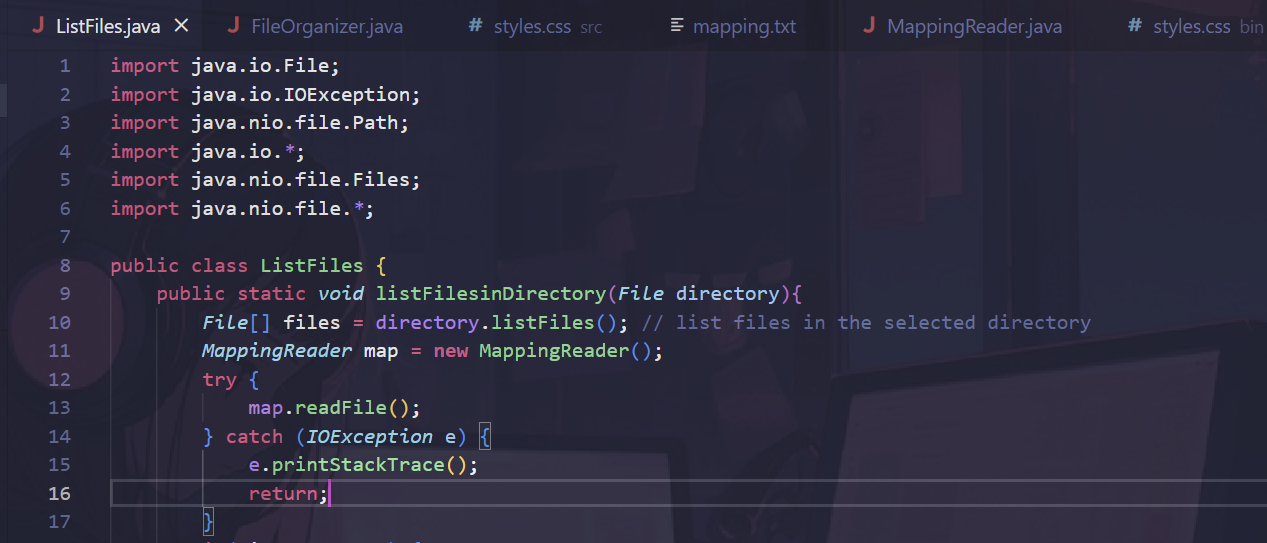
FileOrganizer.java— entry point, builds and manages the GUIListFiles.java— contains logic to organize files because after listing the files, we have to go through each of them and perform the organization.MappingReader.java— reads an editable mapping text file and puts an extension (key) : destination (value) pair in a hash map.
- Flow : User clicks “Select Directory” -> Opens User Home -> Stores Path -> User clicks “Select Folder” -> Triggers Organization Logic
Organization Logic:
- List all files in the directory
- For each file:
If file is a folder, continue
Get its extension (separate it from its name using dot index)
Retrieve folder name associated with the extension from map.
If it is an absolute path, use target directly. If it’s a relative folder, create target folder inside the directory and if the target folder doesn’t exist, create new folder inside selected directory.
Check if file exists in the target -> if yes, overwrite
If not, move the file into the correct folder
Issues I Encountered
- I wanted to set the initial directory to the user’s home but at that time I didn’t know it was called literally user’s home accessible via
user.homeso I struggled with find the right path. - Package Mismatch Errors — I had files in a folder called
organizerbut Java complained saying package didn’t match.
- Fix: I had to remove the package declaration and it worked because all my
.javafiles were treated as being in the default package. In default package, classes in the same folder can see each other without needing import. (Not recommended for bigger projects since they become messy)
- Running the Program
NoClassDefFoundError(Stage) — JavaFX Stage wasn’t found when launching.- Fix: Properly setting
--module-pathand--add-modulesin mylaunch.jsonand terminal commands.
VM Arguments/launch.jsonConfusion — Needed to configurelaunch.jsoncorrectly so VS Code could launch with the right JavaFX modules and classpath.
Lessons I Learned
- Methods like
move file, list files, etc. are just procedures without OOP. With OOP, you can group related data and behavior together.
Example:
// This is a "blueprint" (class)
public class FileOrganizer {
    private File selectedDirectory;

    // Constructor (runs when you create a new FileOrganizer)
    public FileOrganizer(File directory) {
        this.selectedDirectory = directory;
    }

    // Method = behavior
    public void listFiles() {
        File[] files = selectedDirectory.listFiles();
        if (files != null) {
            for (File f : files) {
                System.out.println(f.getName());
            }
        }
    }

    public void moveFile(File file, File targetFolder) throws IOException {
        Path target = new File(targetFolder, file.getName()).toPath();
        if (Files.exists(target)) {
            System.out.println("Skipping: " + target);
        } else {
            Files.move(file.toPath(), target);
            System.out.println("Moved: " + file.getName());
        }
    }
}
Instead of calling Files.move(...)everywhere, you create an object:
public class Main {
    public static void main(String[] args) throws IOException {
        File dir = new File("C:/Users/ASUS/Desktop/Test");
        FileOrganizer organizer = new FileOrganizer(dir);  // <- object created

        organizer.listFiles();  // call its behavior

        // move one file
        File file = new File(dir, "hello.txt");
        File target = new File("C:/Users/ASUS/Desktop/Target");
        organizer.moveFile(file, target);
    }
}
2. 4 Pillars of OOP
- Encapsulation — bundle data and methods together, and protect data from outside interference.
public class FileOrganizer {
    private File directory;  // encapsulated, no direct access from outside

    public FileOrganizer(File dir) {
        this.directory = dir;
    }

    public void listFiles() {
        for (File f : directory.listFiles()) {
            System.out.println(f.getName());
        }
    }
}
Here, other code can’t directly change directory. They must go through the FileOrganizermethods.
- Abstraction — hide the complex details and show only what’s necessary. You only need to know what a method does.
organizer.moveFile(file, targetFolder);You don’t care whether it uses Files.move()or something else. You just know it moves a file.
- Inheritance — a class can inherit properties/behaviors from another class
Example:
// General class
public class Organizer {
    public void listFiles(File dir) {
        for (File f : dir.listFiles()) {
            System.out.println(f.getName());
        }
    }
}

// Specialized class
public class FileOrganizer extends Organizer {
    public void moveFile(File file, File targetFolder) throws IOException {
        Files.move(file.toPath(), new File(targetFolder, file.getName()).toPath());
    }
}FileOrganizerinherits listFiles()from Organizerwithout rewriting it.
- Polymorphism — one interface, many implementation. Methods can have the same name but behave differently depending on the object.
2 Types:
- Compile-time (method overloading) -> same method name, different parameters
- Runtime (method overriding) -> child class changes behavior of parent method
Example:
class Organizer {
    public void organize() {
        System.out.println("Organizing files...");
    }
}

class ImageOrganizer extends Organizer {
    @Override
    public void organize() {
        System.out.println("Organizing images by resolution...");
    }
}

class MusicOrganizer extends Organizer {
    @Override
    public void organize() {
        System.out.println("Organizing music by artist...");
    }
}
Now I can do:
Organizer o1 = new ImageOrganizer();
Organizer o2 = new MusicOrganizer();

o1.organize(); // "Organizing images by resolution..."
o2.organize(); // "Organizing music by artist..."- Why ListFiles worked without
newbut MappingReader needednew:
This comes down to staticvs instancemethods in Java.
Since ListFileshad methods declared like this:
public class ListFiles {
    public static void listDirectory(String path) {
        // ...
    }
}
I could call it directly from another class:
ListFiles.listDirectory("C:/Users");No object is needed, because static methods belong the class itself, not to an instance. But MappingReaderlooked like this:
public class MappingReader {
    public void readMapping() {
        // ...
    }
}
Then I must do:
MappingReader reader = new MappingReader();
reader.readMapping();
Because readMapping() is an instance method (non-static), and Java requires an object to call it on.
- Static methods = belong to the class, no
newneeded. - Instance methods = belong to the object, must
newan object before calling.
- vmArgs and classPaths
- vmArgsholds JavaFX module settings andclassPathspoints to compiled bin folder where the java classes are located.
The Repository to Download It
github.com/anderrated/better-file-organizer
Helpful Links I Used
메타데이터
- post_id
- 66b190f80422
- slug
- how-i-made-my-file-organizer-using-java-66b190f80422
- url
- https://medium.com/@andrealaserna/how-i-made-my-file-organizer-using-java-66b190f80422
- canonical_url
- https://medium.com/@andrealaserna/how-i-made-my-file-organizer-using-java-66b190f80422
- author_url
- https://medium.com/@andrealaserna
- status
- ok
- fetched_at
- 2026-08-10 04:35:32




