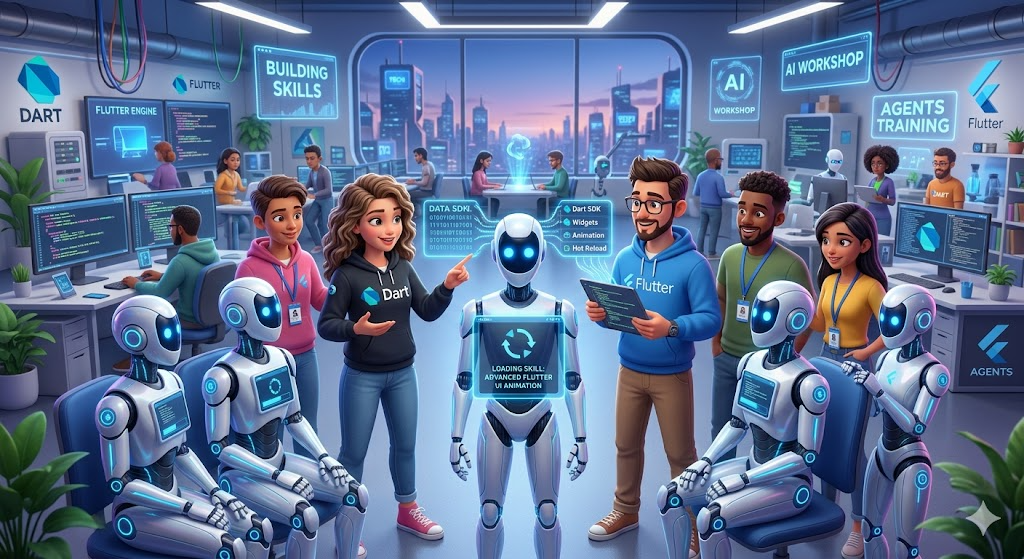
10 AI Features Every Flutter App Should Have in 2026
Here are the features that make Flutter apps smarter, faster, and easier to use.
10 AI Features Every Flutter App Should Have in 2026
Here are the features that make Flutter apps smarter, faster, and easier to use.
A year ago, adding AI to a Flutter app felt like an experiment.
Today, it feels like a product requirement. Users are starting to expect apps that understand context, answer questions, personalize experiences, and reduce friction automatically. The question is no longer whether your Flutter app should use AI. The question is whether you’re building the right AI features.
Because in 2026, the apps that win won’t necessarily have the most AI. They’ll have the AI that feels invisible. The kind that quietly makes everything easier.

The next generation of Flutter apps will combine AI assistants, smart search, personalization, and on-device intelligence to create dramatically better user experiences.
Flutter’s own AI tooling and Google’s on-device AI stack make that direction much more practical now.
So the real question is not, “Should my Flutter app use AI?”
It is, “Which AI features actually make the app feel better to use?”
That is the bar.
And if I were building a new Flutter app today, these are the ten features I would seriously consider first.
1) An in-app AI assistant
This is the most obvious one, but also one of the most useful.
Flutter’s AI Toolkit is designed to make it easier to add an AI chat window to your app, and it is organized around an abstract LLM provider API so you can swap providers without rewriting the whole experience. It also ships with support for Firebase AI Logic out of the box.
That is the right direction.
Because a good in-app assistant should not just “chat.” It should help the user move forward.
It can answer product questions, explain screens, summarize what the user is looking at, and suggest the next step. Done well, it feels like the app finally understands the user’s intent.
That is a huge upgrade over a static help page.
2) Natural-language search
Search bars are overdue for a reset.
People do not want to think in filters. They want to think in meaning.
Instead of forcing the user to guess the right category or exact keyword, let them type what they actually want: “unfinished invoices from last week,” “notes about the client meeting,” or “tasks related to onboarding.”
This is one of the easiest places to add real AI value because the UI can stay simple while the intelligence lives behind the scenes.
The app still feels familiar. It just becomes far more forgiving.
3) Smart summaries
If your app contains long content, summaries are no longer optional.
Chats, meeting notes, documents, support threads, learning modules, and activity feeds all become much easier to use when the app can compress them into a clean digest.
This is one of those features users do not always ask for directly, but they immediately appreciate once it exists.
The best summary UI is usually small and subtle: a TL;DR card, a summary strip, or a collapsible digest at the top of a page.
The goal is not to replace the content.
The goal is to help users understand it faster.
4) Context-aware onboarding
Most onboarding is still too generic.
It assumes every user needs the same tour, the same tips, and the same order of explanation.
AI changes that.
A context-aware onboarding flow can adapt based on what the user is trying to do, what screen they landed on, or what action they took first. That means less unnecessary explanation and more relevant guidance.
For example, if a user opens a finance app directly on analytics, the app should explain analytics, not the entire product.
That kind of onboarding feels intelligent without becoming noisy.
5) Personalized recommendations
This is one of the highest-value AI features in almost any app.
Recommendations help users discover the next useful thing: the next task, the next lesson, the next product, the next shortcut, or the next piece of content.
The key is to keep it helpful instead of creepy.
Good recommendations make the app feel like it remembers context. Bad recommendations make the app feel like it is watching you too closely.
The difference is usually in transparency and control.
If users can understand why something is recommended, they are much more likely to trust it.
6) AI drafting and rewriting
If your app includes writing in any form, this feature matters.
It can help users draft messages, rewrite text in a different tone, shorten a long response, or clean up something rough into something publishable.
That might sound like a “nice-to-have,” but it is often one of the biggest productivity wins.
Why?
Because writing is where users hesitate.
AI removes the blank page problem.
And once that friction is gone, the whole app feels faster.
7) Voice and multimodal input
Typing is still useful, but it is not always the best interface.
Sometimes the voice is faster. Sometimes an image is clearer. Sometimes a screenshot plus a sentence is better than five paragraphs of explanation.
This is where AI becomes really practical.
A field service app can let the user speak and attach a photo. A shopping app can let the user search by image and voice. A learning app can let someone ask a question out loud instead of typing it.
The point is not novelty.
The point is reducing friction.
When the app accepts more natural input, the user spends less time fighting the interface.
8) On-device AI for private or low-latency tasks
This is the feature I would pay the most attention to in 2026.
Some AI features belong in the cloud. Others belong on the device.
Google’s AI Edge docs position LiteRT as an on-device framework for high-performance ML and GenAI deployment, and LiteRT-LM is described as a production-ready, cross-platform inference framework for LLM deployment on edge devices. That makes on-device AI especially relevant when privacy, latency, or offline behavior matter.
In a Flutter app, that can be a big deal.
On-device AI makes quick suggestions feel instant. It avoids a round-trip to the server. It can work offline in some cases. And for privacy-sensitive use cases, it can reduce the amount of data that has to leave the phone.
If a feature needs to feel immediate, on-device AI is often the right answer.
9) Smart notifications and next-best-action nudges
Notifications are still powerful, but only if they are used carefully.
The old model was simple: send a message and hope for the best.
The better model is to use AI to decide what to send, when to send it, and why it matters.
That could mean reminding a user to continue a draft, finish a task they abandoned, review a summary, or return to a workflow when the timing makes sense.
The important part is restraint.
Good AI notifications feel thoughtful. Bad AI notifications feel like spam with better grammar.
10) An AI support copilot
This is one of the most underrated AI features in any app.
Users get stuck. That is normal.
But if they have to leave the app, open a support page, search for a help article, and guess the answer themselves, the experience has already gotten worse.
An AI support copilot can answer common questions, explain errors, suggest the right path, and reduce support friction right where the user is stuck.
Flutter’s AI Toolkit and GenUI SDK are both aimed at making interactive AI experiences easier to build inside apps, which makes this kind of embedded support flow much more realistic than it used to be.
I like this feature because it helps both sides: Users get unblocked faster, and your support load goes down.
The feature I would add first
If I had to choose only three to start with, I would pick these:
1. In-app assistant 2. Smart search 3. Smart summaries
Those three give you the fastest UX improvement without forcing your app into a huge redesign.
They help users ask, find, and understand things more quickly.
That is usually where AI creates the most value.
Cloud AI vs on-device AI
This is the part many teams skip too early.
Cloud AI is great when you need more model power, more flexibility, or easier centralized updates.
On-device AI is better when you care about latency, privacy, offline use, or cost control. Google’s AI Edge stack is clearly moving in that direction with LiteRT and LiteRT-LM.
A practical Flutter app in 2026 will probably use both:
- Cloud AI for heavier, more complex tasks
- On-device AI for quick, private, or frequent interactions
That hybrid approach is usually the most realistic.
One warning I would not ignore
AI should not be trusted blindly.
Flutter’s AI best practices explicitly call out guardrails to verify and correct AI-generated data. That is a reminder every team should take seriously.
If your app uses AI for anything that affects users directly, review the output, validate the structure, and add fallbacks. Never assume the model is right just because the response looks confident.
The app is still your responsibility.
Final thought from this story
A strong Flutter app in 2026 will not feel “AI-powered” in a flashy way.
It will feel easier.
Less friction. Less searching. Less guessing. Less typing. Less waiting.
That is the real promise of AI in Flutter.
Not magic.
Just a better experience.
And if the AI feature makes the app faster, clearer, and more useful, users will not care how clever the implementation was.
They will just keep using it.
[embed]Can Flutter Really Build Games? I Decided to Find Out Most people know Flutter for apps.medium.com
[embed]What Senior Flutter Engineers Do Before Hitting Publish What Seniors Never Skip?medium.com
메타데이터
- post_id
- 68dc99de491b
- slug
- 10-ai-features-every-flutter-app-should-have-in-2026-68dc99de491b
- url
- https://medium.com/easy-flutter/10-ai-features-every-flutter-app-should-have-in-2026-68dc99de491b
- canonical_url
- https://medium.com/easy-flutter/10-ai-features-every-flutter-app-should-have-in-2026-68dc99de491b
- author_url
- https://medium.com/@tiger.chirag
- status
- ok
- fetched_at
- 2026-06-18 00:10:23