Create a loading bar in Unity
Now let’s create a loading bar in Unity. It will be very similar to the health bar with the exception of now we will be using the scene…
Create a loading bar in Unity
Now let’s create a loading bar in Unity. It will be very similar to the health bar with the exception of now we will be using the scene manager and async operations.
So the start is the same. Create the slider and text object and configure them the way the health bar was or however you want your slider to look.
Next create a new script and here is what I wrote. It’s very simple and short.
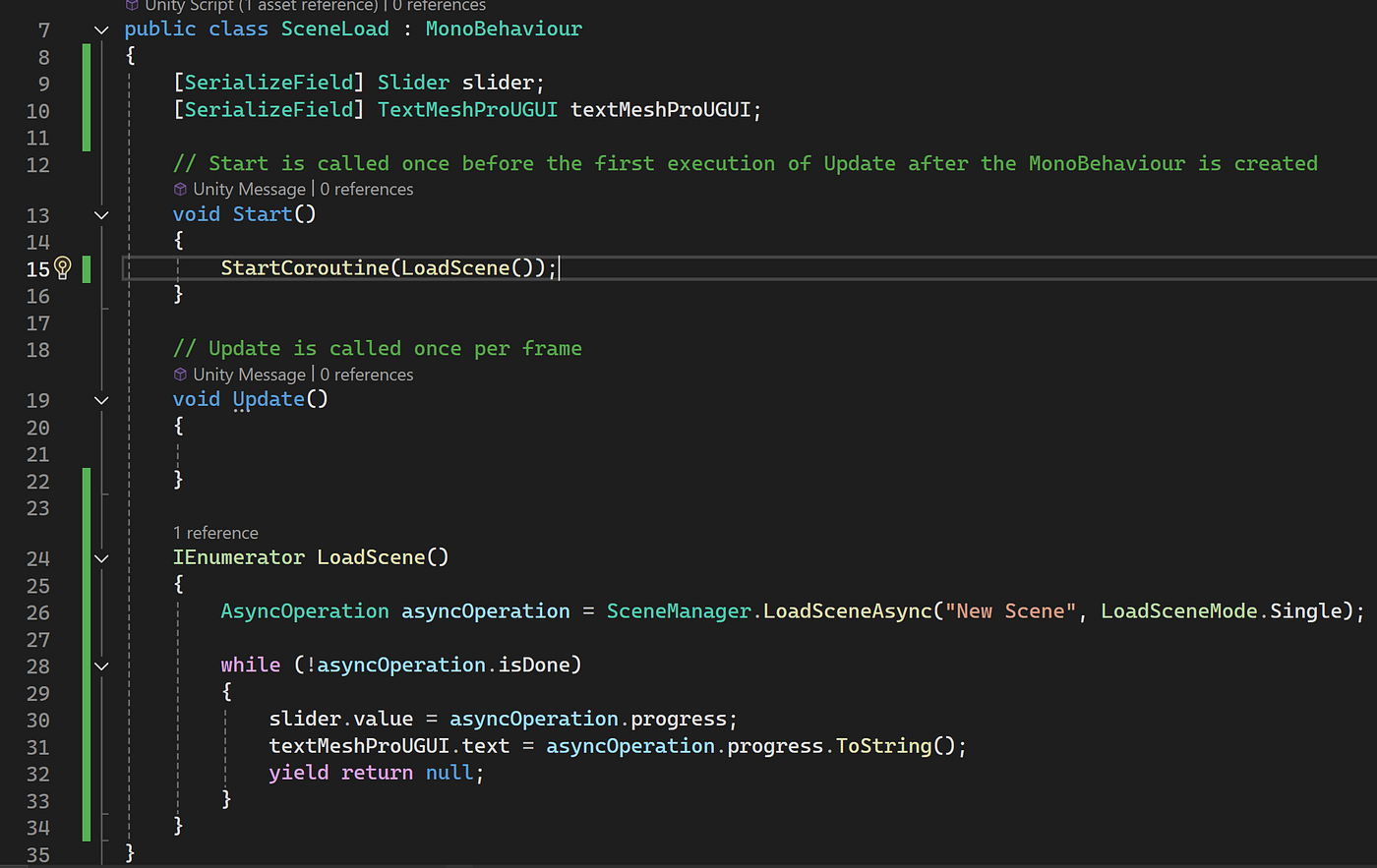
We will need using UnityEngine.SceneManagement. We will also need access to the slider and text. This is already a Unity made code so we just need to create a coroutine and write all that is in there. The async is loading the new scene that we specify with a scene build index number or a string for the name. We also throw in the while loop for while the operation is not done the slider’s value will equal the progress of the loading. The text will equal it too except we need to make a string. After we have to set the yield to null.
Next you place the new scene in the scene builds. Hit play and it will work. I can show mine but it may not register because it is so quick.

메타데이터
- post_id
- 691edacbb3a3
- slug
- create-a-loading-bar-in-unity-691edacbb3a3
- url
- https://medium.com/@felix.m.quinones777/create-a-loading-bar-in-unity-691edacbb3a3
- canonical_url
- https://medium.com/@felix.m.quinones777/create-a-loading-bar-in-unity-691edacbb3a3
- author_url
- https://medium.com/@felix.m.quinones777
- status
- ok
- fetched_at
- 2026-07-18 09:48:19