Creating an Interactive UI with swipeAction in HarmonyOS Next
Swipe menus are common in many applications. In this article, we will discuss swiperAction and how we can use.
Creating an Interactive UI with swipeAction in HarmonyOS Next
swipeAction
Introduction
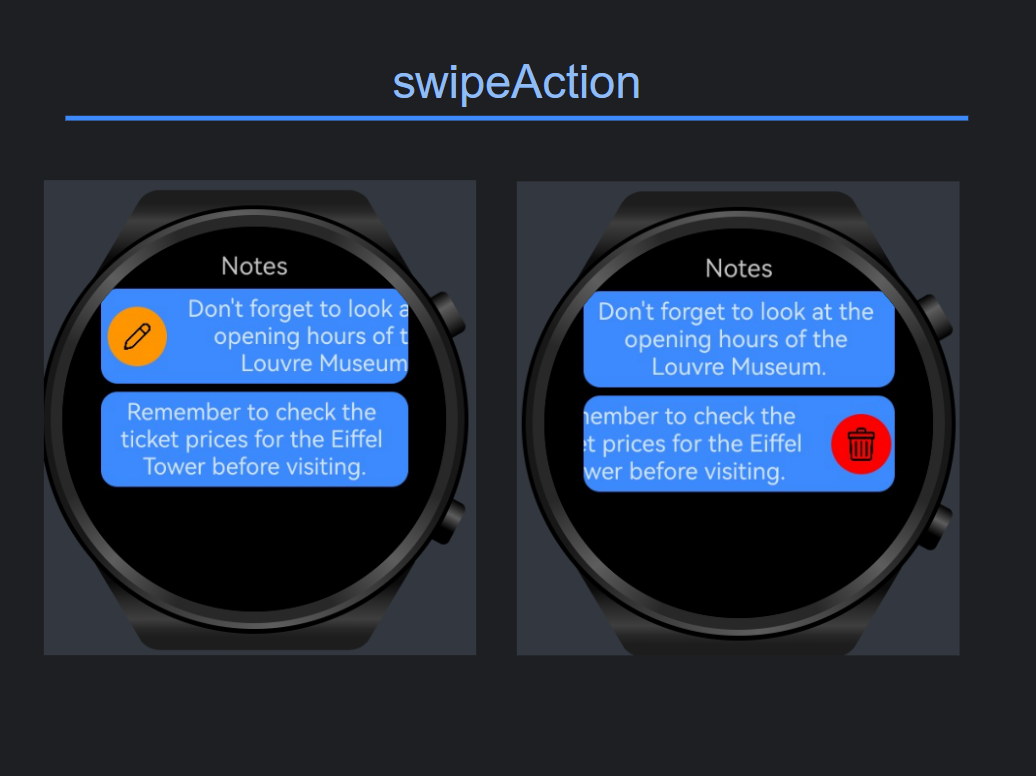
Swipe menus are common in many applications. For example, a messaging application generally provides a swipe-to-delete feature for its message list. This feature allows users to delete a message by swiping left on it and touching the delete button.
In this article, we will discuss swiperAction and how we can use.
What is swipeAction?
The swipeAction attribute allows users to swipe left or right on a list item. The SwipeActionOptions parameter is mandatory for initializing the swipeAction attribute. The start parameter indicates the component that appears from the start edge when the list item is swiped right, and the end parameter indicates the component that appears from the end edge when the list item is swiped left.
Let’s do a Notes project to use swipeAction.
✨ Create a Notes Model
[embed]Notes Model
✨ Create a notes list
itemEnd(): a builder for the delete button
itemStart(): a builder for the edit button
[embed]NotesList
✨ Show the notes list on the Notes Page
[embed]NotesPage
Output

Output
Conclusion
Swipe actions provide an intuitive and efficient way to interact quickly, such as deleting or archiving items in a list. In this article, we explored how the swipeAction attribute works and how to implement it using the swipeActionOptions parameters. By building a simple Notes project, we demonstrated how to easily enable swipe gestures on list items and trigger actions. Incorporating swipe interactions into your HarmonyOS apps improves usability and offers a more modern and user-friendly experience.
References
[embed]Document The OpenCms demo, brought to you by Alkacon Software.developer.huawei.com
메타데이터
- post_id
- 698c1378fffa
- slug
- creating-an-interactive-ui-with-swipeaction-in-harmonyos-next-698c1378fffa
- url
- https://medium.com/huawei-developers/creating-an-interactive-ui-with-swipeaction-in-harmonyos-next-698c1378fffa
- canonical_url
- https://medium.com/huawei-developers/creating-an-interactive-ui-with-swipeaction-in-harmonyos-next-698c1378fffa
- author_url
- https://medium.com/@merve.yonetci
- status
- ok
- fetched_at
- 2026-07-18 12:47:00