(5) Azure AI Fundamentals: Document Intelligence and Knowledge Mining
บทความนี้ ผมได้มาลองทำ LAB เรื่อง Document Intelligence and Knowledge Mining เลยมาโน๊ตไว้ ในนี้ นะครับ
(5) Azure AI Fundamentals: Document Intelligence and Knowledge Mining
บทความนี้ ผมได้มาลองทำ LAB เรื่อง Document Intelligence and Knowledge Mining เลยมาโน๊ตไว้ ในนี้ นะครับ
เนื้อหา มีดังนี้
Document Intelligence
Azure AI Document Intelligence consists of features grouped by model type:
- Document analysis — general document analysis that returns structured data representations, including regions of interest and their inter-relationships.
- Prebuilt models — pretrained models that have been built to process common document types such as invoices, business cards, ID documents, and more. These models are designed to recognize and extract specific fields that are important for each document type.
- Custom models — can be trained to identify specific fields that are not included in the existing pretrained models. Includes custom classification models and document field extraction models such as the custom generative AI model and custom neural model.
LAB Extract data from documents in Azure AI Foundry portal
สร้าง project ใหม่ ขึ้นมา
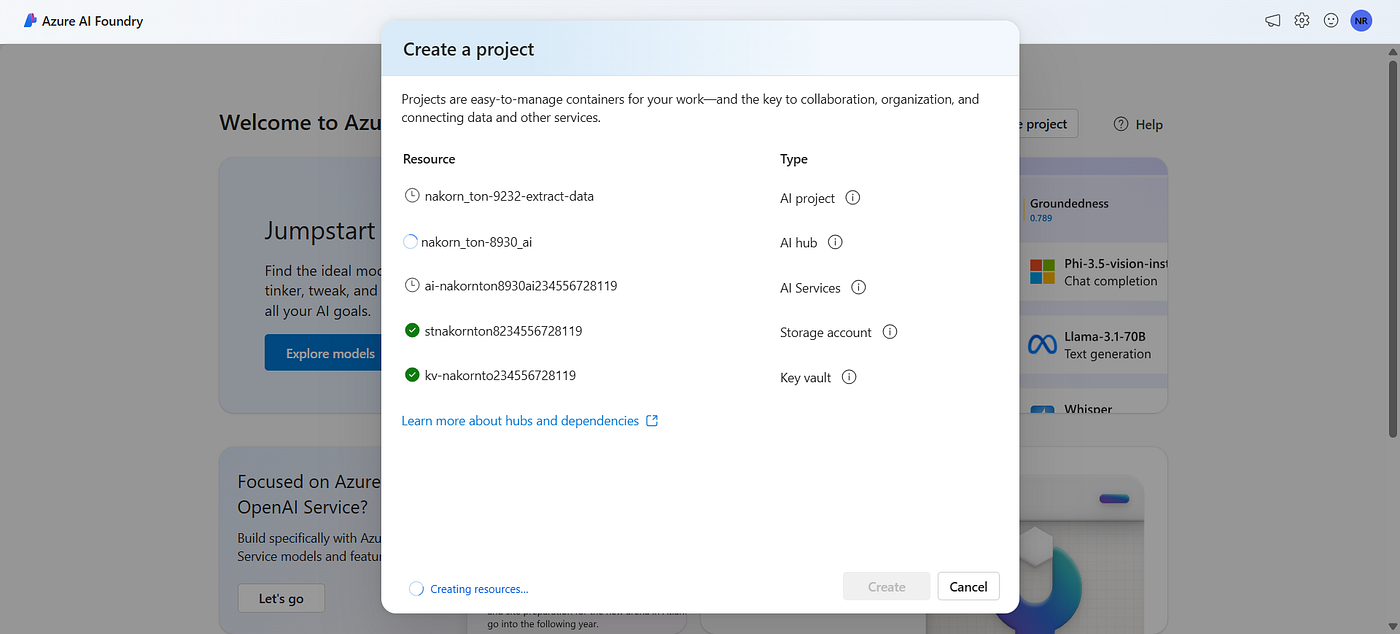
มาเริ่มกันเลย

ลองอันแรก ใบเสร็จจากร้านหนึ่ง ในไทย

ตัวอย่างที่ 2

ตัวอย่างที่ 03

มีโค๊ดให้ด้วย
/*
  This code sample shows Prebuilt Receipt operations with the Azure AI Document Intelligence client library.

  To learn more, please visit the documentation - Quickstart: Document Intelligence (formerly Form Recognizer) SDKs
  https://learn.microsoft.com/azure/ai-services/document-intelligence/quickstarts/get-started-sdks-rest-api?pivots=programming-language-csharp
*/

using Azure;
using Azure.AI.DocumentIntelligence;

/*
  Remember to remove the key from your code when you're done, and never post it publicly. For production, use
  secure methods to store and access your credentials. For more information, see
  https://docs.microsoft.com/en-us/azure/cognitive-services/cognitive-services-security?tabs=command-line%2Ccsharp#environment-variables-and-application-configuration
*/
string endpoint = "AZURE_DOCUMENT_INTELLIGENCE_ENDPOINT";
string apiKey = "AZURE_DOCUMENT_INTELLIGENCE_KEY";
AzureKeyCredential credential = new AzureKeyCredential(key);
DocumentIntelligenceClient client = new DocumentIntelligenceClient(new Uri(endpoint), credential);

//sample document
Uri receiptUri = new Uri("https://raw.githubusercontent.com/Azure/azure-sdk-for-python/main/sdk/formrecognizer/azure-ai-formrecognizer/tests/sample_forms/receipt/contoso-receipt.png");

Operation<AnalyzeResult> operation = await client.AnalyzeDocumentAsync(WaitUntil.Completed, "prebuilt-receipt", receiptUri);

AnalyzeResult receipts = operation.Value;

// To see the list of the supported fields returned by service and its corresponding types, consult:
// https://aka.ms/formrecognizer/receiptfields

foreach (AnalyzedDocument receipt in receipts.Documents)
{
    if (receipt.Fields.TryGetValue("MerchantName", out DocumentField merchantNameField))
    {
        if (merchantNameField.FieldType == DocumentFieldType.String)
        {
            string merchantName = merchantNameField.ValueString;

            Console.WriteLine($"Merchant Name: '{merchantName}', with confidence {merchantNameField.Confidence}");
        }
    }

    if (receipt.Fields.TryGetValue("TransactionDate", out DocumentField transactionDateField))
    {
        if (transactionDateField.FieldType == DocumentFieldType.Date)
        {
            DateTimeOffset? transactionDate = transactionDateField.ValueDate;

            Console.WriteLine($"Transaction Date: '{transactionDate}', with confidence {transactionDateField.Confidence}");
        }
    }

    if (receipt.Fields.TryGetValue("Items", out DocumentField itemsField))
    {
        if (itemsField.FieldType == DocumentFieldType.List)
        {
            foreach (DocumentField itemField in itemsField.ValueList)
            {
                Console.WriteLine("Item:");

                if (itemField.FieldType == DocumentFieldType.Dictionary)
                {
                    IReadOnlyDictionary<string, DocumentField> itemFields = itemField.ValueDictionary;

                    if (itemFields.TryGetValue("Description", out DocumentField itemDescriptionField))
                    {
                        if (itemDescriptionField.FieldType == DocumentFieldType.String)
                        {
                            string itemDescription = itemDescriptionField.ValueString;

                            Console.WriteLine($"  Description: '{itemDescription}', with confidence {itemDescriptionField.Confidence}");
                        }
                    }

                    if (itemFields.TryGetValue("TotalPrice", out DocumentField itemTotalPriceField))
                    {
                        if (itemTotalPriceField.FieldType == DocumentFieldType.Currency)
                        {
                            double? itemTotalPrice = itemTotalPriceField.ValueCurrency.Amount;

                            Console.WriteLine($"  Total Price: '{itemTotalPrice}', with confidence {itemTotalPriceField.Confidence}");
                        }
                    }
                }
            }
        }
    }

    if (receipt.Fields.TryGetValue("Total", out DocumentField totalField))
    {
        if (totalField.FieldType == DocumentFieldType.Currency)
        {
            double total = totalField.ValueCurrency.Amount;

            Console.WriteLine($"Total: '{total}', with confidence '{totalField.Confidence}'");
        }
    }
}
Knowledge Mining and Azure AI Search


LAB Explore an Azure AI Search index (UI)
ให้สร้าง resource 3 อย่างขึ้นมา Azure AI Search, Azure AI services, Storage account

อัพโหลดเอกสารไปลอง 3 ฉบับ

เชื่อม AI Search เข้ากับ Data source

Attach AI Services

จัดการ Skill set

กำหนดค่าการ save

สร้าง Index, เลือกตามคู่มือเลย

กดสร้างละ

กลับมาดูที่ Azure AI Search ตรง Search Management / Indexer

สุดท้าย… แตก… แดงขึ้น งงเลย

เมื่อเข้าไปดูข้างใน

คิดเอาเองว่า ชื่อเอกสาร อาจเป็นภาษาไทย (มั้ง) เพราะดูชื่อ path มันยาวมาก เพราะ encoding มา เลยเปลี่ยนชื่อเอกสารเป็น Eng

ฟรุค ได้เฉย, เสร็จแล้วครับ

มาดูเนื้อหาที่มันสรุปมา เทียบกับเอกสาร ต้นฉบับ T_T

ดูใน json

เมื่อทดลอง search T_T ค้นหาแบบทั้งหมด *, สังเกตุ รายชื่อเก็บมา เป็นภาษา eng หมดเลย

Knowledge check ตรงนี้ ผมว่าดี เลยมาแปะไว้

จบแล้วครับผม
메타데이터
- post_id
- 6a38cfd627d2
- slug
- 5-azure-ai-fundamentals-document-intelligence-and-knowledge-mining-6a38cfd627d2
- url
- https://medium.com/t-t-software-solution/5-azure-ai-fundamentals-document-intelligence-and-knowledge-mining-6a38cfd627d2
- canonical_url
- https://medium.com/t-t-software-solution/5-azure-ai-fundamentals-document-intelligence-and-knowledge-mining-6a38cfd627d2
- author_url
- https://medium.com/@nakornrientrakrunchai
- status
- ok
- fetched_at
- 2026-08-11 11:30:57






