How Gmail’s “Manage Subscriptions” Feature Changed My Inbox
For years, my Gmail inbox felt like a never-ending stream of newsletters, job alerts, and updates I barely remembered signing up for. As…
How Gmail’s “Manage Subscriptions” Feature Changed My Inbox
For years, my Gmail inbox felt like a never-ending stream of newsletters, job alerts, and updates I barely remembered signing up for. As someone who loves exploring new tech and signing up for the latest platforms, my inbox was always overflowing. I’d often miss important work emails because they were buried under a mountain of subscriptions.
Recently, I discovered Gmail’s “Manage Subscriptions” feature, and it’s honestly been a game-changer for me. Here’s how I used it to regain control of my inbox — and how you can do it too.
My Experience: From Overwhelmed to Organized
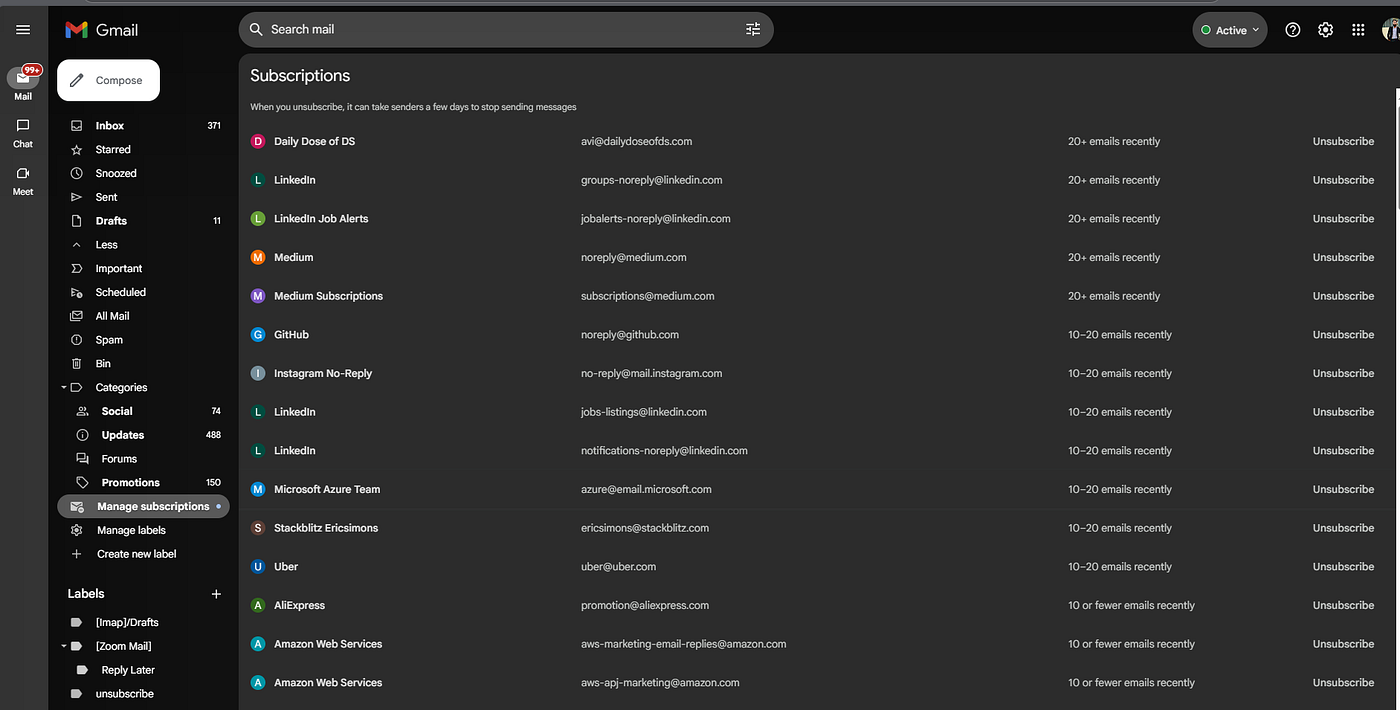
I first noticed the “Manage subscriptions” option in the Gmail sidebar, tucked under the “Categories” section. Out of curiosity, I clicked it. Suddenly, I saw a neatly organized list of every sender I was subscribed to, complete with their email addresses and the number of emails I’d received from each one recently.
Seeing the numbers was eye-opening. Some senders had sent me 20+ emails in just a few weeks! It became clear why my inbox always felt so crowded.
How to Use Gmail’s “Manage Subscriptions” Feature
If you’re ready to clean up your inbox, here’s a simple step-by-step guide based on my own experience:
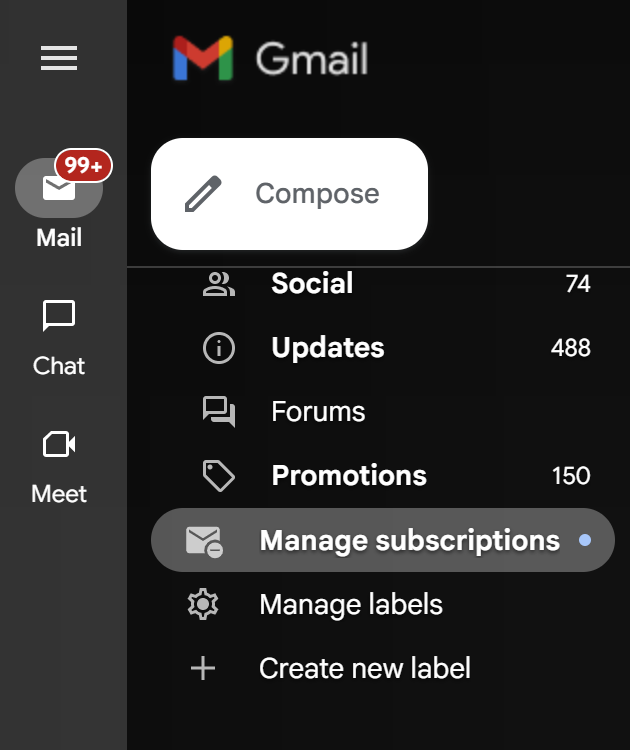
- Open Gmail and look at the left sidebar.
- Scroll down to find “Manage subscriptions” under the “Categories” section.
- Click it, and you’ll see a list of all your current email subscriptions.
- For each subscription, you can see:
- The sender’s name and email address
- How many emails you’ve received from them recently
- An “Unsubscribe” button next to each one
- Review the list and click “Unsubscribe” next to any sender you no longer want emails from.
That’s it! Gmail takes care of the rest. It may take a few days for some senders to stop emailing you, but you’ll notice your inbox becoming less cluttered almost immediately.
Why This Feature Matters
- Saves Time: No more searching for unsubscribe links in tiny fonts at the bottom of emails.
- Gives You Control: You decide what stays and what goes, all from one place.
- Reduces Stress: With fewer unwanted emails, it’s easier to focus on what’s important — whether that’s work, learning, or connecting with friends.
As a software engineer, I appreciate tools that make life simpler and more organized. Gmail’s “Manage Subscriptions” feature has helped me reclaim my inbox and my focus. If you haven’t tried it yet, I highly recommend giving it a go. Your future self — and your inbox — will thank you.
메타데이터
- post_id
- 6a4159684e6a
- slug
- how-gmails-manage-subscriptions-feature-changed-my-inbox-6a4159684e6a
- url
- https://medium.com/@ahzem/how-gmails-manage-subscriptions-feature-changed-my-inbox-6a4159684e6a
- canonical_url
- https://medium.com/@ahzem/how-gmails-manage-subscriptions-feature-changed-my-inbox-6a4159684e6a
- author_url
- https://medium.com/@ahzem
- status
- ok
- fetched_at
- 2026-06-10 08:17:25