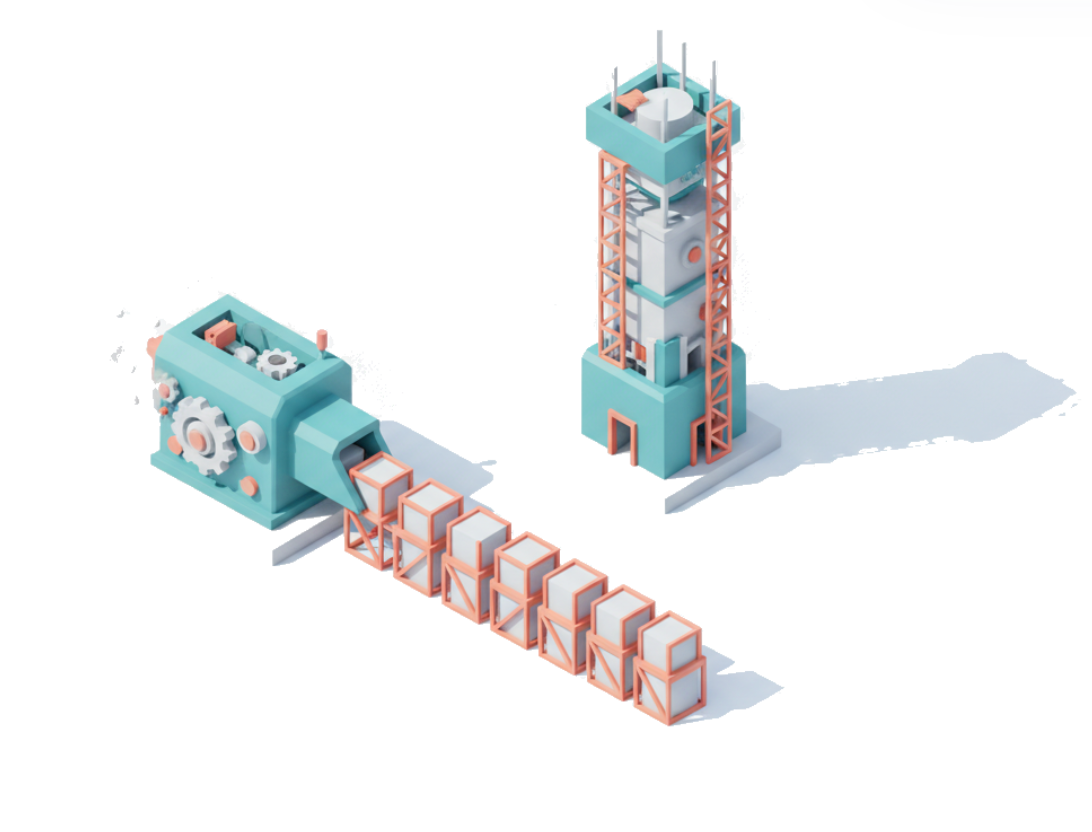
HTML Is the Only Right Interface for Working Together With Agents
HTML Is the Right Interface for Working Together With Agents
The bidirectional interface is the one feature that is making this a game-changer, not just static output.

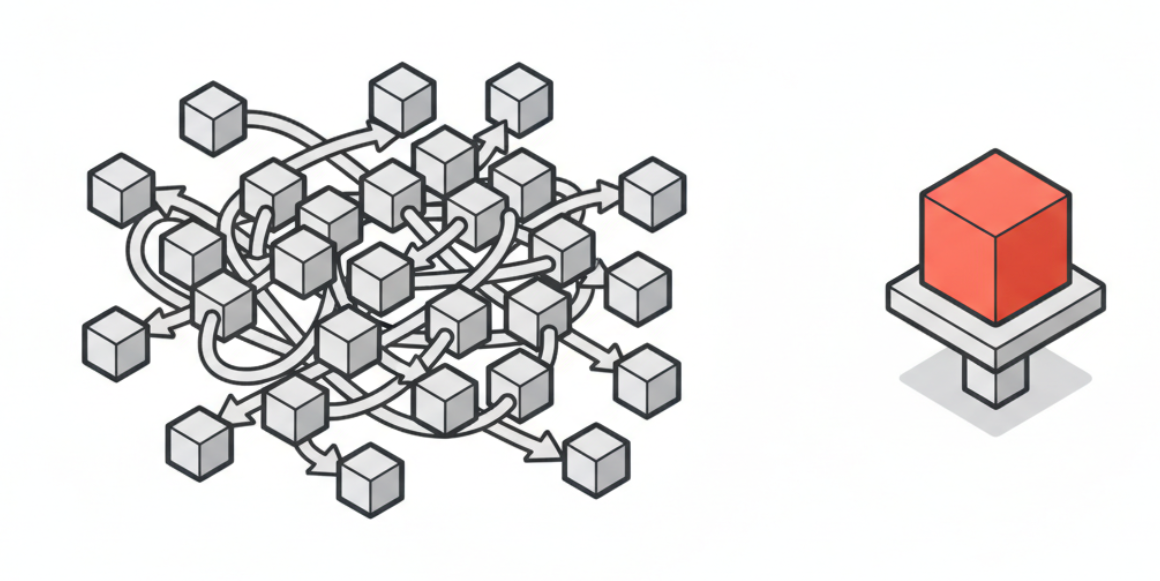
Most teams I work with ask their agent for an artifact and then leave the feedback loop trapped in chat. “Make it more compact.” “A bit warmer on the accent.” “Use less margin.” The artifact is HTML, the conversation about the artifact is text. That asymmetry is the bug.
It is also a missed framing. When people first hear “have the agent output HTML,” they think they are choosing a publish format. PDF or HTML. Markdown or HTML. Email or HTML. The decision feels like file extension shopping. Although as you can read in my previous articles, I am very much onboard the HTML as output format train.
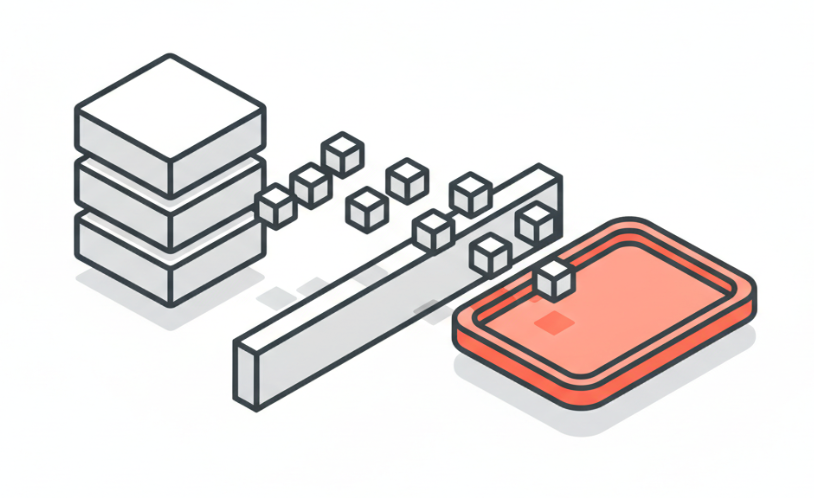
That framing is selling HTML short. HTML is the cheapest interface medium an agent can produce on demand, and “cheap” here means specific things. The agent generates it natively without an extra toolchain. Browsers already execute it on every device the reader owns. Humans inspect it by looking at it. Forms turn user input into structured data the agent can read back. A tiny localhost server closes the loop in under a hundred lines of stdlib. Compared to building a real product UI, a CLI prompt, or an MCP server with custom tools, HTML is the channel with the lowest setup cost and the highest visual bandwidth. That is what makes it an interface medium, not just an output format.
The most interesting work I have done with agents in the last few months has been on the levels of HTML that go beyond “static document for the reader to scroll through.”
There are four of those levels, and they get more useful as you go up. Level 1 is established and underweighted. Level 4 is where the real argument is, and the level almost no one I work with has tried.
Three things to take away:
- HTML is not just an output format. It is a UI medium the agent already knows how to write fluently. Use it for documents, then for navigable report sites, then for tweaks panels, then for visual asks where the agent literally hands you a form and waits for your choice.
- The bidirectional level is the one most teams have not tried yet. A real HTML form, a tiny localhost server, and a JSON response back to the agent is about a hundred lines of Python. That gives you a clean way to make taste decisions visually instead of describing them in text.
- The discipline this rewards is figuring out which decisions are better made by clicking than by typing. Color, density, layout, ordering, “which of these three feels right” are visual decisions. Treating them like text questions is what makes most agent conversations slower than they need to be.
Level 1: HTML as the right format for things people read
This is the established level and I will be quick about it. Briefings, reports, retros, comparisons, executive summaries, plans, status updates. Anything where the reader is going to look at the artifact once and judge whether to forward it.
The reason HTML wins for these over markdown is not “richer formatting.” It is that the artifact is finished. A markdown file is a draft of something. An HTML file is the thing. There is no rendering step between the agent and the reader. The fonts you chose are the fonts they see. The whitespace you set is the whitespace they get. The thing they look at is the thing you handed them.
The mechanical version of this for any Claude Code workflow is: pandoc, light-mode default, semantic HTML, inline CSS for portability, print-friendly stylesheet, max-width around 760px so paragraphs are readable on a phone. If you have not made this the default for everything an agent produces for human consumption, do that first.
The rest of this article is about what you can do once you stop treating HTML as the end of the line.
Level 2: HTML as a navigable site, not a single page
The next move is to stop writing one HTML document per artifact and start writing a small site. A quarterly report has an executive summary, a section per channel, a cohort analysis, a pipeline view, an appendix. As a 9,000-word document, the reader scrolls past the parts they do not need. As a small site with a sidebar, the reader navigates.
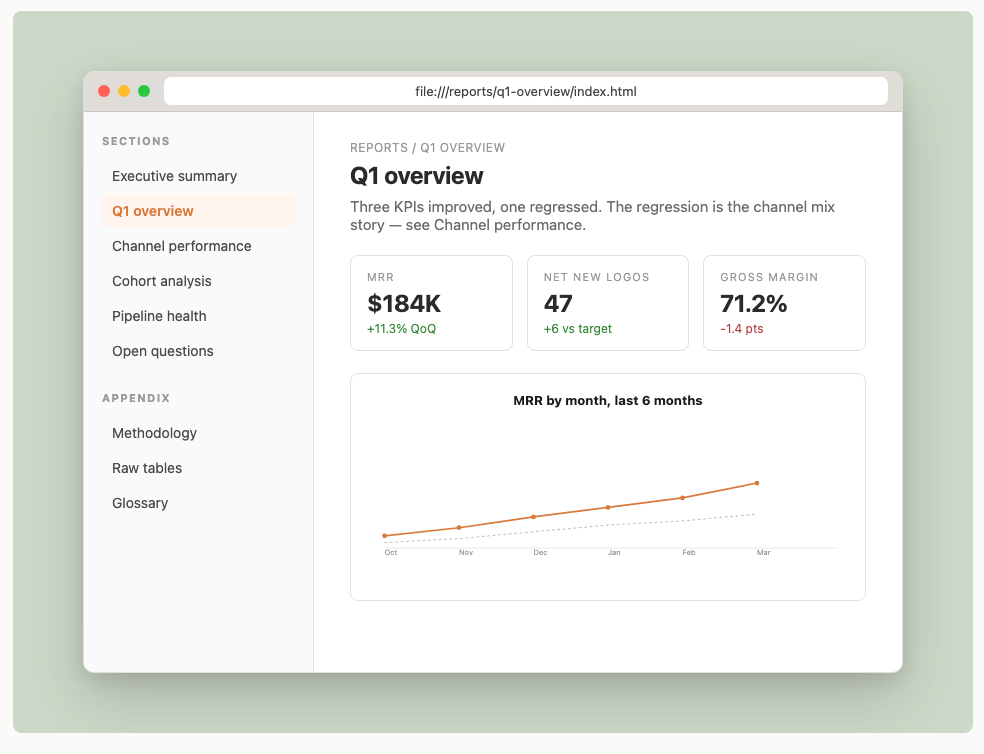
This level is mostly information architecture, and the agent already knows how to do it. The reason it belongs in this taxonomy is what it does for the next session. The navigation is the structure, written down in HTML. When you come back next week and say “redo this with March numbers, keep last quarter’s structure,” the structure is documented in the nav. The site is documentation of itself, which is what makes it possible for the agent to extend it instead of rewriting from scratch.
That is the bridge to Level 3. Once the artifact is a small site with its own structure, it can carry its own controls.
Level 3: HTML as a tweaks panel for design decisions
This is the level most teams skip and it is the one that pays off fastest.
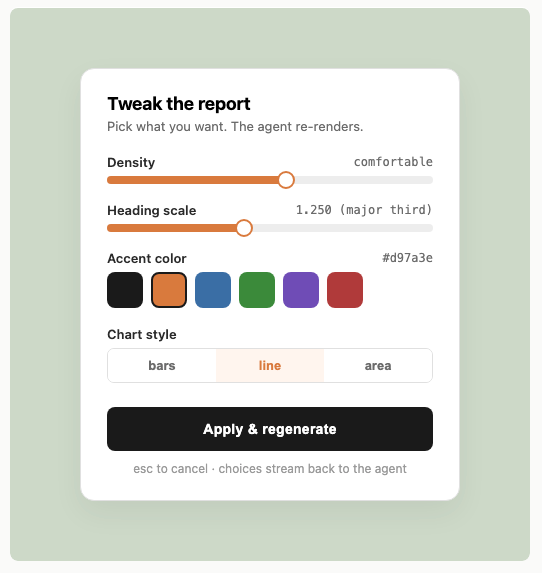
The pattern: the agent ships the report (or the slide, or the cover, or the chart). Alongside the report it ships a small parameter panel with a few sliders, a color picker, a segmented control, and a button. The panel exposes the design decisions you might want to adjust: density, heading scale, accent color, chart style.
The trick is the button. When you click Apply, the form posts back to a small local server, the server records your choices, and the agent re-renders the artifact with your inputs. You see the new version. If you like it, you keep it. If you do not, you nudge the slider and click again.
This is where a lot of design conversations belong. Try describing “the accent is too orange, maybe a tone more red and a hair less saturated” in text. Now try clicking a color you like. The second one is what humans actually want to do. Text is the wrong medium for taste, and the conversation slows down to the speed of words when it should be moving at the speed of clicks.
The cost of building this is one HTML file with form controls, plus a tiny script that posts the form back. The agent writes both. The script is generic, you reuse it across artifacts.
What this changes in practice:
- Design feedback that used to be three rounds of “make it more X” becomes one round of clicking.
- The artifact carries its own knobs, so a non-technical reviewer can adjust without going back to the agent for help.
- The agent does not have to guess what “more sophisticated” means in your taste. You point at the version that looks sophisticated and it has a record of what that meant.
This is also where the artifact starts to feel less like a one-shot output and more like a working interface. Once you are here, you are halfway to the next level.
Level 4: HTML as a visual ask back to you
This is the level I have been excited about and the level I think more people need to see.
The story. You are mid-session with Claude Code. The agent is about to make a decision that is not really textual. Which of three card layouts should the section use. Which color is “right” for this chapter cover. Which of these four hero compositions reads better. The agent could ask in text and try to describe the options. That is slow and the descriptions are usually worse than just seeing the things.
The alternative, which I have been using through a small plugin called ask-visual, is for the agent to write a real HTML form, spin up a tiny localhost server, open the form in your browser, wait for you to click, and read your choice back as JSON.

You click. The form posts back. The agent receives {"card": "lifted", "accent": "#2c5aa0", "density": "comfortable"} and continues the task with your choice in hand.

The mechanics are dead simple. The agent writes the body of the form to a temp file. A small Python script (about a hundred lines of stdlib) binds a random port on 127.0.0.1, opens the URL in your default browser, blocks on a POST to /submit, prints the form data as JSON, and exits. No daemon, no background process, no cleanup. The agent reads the JSON from stdout and goes back to work.
Why this matters more than it looks. The chat interface is a bottleneck for any decision that is fundamentally visual. Trying to describe layout, color, ordering, and density in prose is a translation step that costs you accuracy and time. The visual ask cuts the translation out: you see the options, you click, and the agent receives structured data instead of a paragraph of approximation.
That is the move. Visual judgment should return structured data, not prose. Once the data is structured, the agent can apply it directly without guessing what you meant. Fewer misfires. Fewer rewrites. Fewer rounds of “no, more like the second one but warmer.”
A short list of where I have started reaching for this:
- Picking among three hero images the agent has just generated.
- Setting accent and density at the start of a new report.
- Choosing the chart style for a section that has multiple sensible options.
- Reordering a set of bullets by drag (the form posts the order back as an array).
- Approving a generated email template before send, with one button per variant.
In each of these cases, the agent could have asked in text. The visual ask is faster and the answer is better.
Why this hits hard
The argument is that the agent’s interface is not fixed. The chat box is not the whole UI. Anything the agent can write is part of the UI, because the agent can write HTML, and HTML is a UI medium.
This shifts the question from “how do I make the chat interaction better” to “what is the right surface for this particular decision.” A long-form policy document: page of HTML. A multi-section report: navigable site. A design choice: tweaks panel. A taste decision: visual ask.
You end up with a working pattern where text in the chat box is for kicking off work and discussing strategy, HTML artifacts are for outputs you will read, HTML panels are for adjusting outputs, and HTML forms are for the specific decisions where you should click rather than type. Each surface gets the kind of question it is best at. The chat conversation gets shorter and crisper because it is no longer carrying the load of every minor choice.
Most of the speed gains I have seen in agent workflows lately come from this kind of repositioning rather than from any model improvement. Faster models help. Better-targeted surfaces help more.
Where to start, if you want to try this
The free Tuesday-afternoon version of this is concrete.
Pick the next report or artifact you are about to ask an agent to produce. Tell the agent to ship it as a small navigable site instead of one document, even if it is short. Notice how the structure becomes obvious because the navigation forces you to name the sections.
Add a tweaks panel for any artifact where the design might want adjusting. Three sliders and a color picker is enough. The agent can write the form and the regeneration call. The next time you would have said “more compact” or “different color,” click instead.
For the visual ask, you need a small script. The ask-visual plugin is one implementation, about a hundred lines of stdlib Python. The agent writes the form body, the script wraps it in HTML, opens a browser, waits for a click, returns JSON. Install it once, then any agent that wants to ask you a visual question can do it.
You will know the pattern is working when your sessions start feeling shorter, even though they are producing more. Decisions that used to take three text rounds now take one click. Artifacts that used to need rework now ship the first time. The chat box gets quieter and the work moves faster, because the chat box was never the right place for half of what was happening in it.
The cleanest indicator I have for whether I have set up a workflow correctly is how often I find myself describing something visual in words. If I am still doing that, I have a missing form somewhere. The form is almost always cheaper to write than the next round of “actually, more like X” is to type.
HTML is the medium. The agent already speaks it. The only question is how much of the interaction you are going to let it carry.
Marco Kotrotsos, specializing in practical AI implementation for organizations ready to close the gap between AI hype and AI value. With 30 years of IT experience now focused purely on AI deployment, he works hands-on with companies to turn AI potential into measurable business outcomes.
This article is published in Autocomplete, a Medium publication about real-world AI for practitioners and decision-makers. We’re always looking for writers. If you’re building with AI and have something worth sharing, reach out.
My free Substack newsletter, also called Autocomplete, can be found here: https://acdigest.substack.com.
My books on Amazon: Claude Code for Everyone Else and From Vibe to Production.
메타데이터
- post_id
- 6a4f9fe48398
- slug
- html-is-the-only-right-interface-for-working-together-with-agents-6a4f9fe48398
- url
- https://medium.com/autocomplete-real-world-ai/html-is-the-only-right-interface-for-working-together-with-agents-6a4f9fe48398
- canonical_url
- https://medium.com/autocomplete-real-world-ai/html-is-the-only-right-interface-for-working-together-with-agents-6a4f9fe48398
- author_url
- https://medium.com/@kotrotsos
- status
- ok
- fetched_at
- 2026-06-15 20:49:13