ColdFusion N+1 Query Problem: Detection, Diagnosis, and Fixing ORM Over-Fetching
The N+1 query problem is the most common performance killer in ColdFusion ORM applications: you run one query to load a list of parent…
ColdFusion N+1 Query Problem: Detection, Diagnosis, and Fixing ORM Over-Fetching

ColdFusion N+1 Query Problem: Detection, Diagnosis, and Fixing ORM Over-Fetching
The N+1 query problem is the most common performance killer in ColdFusion ORM applications: you run one query to load a list of parent entities, then the ORM silently fires N more queries — one per parent — to load each parent’s related data as you loop over them. Load 25 artists and access each one’s artworks, and ColdFusion executes 1 + 25 = 26 queries instead of 1 or 2. Because ColdFusion ORM is built on Hibernate, this is Hibernate’s classic N+1 select problem, and it happens with both lazy loading (a separate SELECT fires when you touch each relationship) and naive eager loading (Hibernate issues a secondary select per association if you don’t join-fetch). The damage scales with your data — 1,000 parents means 1,001 queries — turning a fast page into a slow one under load. The fixes are specific and built in: use
**fetch="join"on the relationship (or an HQLjoin fetchviaORMExecuteQuery) to load parents and children in a single SQL statement, enable batch fetching (batchsize) to collapse N queries into a handful, or use subselect fetching — and detect it first by logging the SQL* the ORM generates so you can see* the flood of repeated queries. This guide covers detection, diagnosis, and every fix.
What the N+1 Problem Is
ColdFusion ORM (introduced in ColdFusion 9) sits on top of Hibernate, the widely-used Java ORM — so ColdFusion inherits Hibernate’s behaviors, including its most infamous performance trap. The N+1 query problem occurs when one initial query to fetch a list of entities leads to N additional queries to load their related entities, one query per entity.
Adobe’s own ORM documentation gives the canonical example. Consider an artist–art one-to-many relationship where 25 artists are loaded, each with a lazy collection of artworks. If you iterate through the artists and call getArts() on each, by default 25 SELECT statements are executed — one for each artist, to load its art objects. Add the initial query that loaded the 25 artists, and you've run 26 queries to display a page that should take one or two.
That “+1” is the parent query; the “N” is one child query per parent. It looks completely correct in code — you loaded a list and looped over it, accessing a property on each — which is exactly why it’s so easy to introduce and so easy to miss. And it gets worse with scale: at 1,000 parents it’s 1,001 queries; at 10,000 it’s 10,001. As the Hibernate community bluntly puts it, a single query could do the job, but so can 10,000 — pick your side.
Why It Happens: Lazy vs Eager Loading
To fix N+1 you have to understand how the ORM decides when to load related data. ColdFusion ORM (via Hibernate) offers different fetching strategies, and both lazy and eager loading can produce N+1 if used naively.
Lazy loading (the default) — the classic N+1 cause
With lazy loading, a related collection or object isn’t loaded when the parent loads — it’s loaded only when you access it. ColdFusion ORM provides three lazy types (per Adobe):
**lazy(default)** — for one-to-many and many-to-many; when you call the accessor (getArts()), the whole collection loads then.**extralazy** — the collection loads even more lazily (e.g.,.size()without loading all rows).**proxy** — for one-to-one and many-to-one; the related object is a proxy until you call a method on it, at which point its query fires.
The trap: lazy loading is efficient if you don’t touch the relationship, but the moment you loop over parents and access a lazy relationship on each, each access fires its own SELECT — that’s your N queries.
Eager loading — not a free fix
You might think “just load everything eagerly.” But eager loading isn’t a cure. As the Hibernate documentation warns: if you forget to JOIN FETCH all EAGER associations, Hibernate issues a secondary select for each and every one — which leads to the N+1 query issue. Eager loading only guarantees when data loads, not how efficiently. Worse, blanket eager loading over-fetches: it pulls every relationship upfront even when you only needed the parent, wasting bandwidth and memory (loading User + Profile + Logs + Preferences when you only wanted the username).
Hibernate’s own recommendation is telling: statically mark all associations lazy, and use dynamic fetching strategies (like join fetch) for eagerness where a specific use case needs it. In other words, default to lazy, then explicitly join-fetch in the queries that need the related data — which is exactly the N+1 fix.
Detection: See the Query Flood
You can’t fix what you can’t see, and N+1’s insidiousness is that the code looks fine. The single most important step is making the ORM’s generated SQL visible so you can count the queries.
Enable SQL logging
ColdFusion ORM can log the SQL Hibernate generates. Turn on SQL logging so you can watch the queries a page fires:
// Application.cfc — surface the SQL the ORM generates
this.ormSettings = {
    logSQL        : true,     // log generated SQL (dev/staging only)
    // ... other ORM settings ...
};
With logSQL on, an N+1 problem is unmistakable in the logs — you'll see the same SELECT repeated over and over, once per parent, with only the foreign-key value changing:
-- The tell-tale N+1 signature: one parent query, then N identical child queries
select ... from artist               -- the "+1"
select ... from art where artistId=1 -- N
select ... from art where artistId=2
select ... from art where artistId=3
   ... (22 more) ...
Seeing 26 queries where you expected 1–2 is the diagnosis.
Use an APM for the full picture
For production-grade detection, a ColdFusion-aware APM shows query counts per request:
- FusionReactor — surfaces slow requests and, critically, query counts and repeated queries per request — the fastest way to spot an N+1 in a live app. A request executing dozens or hundreds of near-identical queries is the signature.
- The Performance Monitoring Toolset (PMT) — Adobe’s own monitoring for request and datasource activity.
- Database-side monitoring — a spike in query volume disproportionate to page views often traces back to an N+1.
The diagnostic mindset: a page’s query count should be roughly constant regardless of how many rows it displays. If displaying 10 items runs 11 queries and displaying 100 items runs 101, you have an N+1 that scales with your data.
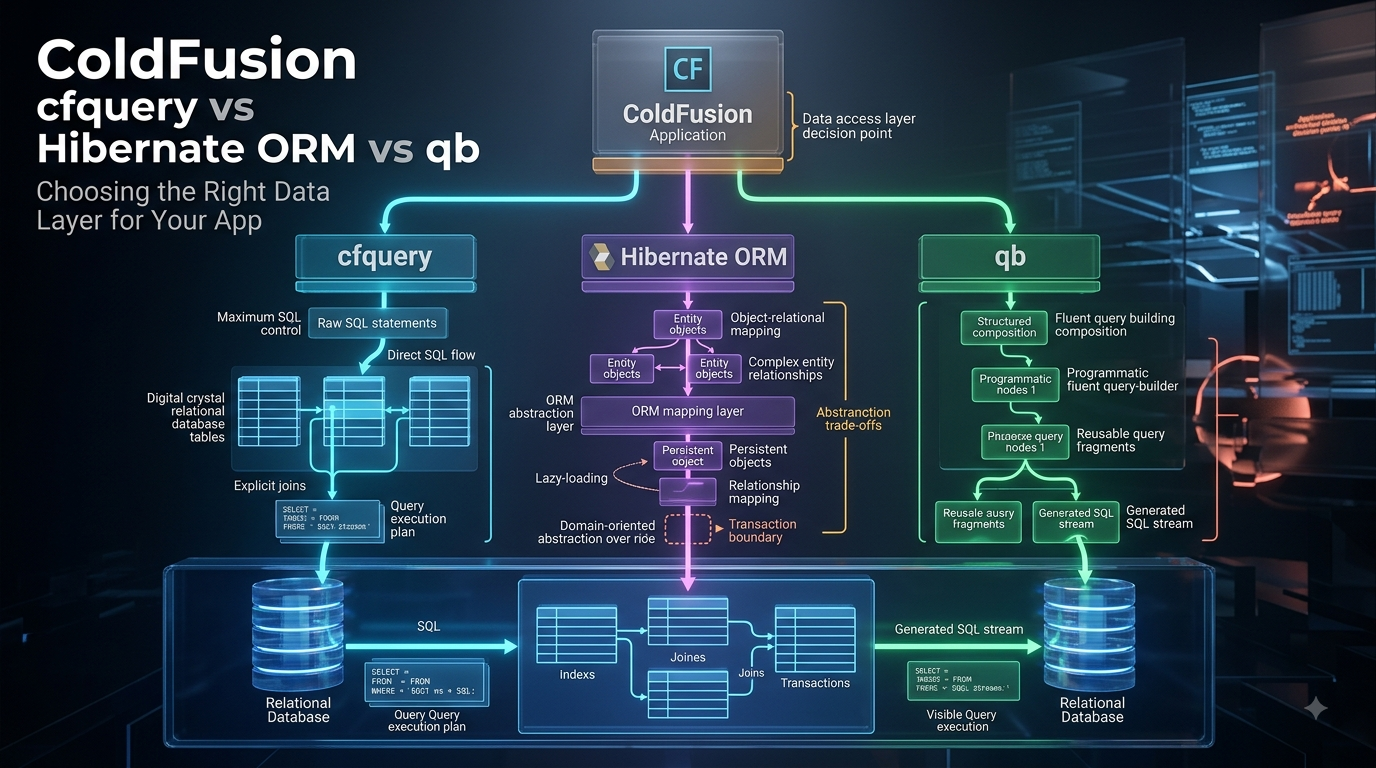
Fix 1: Join Fetch (Load Parent and Children in One Query)
The primary fix is to tell the ORM to retrieve the parents and their related data in a single SQL statement using a JOIN, instead of one query per parent. There are two ways in ColdFusion.
Option A: fetch=”join” on the relationship
Set fetch="join" on the cfproperty relationship definition. Per Adobe's relationship mapping, the fetch attribute takes join or select (the default), and **fetch="join" loads the related data immediately via an outer join** rather than a separate select:
// Artist.cfc — fetch the art in the SAME query as the artist (outer join)
component persistent="true" table="artist" {
    property name="artistId" fieldtype="id";
    property name="name"     type="string";
property name="art" fieldtype="one-to-many" cfc="Art"
             fkcolumn="artistId" fetch="join";     // JOIN, not a per-parent select
}
With fetch="join", loading the artists brings their art along in one outer-join query — no N follow-up selects. (Caveat: fetch="join" on the mapping applies to every load of that entity, which can over-fetch in cases where you don't need the children — which is why the query-level approach below is often preferred.)
Option B: HQL join fetch (per-query, the flexible way)
The more surgical fix — and the one Hibernate recommends — is to join-fetch in the specific query that needs the related data, leaving the mapping lazy by default. ColdFusion runs HQL via ORMExecuteQuery() (or a cfquery with dbtype="hql"):
<cfscript>
    // Load artists AND their art in ONE query, only where you need it.
    // "join fetch" pulls the association eagerly for THIS query only.
    artists = ORMExecuteQuery("
        SELECT DISTINCT artist
        FROM Artist artist
        LEFT JOIN FETCH artist.art
    ");
// Now looping and calling getArt() fires NO additional queries -
    // the art is already loaded.
    for ( artist in artists ) {
        writeOutput( artist.getName() & ": " & arrayLen(artist.getArt()) & " works<br>" );
    }
</cfscript>
LEFT JOIN FETCH tells Hibernate to fetch the association eagerly in the first select using an outer join — collapsing 1 + N queries into exactly one. This is the cleanest fix because it keeps the entity lazy by default (no over-fetching elsewhere) and eager only where a specific use case needs it. Use DISTINCT to avoid duplicate parent rows the join can produce.
Fix 2: Batch Fetching (Collapse N Into a Few)
When a join fetch isn’t practical, batch fetching dramatically reduces the query count by loading related data for many parents at once instead of one at a time. Set batchsize on the relationship (or the CFC).
Per Adobe: in the 25-artists example, adding batchsize="10" means that when you call getArts() on the first artist, the artworks for 9 other artists are fetched along with it — so instead of 25 separate SELECTs, ColdFusion runs roughly 3 (25 ÷ 10, rounded up).
// Artist.cfc — batch-fetch art collections 10 parents at a time
property name="art" fieldtype="one-to-many" cfc="Art"
         fkcolumn="artistId" lazy="true" batchsize="10";
Important nuance (from Adobe): batchsize="10" does not mean 10 artworks load per artist — it means 10 artwork collections (the art for 10 artists) load together. Batch fetching also works at the CFC level for proxied many-to-one/one-to-one owners (<cfcomponent table="artist" batchsize="10">), collapsing N proxy-load selects into batches.
Batch fetching keeps the relationship lazy (so you don’t over-fetch when you don’t touch it) while eliminating the per-parent query storm when you do. It’s the right fix when different code paths need different amounts of the related data.
Fix 3: Subselect Fetching
A third strategy, subselect fetching, loads the related collections for all parents from a previous query using a single second SELECT with a subquery. Instead of N queries (one per parent) or one big join, you get exactly two queries: one for the parents, one subselect that loads all their children at once. It’s a good middle ground when a join fetch would produce an unwieldy result set (e.g., multiple collections). This maps to Hibernate’s subselect fetch strategy, available through the ORM’s fetch configuration.
Fixing Eager Over-Fetching (the Other Side of the Coin)
N+1 is under-fetching efficiency; over-fetching is its opposite and just as harmful. If you’ve set relationships to eager/fetch="join" at the mapping level to "avoid N+1," you may now be loading data you don't need on every query — the User+Profile+Logs+Preferences problem where you only wanted the username. Symptoms: large result sets, high memory use, slow queries that pull far more columns/rows than the page uses.
The fix aligns with Hibernate’s recommendation: default relationships to lazy, then eagerly fetch only in the specific queries that need it (via HQL join fetch). Additional over-fetch controls:
- Fetch only needed columns where possible, rather than whole entity graphs.
- Set fetch types explicitly on every relationship for clarity — don’t rely on defaults you may misremember.
- Use a secondary-level cache (EHCache, etc.) for read-mostly related data that’s fetched repeatedly, so repeated loads hit cache instead of the database — but cache is a complement to fixing the query pattern, not a substitute.
- Paginate large parent lists so you’re not join-fetching thousands of rows into memory at once.
The balance to strike: lazy by default to avoid over-fetching, join-fetch/batch where you’d otherwise hit N+1. That’s the sweet spot Hibernate’s own guidance points to.
A Diagnosis-to-Fix Workflow
- Suspect N+1 when a page that loads a list is slow, or slows down as the list grows.
- Enable
logSQL(or open FusionReactor) and load the page. Count the queries. - Confirm the signature — one parent query followed by many near-identical child queries differing only in a foreign-key value.
- Choose the fix:
- Need the related data every time, small result →
**fetch="join"on the mapping or HQLjoin fetch**. - Need it sometimes, or the join is unwieldy →
**batchsize(batch fetching) or subselect**. - Prefer surgical control → keep the mapping lazy,
join fetchin the specific query.
- Re-run with logging and confirm the query count dropped to 1–2 (or a small batch count).
- Watch for over-fetching — make sure the fix didn’t swing you into loading data you don’t need.
- Add an index on the foreign-key column so the join/batch queries are fast.
The goal is a query count that stays roughly flat as the data grows — that’s what tells you the N+1 is gone for good.
Conclusion
The ColdFusion N+1 query problem is a direct inheritance from the Hibernate engine under ColdFusion ORM, and it’s the performance issue most likely to be hiding in a data-driven CFML application: one query to load the parents, then a silent flood of one-query-per-parent to load their relationships. It’s invisible in code — a loaded list and an innocent loop — and it scales with your data, which is why a page that’s fine in testing crawls in production. The path out is always the same three steps: detect it by logging the ORM’s SQL (or watching query counts in FusionReactor) until you can see the repeated queries; diagnose whether it’s lazy loading firing per-parent selects or eager loading over-fetching; and fix it with the right built-in tool — fetch="join" or an HQL join fetch to collapse everything into one query, batchsize to batch the loads, or subselect fetching for the middle ground. Follow Hibernate's own guidance — default relationships to lazy, and fetch eagerly only in the queries that genuinely need it — and you get the best of both worlds: no N+1 query storm, and no over-fetching bloat.
Done right, your data pages execute a small, constant number of queries regardless of how many rows they show — which is the difference between an ORM that speeds up development and one that quietly wrecks performance.
If your organization is fighting slow, database-heavy ColdFusion pages — hunting down N+1 query problems in ColdFusion ORM, tuning lazy/eager fetching and batch sizes, rewriting hot paths with HQL join fetches, fixing eager over-fetching, and setting up the SQL logging and APM to catch these before they reach production — **Lucid Outsourcing Solutions** can help. As a dedicated ColdFusion development partner, Lucid brings the CFML and Hibernate/ORM expertise to detect and eliminate N+1 and over-fetching problems, tune your ORM fetching strategy for real workloads, and turn slow data pages into fast ones. The right first step is a performance review of your ColdFusion ORM usage and slowest data pages — reach out to Lucid Outsourcing Solutions to get started.
Sources and Research Audit Trail
ColdFusion ORM lazy loading, batch fetching, relationship mapping — Adobe official (Tier 1):
- Adobe ColdFusion — Lazy Loading (”ColdFusion ORM provides three types of lazy loading for relationships: lazy (default, applies to collection mapping, one-to-many and many-to-many), extra lazy, proxy (one-to-one and many-to-one)”; “consider artist-art one-to-many relationship where there are 25 artists loaded and each artist has a lazy collection of artworks. If you now iterate through the artists and call getArts() on each, by default 25 SELECT statements are executed, one for each artist to load its art objects. This can be optimized by enabling batch fetching, which is done by specifying batchsize on the relationship property”;
<cfproperty name="art" fieldtype="one-to-many" cfc="art" fkcolumn="artistId" lazy="true" batchsize="10">; "batchsize here does not mean that 10 artworks are loaded at one time for an artist. It actually means that 10 artwork collections (artworks for 10 artists) are loaded together. When you call getarts() on the first artist, artworks for 9 other artists are also fetched"**; proxy: "art.getArtist() would only get a proxy object. When you call any method on the proxy object, query gets executed"; batch fetching at CFC level<cfcomponent table="artist" batchsize="10">for many-to-one/one-to-one proxied owners — "by default 25 SELECT statements are executed to retrieve the proxied owners, one for each artist proxy object";fetch="select"vs the four loading strategies; memory-tracking accesses lazy fields causing them to load): helpx.adobe.com/coldfusion/developing-applications/coldfusion-orm/performance-optimization/lazy-loading.html - Adobe ColdFusion — Define Relationships (
**<cfproperty name="field_name" fieldtype="one-to-many" cfc="Referenced_CFC_name" ... fkcolumn="Foreign Key column name" ... cascade="cascade_options" lazy="[true]|false|extra" fetch="join|[select]" inverse="true|[false]" batchsize="N" ...>; fetch attribute takes join or select (select default); lazy takes true(default)/false/extra**): helpx.adobe.com/coldfusion/developing-applications/coldfusion-orm/define-orm-mapping/define-relationships.html
Hibernate N+1 mechanism, fetch strategies, lazy-by-default recommendation (Tier 1 — Hibernate official + community):
- Hibernate ORM — Fetching chapter (official docs) (“If you forget to JOIN FETCH all EAGER associations, Hibernate is going to issue a secondary select for each and every one of those which, in turn, can lead to N + 1 query issue. For this reason, you should prefer LAZY associations”; “The Hibernate recommendation is to statically mark all associations lazy and to use dynamic fetching strategies for eagerness”; SELECT fetching EAGER (second select immediately) vs LAZY (delayed until needed); EntityGraphs for fetch plans): github.com/hibernate/hibernate-orm/blob/main/documentation/src/main/asciidoc/userguide/chapters/fetching/Fetching.adoc
- Hibernate ORM 4.2 Manual — Fetching strategies (“Join fetching: Hibernate retrieves the associated instance or collection in the same SELECT, using an OUTER JOIN; Select fetching: a second SELECT is used to retrieve the associated entity or collection; Subselect fetching: a second SELECT is used to retrieve the associated collections for all entities retrieved in a previous query or fetch; Batch fetching”; “we keep the default behavior, and override it for a particular transaction, using left join fetch in HQL. This tells Hibernate to fetch the association eagerly in the first select, using an outer join”): docs.hibernate.org/orm/4.2/manual/en-US/html/ch20.html
- Medium (Abdullah Khames) — Understanding and Resolving the N+1 Query Problem in Hibernate ORM (“The N+1 query problem occurs when one initial query to fetch an entity leads to N additional queries to load its related entities”; “Using FetchType.EAGER either implicitly or explicitly is a bad idea because you are going to fetch way more data than you need… also prone to N+1 query issues”; “Even if you switch to using FetchType.LAZY explicitly for all associations, you can still bump into the N+1 issue”): medium.com/@abdullahkhames96/understanding-and-resolving-the-n-1-query-problem-in-hibernate-orm-96b10af89e9f
- DEV Community (Yiğit Erkal) — Hibernate N+1 Problem (“N+1 select queries are generated, where N is the number of Products. Consider N=1000 or 10.000… While a single query can do your job, 10000 queries also can do. Select your side”; “A custom query with JOIN FETCH is one of the Hibernate solutions… instead of querying nested product records for each product with a separate query, we may build a single query to select products and join relevant entries”; EAGER “degrades efficiency because it requires the loading of all relationships, even if they aren’t needed… On a method level, it can’t be overridden”): dev.to/yigi/hibernate-n1-problem-580
- Medium (Jaouadi Rabeb) — Mastering Hibernate Part 4: Lazy vs Eager + Fixing N+1 (“Eager loading only guarantees when data loads, not how efficiently… Loads all relationships upfront. Consumes bandwidth and memory unnecessarily when data isn’t needed (Loading User + Profile + Logs + Preferences when only username is required)”; “Avoid relying on default fetch types. Always set fetch type explicitly for clarity”; “Use JOIN FETCH in JPQL/HQL: explicitly fetch them with a join fetch to load everything in a single query”): medium.com/@jaouadirabeb/mastering-hibernate-part-4-lazy-vs-eager-loading-fixing-the-n-1-problem-d11c573e5e49
ColdFusion HQL execution, logSQL, fetch=”join” mapping (Tier 2 — Nic Tunney + Ben Nadel + Deepak Purohit + SlideShare):
- Nic Tunney — ColdFusion ORM: Using HQL (“There are two simple ways to execute HQL in a ColdFusion application. The first is with ORMExecuteQuery(). The second is to use a cfquery block with dbtype=’hql’”; “HQL is much like SQL… we can reference object relational mappings in our HQL as Hibernate understands how to translate them into the appropriate SQL”; entityLoad/entityLoadByPK are convenience functions; object name case-sensitive): blog.nictunney.com/2011/02/coldfusion-orm-using-hql.html
- Ben Nadel — Learning ColdFusion 9: From SQL to ORM (
**<cfproperty name="contactInformation" ... fieldtype="one-to-one" cfc="ContactInformation" fkcolumn="contact_information_id" fetch="join" ...>; "The Fetch attribute determines if lazy loading will be available on this relationship; since we are using a JOIN to pull back the contact_information record, it will be loaded immediately"**): bennadel.com/blog/1674-learning-coldfusion-9-from-sql-to-orm-a-conceptual-shift-in-relationships.htm - Deepak Purohit (Medium) — ColdFusion ORM with Relational Databases (“Optimize Queries with HQL: Hibernate Query Language (HQL) helps optimize queries for large datasets”; “Enable Logging for Debugging: Use the logSQL option to monitor SQL queries generated by ORM”; “Use Lazy Loading for Relationships: Enable lazy loading to load related entities only when needed”; “Ensure Proper Indexing… Use indexes on frequently queried columns”; one-to-many/many-to-many cfproperty mapping examples): medium.com/@Deepak-Sir/coldfusion-orm-with-relational-databases-9da99cbf60ea
- SlideShare (Masha Edelen) — Let ColdFusion ORM do the work for you (batch fetching at CFC level and at collections with batchsize=”10"; secondary-level cache EHCache/JBossCache/OSCache with
this.ormSettings.secondaryCacheEnabled = trueandcacheuse="transactional"; caching HQL via ORMExecuteQuery): slideshare.net/MashaEdelen/let-coldfusion-orm-do-the-work-for-you
메타데이터
- post_id
- 6b184edce6bb
- slug
- coldfusion-n-1-query-problem-detection-diagnosis-and-fixing-orm-over-fetching-6b184edce6bb
- url
- https://medium.com/@Coding-Algorithms/coldfusion-n-1-query-problem-detection-diagnosis-and-fixing-orm-over-fetching-6b184edce6bb
- canonical_url
- https://medium.com/@Coding-Algorithms/coldfusion-n-1-query-problem-detection-diagnosis-and-fixing-orm-over-fetching-6b184edce6bb
- author_url
- https://medium.com/@Coding-Algorithms
- status
- ok
- fetched_at
- 2026-08-20 07:40:14