CTF Writeup — DC-1 — VulnHub
DC-1 is a CTF hacking challenge. It has numerous routes to go in. In the below writeup I have tried to be as comprehensive as possible. I…
CTF Writeup — DC-1 — VulnHub – Abhishek Tamang
DC-1 is a CTF hacking challenge. It has numerous routes to go in. In the below writeup I have tried to be as comprehensive as possible. I hope you enjoy and learn.
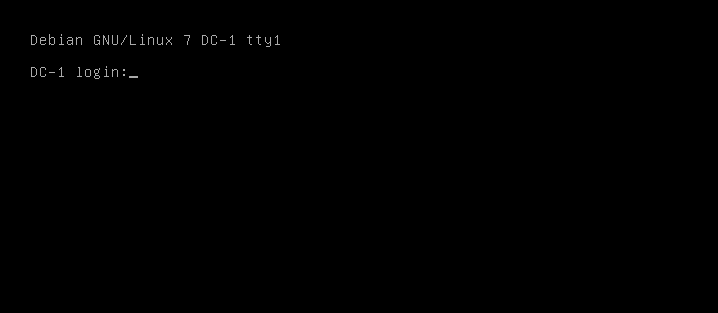
Main Screen — DC-1
Download — https://www.vulnhub.com/entry/dc-1,292/
After installing, I made sure both machines — DC-1 and Kali are on NAT.
- Starting with the discovery of the machine on the network using —
arp-scan -l

192.168.183.131 is the DC-1
arp-scan, also known as ARP Sweep or MAC Scanner, is a very fast ARP packet scanner that shows every active IPv4 enabled device on your subnet. Since ARP is non-routable, this type of scanner only works on the local LAN (local subnet or network segment).
We got DC1 at 192.168.183.131
- Next step is to get the initial information regarding the open ports on the machine, using Nmap.

Found an Apache running on port 80
Nmap, short for Network Mapper, is an open-source Linux command-line tool that is used to scan IP addresses and ports in a network. It allows network admins to find which devices are running on their network, discover open ports and services and detect vulnerabilities.
- Drupal Site

Drupal Site

Running Drupal 7
As it was observed that the machine has hosted a Drupal 7 site. Upon checking for any vulnerabilities for the same, I found Drupalgeddon 2 in Metasploit.
- Drupalgeddon 2
Metasploit Framework is a very powerful tool which can be used by cybercriminals as well as ethical hackers to probe systematic vulnerabilities on networks and servers. Because it is an open source framework, it can be easily customized and used with most operating systems.

Its info page says that Drupal 7.x is one of the available targets:

- Arming Drupalgeddon

set RHOSTS
Set the RHOSTS to the DC-1 IP — 192.168.183.131
- Attacking DC
We now hit “exploit”.
Drupalggedon will do its work and will give us the meterpreter shell to work on.

Flag1.txt
Going through the files, we get the flag1.txt

Flag1.txt contents
- The hint in the flag1 points towards the config file of the Drupal CMS.
Upon googling the location to the config file, we found:

Location to Drupal config file
Now that we have the path to the config file — sites/default/settings.php, we navigate ourselves to the config file:

Path to settings.php
Now that we have the settings.php, we now check the contents of the config file.

Flag 2
The config file gives away two things —
-
Database credentials
-
flag 2 — which hints towards us using these credentials.
-
We need to access the database, but before that we need to spawn a python shell. We do this by executing below command:
python -c 'import pty; pty.spawn("/bin/bash")'Now that we have the shell, we now access the database.

Accessing Database

Users
We found ‘users’ table. We inspect the same:

users table
In the users table, we found two users, with their hashed passwords.
- Using hashcat, to crack the hash, against rockyou.txt.

Cracked — 53cr3t
Now that we have the cracked password, we now enter the CMS.
As observed below in the content tab, flag3 is found.

flag3
Contents:

flag3 — hint
- The flag3 hints towards checking SUID bit enabled file/command.
SUID allows an application to be run as root, even when a different user is running it.
Running the command to find the flag4:
find -name flag4*
flag4.txt location
Reading the contents of flag4.txt.

flag4.txt — contents
- Locating the final flag.
The hints suggests that to use the same method to find or access.
While navigating to /root we are not allowed to access:

/root permission denied
Now checking any SUID bit set command:

find is set with SUID bit.
We have find with SUID bit enabled, which means we can execute the command on behalf root.
Now checking the file list in /root

thefinalflag.txt
Upon checking a the find command execution options, we found the below:

find options.
Now using this to execute cat command to read the thefinalflag.txt

The DC-1 has been successfully “pwned”.
I hope you were able to follow and learn.
Meet you in the next installment!!
메타데이터
- post_id
- 6bdbc7723a6f
- slug
- ctf-writeup-dc-1-vulnhub-6bdbc7723a6f
- url
- https://medium.com/@0verl0rd/ctf-writeup-dc-1-vulnhub-6bdbc7723a6f
- canonical_url
- https://medium.com/@0verl0rd/ctf-writeup-dc-1-vulnhub-6bdbc7723a6f
- author_url
- https://medium.com/@0verl0rd
- status
- ok
- fetched_at
- 2026-06-29 01:02:39