Spline 2 — The Rereticulation
OK, so I plugged all of my code in last night for the splines… and it’s not working the way that I expect.
Spline 2 — The Rereticulation
OK, so I plugged all of my code in last night for the splines… and it’s not working the way that I expect.

Well, actually, there’s a couple different things happening. For one, something got confused with my Github setup. Or maybe in my Git repo… but I think I’ve commented in a few posts about how I’d been running into situations where I could swear I’d checked something in, but then I’d switch computers and pull it down and not find it. Sometimes, I could blame it on my own laziness, not having actually pushed what I thought I did, but other times, it was much more baffling.

You can see where there’s both a Zip Line folder and a Zip Line System folder under Creative Playworks. In GitHub, there’s just the one folder.

Deleting Zip Line System gets rid of the folder for now, but I’m still not 100% certain how how that got in there. My suspicion is that it might have been due to an incorrect default branch setup in GitHub. Some time back, I’d had a branch called FromScratch, where I was trying to build my zipline controller from the ground up, before I switched over to the LegacyIK branch, where I was experimenting with using OnAnimatorIK. And… well, that code still doesn’t have the folder, but it seems a bit more likely that I had a different folder name at some point, and things got confused. I have changed my default branch using the Settings tab so that it should default to develop, which is what I merged the LegacyIK branch to.

Anyhow, back to the demo scene, the zip line demo scene had somehow made its way back to the Assets/Scenes folder, and the version in the Demo scene has some missing prefabs.

I think this is partially explained by that my desktop and laptop builds were both using slightly different Fantacode Studios assets that weren’t being checked in. I thought I’d made them independent, but apparently not. Fortunately, it’s not too hard of a solution. I have a prefab for this.

Alright, 90% back to the prior scene. I think that my logic is sound, but let’s test this GetPointFromDistance function. I wrote up a script for this.
public class MoveAlongSpline : MonoBehaviour
{
    [SerializeField] SplineContainer _splineContainer;
    float _curTime = 0f;

    [Range(-1, 1)]
    [SerializeField] float _speed = 1f;

    // Update is called once per frame
    void Update()
    {
        var point = SplineUtility.GetPointAtLinearDistance(_splineContainer.Spline, _curTime, _speed * Time.deltaTime, out _curTime);
        transform.position = point;

        if (_splineContainer.Spline.Closed)
        {
            if (_curTime > 1f && _speed > 0f)
                _curTime = 0f;
            else if (_curTime < 0f && _speed < 0f)
                _curTime = 1f;
        }
    }
}
Let’s try a closed path.

Well, still fast, and the closed path isn’t working, but generally the function should be good.
IEnumerator DoZipLining()
{
    _characterController.enabled = false;
    _animator.SetBool("IsZiplining", true);
    _isZiplining = true;

    float3 pos, forward, up;
    _currentZipLine.EvaluatePoint(_currentTime, out pos, out forward, out up);

    _zipPosition = pos;

    while (Vector3.Distance(_zipPosition, _currentZipLine.ZipLineEnd.position) > 0.1f)
    {
        // Calculate velocity
        float gravityEffort = Vector3.Dot(forward, Vector3.down);
        float acceleration = gravityEffort * Physics.gravity.magnitude;

        _velocity += acceleration * Time.deltaTime;
        _velocity *= (1f - _friction * Time.deltaTime);

        // Get the next point/time
        _zipPosition = _currentZipLine.GetPointAtDistance(_currentTime, _velocity, out _currentTime);

        Vector3 direction = (_zipPosition + _ziplineOffset - transform.position);
        transform.position = _zipPosition + _ziplineOffset;
        yield return null;
    }

    _characterController.enabled = true;

    yield return null;
}
Given the speed of the other one, I wonder if maybe part of the problem is just that things are going too quickly. And… kind of. I forgot to multiply the velocity by Time.deltaTime.
_zipPosition = _currentZipLine.GetPointAtDistance(_currentTime, _velocity * Time.deltaTime, out _currentTime);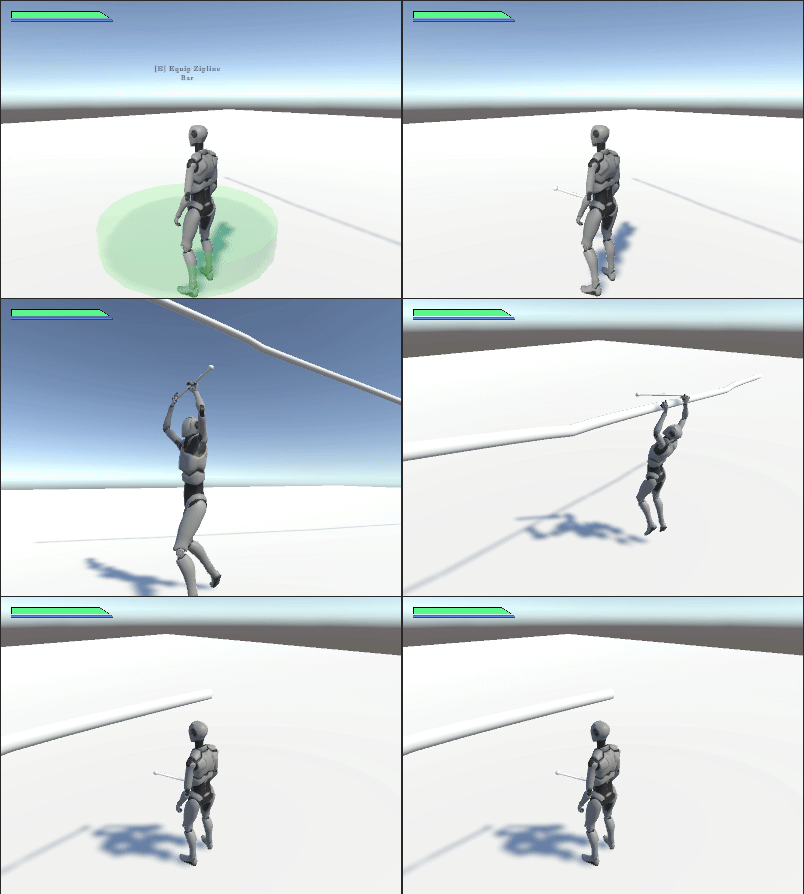
Alright, we still need to fix the rotation on the bar. We’re 90 degree away from where we’re supposed to be. Just for giggles, let’s create a much longer spline with some fun curves.
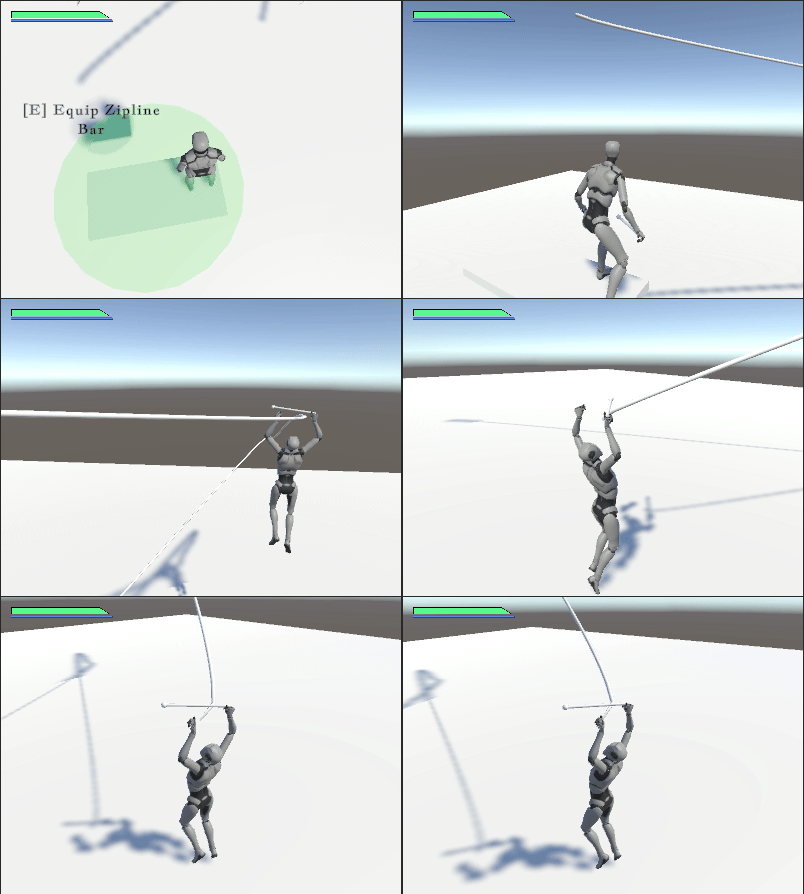
Hmm… not dismounting at the end. I’ll have to figure out why that is. Also, not rotating with the spline. Which… I didn’t modify my code to do that, for some reason. Part of me is really wishing I’d stuck to point-to-point ziplining, but that’s common enough that there’s a “build this in 13 minutes in Unity” tutorial…
메타데이터
- post_id
- 6ccaff83bf9a
- slug
- spline-2-the-rereticulation-6ccaff83bf9a
- url
- https://medium.com/@sean.duggan/spline-2-the-rereticulation-6ccaff83bf9a
- canonical_url
- https://medium.com/@sean.duggan/spline-2-the-rereticulation-6ccaff83bf9a
- author_url
- https://medium.com/@sean.duggan
- status
- ok
- fetched_at
- 2026-06-09 15:37:30