Flutter. My first Flame game
I spent two hours building this codelab and here is what I have learned.
PACKAGE OF THE DECADE
Flutter. My first Flame game
I spent two hours building this codelab and here is what I have learned.
Contents
· 1. What is the Flame · 2. GameWidget is a bridge · 3. Everything is a component · 4. The moving ball · 5. The controlled bat · 6. Handle collisions · 7. Play sound · 8. The source code · 8. Final thoughts
If you are a member, please continue, **otherwise, read the full story here.**
1. What is the Flame
Flame is the Flutter’s package built by the community.
What does it do? It is a game engine.
But what about the Flutter itself, isn’t it a game engine? Yes, it is. Flutter is drawing everything on the canvas, so it is practically a game engine. It is perfect for board games, card games, crosswords, and puzzles.
Then, why do we need another game engine? Flame can manage more complicated games with moving objects and collisions. Like platformers, infinite runners, or brick breakers 😉.
How good is Flame compared to Unity or Godot? From the point of view of the performance it is fine. Here is an interesting comparison. Regarding functionality, the Flame is very basic.
Then, why should we use it instead of Godot or Unity? Several reasons:
- easy to integrate with the Flutter app;
- the comfort of the same programming language (Dart);
- easier to learn than a fully functional game engine.
Let’s quickly learn some basics about making games with Flame.
2. GameWidget is a bridge
Flame package provides us with a GameWidgetwidget that serves as a bridge between Flutter and Flame.

import 'package:flame/game.dart';
import 'package:flutter/material.dart';

void main() {
  final game = BrickBreaker();
  runApp(GameWidget(game: game));
}
We have created an instance of the FlameGameand injected it into the GameWidgetconstructor.
Note, that GameWidgetis not required to be the app root. It can be anywhere in the widget tree. Also, we can have any number of the GameWidgetwidgets in the app. Imagine the Flutter app that actually the collection of games. It will have the main screen with navigation, and then every game screen will have several widgets; one of them will be the GameWidget.
3. Everything is a component
Like in Flutter “Everything is a widget”, in Flame everything is a component.
Here is the component tree for the brick breaker game:

BrickBreakeris a main component. It extends FlameGamewhich in turn extends ComponentTreeRoot.
class BrickBreaker extends FlameGame
    with HasCollisionDetection, KeyboardEvents, TapDetector {
  BrickBreaker()
      : super(
          camera: CameraComponent.withFixedResolution(
            width: gameWidth,
            height: gameHeight,
          ),
        );
...
The CameraComponentis a special built-in component that usually follows the gaming character and makes part of the PlayAreavisible.

In BrickBreakerthe CameraComponenthas fixed resolution and always shows the full PlayArea.

The PlayAreais a custom component that defines the, well, play area. I guess any Flame game needs such a component. 😎
class PlayArea extends RectangleComponent with HasGameReference<BrickBreaker> {
  PlayArea()
      : super(
          paint: Paint()..color = const Color(0xfff2e8cf),
           children: [RectangleHitbox()],
        );

  @override
  FutureOr<void> onLoad() async {
    super.onLoad();
    size = Vector2(game.width, game.height);
  }
}
The BrickBreaker(extended from FlameGame) has a worldproperty that is the world of the game. When we need to add components we add them to the worldusing addor addAllmethods. (Reminds me of Java’s Swing).

world.add(PlayArea());
...
world.add(Ball(
...
world.add(Bat(
...
world.addAll([
      for (var i = 0; i < brickColors.length; i++)
        for (var j = 1; j <= 5; j++)
          Brick(
...
4. The moving ball
The Ballis a component that always moving. How do we make the component move? We provide a velocityparameter:
class Ball extends CircleComponent
    with CollisionCallbacks, HasGameReference<BrickBreaker> {
  Ball({
    required this.velocity,   //<-
    required super.position,
    required double radius,
    required this.difficultyModifier,
world.add(Ball(
difficultyModifier: difficultyModifier,
radius: ballRadius,
position: size / 2,
velocity: Vector2((rand.nextDouble() - 0.5) * width, height * 0.2)
.normalized()
..scale(height / 4))); //<-5. The controlled bat
The Batis a component which movement is controlled by the user. How is it done? My guess is that the mixin DragCallbacksand two methods are responsible:
class Bat extends PositionComponent
    with DragCallbacks, HasGameReference<BrickBreaker> {
  ...

  @override
  void onDragUpdate(DragUpdateEvent event) {
    super.onDragUpdate(event);
    position.x = (position.x + event.localDelta.x).clamp(0, game.width);
  }

  void moveBy(double dx) {
    add(MoveToEffect(
      Vector2((position.x + dx).clamp(0, game.width), position.y),
      EffectController(duration: 0.1),
    ));
  }
}
6. Handle collisions
This game is all about collisions. How are they handled?
The Ballcomponent extends CollisionCallbacksand overrides onCollisionStartmethod:
class Ball extends CircleComponent
    with CollisionCallbacks, HasGameReference<BrickBreaker> {
  Ball({
   ...

  @override
  void onCollisionStart(
      Set<Vector2> intersectionPoints, PositionComponent other) {
    super.onCollisionStart(intersectionPoints, other);
    if (other is PlayArea) {
      if (intersectionPoints.first.y <= 0) {
        velocity.y = -velocity.y;
...
    } else if (other is Bat) {
      velocity.y = -velocity.y;
      velocity.x = velocity.x +
          (position.x - other.position.x) / other.size.x * game.width * 0.3;
    } else if (other is Brick) {
      if (position.y < other.position.y - other.size.y / 2) {
        velocity.y = -velocity.y;
7. Play sound
The BrickBreaker would be extremely boring without sound effects. We use the flame_audio package to play them.
The sounds of collision:
FlameAudio.play('wall_collision.wav', volume: 0.2);The background music:
FlameAudio.bgm.initialize(); //in main
...
FlameAudio.bgm.play('bg.wav'); // when new game started
...
FlameAudio.bgm.stop(); // when game ended
(Obviously, the package should be installed and imported, audio files added to assets, and assets configured in pubspec.yaml)
8. The source code
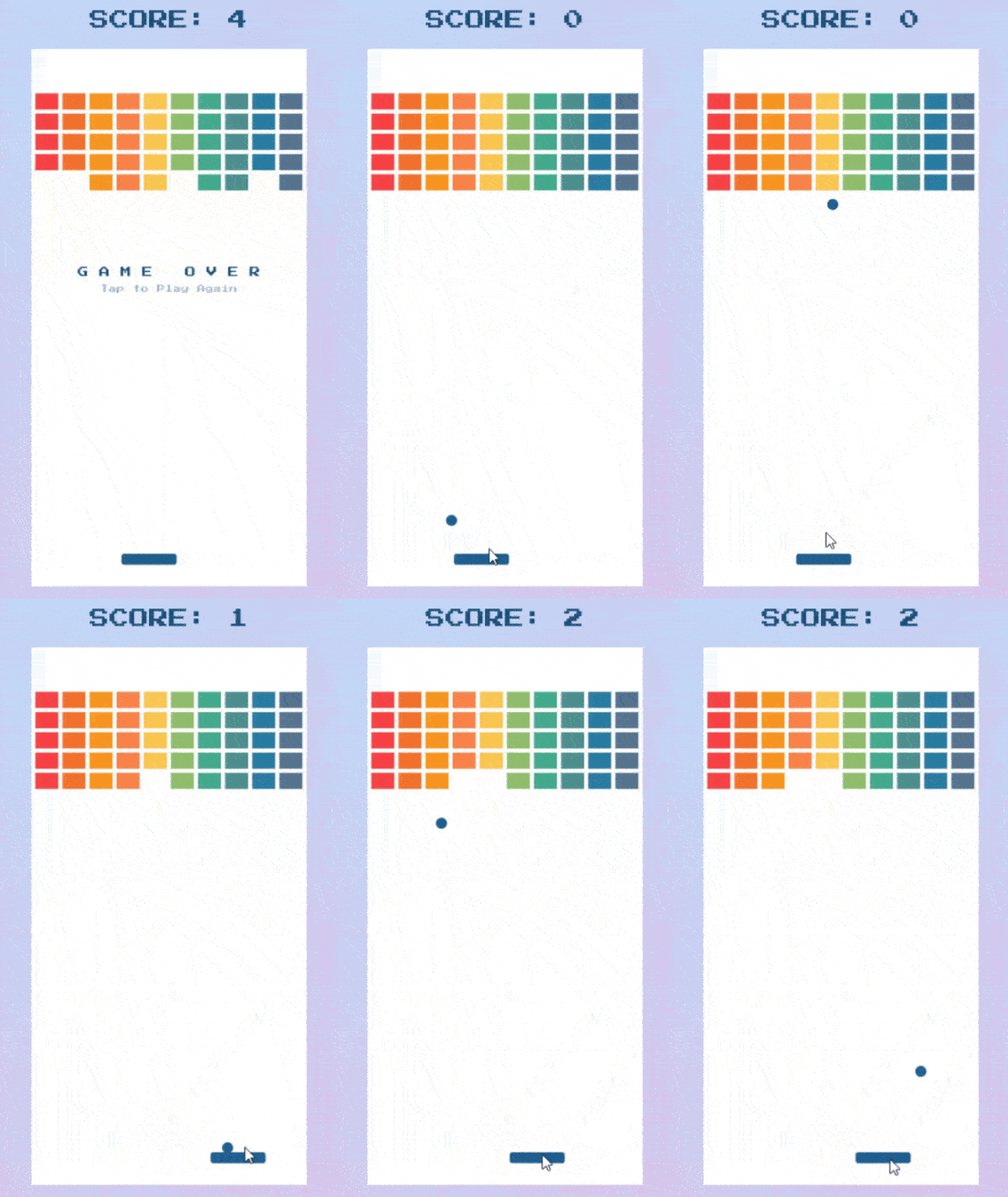
GitHub contains like dozens of brick-breaker repos. Here is mine, it is different since I added sounds. 😉

8. Final thoughts
It is very possible to make games with Flutter. There are already successful games with millions of downloads on both stores.

I played this game. It doesn’t look like very complicated to build.
Fun fact: the revenue from app stores is divided between apps and games with a 30 : 70 percent ratio. I.e. games make more than twice as much money compared to apps.
Flutter is already a capable game engine by itself and Flame makes it even more powerful.
That’s all! Thank you for reading and happy game developing!
Could you give me the 👏 or 50?

메타데이터
- post_id
- 6ce4b76f9ae6
- slug
- flutter-my-first-flame-game-6ce4b76f9ae6
- url
- https://medium.com/easy-flutter/flutter-my-first-flame-game-6ce4b76f9ae6
- canonical_url
- https://medium.com/easy-flutter/flutter-my-first-flame-game-6ce4b76f9ae6
- author_url
- https://medium.com/@yurinovicow
- status
- ok
- fetched_at
- 2026-07-17 01:49:50