Your YouTube Thumbnail Is Killing Your Channel. Here Is How to Fix It Today.
90% of top YouTube videos use custom thumbnails. Most small creators still get them wrong. Here are the 6 mistakes silently destroying your…
Your YouTube Thumbnail Is Killing Your Channel. Here Is How to Fix It Today.
90% of top YouTube videos use custom thumbnails. Most small creators still get them wrong. Here are the 6 mistakes silently destroying your click-through rate — and the exact fixes.
14-hour edit, 200 views vs 18,000) is your hook
I spent three weeks making a video last year. The scripting, the filming, the editing, the color grade. I was proud of it. I uploaded it and watched it sit at 60 views for a month.
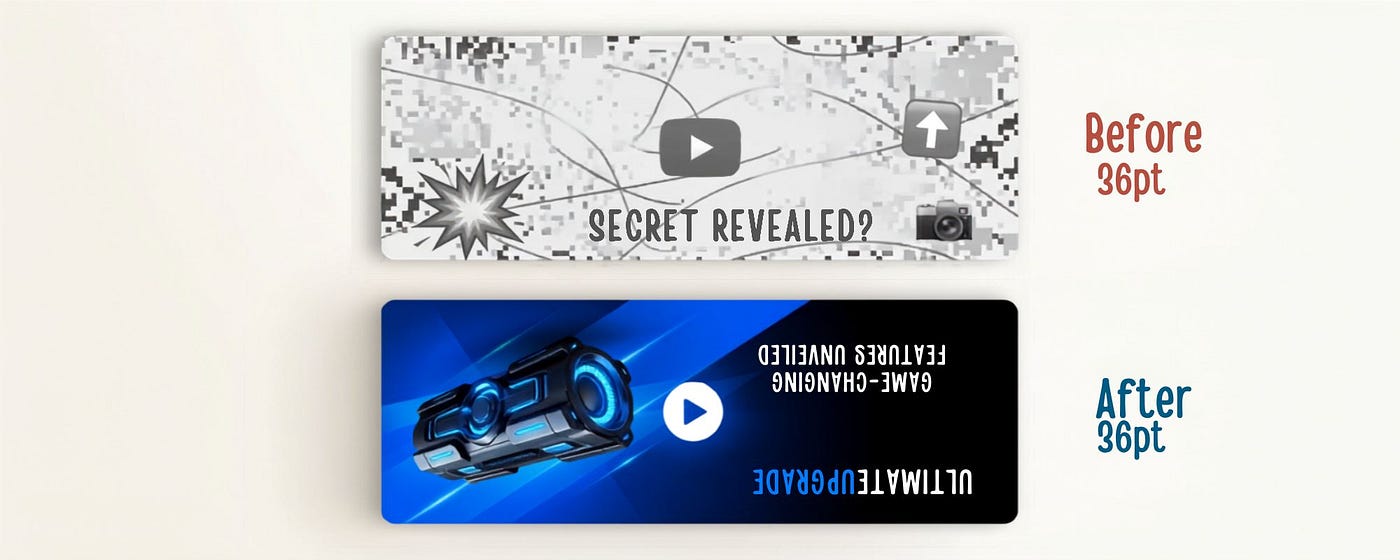
Then a creator friend looked at my thumbnail and said: “Nobody is clicking this. It looks like a screenshot from a TV show nobody watches.”
She was right. I had spent twenty hours on the video and twelve minutes on the thumbnail. The thumbnail was the only thing anyone saw. I had built a beautiful house and put a broken door on it.
I redesigned the thumbnail that afternoon. In 72 hours, the same video climbed to 4,200 views. Nothing else changed.
Here is everything I learned — and what the data says — about making thumbnails that actually get clicked.
You have 0.3 seconds. Not more.
When a viewer lands on a YouTube page, their eyes scan thumbnails at speed. Research shows you have approximately 0.3 seconds before someone either clicks or moves on. In that window, they are not reading your title, not checking your subscriber count, not evaluating your channel. They are making an entirely visual, gut-level decision about whether your content looks worth their time.
0.3sto grab attention before they scroll past
5–7%CTR is strong performance; average is 2–4%
90%of top videos use custom thumbnails — not auto-generated
A channel that moves from a 2% CTR to a 5% CTR on the same number of impressions gets 2.5 times as many viewers — without posting more videos, without buying ads, without growing its audience. CTR is the single highest-leverage metric most small creators are ignoring.
Your thumbnail does more work than your title. It is the thing people see first. Get it right and your click-through rate climbs. Get it wrong and it does not matter how good your video is — because nobody watches it.
The five mistakes killing your CTR right now
These are not edge cases. These are the mistakes that show up on almost every small channel that is not growing.
Mistake 1: Too many elements, too much text
Research shows that thumbnails with more than three distinct visual elements experience 23% lower CTR on average. Your brain cannot process a crowded image quickly enough to make a click decision — so it moves on.
Before: three faces, five props, two lines of text — CTR 1.1%
After: one face, one prop, four-word outcome text — CTR 3.2%
The rule: maximum three elements. One face or focal point, one background or context, one short text overlay. That is it. Simplicity is not laziness — it is what the data says works.
Mistake 2: Designing for desktop, not mobile
Over 70% of YouTube viewing happens on mobile devices. That thumbnail you designed on your 27-inch monitor — the one where the text looks clean and readable — shrinks down to the size of a postage stamp on a phone screen. If you cannot read your thumbnail text at 10% zoom, your mobile viewers cannot either.
The fix: every time you finish a thumbnail, zoom out to 10% in Canva or Photoshop. If text is unreadable, it needs to be bigger, bolder, or cut entirely.
Mistake 3: Auto-generated thumbnails
YouTube’s auto-selected frames are almost always a bad mid-sentence expression, a blurry motion moment, or a frame with your eyes closed. Yet creators upload them constantly because they are tired after editing. Custom thumbnails outperform auto-generated ones by 60 to 70% on average. Ten extra minutes on your thumbnail is worth more than an extra hour of video editing.
Mistake 4: Misleading clickbait
This one punishes you twice. A misleading thumbnail might get clicks — but it tanks watch time when viewers realise the video does not deliver what the thumbnail promised. YouTube’s algorithm penalises exactly this: high CTR paired with low retention is a red flag that triggers reduced distribution. The algorithm wants both clicks and watch time. Your thumbnail and your video have to make the same promise.
Mistake 5: Inconsistent branding across thumbnails
If your last 20 thumbnails all look different — different fonts, different colors, different layouts — your channel looks like 20 micro-channels to the algorithm. Returning viewers cannot recognise your new uploads at a glance. You lose the cumulative effect of visual branding that makes large channels so recognisable.
The fix: create two or three thumbnail templates in Canva. Same font, same color palette, same general layout. Use them for 80% of your uploads. The consistency compounds over time into something viewers can identify instantly.
What high-CTR thumbnails actually do
The thumbnails that consistently get above 5% CTR share a set of specific properties. They have high contrast — bright foreground against a dark or neutral background, because contrast is what the eye locks onto first. They use under 12 characters of text, which is enough to create curiosity without overloading the visual. They feature human faces with genuine, readable emotion — not the exaggerated open-mouthed shock face that has become so overdone it registers as noise.
Good thumbnail text examples that create curiosity in under 0.3 seconds: “I QUIT MY JOB” — “This Changes Everything” — “5 Mistakes” — “The Hard Truth.” Each creates an open loop the viewer wants to close. That is the entire psychology of a click.
Importantly: never repeat your exact video title in the thumbnail text. The title and thumbnail should work together — the thumbnail creates curiosity, the title provides context. When they say the same thing, you waste valuable visual real estate.
The fastest fix for your existing channel
Go into YouTube Studio right now and find your five most-viewed videos. Check the CTR for each one. Any video sitting at or below 2% CTR has an underperforming thumbnail — and YouTube is still serving impressions for these videos. A redesigned thumbnail on an existing video can bring it back to life without you making anything new.
A finance channel studied in a 2025 thumbnail analysis switched to a minimalist design with just two or three words. Their CTR jumped from 2.8% to 7.2%. On an established video with existing impressions, that is a dramatic compound effect.
Start with your highest-impression, lowest-CTR video. Redesign just that thumbnail. Watch what happens over 72 hours. Then do the next one.
Did your thumbnail just come to mind when you read this?
Clap if this gave you something to fix today — it helps more creators find it when they need it. Drop a comment: what is your current CTR and which mistake hit closest to home? I read every single one.
메타데이터
- post_id
- 6d0296e4b4e1
- slug
- your-youtube-thumbnail-is-killing-your-channel-here-is-how-to-fix-it-today-6d0296e4b4e1
- url
- https://medium.com/@anupriya7/your-youtube-thumbnail-is-killing-your-channel-here-is-how-to-fix-it-today-6d0296e4b4e1
- canonical_url
- https://medium.com/@anupriya7/your-youtube-thumbnail-is-killing-your-channel-here-is-how-to-fix-it-today-6d0296e4b4e1
- author_url
- https://medium.com/@anupriya7
- status
- ok
- fetched_at
- 2026-07-30 20:47:56