Google Just Fixed One of the Most Annoying Things About Gemini Notebook
Adding sources one by one has been the most tedious part of using this tool since it launched. That finally changed this week.
Google Just Fixed One of the Most Annoying Things About Gemini Notebook
Adding sources one by one has been the most tedious part of using this tool since it launched. That finally changed this week.

Created Using Google Labs
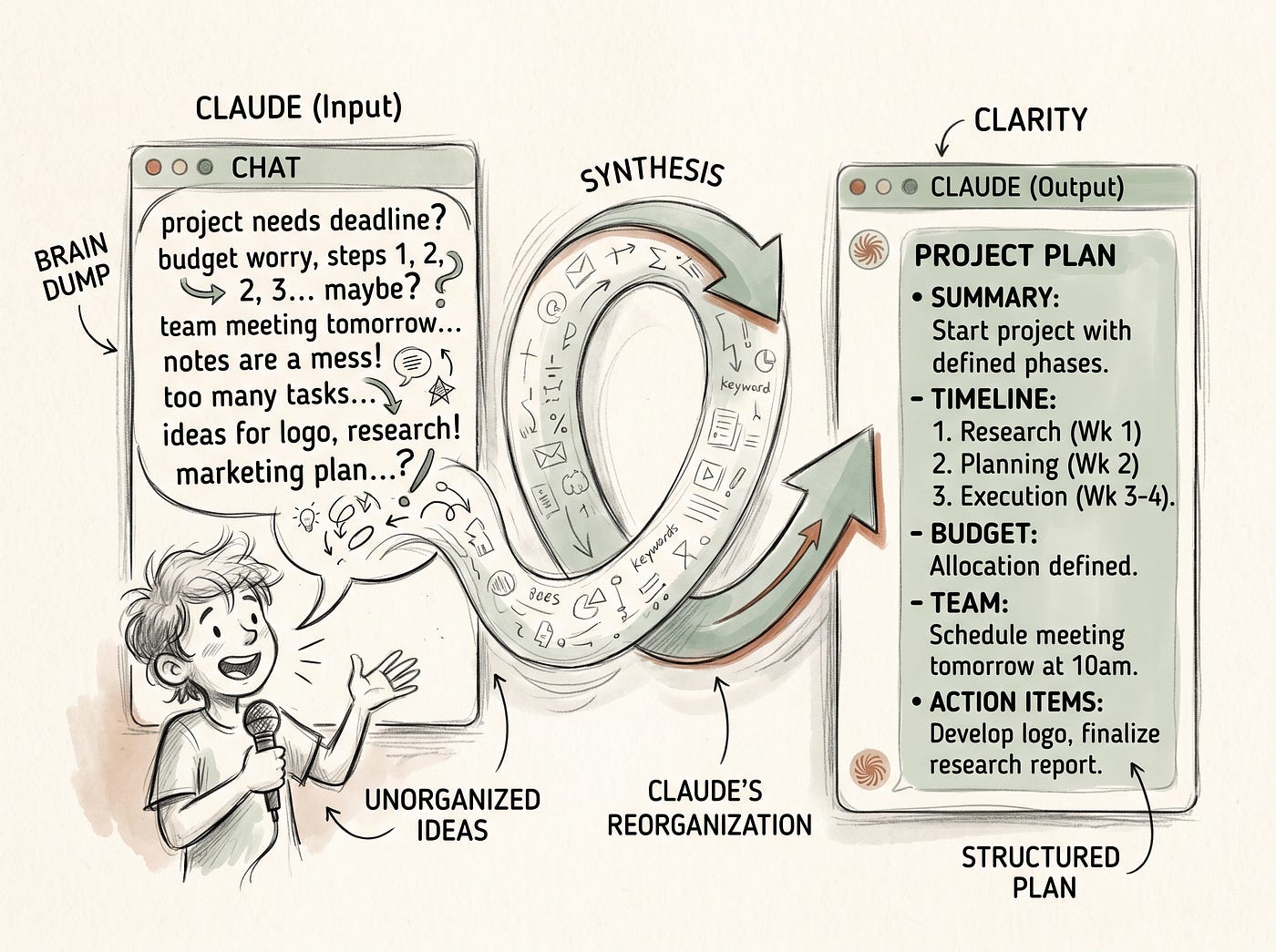
Anyone who’s used Gemini Notebook, the tool most people still know as NotebookLM, seriously for more than a week has run into the same small annoyance. The research itself, the grounded answers, the citations, the Studio outputs, all of that works well. What’s always been tedious is the part before any of that happens, manually adding sources one at a time, hunting down links, uploading files individually, and repeating that same process every time a notebook needs updating with new material.
That specific pain point just got addressed. Google rolled out a genuinely useful fix for it this week, and it’s exactly the kind of quiet, unglamorous update that makes a real difference to anyone using this tool regularly, even though it’s not the kind of thing that gets a splashy keynote moment.
This one covers what actually changed, who has access right now, and how to set it up.
Before getting into it, updates like this one, small on the surface but genuinely useful in practice, get covered as they happen inside The Ultimate Gemini Notebook Toolkit.
👉 ***[Get The Ultimate Gemini Notebook Toolkit here.]***
Let’s get into it.
The Problem This Actually Solves
Historically, keeping a Gemini Notebook up to date meant manually adding sources one by one, every single time. A new report lands in a shared Drive folder, that means opening the notebook, clicking Add, finding the file, and uploading it. A relevant article gets published somewhere, that means copying the link, going back into the notebook, and pasting it in as a source. For anyone maintaining a notebook that needs to reflect new material regularly, a team knowledge base, an ongoing research project, a client folder that gets new documents weekly, that repetitive manual step has always been the part of the workflow that felt the most like busywork.
It’s the kind of friction that doesn’t show up in a features list or a demo video, but it’s exactly the sort of thing that determines whether a tool actually gets used consistently or slowly falls out of a daily routine because keeping it updated takes more effort than it’s worth.
What Actually Changed
According to Google’s own Workspace Updates blog, a new “Add a source to Gemini Notebook” step has been added inside Google Workspace Studio, and it automates the entire process of adding new sources. Instead of manually uploading files or pasting links one at a time, this step can be built into an automated workflow that adds sources on its own, triggered by whatever event makes sense for a given team’s process.
According to a writeup from Android Authority covering the rollout, the new feature lets sources get added as text, links to Drive files, or generic YouTube and web URLs, all without a person needing to manually intervene each time. The practical example Google gives in its own documentation involves setting a trigger like “when a new report uploads to a specific Google Drive folder,” then mapping that file or its extracted text directly into a target notebook through the new action step. A report gets dropped into the right folder, and the notebook that depends on it updates itself.
How the Setup Actually Works
According to Google’s documentation, getting this running involves a few straightforward steps inside Workspace Studio. First, a trigger gets selected, the specific event that should kick off the automation, such as a new file landing in a particular Drive folder. Second, the “Add a source to Gemini Notebook” action step gets added and configured. Third, the target notebook gets chosen from a dropdown of available notebooks. Fourth, the actual content, whether that’s a Drive file link or extracted text from the trigger, gets mapped into the source configuration field.
There’s one privacy detail worth flagging directly, according to Google’s own documentation, the notebook dropdown only displays notebooks that are strictly private to the person setting up the automation. Shared notebooks can’t accept automated sources through this feature yet, which is a reasonable safeguard but also a real limitation for anyone hoping to automate a team-shared research notebook specifically.
Who Actually Has This Right Now
This is the part worth being upfront about, because it’s not a universal rollout. According to Android Authority’s reporting, this feature is available specifically for Business, Enterprise, and Education customers, meaning users on personal Google accounts miss out on it entirely, at least for now. Google’s own Workspace Updates post confirms the rollout began on August 6, 2026, with a gradual release across both Rapid Release and Scheduled Release domains that can take up to fifteen business days to reach full visibility.
For admins, the step is available by default as long as Gemini for Google Workspace steps are allowed within the organization’s settings. For end users on an eligible plan, it’s accessible directly inside Google Workspace Studio.
Why This Matters More Than It Sounds Like on the Surface
It’s easy to undersell a feature like this because “automating source uploads” doesn’t sound as exciting as a new AI capability. But the actual value here is about what it unlocks for how notebooks get used day to day. A notebook that requires manual maintenance tends to go stale, someone builds it once, uses it for a project, and then stops updating it because the update process itself is annoying. A notebook that updates itself as new material becomes available stays genuinely useful on an ongoing basis, which is a meaningfully different relationship with the tool.
For anyone managing a notebook tied to a recurring process, a weekly report cycle, an ongoing client project, a shared team knowledge base, this closes the exact gap that made those use cases more fragile than they needed to be. The research and analysis features were always strong. Keeping the underlying material current was the weak link, and that link just got considerably stronger for eligible accounts.
This is exactly the kind of workflow automation worth actually setting up rather than skimming past, and it’s the sort of practical setup that gets walked through in detail inside The Ultimate Gemini Notebook Toolkit, kept current as rollouts like this one continue reaching more account types.
👉 ***[Get The Ultimate Gemini Notebook Toolkit here.]***
How This Fits Into a Broader Pattern
This update doesn’t exist in isolation. According to Android Authority’s coverage, Google rolled out automatic Drive syncing to Gemini Notebooks earlier this year, which already made it easier to keep individual sources current without manually re-uploading updated versions of the same document. The new Workspace Studio automation builds directly on top of that groundwork, extending the same “keep things current without manual effort” philosophy from syncing existing sources to actually adding entirely new ones automatically.
There’s also a related, slightly older feature worth mentioning for anyone not on an eligible Workspace plan. Discover Sources, which added a search box directly inside the Sources panel, lets a topic be described in plain language and returns relevant sources pulled from the web automatically, alongside an “I’m Feeling Curious” option for random topic exploration. It’s not the same as the new automated pipeline feature, since it still requires someone to trigger the search manually, but it addresses a related version of the same underlying problem, reducing how much manual source-hunting a notebook actually requires.
Together, these updates paint a fairly clear picture of where Google has been focusing effort on this product over the past several months, less about adding flashy new Studio outputs and more about removing the tedious manual steps that sat between a person and actually getting a notebook up to date.
What This Means for Anyone Not on an Eligible Plan
For personal account users, it’s worth being honest that this particular automation isn’t available yet. There’s no confirmed timeline for a personal-account rollout in Google’s current documentation. That said, the existing Discover Sources feature and automatic Drive syncing are already available more broadly and address a meaningful portion of the same friction, even without the full workflow-automation piece. For anyone managing a notebook on a personal account, leaning on those existing tools while keeping an eye out for a wider rollout of the new Workspace Studio step is the realistic path for now.
The Bigger Picture
Not every meaningful update to a tool shows up as a flashy new AI capability. Sometimes the update that actually changes how a tool fits into daily work is the boring one, the automation that removes a repetitive manual step nobody enjoyed doing in the first place. This is exactly that kind of update, and for anyone on an eligible Workspace plan managing a notebook that depends on staying current, it’s worth setting up this week rather than letting it sit unused the way a lot of smaller updates tend to.
For a complete walkthrough of this automation setup, along with every other update worth actually knowing about as Gemini Notebook continues evolving, ***The Ultimate Gemini Notebook Toolkit covers it all in one place, kept current as these rollouts continue. [[Grab it here.]](https://burfat1.gumroad.com/l/yanygj)***
See you in the next one.
Mubashir :)
P.S. For breakdowns like this one before they show up anywhere else, the ***newsletter*** is the place to be. Come join.
메타데이터
- post_id
- 6d8ff96a712d
- slug
- google-just-fixed-one-of-the-most-annoying-things-about-gemini-notebook-6d8ff96a712d
- url
- https://medium.com/@mubashirburfat4/google-just-fixed-one-of-the-most-annoying-things-about-gemini-notebook-6d8ff96a712d
- canonical_url
- https://medium.com/@mubashirburfat4/google-just-fixed-one-of-the-most-annoying-things-about-gemini-notebook-6d8ff96a712d
- author_url
- https://medium.com/@mubashirburfat4
- status
- ok
- fetched_at
- 2026-08-13 00:29:11