Building a Real-Time ETL Monitoring Prototype with SSIS, Python, and Gemini AI
Introduction
Building a Real-Time ETL Monitoring Prototype with SSIS, Python, and Gemini AI
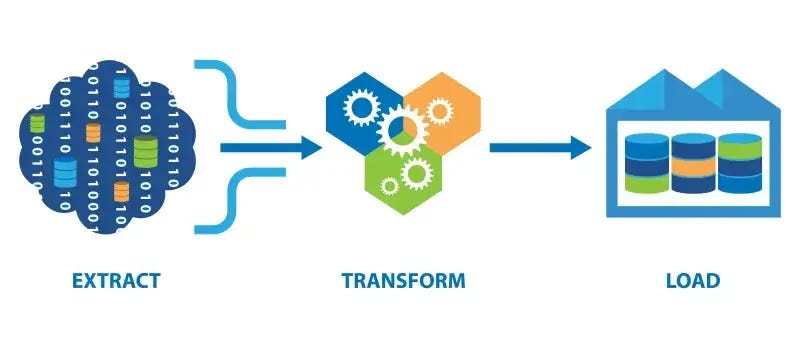
Introduction
While working as an IT Enterprise Data Warehouse (EDW) Operations, I encountered a common problem: when an ETL process failed, the PIC only learned about it after other processes were affected, requiring time to understand the error.
This prototype was created to reduce this time gap. Every time an ETL process runs, completes, or fails, the system automatically sends a notification to Telegram. If an error occurs, the technical message from SSIS is summarized using Gemini AI, making it easier to understand without manually opening the logs.
All tools used in this project are free, so there will certainly be differences if you use paid or more advanced AI tools. However, for the purposes of this prototype project, the free Gemini AI is sufficient.
System Overview
There are six interconnected components:
•SQL Server Integration Services (SSIS): Used to run the ETL pipeline: extract raw sales data, validate it, and then load clean rows into the destination table while redirecting dirty rows to a separate table.
• SQL Server Management Studio (SSMS): As a container for storing raw, clean, and rejected data.
• Python: Used for processing: database queries, calculating statistics, sending notifications to Telegram.
• Gemini API: Converts lengthy SSIS errors into understandable summaries for users to read and understand.
• Telegram Bot: Used to send real-time notifications for both successful and failed executions.
• Google Sheets: Used to store complete error details for future review and improvement of the AI process if needed.
The responsibilities of each component are clearly separated: Python handles the numbers and orchestration, Gemini handles the interpretation of technical errors, and Telegram and Sheets handle the delivery and storage.
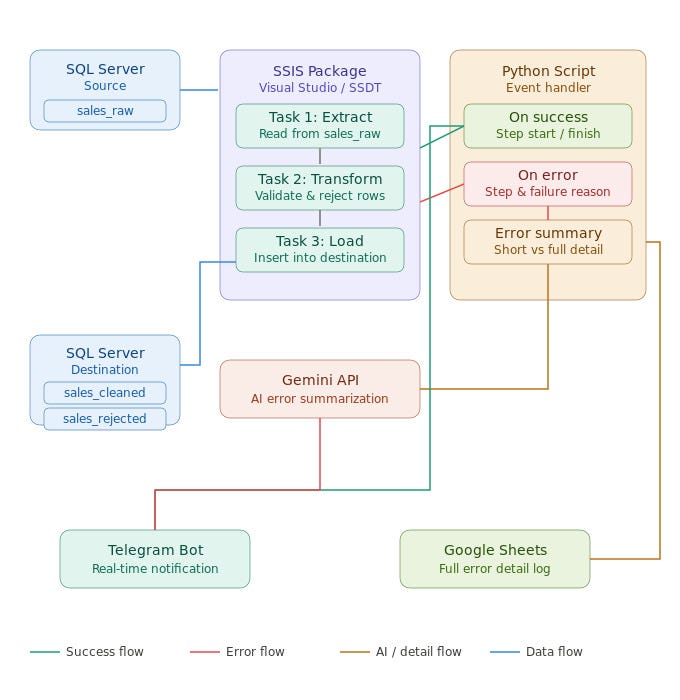
ETL Monitoring Architecture
Prerequisite
- SQL Server Express and SSMS installed locally
- Visual Studio 2022 with the SQL Server Integration Services Projects 2022 extension
- Python
- Telegram account to set up the bot via BotFather
- Google account to access the Google Sheets API (free tier)
- Gemini API key — available for free at aistudio.google.com
Part 1 — Database Setup
The database is named ETL_Portfolio and runs on a local SQL Server Express database. Three tables are created, each with a different role.
sales_raw is the source table containing raw, unvalidated data. One deliberate difference is that the order_date column is VARCHAR, not DATE. This is so the table can accommodate odd date values like 99–99–9999 or not-a-date. If a DATE value is used, it would be rejected by the database before SSIS could validate it. This ensures that all validation logic remains within the SSIS ETL process.
sales_clean stores data that passes validation, while sales_rejected stores rejected data and the reason for the rejection. The order_date column remains VARCHAR so that the validation process is performed entirely within SSIS.
For testing purposes, 50 records were inserted into sales_raw, divided into 35 valid entries and 15 invalid entries, intentionally created to simulate four types of issues:
- 4 entries with empty customer_names
- 4 entries with empty or negative amounts
- 4 entries with incorrect order_date formats
- 3 entries with invalid statuses
Part 2 — Building an SSIS Package
The ETL package, named SalesETL.dtsx, will be divided into two parts: Control Flow and Data Flow.
Control Flow: Control Flow is used to regulate the order in which tasks run. The Control Flow contains two tasks:
Execute SQL Task: Truncate Destination Tables is created first. Its function is to delete data in the sales_cleaned and sales_rejected tables before each run to prevent duplicate data from repeated runs.
Data Flow Task: The Sales ETL Data Flow runs next, containing the entire Extract, Transform, and Load process.
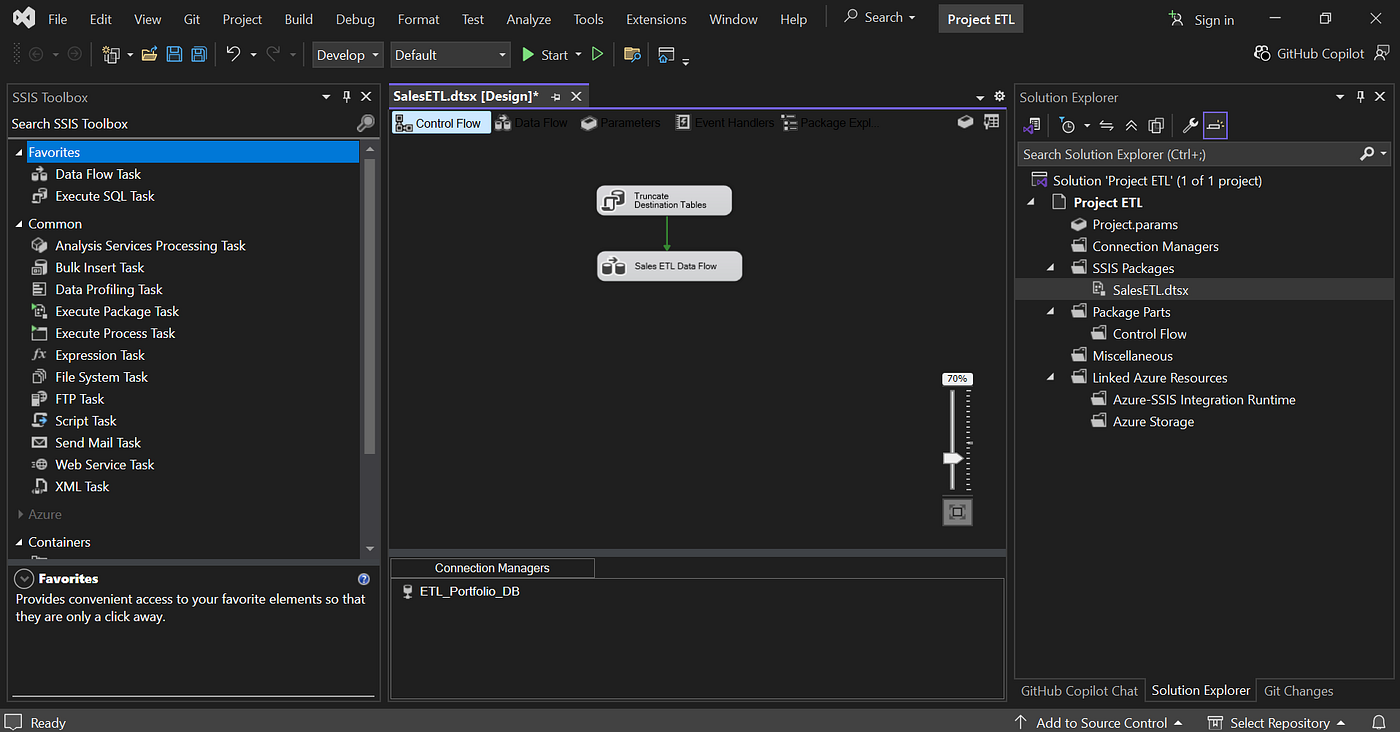
Control Flow SalesETL.dtsx
Data Flow
In the Data Flow Task, the process is as follows:
OLE DB Source is used to read all rows from sales_raw.
Conditional Split checks the 5 validation rules that have been set:
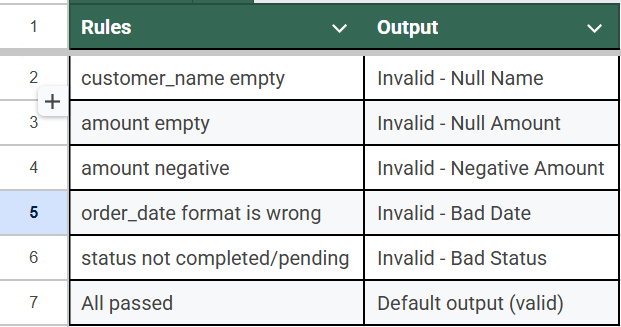
Conditional Split
Specifically for DATE validation, SSIS doesn’t have a built-in ISDATE() function that can be used directly. Therefore, validation is performed manually by checking the string length and character position.
Derived Column, as invalid output, to add a user-friendly reject_reason, such as “Missing customer name” or “Invalid date format”:
Union All combines all reject lines into one before entering sales_rejected.
There are two OLE DB Destinations: the first is for loading into sales_cleaned, and the second into sales_rejected.
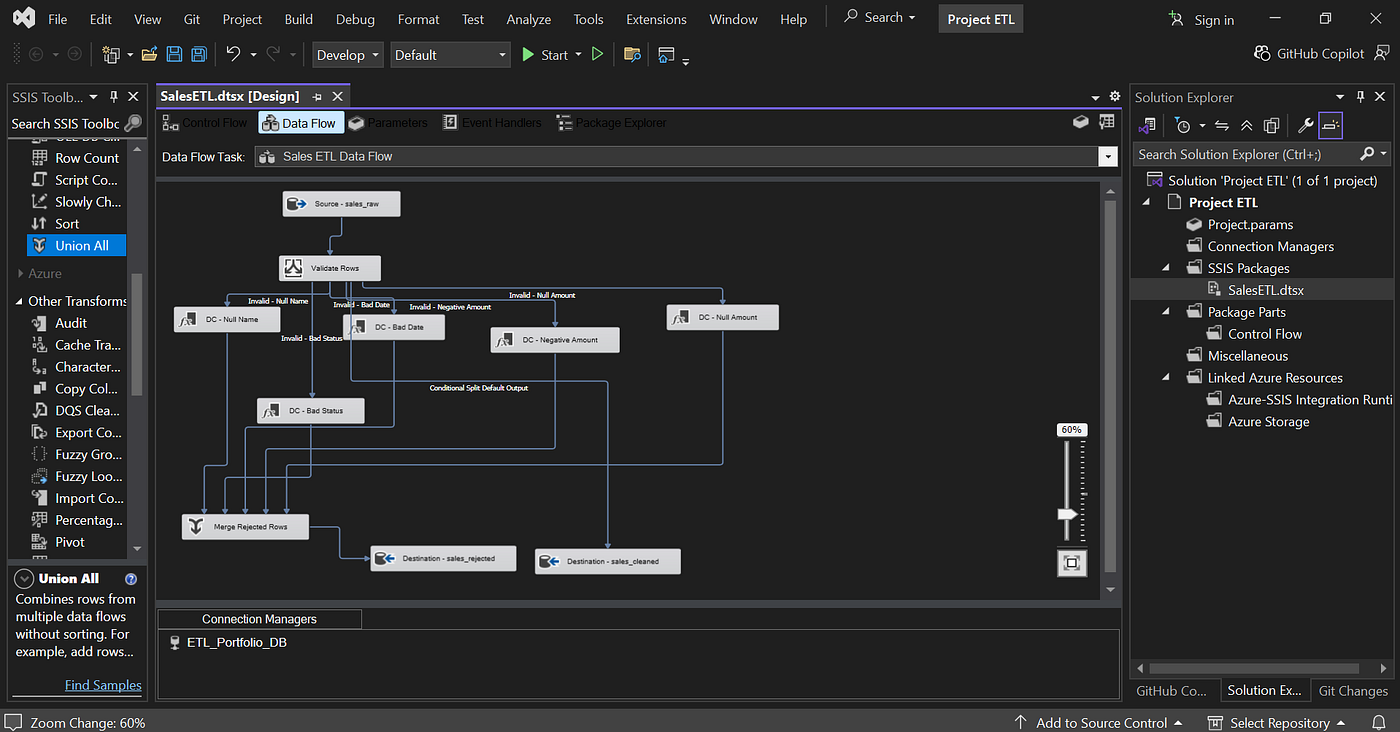
Data Flow
Event Handlers
Three Event Handlers are configured in the Data Flow Task: OnPreExecute, OnPostExecute, and OnError. Each has an Execute Process Task that then calls the created Python script.
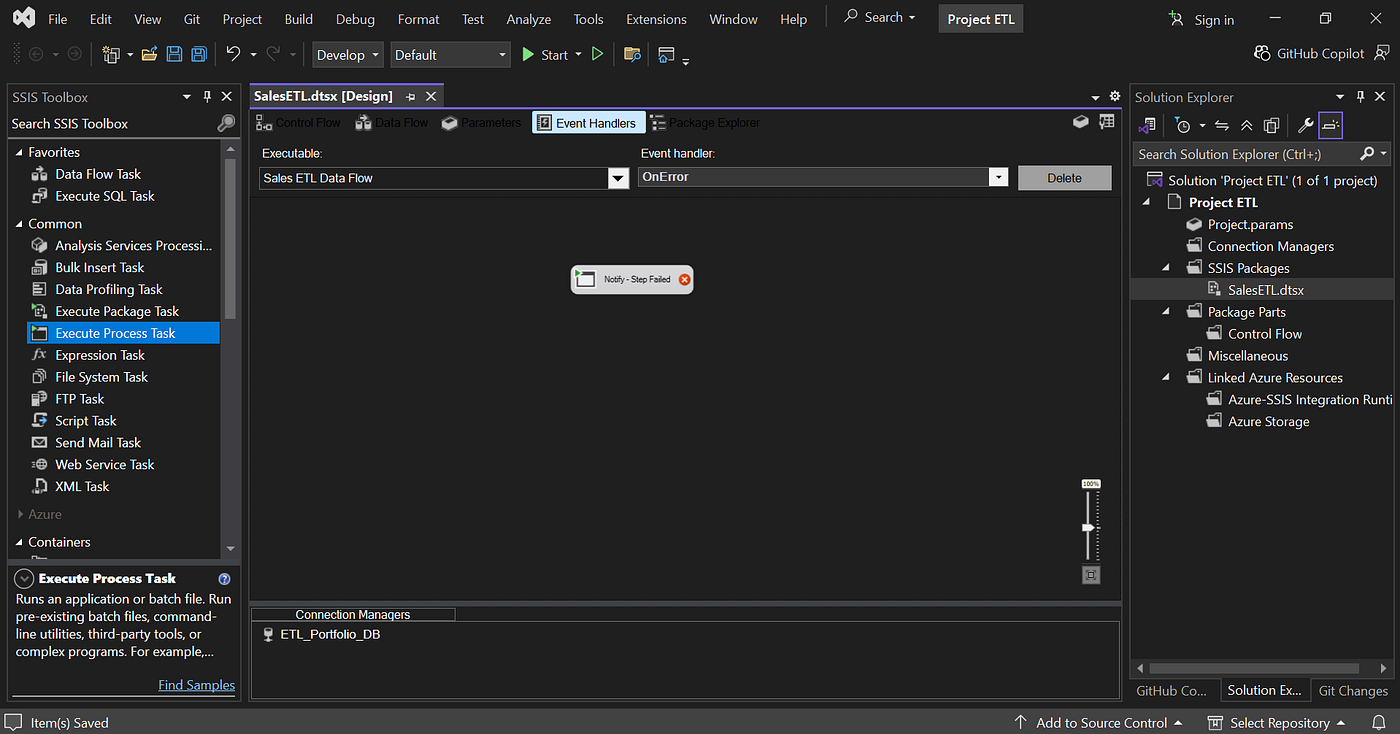
Event Handlers — Notify Step Failed
These three event handlers will then point to the same Python script (main.py), but with different parameters depending on the ETL conditions.
The following diagram illustrates the monitoring flow during package execution:
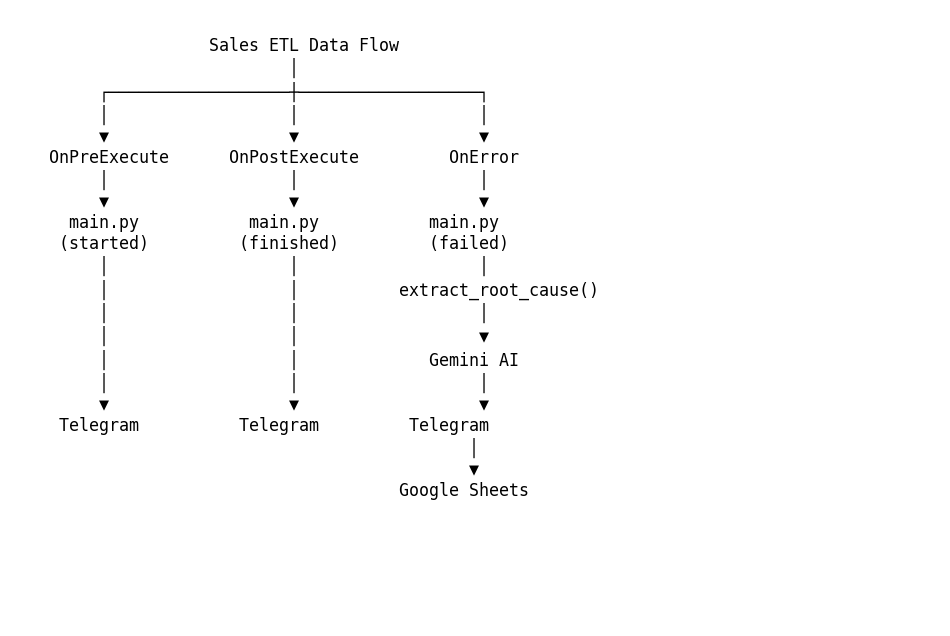
Sales ETL Data Flow
Part 3 — Telegram Bot Setup
To set up a Telegram bot, search for @BotFather, then:
-
Send /newbot
-
Give the bot a name, for example, ETL Monitoring Bot
-
Give it a unique username ending with _bot
-
BotFather will provide a Bot Token that will be used in the sending process.
To obtain the Chat ID, which will also be used in the sending process, you can use @userinfobot, which can be found in Telegram. Click Start, and the bot will return the Telegram account ID associated with your account.
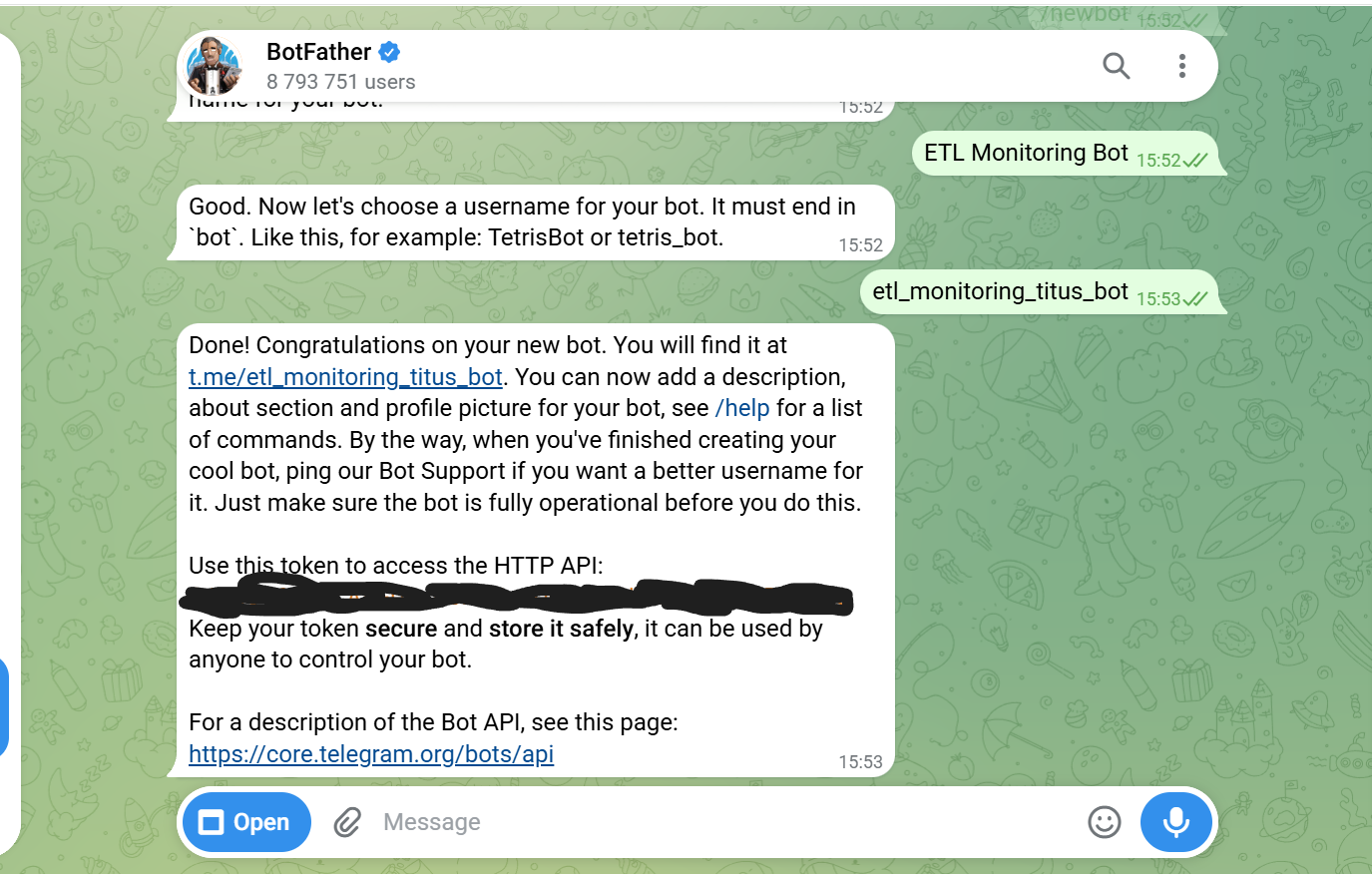
BotFather Telegram
Part 4 — Setup Google Sheets API
Google Sheets is used to store complete error details and AI summaries, complementing Telegram messages that are intentionally kept brief and also used as analysis material for the AI process and ensuring that the errors from SSIS and the AI summary are accurate.
-
Create a project in the Google Cloud Console, for example, named “ETL Monitoring.”
-
Enable the Google Sheets API
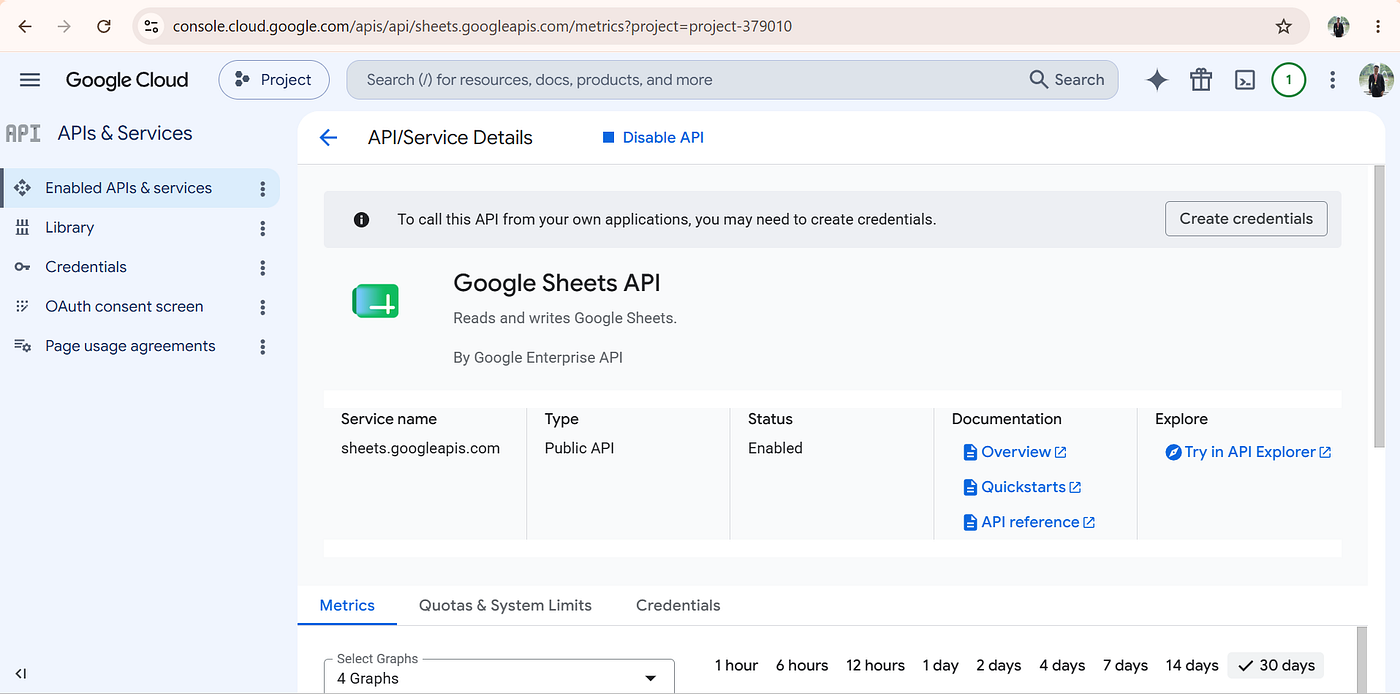
Google Sheets API
- Create a Service Account, named etl-monitoring, and assigned the role Editor.
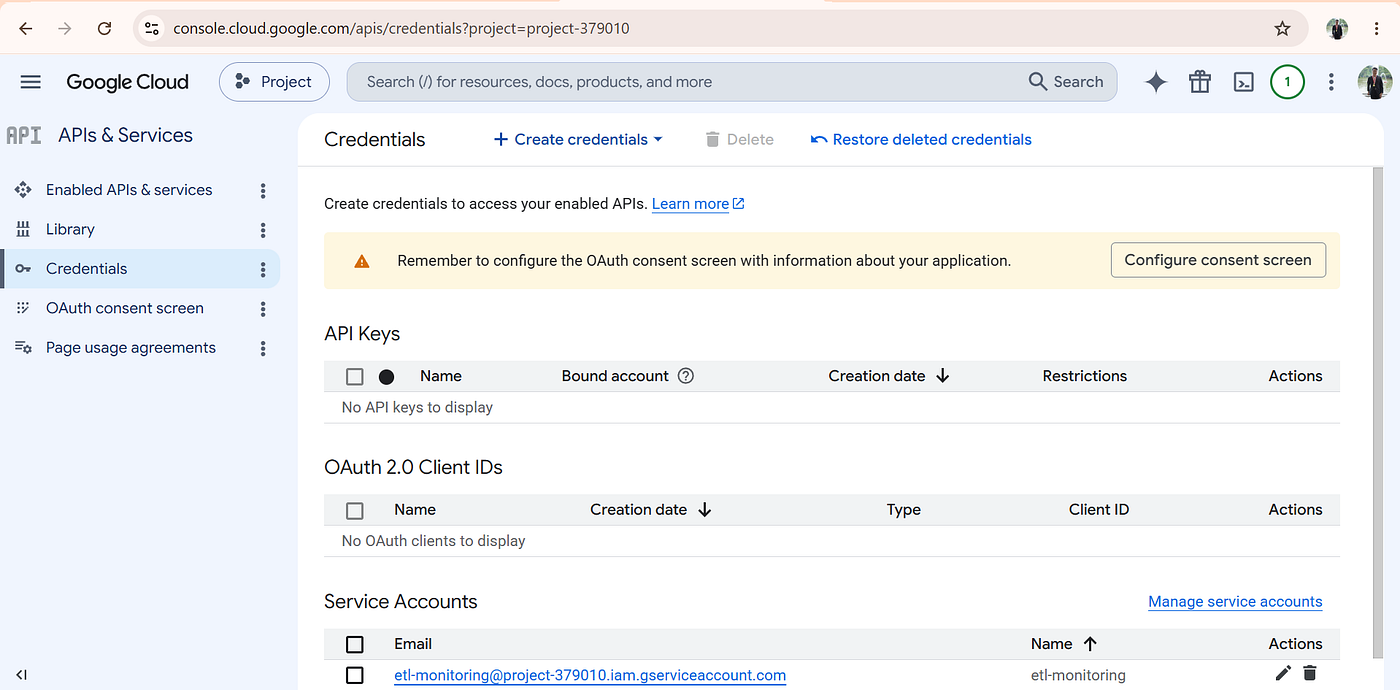
Service Account
-
Download the JSON key and save it as credentials.json in the project folder for the Python script.
-
Prepare a new spreadsheet, for example, named “ETL Error Log” with a header as shown below.
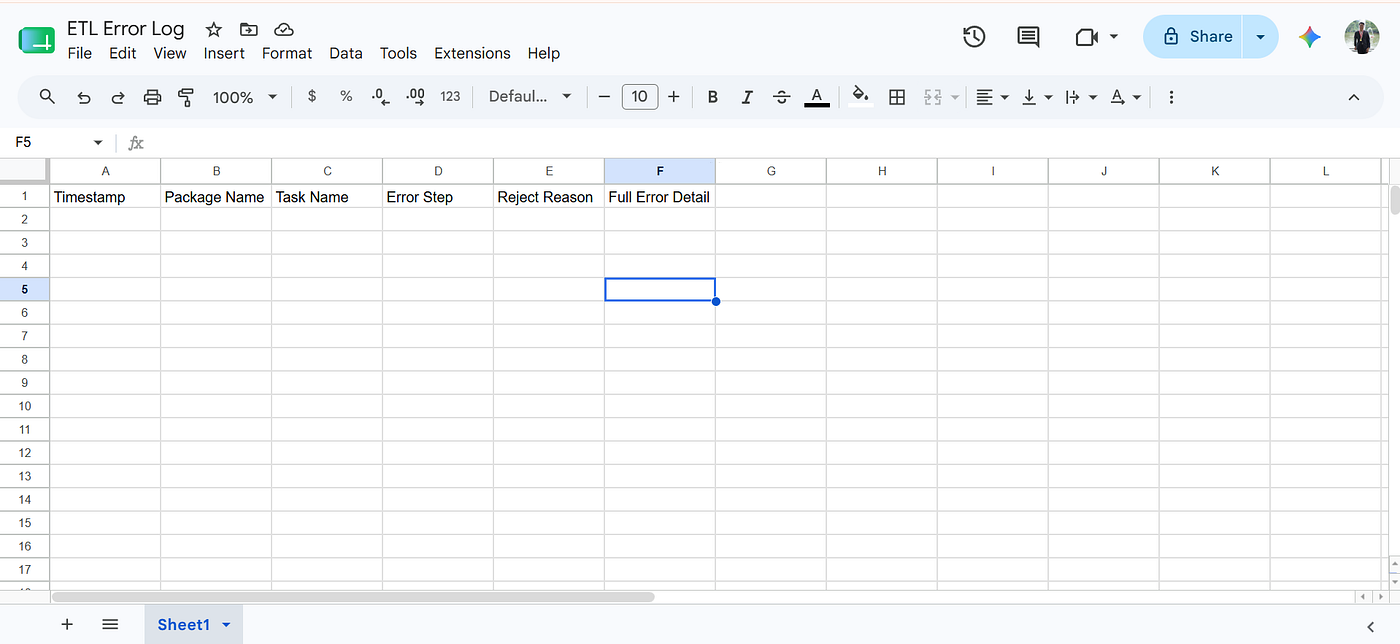
Google Sheet For Error ETL Log
Then share the spreadsheet with the service account email (can be found in the downloaded credentials.json file, in the client_email section) and grant it Editor access.
Part 5 — Creating a Python Script
Project Structure
ETL_Monitoring/
- config.py
- db.py
- queries.py
- processor.py
- notifier.py
- ai_summarizer.py
- main.py
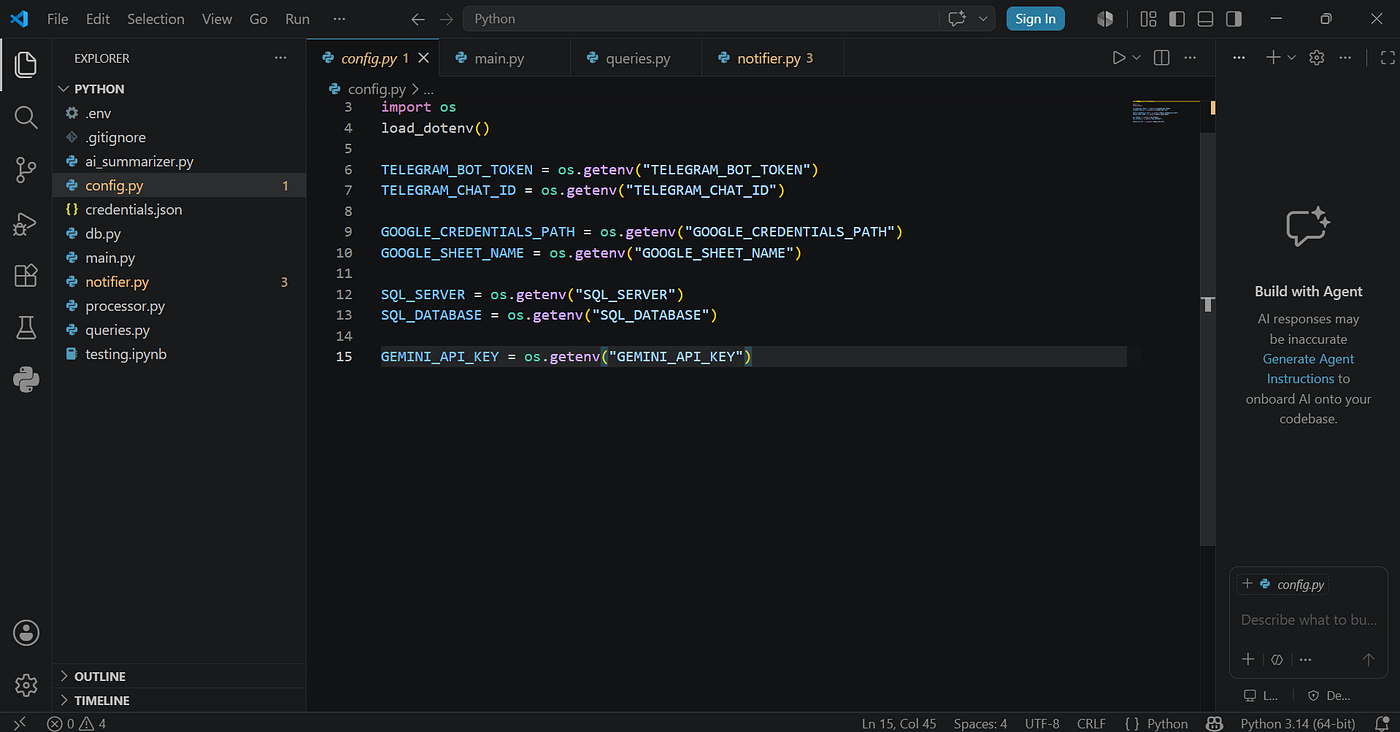
Structure Python
The Python project is separated into several files so that each component has its own clear task, main.py acts as the entry point of SSIS, processor.py handles the business logic, ai_summarizer.py communicates with Gemini, while notifier.py is responsible for sending notifications to Telegram and saving logs to Google Sheets.
5.1 Processing Errors Before Sending to AI
During the testing process, it was discovered that it was not practical to send the entire SSIS error message directly to the AI. SSIS’s built-in errors often contain a lot of extra, irrelevant information, which can lead to inconsistent and inaccurate summaries.
Therefore, before being sent to the AI process, the error message was first processed using the extract_root_cause() function to extract the most important part, namely the description of the cause of the failure.
def extract_root_cause(error_message: str) -> str:
    descriptions = re.findall(
        r"Description:\s*'(.+?)'\.",
        error_message
    )
    if descriptions:
        return descriptions[-1]
    return error_message
5.2 Prompt Gemini AI
During prototype development, several rules were intentionally kept strict, such as prohibiting Gemini from translating table or column names and prohibiting the mention of error codes. The goal was to keep the summary easy to read without losing the technical context needed for troubleshooting.
After some experimentation, the most stable approach was to combine root cause extraction with a fairly strict prompt, so that the resulting output matched the error code from SSIS.
prompt = f"""
You are a Senior SSIS ETL Developer who is experienced
in analyzing SSIS ETL failures.
Write exactly 2-3 complete sentences in Bahasa Indonesia
so that an operations team can easily understand the issue.

Rules:
- Write the explanation in Bahasa Indonesia.
- DO NOT translate table names, column names, package
  names, task names, database names, or values from
  the error message.
- Never mention error codes, hex values, or driver names.
- Never copy or quote the failure message directly.
- Explain the meaning of the error in your own words.

Package : {package_name}
Task    : {task_name}
Failure : {root_cause}
"""
5.3 Keeping Output AI Consistent
Since the goal of this project is to produce consistent and accurate summaries, the model was run with a temperature of 0 so that variation in responses could be minimized
DETERMINISTIC_CONFIG = {
    "temperature": 0,
    "top_p": 1
}
5.4 Connecting to SSIS
Each Execute Process Task in the Event Handler is configured with the Python executable path, working directory, and appropriate arguments.
For OnPreExecute and OnPostExecute, the arguments are static:
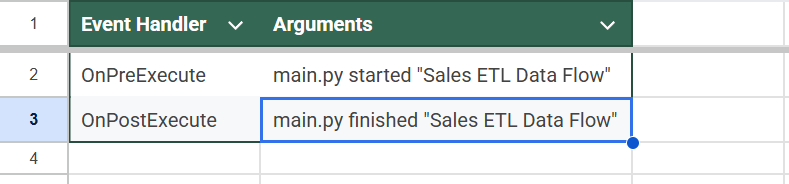
Event Handler
For OnError, because we need to retrieve a dynamic error message, we use the Expression Builder. This process is used to extract the message and pass it as an argument.
"main.py failed \"" + @[System::SourceName] + "\" \"SalesETL\" \"" +
REPLACE(@[System::ErrorDescription], "\"", "'") + "\""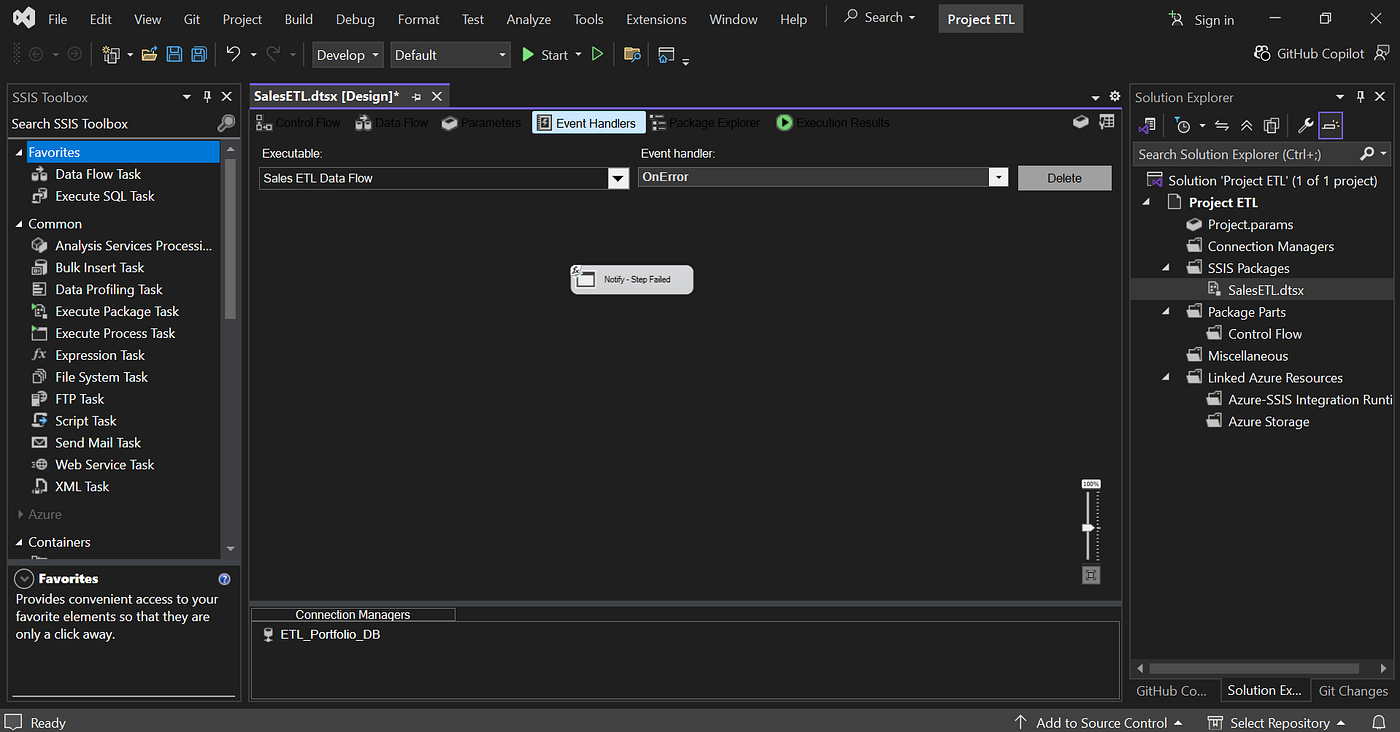
Event Handlers On Error
Part 6 — Process Results
If the ETL Process Runs Successfully
Once the package execution is complete, this notification arrives in Telegram within seconds:
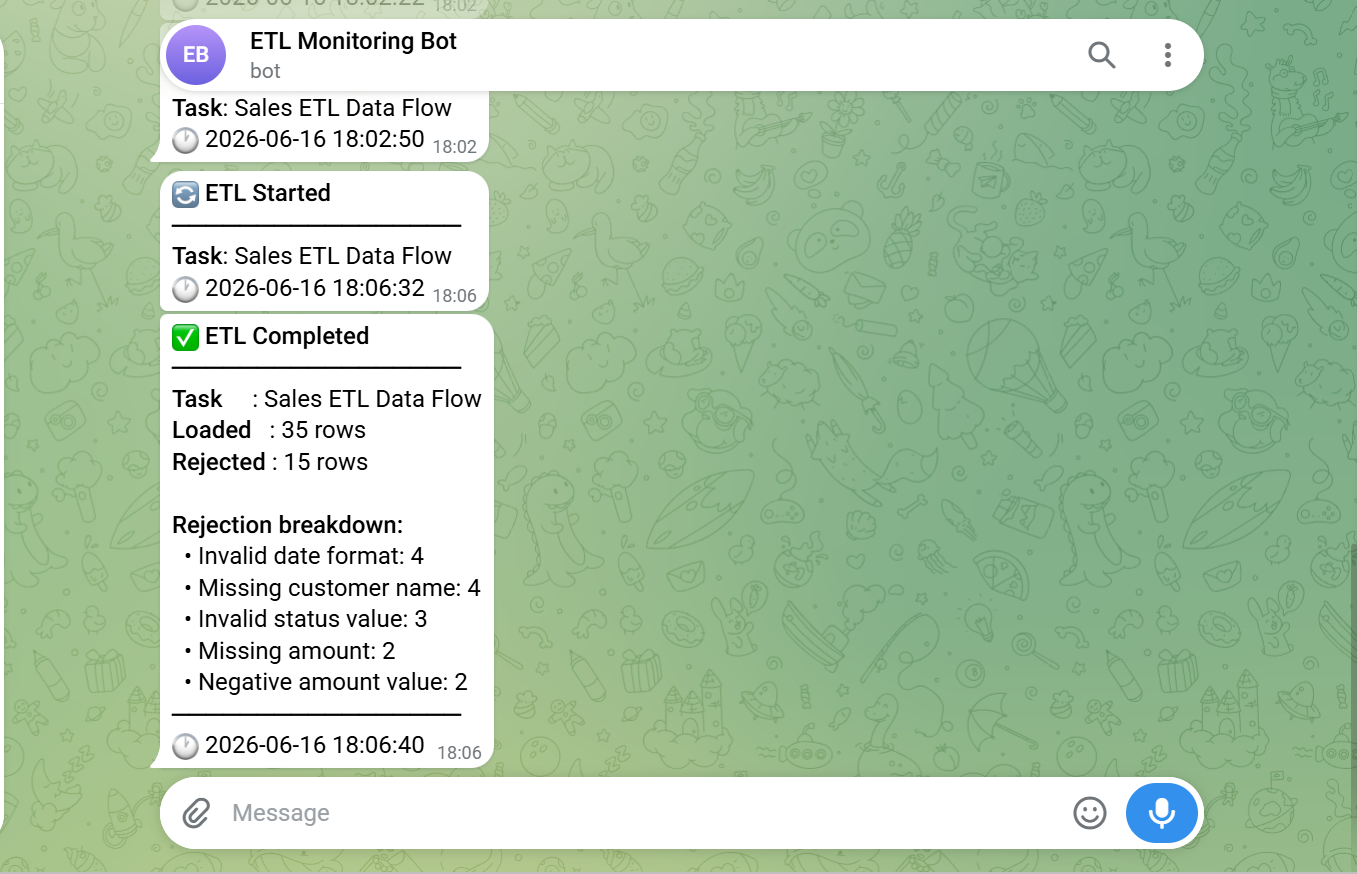
ETL process success and with detail rejection breakdown
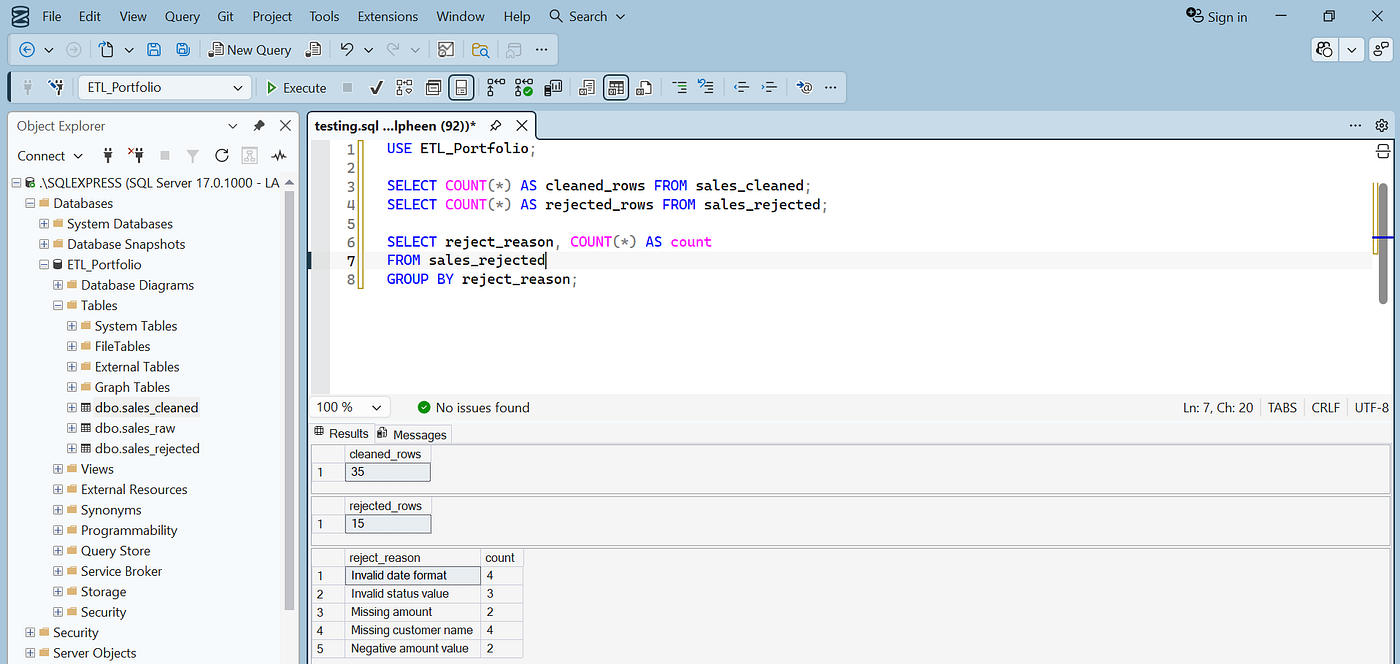
Result in table
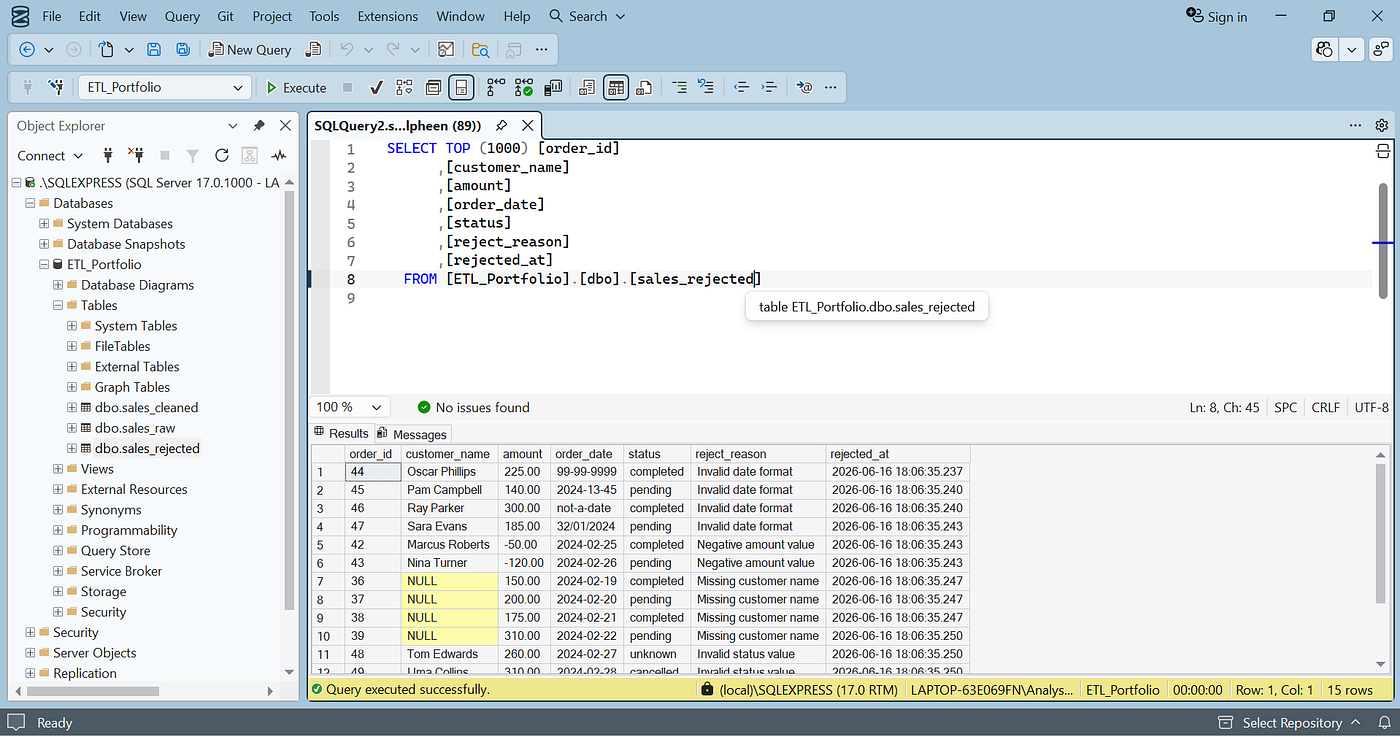
Detail sales_rejected
This detailed breakdown is obtained directly from a GROUP BY query on the sales_rejected table — Python simply reads the reject_reason value written by SSIS and then formats it into a message.
If ETL Error
To test the error scenario, one of the column mappings in Destination — sales_cleaned — is intentionally removed, causing SSIS to error at runtime.
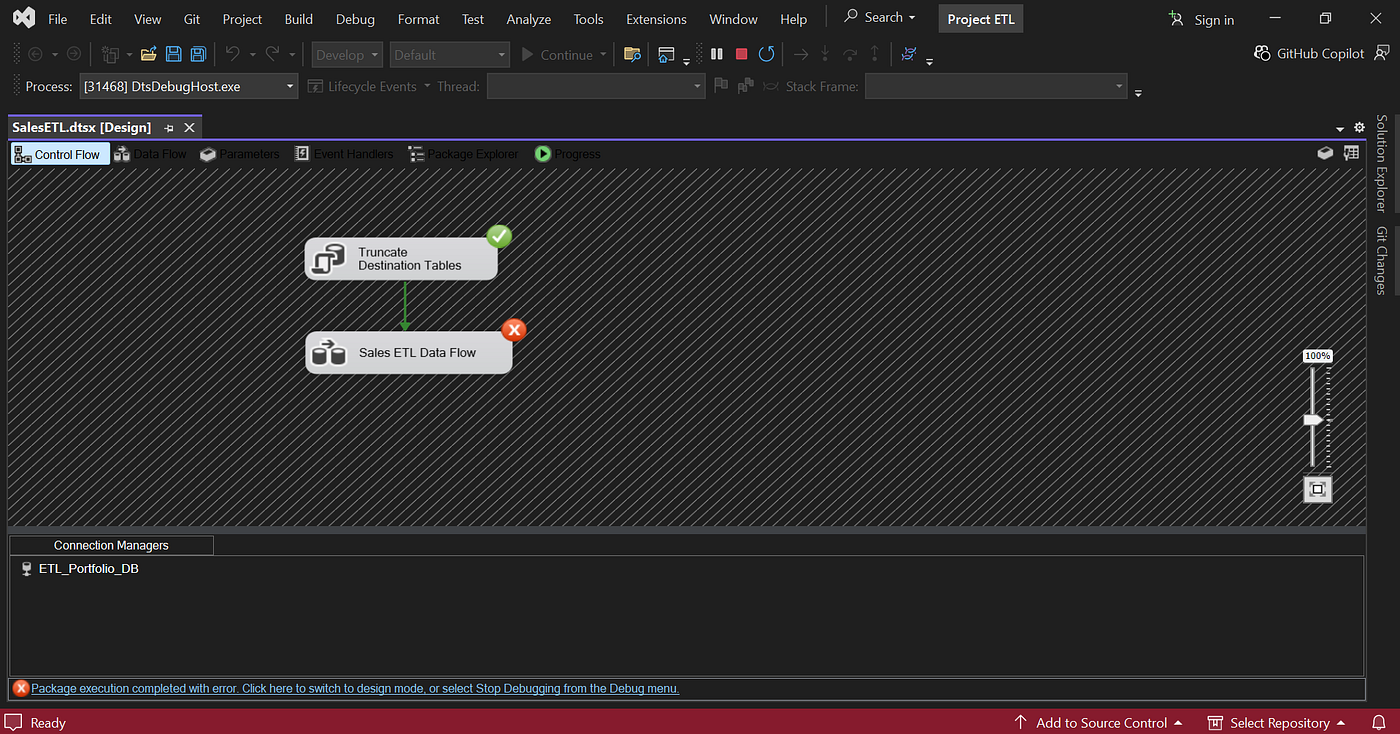
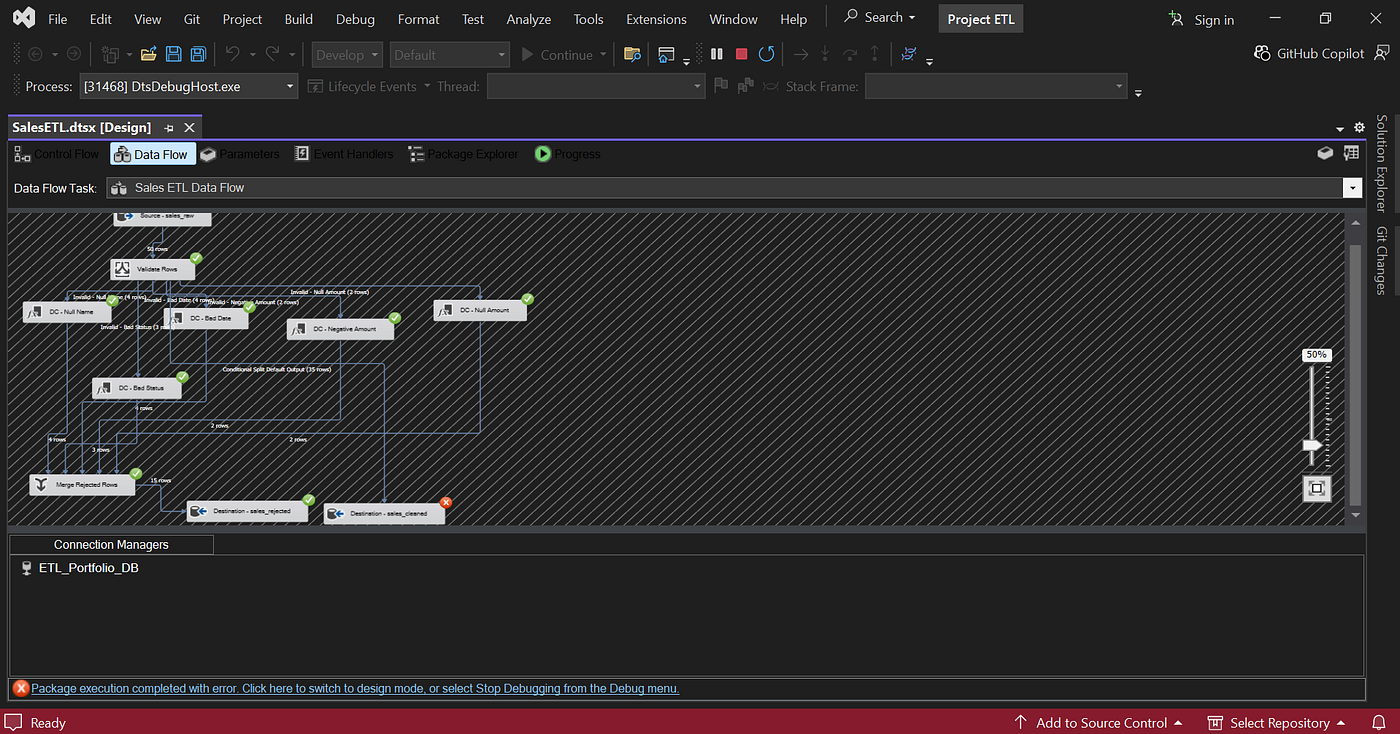
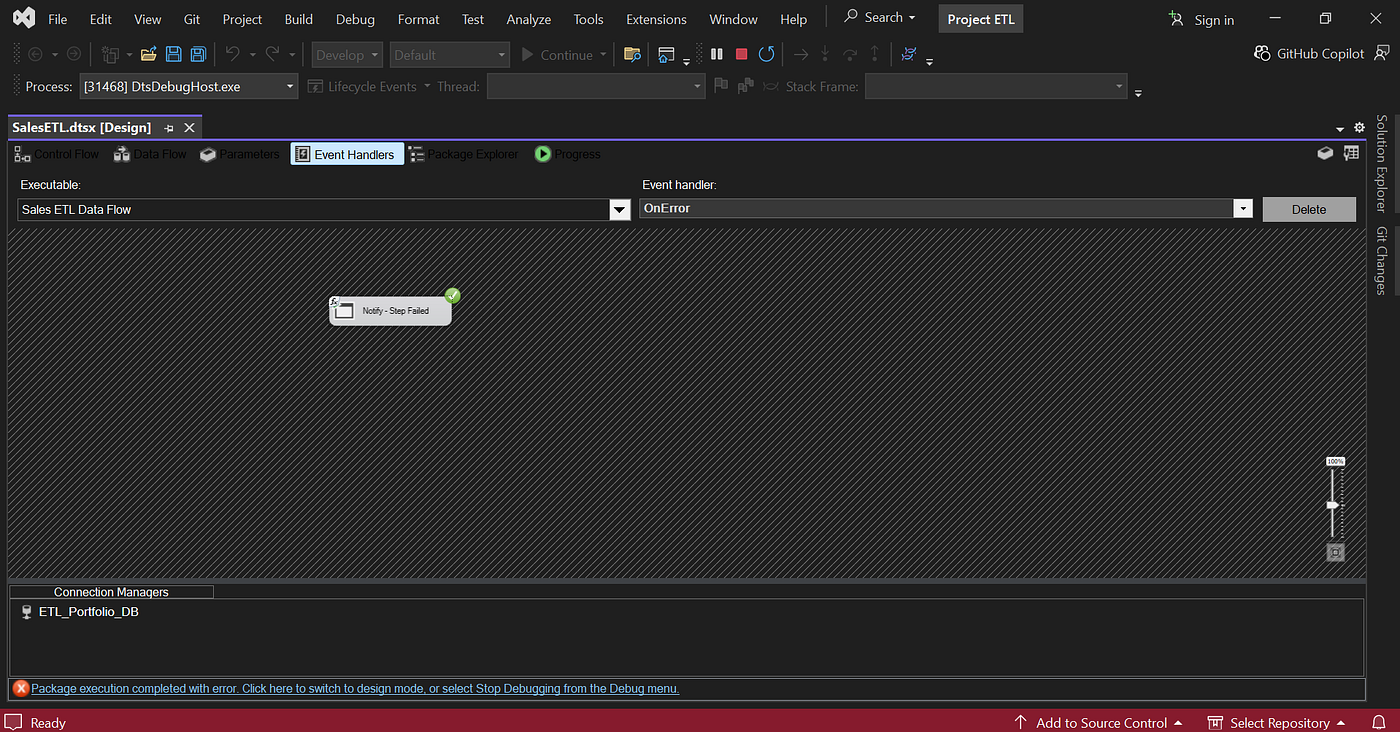
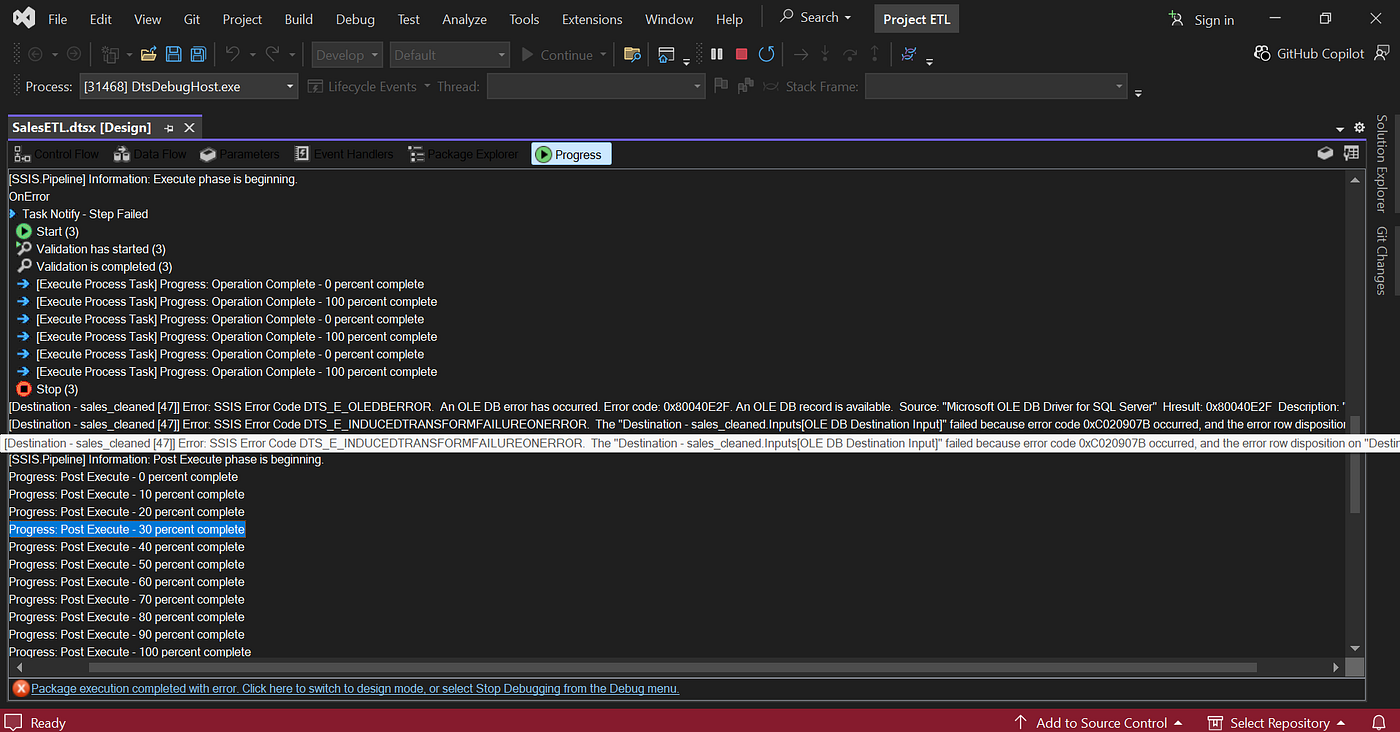
Scenario If ETL Error
The OnError event handler is immediately executed, the error from SSIS is processed via extract_root_cause(), sent to Gemini AI, and the results are sent to Telegram:
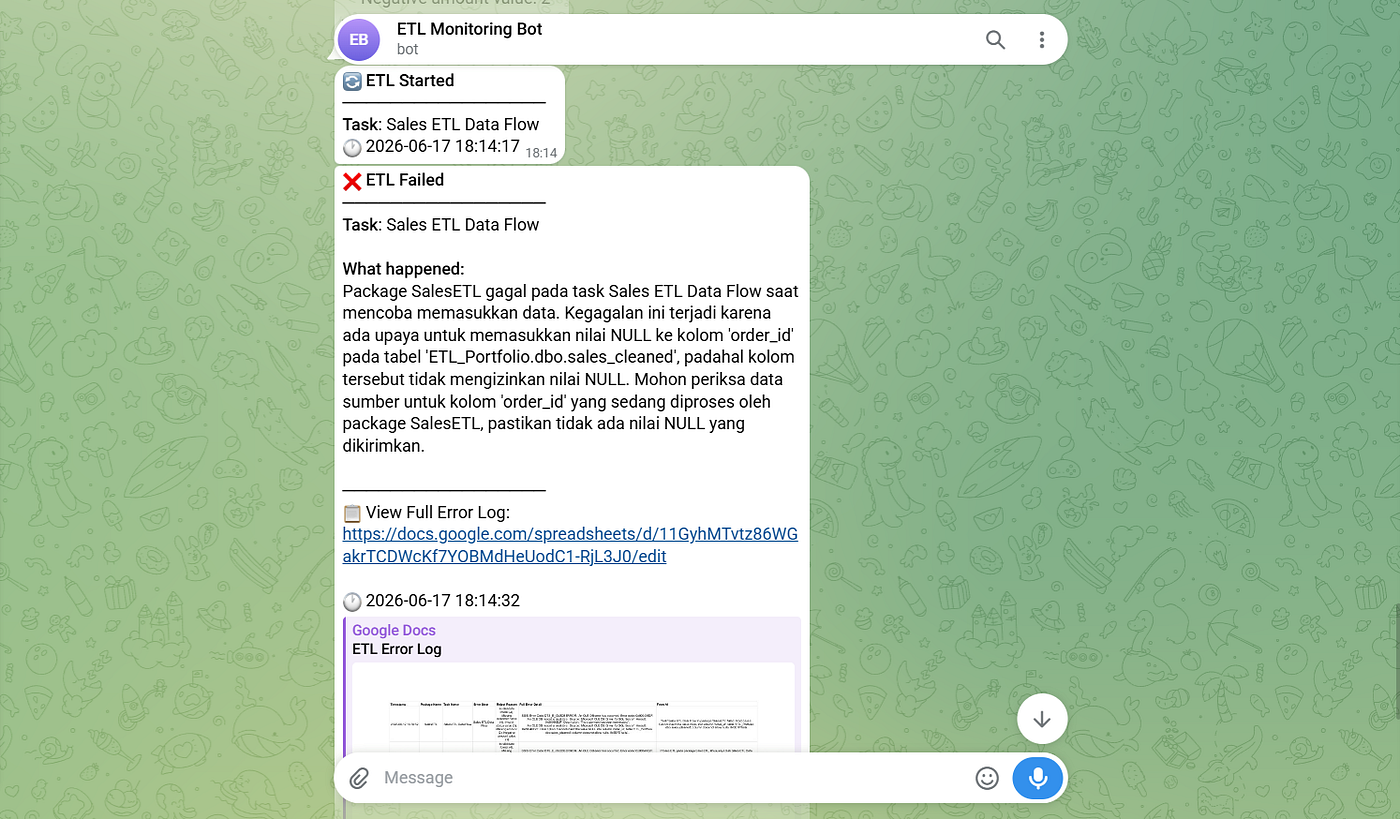
Error message generate from AI and send to telegram
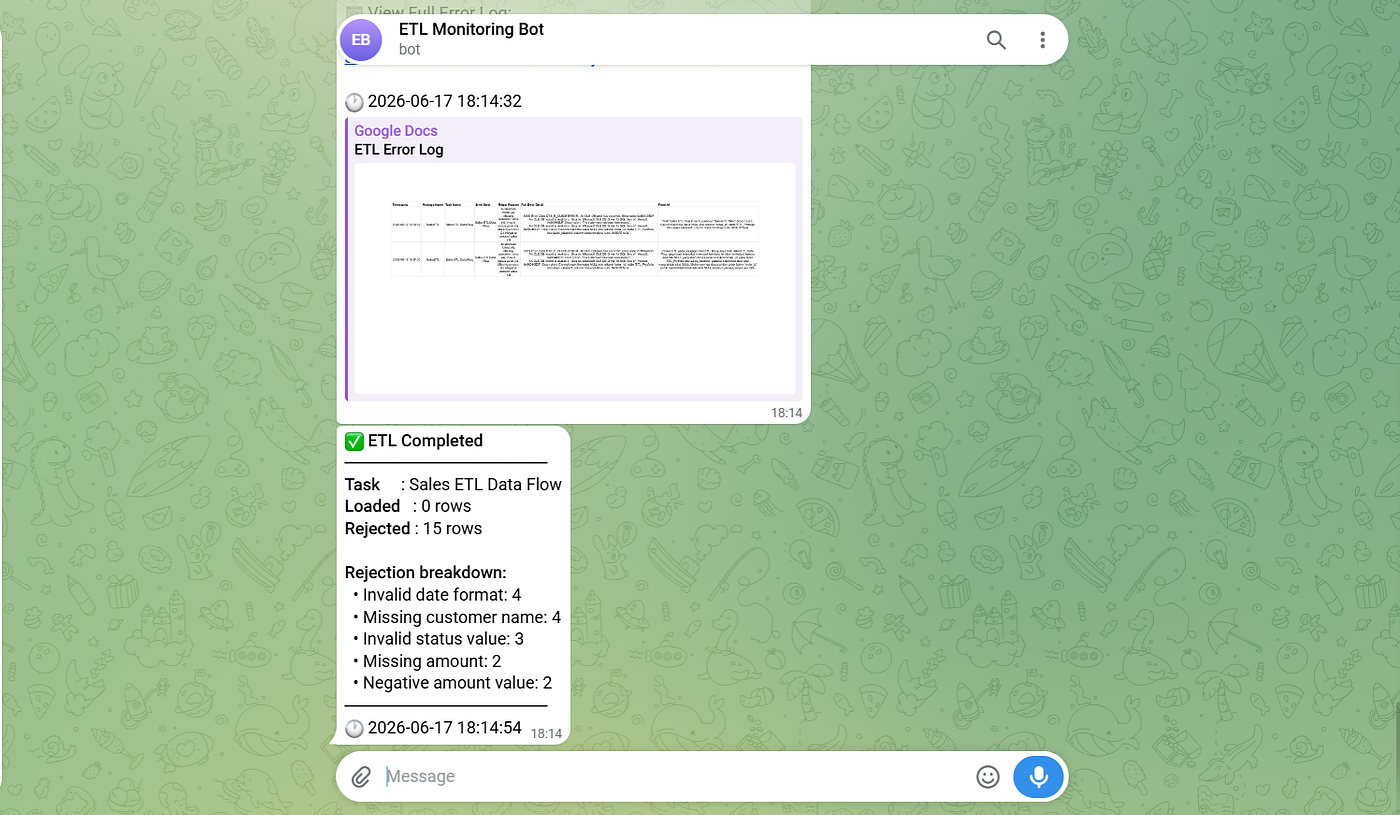
Loaded 0 rows because ETL process error
The lengthy and technical raw SSIS error message has been condensed into a few easy-to-read sentences. The full details, including the original error and the AI summary, are also automatically saved to Google Sheets.
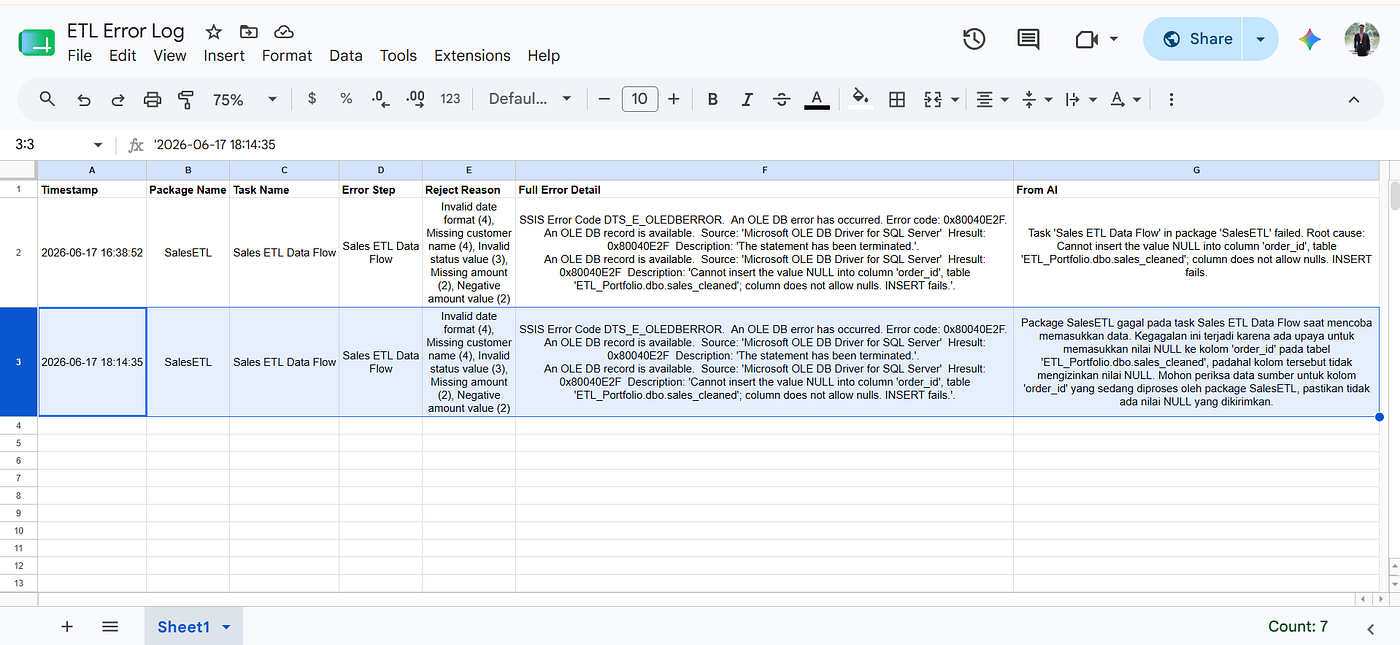
Google Sheet ETL Error Log
Conclusion
The final result is a prototype monitoring system that can be integrated directly with existing SSIS workflows. Python handles deterministic processes like statistical calculations and notifications, while Gemini AI helps translate technical errors into information that’s easier for operational teams to understand.
This project could be further developed, with several possible additions: retry logic for temporary failures, email as a backup notification channel, automatic scheduling via Windows Task Scheduler, or connecting Google Sheets logs to tools like Looker Studio for a monitoring dashboard.
The complete source code for this project is available on GitHub: https://github.com/Titusyory/real-time-etl-monitoring
메타데이터
- post_id
- 6e9e5594dec9
- slug
- building-a-real-time-etl-monitoring-prototype-with-ssis-python-and-gemini-ai-6e9e5594dec9
- url
- https://medium.com/@tydatubakka/building-a-real-time-etl-monitoring-prototype-with-ssis-python-and-gemini-ai-6e9e5594dec9
- canonical_url
- https://medium.com/@tydatubakka/building-a-real-time-etl-monitoring-prototype-with-ssis-python-and-gemini-ai-6e9e5594dec9
- author_url
- https://medium.com/@tydatubakka
- status
- ok
- fetched_at
- 2026-06-21 07:44:09




