OMNET++ INSTALLATION GUIDE.
Step 1- Go to https://omnetpp.org/download/ site, select your preferred operating system and click download
OMNET++ INSTALLATION GUIDE.
Step 1- Go to https://omnetpp.org/download/ site, select your preferred operating system and click download

Step 2- After the completion of the download extract the downloaded file. After the extraction, move the extracted folder to the C drive.

Step 3-After the extraction you will see a file named “mingwenv”. Double-click on that file and the extraction of files will automatically begin after that.

Step-4 After the extraction we must make and configure the simulation libraries. For that type the ‘’./configure’’ command and press enter.

Step 5- After the configuration use “make” command to build OMNET++.

Step 6- After that, you must type “omnetapp” to start your IDE
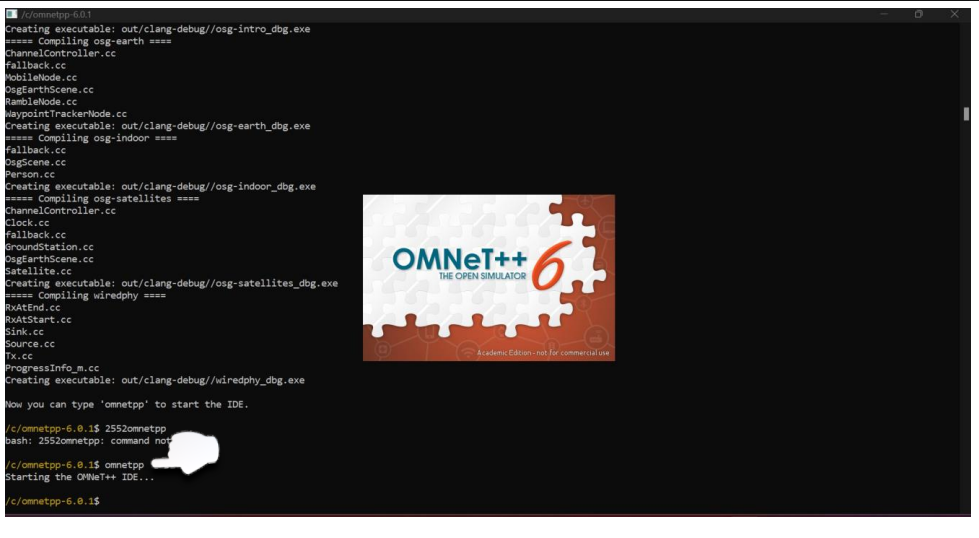
Step 7- Congratulations! You have successfully installed OMNET++ on your computer. Now you have to select a workplace and click launch. After that, you will automatically be directed to the IDE.


메타데이터
- post_id
- 6eb4cdf1508d
- slug
- omnet-installation-guide-6eb4cdf1508d
- url
- https://medium.com/@chaamihewage/omnet-installation-guide-6eb4cdf1508d
- canonical_url
- https://medium.com/@chaamihewage/omnet-installation-guide-6eb4cdf1508d
- author_url
- https://medium.com/@chaamihewage
- status
- ok
- fetched_at
- 2026-07-25 08:11:21
