How to build a “no-code app” with Obsidian + Claude Code. Explained simply.
The main idea to grasp
How to build a “no-code app” with Obsidian + Claude Code. Explained simply.

The main idea to grasp
Usually a program is code that someone wrote. Here it’s different. You take a text file and describe in words what should happen. The AI reads that description and runs it like a program. You don’t need to know how to code, you need to describe clearly what you want.
Karpathy put it like this: Obsidian is the environment, the AI is the programmer, and your file base is what it builds and maintains for you.
What every such flow is made of
It’s always the same four parts. Understand them and you understand everything:
- CLAUDE.md — the rules file. The heart of it all. Here you describe in plain language: who you are, what the AI should do, what it must not touch. It’s like a technical spec, only the AI does it, not a programmer.
- Folder structure — input and output. One folder where you drop something in (input). Another where the AI puts the result (output). For example: drop job postings into inbox → get ready letters in ready.
- Commands — the things you can “call”. Instead of long explanations every time, you describe a command once (like “process all job postings”) and then call it with one word. These are just text template files.
- Execution — the moment the AI works. You call the command, the AI reads the rules, takes what’s on the input, and does what’s described.
What you need to install
- Obsidian — a free notes app. This is your “folder” and your environment. (But input and output source could be anything)
- Claude Code — the tool that gives the AI access to that folder so it can read and write files.
- Then you open Claude Code inside your Obsidian folder, give it your CLAUDE.md, and the system is ready to take tasks.
Why this is better than looking for a ready-made app
- A ready-made app is built the same for everyone, and you adapt to it. Here it’s the opposite: you describe exactly your case, with your own rules. Want to change the logic? Just rewrite a sentence in the file, no waiting for an update from the developer. And every new flow is not about development, it’s about describing the flow. One more advantage: you’re not tied to the format of the data you put in. You can drop in files of different formats, and the AI will sort and parse them itself.
- Obsidian safely syncs everything across all your devices. If it’s your knowledge base, you can have it on any device. This is my favorite point.
About complexity
The first time you’ll need to spend a bit of time on setup, but that’s a one-off. After that, each new task is a few minutes. You can also use Claude Code itself to help you create the flow, which is another plus.
What’s important to understand
After you create this flow, you should get new commands, described in the folder #WhereYouRunClaude/.claude/commands. Here you’ll have a list of commands, here’s mine as an example: job-cv-refresh.md job-process.md job-stats.md
These commands are descriptions of the instructions the AI will follow. Then in Claude Code you just call /job-process and everything described will be done. Keep in mind that AI makes mistakes, so the first few times you need to do a kind of calibration, check whether you get what you want on the output. That means you first need to understand what you actually want to get out of it.
Small sample, how it will look like:
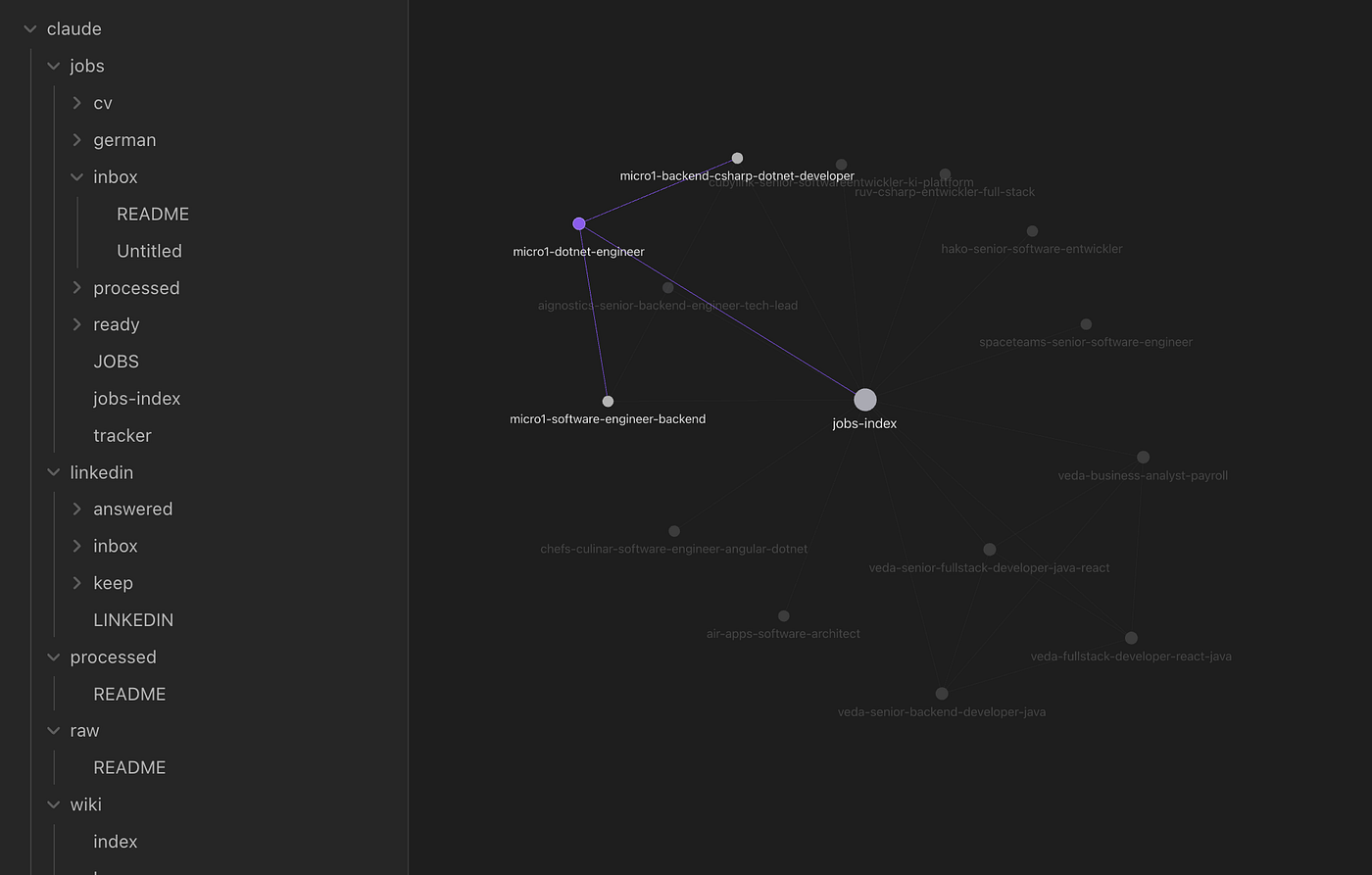
Sample of view
The main thing to take away
No code needed. All you need is a set of text instructions written in plain language.
Source: https://econlab-ai.de/blog/karpathy-llm-wiki-unternehmenswissen GitHub with the test setup: https://github.com/VmpKalin/Job-Obsidian-Claude-Setup
If you have questions or ideas about what you’d like to automate, drop a comment, I’d be glad to talk.
메타데이터
- post_id
- 6ece7dc56389
- slug
- how-to-build-a-no-code-app-with-obsidian-claude-code-explained-simply-6ece7dc56389
- url
- https://medium.com/@VmpKalin/how-to-build-a-no-code-app-with-obsidian-claude-code-explained-simply-6ece7dc56389
- canonical_url
- https://medium.com/@VmpKalin/how-to-build-a-no-code-app-with-obsidian-claude-code-explained-simply-6ece7dc56389
- author_url
- https://medium.com/@VmpKalin
- status
- ok
- fetched_at
- 2026-07-11 10:44:35