Building My Own Local AI Server for AI-Native Development
Over the last couple of years, I’ve become increasingly fascinated by AI and AI-driven software development.
Building My Own Local AI Server for AI-Native Development
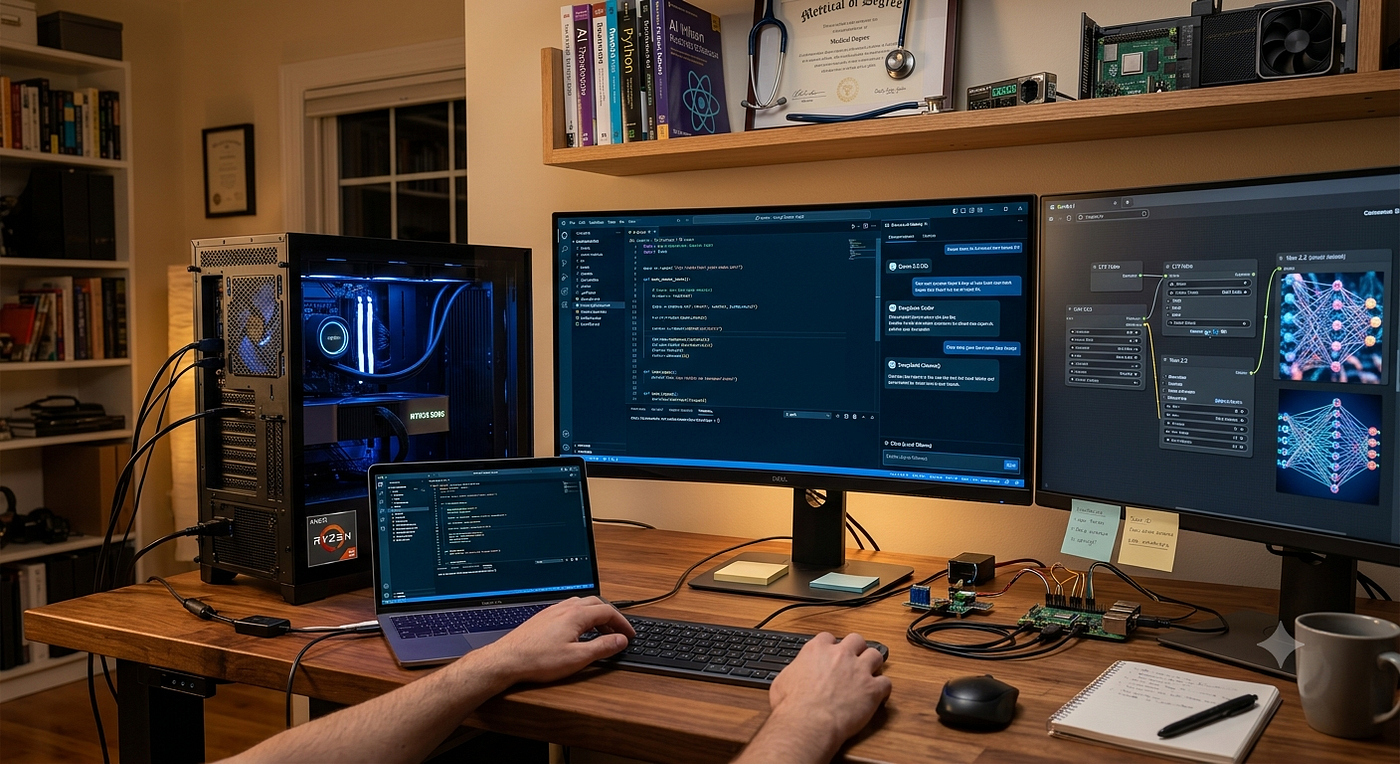
Over the last couple of years, I’ve become increasingly fascinated by AI and AI-driven software development.
I’m a doctor by profession, but over the past two years I’ve been teaching myself software development. Along the way, I’ve published a few applications on the Play Store and earned my React Developer certification. This post is about a recent project that allowed me to combine my passion for software engineering with my growing interest in AI: building a local AI workstation for AI-native development.
Like many developers working with frontier AI models, I frequently ran into one recurring challenge: context and token limits. Nothing disrupts development momentum more than reaching a limit in the middle of a complex project.
Recently, when I encountered this issue again, I decided not to upgrade my subscription. Instead, I chose a different path — building my own local AI infrastructure capable of running open-source models.
The motivation went beyond avoiding subscription limits. I’ve always wanted to gain hands-on experience with open-source AI models, model fine-tuning, Retrieval-Augmented Generation (RAG), LoRA training, media generation, and the broader AI ecosystem. This had been on my learning roadmap for quite some time.
After months of tracking prices and waiting for the right opportunity, I finally assembled my workstation:
• NVIDIA RTX 5090 (32 GB VRAM) • AMD Ryzen 7 processor • 64 GB RAM • 2 TB SSD • 1500W PSU
The investment was significant, but I viewed it as both a learning platform and a long-term productivity tool. As a bonus, high-end hardware tends to retain reasonable resale value if plans change in the future.
The entire setup took roughly seven hours over a weekend.
Setting Up the AI Environment
I chose Windows for the workstation. While many developers prefer Linux, Windows offered a straightforward setup experience for my use case.
After installing the usual development tools (Python, Node.js, npm, etc.), I installed Ollama, which has become an excellent platform for running open-source AI models locally.
I experimented with several models, including:
• Qwen 2.5 • Qwen 3 • DeepSeek variants
These models perform exceptionally well on the RTX 5090, and the setup process was surprisingly simple.
Making It Work Across Devices
My primary development machine is still a MacBook, so I needed a way to use the AI capabilities of the desktop remotely.
To achieve this, I:
• Configured Ollama to accept network connections • Opened the required firewall rules for port 11434 • Verified connectivity from other devices on my local network
A quick curl test confirmed everything was working correctly.
Integrating with VS Code
Next came the developer experience.
I installed the Cline extension in VS Code and configured it to connect directly to the Ollama instance running on my AI workstation.

Once connected, Cline automatically detected the available local models. I selected the Qwen models for coding assistance and was immediately impressed by the performance.
The results have been excellent:
• Fast responses • Lower GPU utilization than expected • Multiple parallel development sessions • No token limits • No recurring AI subscription costs
For personal projects, this setup has been a game changer.
Exploring Media Generation
Another area I wanted to explore was local media generation.
I installed ComfyUI and began experimenting with open-source image and video generation models, including:
• LTX Video • Wan 2.2
The downloads are large, but the results make it worthwhile.
I’ve already tested:
• Text-to-Image (T2I) • Image-to-Video (I2V)
The output quality has been surprisingly good, especially considering everything is running locally. The potential for content creation, rapid prototyping, and experimentation is enormous.
Reflections So Far
Two weeks into this journey, I can confidently say this has been one of the most rewarding technology projects I’ve undertaken.
What excites me most is that I’m no longer just using AI tools — I’m beginning to understand the infrastructure, models, and techniques that power them.
My next areas of exploration include:
• Retrieval-Augmented Generation (RAG) • LoRA fine-tuning • Building AI workflows around Raspberry Pi devices • Training small custom models • Exploring local AI agents and automation
The AI ecosystem is evolving at an incredible pace, and having a local environment to experiment with has dramatically accelerated my learning.
Still early days, but I’m excited to see where this journey leads.
AI #ArtificialIntelligence #MachineLearning #LocalAI #Ollama #OpenSourceAI #Developer #SoftwareDevelopment #ReactJS #GenerativeAI #ComfyUI #LLM #AIEngineering #Ollama #RAG #LoRA #AINativeDevelopment #AINative #RTX5090
메타데이터
- post_id
- 6fecad4a99dc
- slug
- building-my-own-local-ai-server-for-ai-native-development-6fecad4a99dc
- url
- https://medium.com/@sparsha1211/building-my-own-local-ai-server-for-ai-native-development-6fecad4a99dc
- canonical_url
- https://medium.com/@sparsha1211/building-my-own-local-ai-server-for-ai-native-development-6fecad4a99dc
- author_url
- https://medium.com/@sparsha1211
- status
- ok
- fetched_at
- 2026-06-22 05:41:33



