Living With an M3 Pro MacBook Pro: A 3-Month Reflection On Leaving My 2015 Intel Mac Behind
Leaving Intel Behind and Rediscovering the MacBook with M3 Pro
Living With an M3 Pro MacBook Pro: A 3-Month Reflection On Leaving My 2015 Intel Mac Behind
Leaving Intel Behind and Rediscovering the MacBook with M3 Pro
Non-Members can read this story for free over here.
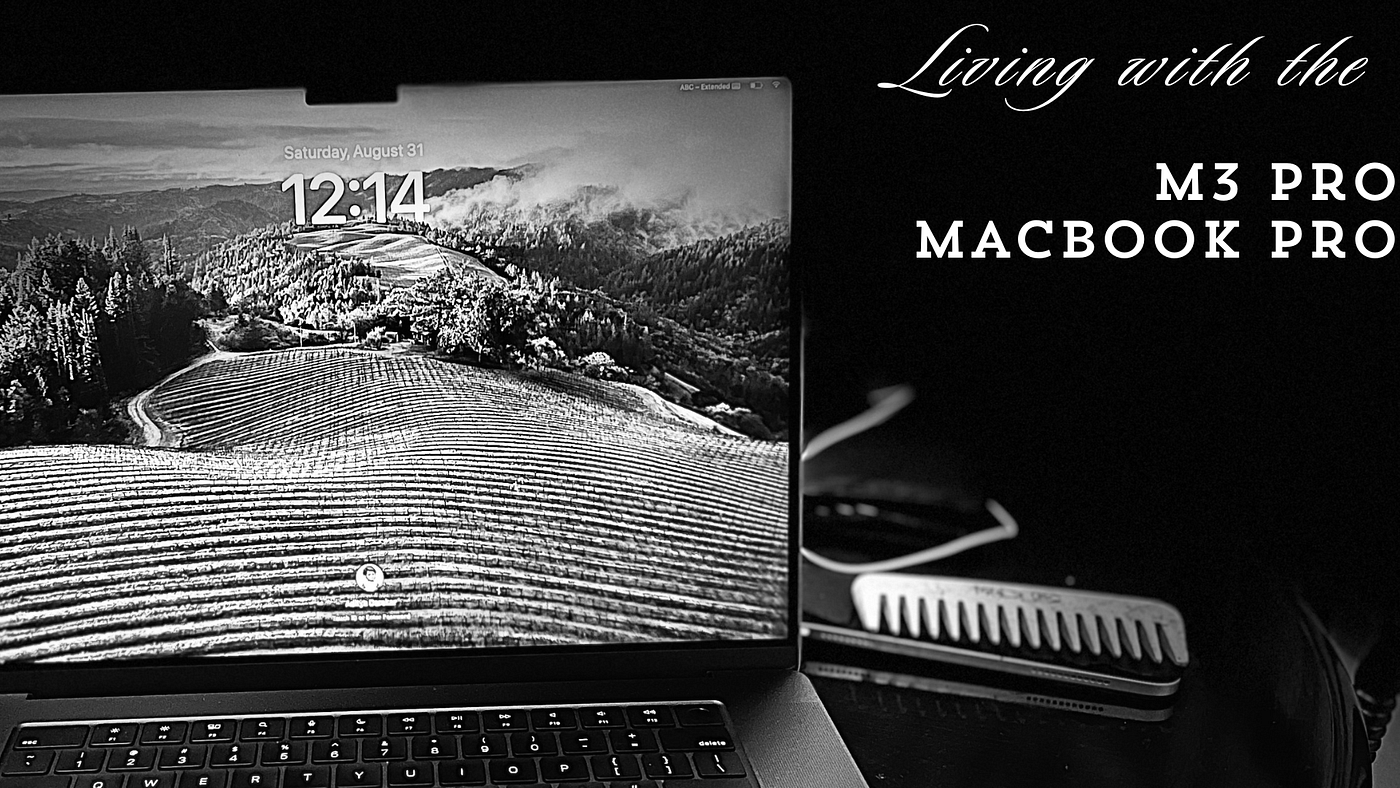
Source: Author | Story Cover Art
For the past eight and a half years, my daily driver was a Mid-2015 MacBook Pro. Equipped with an Intel i7 chip, 16GB of RAM, and 256GB of storage, it saw me through most of my education — three years of high school, four years of undergrad, and an additional year. Even after official software updates stopped with macOS Monterey, I wasn’t ready to part with my Mac, so I installed OCLP to run the latest macOS (Sonoma) update on it.
While there were a few hiccups running Sonoma on an 8-year-old Mac, I didn’t mind them, knowing that OCLP was just an open-source project. However, I became increasingly aware that the macOS experience was slowly degrading. To stop the downhill descent, I finally decided to upgrade to a similarly specced (and hence priced) Mac — the M3 Pro MacBook Pro.
And here we are, three months since I unboxed it and made it my new daily driver. When you upgrade your computer after such a long time, there’s not just one or a few changes to talk about — there’s a truckload. So let’s explore these changes in a more organized and detailed manner, comparing notes between the two Macs.
👉 INDEX 👈

Design & Build Overhaul: Bulkier But Modern and Minimalist
Features Spotlight: What's New, What's Improved, and What's Missing
Performance & Efficiency Leap: Comparing Benchmarks
Daily Workflow: Adapting to the M3 Pro and How It's Changed My Routine
The Nostalgia Factor: What I Miss from the 2015 Intel Mac

The Verdict
Just a quick detour… if you like such kind of tech stories, consider signing up for my email newsletter. The perks include a higher motivation on my end to deliver such interesting stories more frequently 😇
Design & Build Overhaul: Bulkier But Modern and Minimalist

Source: Author | The Wedge-Shape Design
The first thing I noticed about this Mac is its shape. With its lid closed it appears wedge-shaped compared to my previous Intel Mac, which was sleeker. The depth difference between the two is about 0.03 inches, but it’s more noticeable when they’re side by side.
This time, I chose the new Space Black color after using a Silver Mac for eight years. The color is stunning. When I first saw it in the Apple Store, I noticed different shades of Space Grey/Black when the light hit the surface at certain angles — a result of the new anodization process that reduces smudges and fingerprints. However, having a darker shade like Space Black somewhat negates that advantage; smudges and fingerprints are more noticeable than on the Silver finish. This was an advantage of my previous Silver Mac, which was super easy to clean with a single swipe of a cloth.

Source: Author | The Shades of Space Black
Moving upward, we have a beautiful display that’s hard to complain about. I upgraded from a 15” to a 16” Mac and instantly noticed the larger screen estate — not just because of the extra inch but also because of the thinner bezels. Coming from the 2015 Mac, the bezel difference is HUGE! It felt like my previous Mac had inch-wide bezels, especially the one on top that housed the webcam. The M3 Mac, on the other hand, has bezels so thin they could fat-shame my little pinky.
And then, of course, there’s the notch — or what appears to be a protrusion — that houses the 1080p webcam, a welcome change from the 720p one on my previous Mac. Since the launch of the Continuity Camera feature, I’ve been using my iPhone 13 Pro as a webcam with my previous Mac that ran OCLP Sonoma. You don’t have to worry about the notch — it’s less noticeable and easier to ignore after Day 1 than on the iPhone. I have quite a few apps that appear on the menu bar, but given the larger screen estate, they haven’t interfered with the notch yet.

Source: Author | The Newly Improved Shock Absorbers
Regarding build quality, I’d like to mention the shock absorbers at the bottom. On my previous Mac, they seemed to be glued to the back and appeared as protrusions that, after years of use, lost their glue and came off. For the last two years with my Intel Mac, I spent time finding two of these four absorbers lying around my desk, despite multiple attempts to glue them back on. This time, they’ve improved it by placing each shock absorber inside a protruding stem, so even if they come off, your Mac won’t touch the surface directly.
Given that I’ve only spent three months with this new Mac, it’s a bit early to fully review the build quality. Perhaps in a future review, I can cover how it has braved long-term usage and wear and tear.
Features Spotlight: What’s New, What’s Improved, and What’s Missing
Talking about new features, the most noticeable one is the Touch ID button on the keyboard which replaced the Power Button on my previous Mac. Coming from the 2015 Mac, where every login authentication required a password, this new fingerprint sensor is significantly faster and works 100% of the time (unlike Apple Watch unlocks, which sometimes bugs out).
The keyboard, on the other hand, is an improvement. It uses the same scissor-switch mechanism as my previous 2015 Mac (that’s right — I skipped the bad butterfly-keyboard cycle). However, going from a 15” to a 16” Mac now means a bigger keyboard, which has slowed down my typing speed, unfortunately. It’s still taking me time to get used to the larger keyboard, but it’s always easier to adapt to larger key travels than smaller ones that are more cramped. So, I don’t think the 14” MacBook would have been a better choice here.

Source: Author | M3 MacBook Pro Keyboard
I don’t recall anyone complaining about MacBook trackpads being small or bad for any reason, but the trackpad on the new Mac is just humongous! Again, there’s a bit of a learning curve that my fingers are still navigating, as I’m only using 50% of the larger trackpad.
The display on the new Mac supports a 120Hz refresh rate compared to the previous one, which only went up to 60Hz. Since I’m not a gamer or video editor, I didn’t notice this feature at first. Instead, when I was browsing and scrolling through webpages on Arc, I realized how smooth the animations felt throughout.
The 1080p webcam is a welcome change, but I don’t use it frequently for the reasons I mentioned earlier. The speaker quality is something I haven’t tested much, as I’m more accustomed to using Bluetooth headphones for audio. However, one thing I can attest to is that Bluetooth connectivity is faster, thanks to Bluetooth v5.3.
WiFi 6E on the new Mac is a novelty compared to my previous Mac. Even though I don’t have a WiFi 6E router, I do notice better speeds on this Mac than on any of my other devices, including iPhones and iPads that use WiFi 6.

Source: Author | Using Thunderbolt 4 Ports
Regarding ports, I feel they’ve both improved and sustained themselves. The biggest perk of coming from a 2015 Mac is that I totally skipped the cycle of Macs without an SD card reader, an HDMI port, or Thunderbolt ports. The two USB 2.0 ports on my 2015 Mac have now been upgraded to three powerful USB 4.0/Thunderbolt 4 ports. Also, MagSafe 3 instead of MagSafe 2 — the newer version supports charging speeds up to 140W compared to 85W on the previous one. The 3.5mm audio jack has remained unchanged over the years.
Do I miss the two Thunderbolt 2 ports on my previous Mac? Not at all! They were completely useless to me since I never had an external monitor to connect to, and Thunderbolt 2, despite its higher speeds of up to 20Gbps, is somewhat outdated in the current decade (replaced by Thunderbolt 3/4). Also, Thunderbolt 2 accessories, like storage devices, were just as expensive, given that the port is primarily meant for displays only.
I love the Thunderbolt 4 ports. They can be used for charging the Mac and for accessories like storage drives, iPhones, iPads, etc. The only challenging part was finding new micro-B-to-USB4 cables for my somewhat old hard disk drives that I used on my previous Mac for Time Machine backups.
If you are enjoying this story till now, do leave some claps 👏👏👏 And if those 50 claps fall short of the appreciation, then here’s my newsletter 📧that you could sign up to:
Performance & Efficiency Leap: Comparing Benchmarks
Let me just say it — I love tech reviews, and more importantly, imitating their style of reviewing. This is why the first thing I did after setting up the new Mac was to run a bunch of benchmark tests to gauge the performance and efficiency leaps.
While I don’t use any heavy software from Adobe or Apple for photo or video editing, I know many of you might be curious about what an 8-year leap in performance looks like. So, I’m going to leave you with a bunch of benchmark tests that I ran and took screenshots of.
Geekbench 6:

Source: Author | M3 Pro Vs Intel i7: Single-Core and Multi-Core Scores
Cinebench R23:


Source: Author | Cinebench Score for Intel i7 (left) Vs M3 Pro (right)
BlackMagic Disk Speed Test:

Source: Author | Disk Speed Test
Daily Workflow: Adapting to the M3 Pro and How It’s Changed My Routine
This might be a little embarrassing, but in the last year or so, I’ve rarely opened any heavy apps on my Mac (the previous one). Back when I was a student, I frequently used VS Code and Xcode for college and personal coding projects, and it’s a bit sad that I didn’t have this Mac back then.
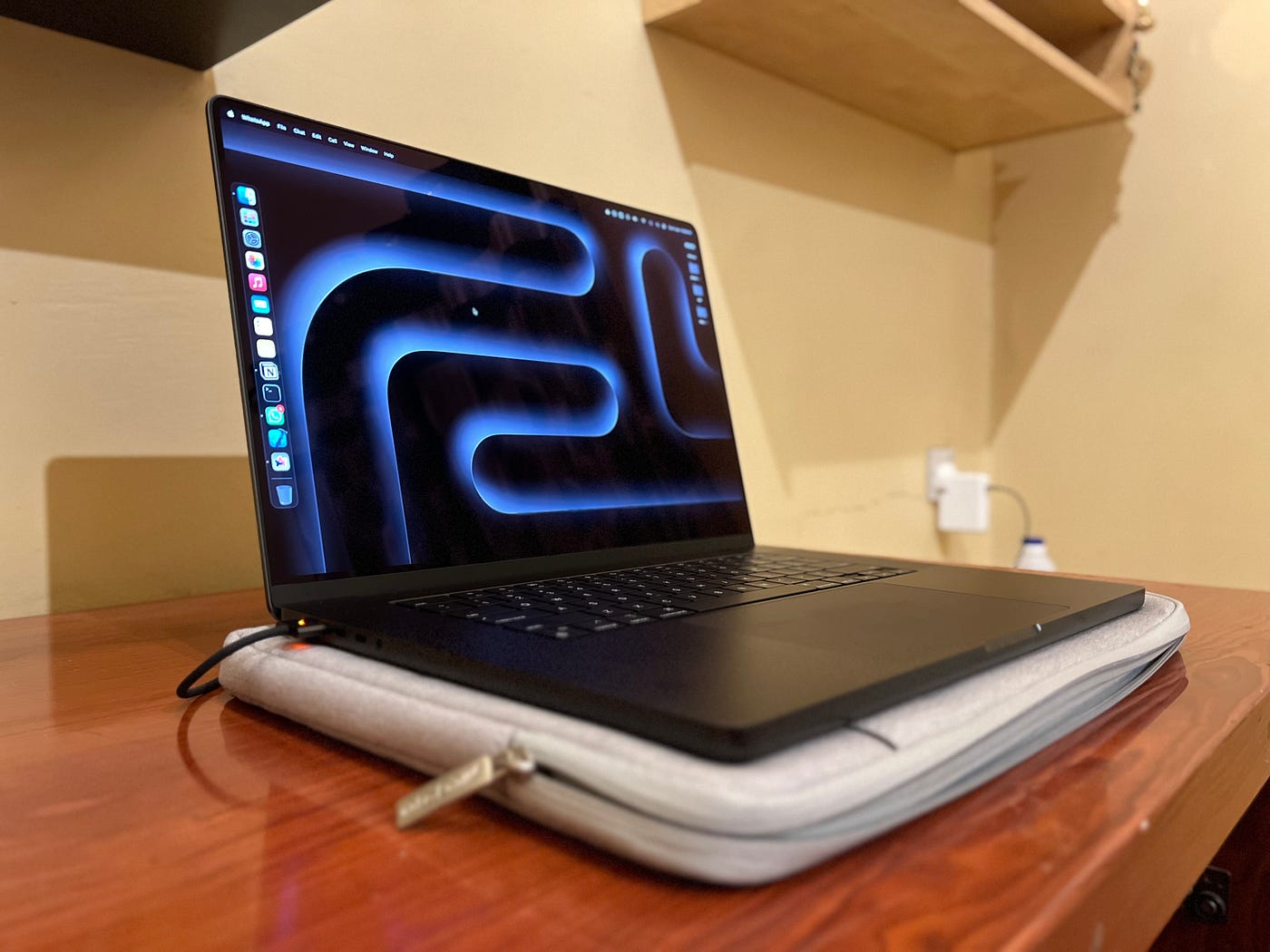
Source: Author | Using it for my daily workflow
My workflow these days mostly involves light work on the creative side — using Pages, Word, the Arc Browser, Canvas, Freeform, Notion, and other Apple apps like Notes, Mail, and Reminders.
Apart from these creative workflows that enable me to create my blog stories, I also occasionally offload pictures and videos from old storage drives to newer ones. The speed improvements are phenomenal in these cases — files that once took an hour to move between the Mac and the drive now take just a few minutes. We are talking about going from 5Gbps transfer speeds to almost 40Gbps, not to mention the 2x faster memory bandwidth. The BlackMagic SSD benchmark is indeed accurate in this regard.
And of course, not once have I hear the fans on this new Mac in the last three months unlike my Intel Mac a.k.a Leg Warmer
Surprisingly, I find myself unzipping my backpack less frequently to take out my new Mac, thanks to how useful my iPad Air, propped on the Magic Keyboard, has proven to be. The combination is hard to resist, given its lighter weight compared to the new four-and-a-half-pound Mac.


Source: Author | The iPad with Magic Keyboard as a lighter setup compared to the heavier MacBook Pro
The extremely sturdy build quality of the new Mac and its weight make it difficult for single-handed lifting — which, I suppose, is a compliment to the build quality. As a result, the new Mac usually stays in one place when I need to work on it and rarely travels with me to the couch, unlike my iPad.
Currently, I’m in the process of getting accustomed to the new, larger keyboard and improving my typing speed. Hopefully, in my next long-term review of this Mac, I’ll be able to share more in-depth thoughts on all the various features and workflow apps I use.
The Nostalgia Factor: What I Miss from the 2015 Intel Mac
One thing I miss the most? The glowing Apple logo on the back lid!

Source: Author | The Glowing Apple Logo on my 2015 Mac
Yes, I still feel a pang of nostalgia when I look at old pictures of my 2015 Mac. It would have been really cool if Apple had managed to implement it somehow on this new Mac, especially given that this is the third iteration of their wedge-shaped MacBook Pro design.
On the software side, there’s not much to miss. In the last two years since Apple dropped software support for my previous Mac, I found a workaround by installing OCLP and running macOS Sonoma. This made the macOS transition smoother for me.
When everything runs so snappily on your newer and faster machine, it does take away some of the time you might spend daydreaming — but again, that’s not a legitimate complaint, is it?
At this point, I’m really stretching to find something I miss about my old Mac. That’s how good this new upgrade is, and I believe it was much needed.
I enjoy using tech as long as it lasts, and I’m eager to see how long this new M3 Mac will serve me — perhaps until the end of the decade, if not longer.
The Verdict
So, that was my journey of upgrading my Mac after more than eight years, highlighting everything new and good about it, as well as the few things I miss (which are minor). The point of this reflection is to offer a perspective to fellow old Mac users — not just a statistical benchmark of performance upgrades, but a real sense of what the upgrade feels like in a daily workflow.
If you’re still using a 2017 Mac or older and wondering when Apple might pull the plug on software support, it could happen anytime soon. If you found this article helpful in giving you a perspective and nudging you toward buying a new Mac, let me know in the comments. And if you’re determined to squeeze every last drop of value out of your old/vintage Mac and want to force the latest macOS onto it, then I have a story just for you.

Originally published on adiexplains.wordpress.com on August 31, 2024.
메타데이터
- post_id
- 705e0f843560
- slug
- living-with-an-m3-pro-macbook-pro-a-3-month-reflection-on-leaving-my-2015-intel-mac-behind-705e0f843560
- url
- https://medium.com/macoclock/living-with-an-m3-pro-macbook-pro-a-3-month-reflection-on-leaving-my-2015-intel-mac-behind-705e0f843560
- canonical_url
- https://medium.com/macoclock/living-with-an-m3-pro-macbook-pro-a-3-month-reflection-on-leaving-my-2015-intel-mac-behind-705e0f843560
- author_url
- https://medium.com/@adityadarekar
- status
- ok
- fetched_at
- 2026-07-22 23:41:08