How to Set Up the Appe Mobile App (Frappe & ERPNext)
If you’re using Frappe Framework or ERPNext, the Appe mobile app allows you to access your system directly from your phone with a clean and…
How to Set Up the Appe Mobile App (Frappe & ERPNext)
If you’re using Frappe Framework or ERPNext, the Appe mobile app allows you to access your system directly from your phone with a clean and mobile-friendly interface.
In this guide, I’ll show you how to set it up in a few simple steps.
✅ Requirements
Make sure you have:
- Frappe v13+ installed
- A working bench environment
- Python 3.10+
- Node.js 18+
- Appe account https://appetech.io/signup
📥 Step 1: Get the App
Go to your bench folder and clone github repo:
cd ~/frappe-bench
bench get-app https://github.com/appetech/appe.git
📦 Step 2: Install on Your Site
Install the app on your site:
bench --site yoursite.local install-app appeReplace yoursite.local with your actual site name.
🔄 Step 3: Successfully Appe Installed
This ensures all assets are properly compiled.
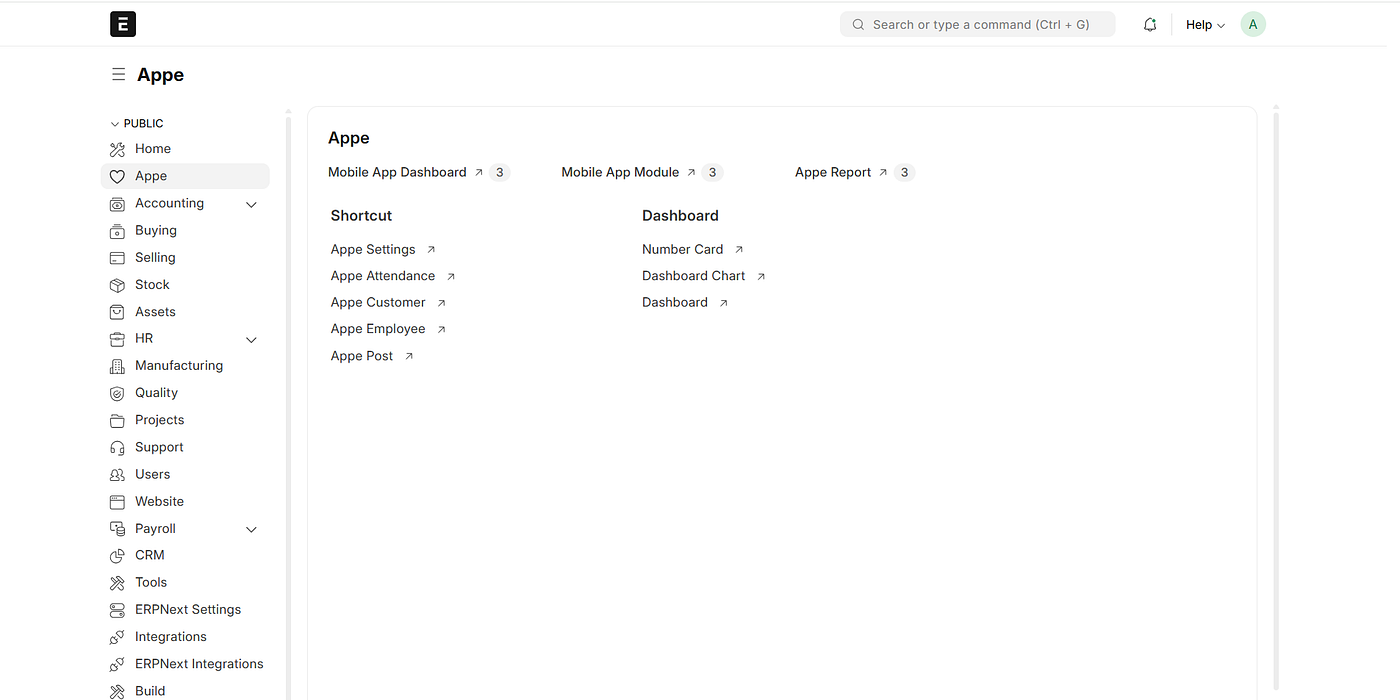
www.appetech.io
Step 4: Connect from Mobile
- Install the Appe mobile app on your device.
- Open the app.
- Enter your server URL (with HTTPS).
- Login with your Frappe credentials.
That’s it! 🎉 Your Frappe/ERPNext system is now accessible from your mobile device.
🚀 Final Thoughts
Appe is a simple yet powerful way to bring your Frappe system to mobile. With just a few commands, you can enable secure, real-time access to your ERP from anywhere.
메타데이터
- post_id
- 7076b2ddc3be
- slug
- how-to-set-up-the-appe-mobile-app-frappe-erpnext-7076b2ddc3be
- url
- https://medium.com/@kamesh3928/how-to-set-up-the-appe-mobile-app-frappe-erpnext-7076b2ddc3be
- canonical_url
- https://medium.com/@kamesh3928/how-to-set-up-the-appe-mobile-app-frappe-erpnext-7076b2ddc3be
- author_url
- https://medium.com/@kamesh3928
- status
- ok
- fetched_at
- 2026-07-13 06:23:13





