I Tried “Caveman” for AI Coding Agents — It Cut Response Tokens by 65% Without Making the AI Dumber
Every AI coding assistant has the same bad habit. It talks too much. You ask a simple question like:
I Tried “Caveman” for AI Coding Agents — It Cut Response Tokens by 65% Without Making the AI Dumber
Every AI coding assistant has the same bad habit. It talks too much. You ask a simple question like:
“Why is my React component re-rendering?”
Instead of answering directly, your AI writes an entire blog post.
It usually looks something like this:
“The reason your React component is re-rendering is likely because you’re creating a new object reference on each render cycle. When you pass an inline object as a prop, React’s shallow comparison sees it as a different object every time, which triggers a re-render. I’d recommend using useMemo to memoize the object.”
Technically correct? Yes.
Necessary? Not really.
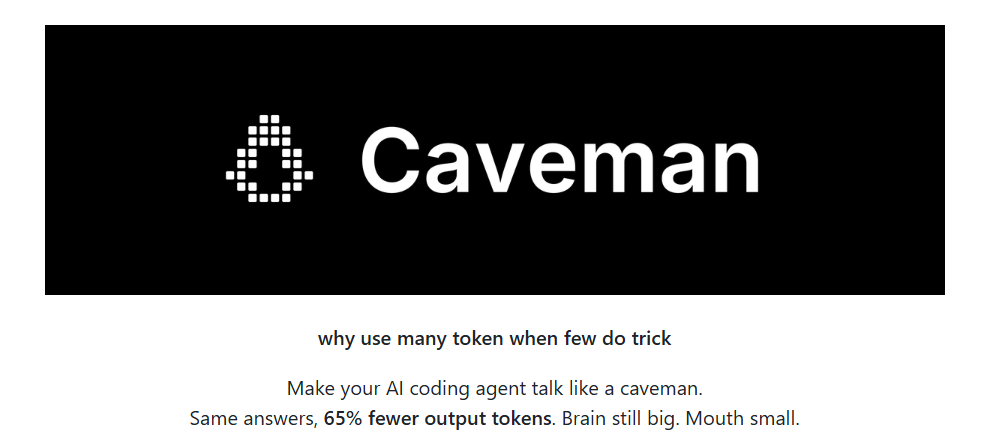
A new open-source plugin called Caveman solves exactly this problem.
Instead of making the AI smarter, it makes the AI quieter.
The result? The same technical answer using about 65% fewer output tokens.
What Is Caveman?
Think of Caveman as a communication style for AI coding agents.
It doesn’t change how the AI thinks.
It only changes how the AI speaks.
The philosophy is simple:
Big brain. Small mouth.
Instead of saying everything politely with long introductions and filler words, the AI gets straight to the point.
For example…
Normal AI:
The reason your React component is re-rendering is likely because you’re creating a new object reference on each render cycle. I’d recommend using useMemo.
Caveman:
New object ref each render. Wrap in useMemo.
Nothing important disappeared.
The explanation simply became shorter.
Here’s Another Example
Imagine you’re debugging authentication middleware.
Normal AI:
Sure! I’d be happy to help you with that. The issue you’re experiencing is most likely caused by your authentication middleware not properly validating the token expiry. Let me suggest a fix.
Caveman:
Bug in auth middleware.
Token expiry check use < not <=.
Fix:
That’s it. Same diagnosis. Far fewer words.
The Plugin Doesn’t Touch Your Code
One of the smartest design decisions is what Caveman doesn’t modify.
It never changes:
- Code
- Commands
- Terminal output
- File paths
- URLs
- Error messages
Only the natural-language explanation gets compressed.
Consider this React example.
Before:
const options = {
  theme: "dark"
}
return <Card options={options} />
Suppose the AI explains why the component keeps re-rendering.
Normal response:
React compares object references. Since you’re creating a new object during every render, React considers it different each time.
Caveman:
New object every render. React think different. useMemo
The code stays identical.
Only the explanation changes.
Why This Matters
Every AI response costs tokens.
Many developers focus on reducing input tokens, but output tokens also matter.
Imagine your coding assistant answers hundreds of questions every day.
If every answer becomes 65% shorter, several things happen:
- You read answers faster.
- The conversation feels less cluttered.
- Long chat sessions stay easier to navigate.
- In many situations, API costs decrease.
The plugin doesn’t magically reduce the number of reasoning tokens.
The model still performs the same thinking.
It simply stops narrating every thought.
Installing Caveman
Installation is surprisingly simple.
For macOS, Linux, WSL, or Git Bash:
curl -fsSL https://raw.githubusercontent.com/JuliusBrussee/caveman/main/install.sh | bashFor Windows PowerShell:
irm https://raw.githubusercontent.com/JuliusBrussee/caveman/main/install.ps1 | iexThe installer automatically searches for supported AI coding agents on your machine and installs Caveman where possible.
It requires:
- Node.js 18 or newer
- Around 30 seconds
- Safe to run multiple times
It Supports More Than Just Claude
Although many people associate it with Claude Code, Caveman works with over 30 AI coding agents, including:
- Claude Code
- Codex
- Gemini CLI
- Cursor
- Windsurf
- Cline
- GitHub Copilot
Each platform has its own installation method, but the plugin works with all of them.
Different Levels of Compression
Not everyone wants maximum brevity.
Caveman provides several modes.
Lite
Wrap object in useMemo.
New ref every render.
Full (Default)
New ref each render.
Wrap object in useMemo.
Ultra
New ref/render.
useMemo.
There’s even a Wenyan mode, which expresses responses using Classical Chinese because it packs more meaning into fewer characters.
It Includes More Than Just Short Replies
Caveman isn’t only about compressing conversations.
It also provides commands for everyday development.
For example:
PR Reviews
Instead of writing long review comments:
L42:
 user null.
Add guard.
Git Commits
Generate short Conventional Commit messages with concise subjects.
Memory Compression
Large files like:
CLAUDE.mdcan be rewritten into a shorter version while preserving code, URLs, and commands.
This can reduce recurring prompt size in future sessions.
Benchmarks Look Impressive
According to the published benchmark results:
| Task                        | Normal     | Caveman     | Saved |
| --------------------------- | ---------: | ----------: | ----- |
| React re-render explanation |      1,180 |         159 |   87% |
| PostgreSQL connection pool  |      2,347 |         380 |   84% |
| Docker multi-stage build    |      1,042 |         290 |   72% |
| Git rebase vs merge         |        702 |         292 |   58% |
| React Error Boundary        |        345 |          44 |   87% |
Average output reduction: 65%
That’s substantial, especially for long technical conversations.
But There’s an Important Catch
The project’s documentation is refreshingly honest.
Caveman reduces output tokens, not thinking tokens.
It also adds roughly 1,000–1,500 input tokens to each conversation, as the AI needs instructions that describe the compressed speaking style.
This means total session costs don’t always decrease.
On very short conversations, the plugin may actually increase total token usage.
Its biggest benefits are:
- Cleaner conversations
- Faster reading
- Less scrolling
- Better focus
Lower API costs are more of a bonus than a guarantee.
Interestingly, Shorter Answers Might Also Be Better
One of the most fascinating claims comes from a research paper published in March 2026 titled:
“Brevity Constraints Reverse Performance Hierarchies in Language Models.”
Researchers evaluated 31 language models and found that forcing models to produce shorter answers improved accuracy on several benchmarks — by as much as 26 percentage points in some cases.
The idea sounds strange at first.
But it makes sense.
When an AI has fewer words available, it often spends those words on the most important information instead of unnecessary explanation.
Less filler. More signal.
Should You Use Caveman?
If you enjoy detailed tutorials and long explanations, probably not.
But if you’re an experienced developer who already understands the basics, Caveman feels surprisingly natural.
Instead of reading:
“The issue is likely caused by…”
You immediately see:
Null check missing.
Add guard.
Done.
It feels closer to reading notes from a senior engineer than chatting with a verbose assistant.
And after a few hours of coding, you’ll probably realize something interesting:
You don’t actually miss the extra words.
Final Thoughts
Most AI tools compete by becoming more intelligent.
Caveman takes a different approach.
It assumes the intelligence is already there.
The real problem is verbosity.
Rather than building a smarter model, it teaches existing models to communicate like an experienced programmer who has already explained the same bug a thousand times.
The slogan captures the idea perfectly:
Caveman no make brain smaller. Caveman make mouth smaller.
Sometimes, that’s exactly what developers need.
메타데이터
- post_id
- 712d290a99e4
- slug
- i-tried-caveman-for-ai-coding-agents-it-cut-response-tokens-by-65-without-making-the-ai-dumber-712d290a99e4
- url
- https://medium.com/coding-nexus/i-tried-caveman-for-ai-coding-agents-it-cut-response-tokens-by-65-without-making-the-ai-dumber-712d290a99e4
- canonical_url
- https://medium.com/coding-nexus/i-tried-caveman-for-ai-coding-agents-it-cut-response-tokens-by-65-without-making-the-ai-dumber-712d290a99e4
- author_url
- https://medium.com/@CodeCoup
- status
- ok
- fetched_at
- 2026-07-08 18:29:56