How to create a nameless folder for non-numpad users.
Want to create a folder with no name but you can’t do it because of the absence of numpad in your keyboard ? Well, this is the ideal guide…
How to create a nameless folder for non-numpad users.
Want to create a folder with no name but you can’t do it because of the absence of numpad in your keyboard ? Well, this is the ideal guide for you !
Requirements
- Follow the instructions to copy the invisible character -
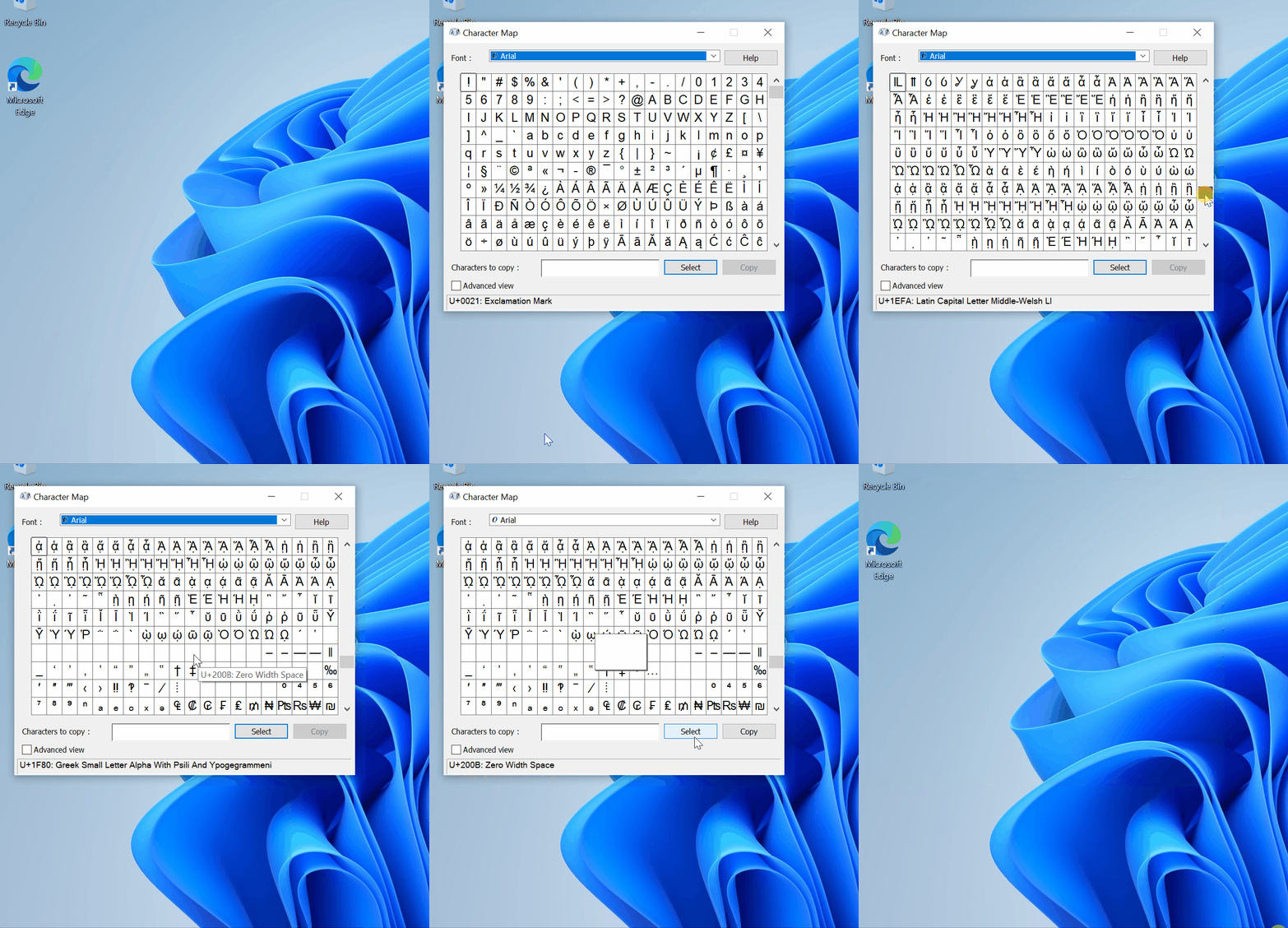
So you’re done with copying. Now it’s time to create a invisible named folder !
Creating the invisible name folder
To start, first navigate to your Desktop. Then right click on a blank area and hover over the ‘New’ and click on ‘Folder’. Now you need to name your folder. For that you need to paste the character (Ctrl + V) and press ‘Enter’. And your invisible name folder is ready !

메타데이터
- post_id
- 713c31ff8a4b
- slug
- how-to-create-a-nameless-folder-for-non-numpad-users-713c31ff8a4b
- url
- https://medium.com/@totalencrypt/how-to-create-a-nameless-folder-for-non-numpad-users-713c31ff8a4b
- canonical_url
- https://medium.com/@totalencrypt/how-to-create-a-nameless-folder-for-non-numpad-users-713c31ff8a4b
- author_url
- https://medium.com/@totalencrypt
- status
- ok
- fetched_at
- 2026-07-25 12:44:45