OpenCode: Auto-Lint Your AI Agent’s Code with a Post-Turn Biome Hook
AI coding agents are fast. They’ll scaffold a feature, refactor a module, and wire up tests before you’ve finished your coffee. But they’re…
OpenCode: Auto-Lint Your AI Agent’s Code with a Post-Turn Biome Hook
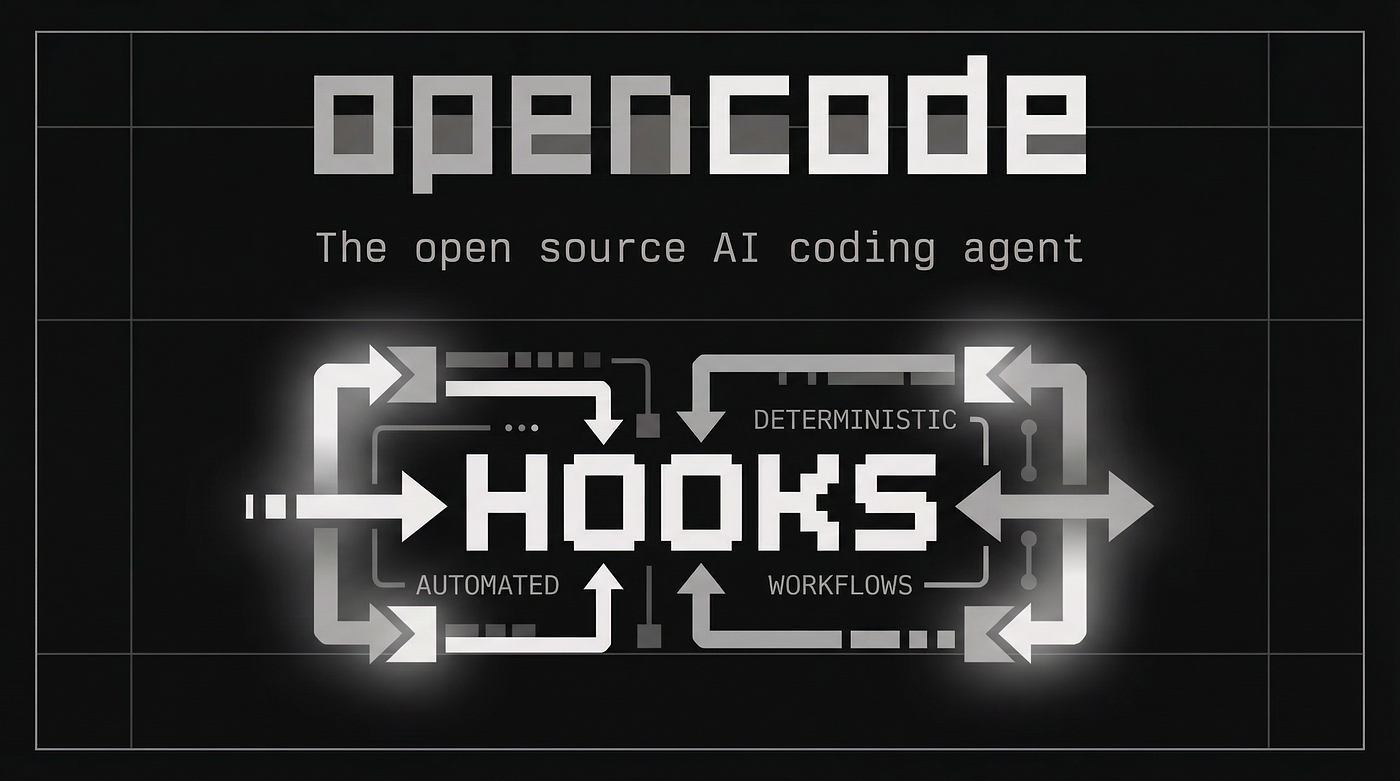
Missing Claude Code hooks? Well, turns out, OpenCode’s plugin system is more powerful and insanely configurable.
AI coding agents are fast. They’ll scaffold a feature, refactor a module, and wire up tests before you’ve finished your coffee. But they’re messy. Inconsistent formatting, unused imports, the occasional any type—your linter lights up like a Christmas tree.
You could fix these by hand. Or you could make the agent clean up after itself.
This tutorial walks through building a post-turn hook in OpenCode that runs Biome every time the agent finishes editing files. Lint errors get fed back to the agent, which fixes them on the spot. You don’t lift a finger.
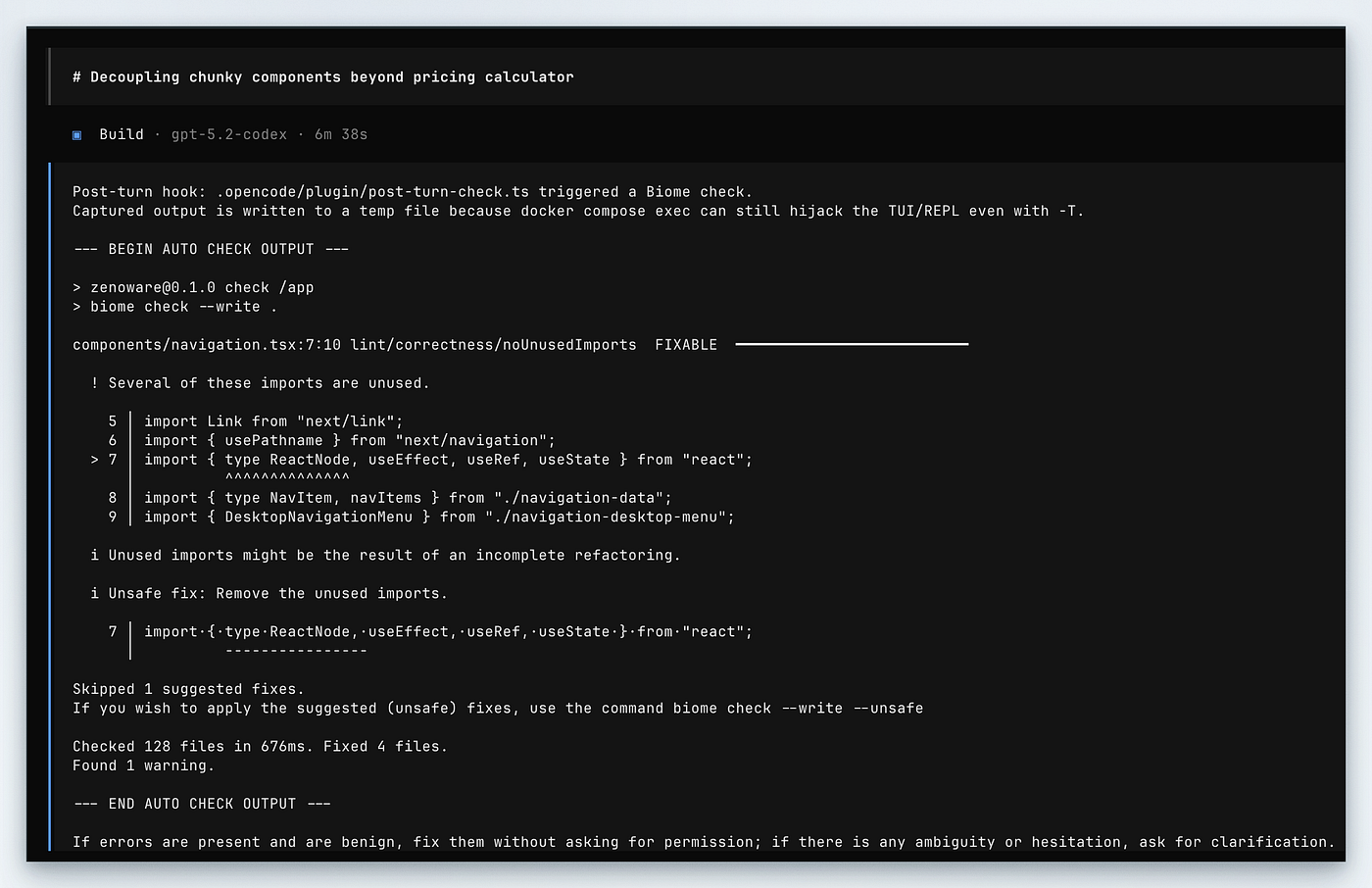
An example of the Biome linter output captured by the hook and passed to the coding agent.
What’s Biome?
If you haven’t met Biome yet: it’s ESLint and Prettier in one tool, written in Rust. Runs 10–25x faster, uses one config file (biome.json), and handles formatting, linting, and import sorting without extra setup.
You configure it once:
{
  "$schema": "https://biomejs.dev/schemas/2.0.0/schema.json",
  "formatter": {
    "indentStyle": "space",
    "indentWidth": 4
  },
  "linter": {
    "rules": {
      "recommended": true
    }
  }
}
Then run biome check --write to lint and format in one pass. That's what we'll hook into.
OpenCode’s plugin system
If you’re coming from Claude Code or another agentic tool, OpenCode’s plugin system will feel different. Plugins aren’t YAML configs or JSON blobs — they’re TypeScript. You get type safety, a shell API, and hooks into the agent’s lifecycle.
A minimal plugin:
import type { Plugin } from "@opencode-ai/plugin";
export const MyPlugin: Plugin = async ({ client, $ }) => {
return {
event: async ({ event }) => {
if (event.type === "session.idle") {
// Agent just finished its turn
}
},
};
};Drop this in .opencode/plugin/ and OpenCode loads it on startup. The client object lets you send messages back to the agent. The $ is Bun's shell API for running commands. With these two, you can watch what the agent does and respond.
The hook
Here’s the full plugin. It watches for file edits, waits for the agent to finish, runs Biome, and feeds errors back.
import { promises as fs } from "node:fs";
import type { Plugin } from "@opencode-ai/plugin";
let hasEdited = false;
const cooldownMs = 15_000;
let lastRunAt = 0;
export const PostTurnCheck: Plugin = async ({ client, $ }) => {
return {
"tool.execute.after": async (input) => {
// Track when the agent modifies files
const editTools = [
"write",
"edit",
"replace_content",
"replace_symbol_body",
"insert_after_symbol",
"insert_before_symbol",
"rename_symbol",
"create_text_file",
];
if (editTools.includes(input.tool)) {
hasEdited = true;
}
},
event: async ({ event }) => {
if (event.type !== "session.idle") return;
if (!hasEdited) return;
const now = Date.now();
if (now - lastRunAt < cooldownMs) return;
lastRunAt = now;
hasEdited = false;
// Run Biome and capture output
const outputFile = `/tmp/opencode-check-${Date.now()}.log`;
await $`sh -c ${"pnpm run check > " + outputFile + " 2>&1 || true"}`;
const output = await fs.readFile(outputFile, "utf8").catch(() => "");
const message = `
Post-turn lint check completed.
--- BEGIN BIOME OUTPUT ---
${output || "No issues found."}
--- END BIOME OUTPUT ---
If there are errors, fix them. If something's unclear, ask.
`.trim();
// Send results back to the agent
const sessionID = event.properties.sessionID;
if (sessionID) {
await client.session.prompt({
path: { id: sessionID },
body: {
parts: [{ type: "text", text: message }],
},
});
}
},
};
};Save this as .opencode/plugin/post-turn-check.ts. You'll also need a package.json in .opencode/ with the plugin dependency:
{
  "dependencies": {
    "@opencode-ai/plugin": "^1.1.13"
  }
}
OpenCode installs dependencies automatically on startup.
How it works
Tracking edits
The hook doesn’t run Biome on every turn — wasteful. It watches the tool.execute.after event and sets a flag when the agent uses a file-modification tool (write, edit, replace_content, etc.).
If the agent spends a turn reading files or searching the codebase, we skip the lint check.
The cooldown
AI agents make rapid-fire edits. Ask the agent to fix ten type errors, and it might touch files a dozen times in quick succession. Running Biome after every edit would thrash your terminal.
The cooldown (15 seconds by default) prevents this. After a lint run, triggers are ignored until the timer resets. The agent finishes its work before the next check.
Running the check
The shell command looks odd:
await $`sh -c ${"pnpm run check > " + outputFile + " 2>&1 || true"}`;Why write to a file instead of capturing stdout? Some environments — especially Docker Compose with exec—hijack the terminal even when you disable TTY allocation. Writing to a temp file sidesteps this.
The || true stops the command from throwing when Biome finds errors—we want to capture those, not crash the hook.
If you’re not using Docker, you can simplify this to:
const result = await $`pnpm run check`.text();Feeding results back
client.session.prompt() is the key. It sends a message to the agent as if you'd typed it. The agent sees the Biome output, reads it, and acts.
Here it is in action:
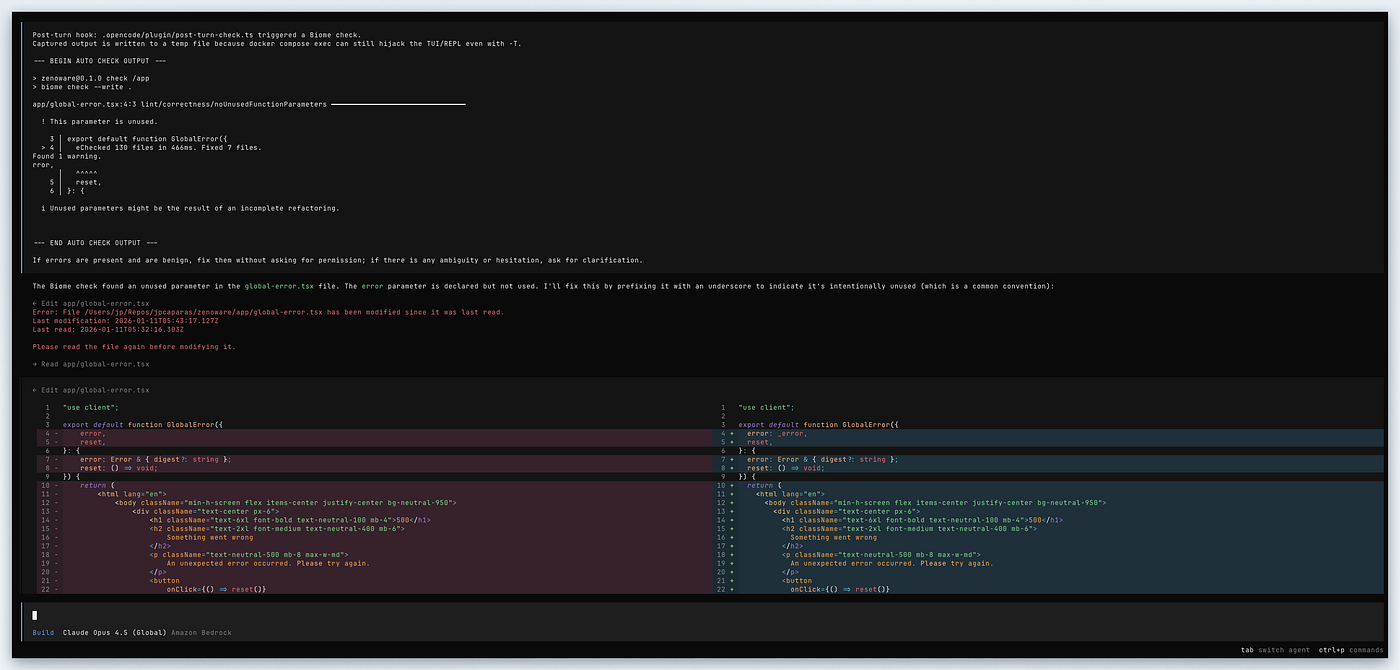
You’ll need to zoom in, but once you see the prompt passed back to OpenCode through our hook, you’ll be hooked (no pun intended)
The prompt is short on purpose: “If there are errors, fix them. If something’s unclear, ask.” The agent handles routine lint fixes on its own but checks in when something’s ambiguous.
Beyond linting
This structure works for more than lint:
- Type checking: Run
tsc --noEmitand feed errors back - Tests: Run affected tests after edits to relevant files
- Security scanning: Run
npm auditor similar after dependency changes - Custom validators: Any CLI tool that outputs errors can become a post-turn hook
Same pattern: track edits, wait for idle, run your check, feed results back.
Wrapping up
AI agents write code fast. A post-turn hook makes them write code that passes your linter too. The agent handles the cleanup; you focus on the problem.
If you’re moving from Claude Code to OpenCode, this is what makes the switch worthwhile. Plugins are TypeScript, hooks are flexible, and you’re not wrestling YAML to get custom behaviour working.
Drop the hook in, tweak the cooldown, and let the agent clean up its own mess.
Liked this guide?
Looking for a reliable OpenCode provider? Consider using Synthetic and use my referral link below:
➡️ **Sign up for Synthetic.new**
We both get subscription credit when you subscribe.
$10 credit for you, $10 credit for me.
It’s a nice way to say thanks if this article helped make a difference in your productivity.
But honestly, just try it out for a few days and see the difference for yourself.
Can’t go wrong with that crowd.
Related reading
[embed]The definitive guide to OpenCode: from first install to production workflows reading.sh
References
- OpenCode Plugin Documentation — Full guide to the plugin system, hooks, and custom tools
- Biome — Official site for the Biome toolchain
- Biome Migration Guide — How to migrate from ESLint + Prettier
- Bun Shell API — Documentation for the
$shell API used in plugins
메타데이터
- post_id
- 7158d75c63db
- slug
- opencode-auto-lint-your-ai-agents-code-with-a-post-turn-biome-hook-7158d75c63db
- url
- https://ai.sulat.com/opencode-auto-lint-your-ai-agents-code-with-a-post-turn-biome-hook-7158d75c63db
- canonical_url
- https://ai.sulat.com/opencode-auto-lint-your-ai-agents-code-with-a-post-turn-biome-hook-7158d75c63db
- author_url
- https://medium.com/@jpcaparas
- status
- ok
- fetched_at
- 2026-07-15 14:03:45