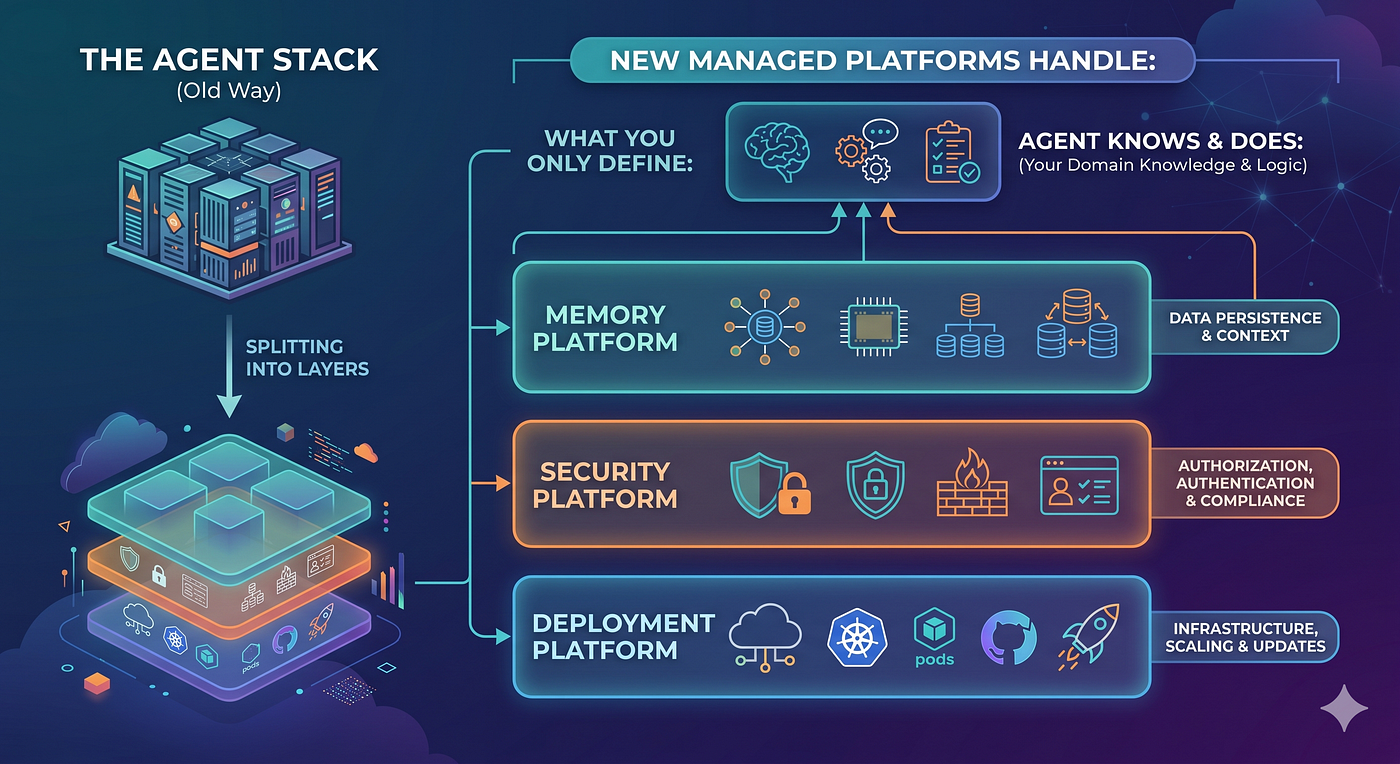
Vibe Code Beginner Kit: Building with AI Coding Agents Without Spending a Cent
Turn your ideas into working code with AI agents, zero budget required
Vibe Code Beginner Kit: Building with AI Coding Agents Without Spending a Cent
Turn your ideas into working code with AI agents, zero budget required

The Problem Every Developer Faces
Picture this: You have a brilliant app idea. You’re excited to build it, but then reality hits. Where do you start? How do you structure the project? What if you lose context halfway through? How do you avoid spiraling costs from AI API calls while searching through your codebase?
Traditional development often feels like navigating without a map. You start coding, realize you need to restructure everything, lose track of your original vision, and end up with a half-finished project gathering digital dust.
But what if there was a better way? What if you could have an AI coding assistant that not only helps you code but also keeps you organized, maintains context across sessions, and does it all without breaking the bank?
Welcome to the world of Vibe Coding — where AI agents handle the heavy lifting while you focus on bringing your ideas to life.
What You’ll Learn
By the end of this guide, you’ll have:
- A complete development workflow using free AI tools
- An AI assistant that maintains context across long coding sessions
- Smart code indexing that eliminates expensive search operations
- A spec-driven approach that prevents scope creep and keeps you focused
- A working project structure that scales with your ambitions
The Trinity Magic Stack (All Free!)
🤖 Gemini CLI
Google’s powerful coding assistant that runs directly in your terminal. While tools like Claude Code offer premium coding capabilities, Gemini CLI delivers comparable functionality completely free with an impressive 1M token context window and 1000 requests per day. That’s enough context to understand entire codebases and enough requests to build substantial projects without hitting limits.
📋 Spec-Kit
A GitHub project that enforces spec-driven development. Think of it as your project’s GPS — keeping you on track and preventing feature creep.
🔍 Serena MCP
An intelligent Model Context Protocol (MCP) server that indexes your code locally, eliminating the need for expensive search APIs while maintaining perfect context awareness.
Why This Combination Works
- Zero cost: Everything is free to use
- Context preservation: No more losing track of your progress between sessions
- Intelligent organization: Spec-driven approach keeps projects focused
- Local intelligence: Serena indexes your code without sending it to external APIs
Prerequisites
Before we dive in, make sure you have:
- Node.js (version 16 or higher)
- Git installed
- Basic terminal familiarity
- A Gemini API key (free from Google AI Studio)
The Complete Setup Trinity
Step 1: Install Gemini CLI
npm install -g @google/gemini-cliStep 2: Set Up Serena MCP
Create or edit ~/.gemini/settings.json:
{
  "selectedAuthType": "gemini-api-key",
  "mcpServers": {
    "serena": {
      "command": "/usr/local/bin/uvx",
      "args": ["--from", "git+https://github.com/oraios/serena", "serena", "start-mcp-server"]
    }
  }
}
Finding your uvx path:
which uvx
# Use the output path in your settings.json
Step 3: Initialize Your Project with Spec-Kit
uvx --from git+https://github.com/github/spec-kit.git specify init my-awesome-app --ai gemini
cd my-awesome-app
That’s it! Spec-kit automatically initializes git and sets up your project structure.
The Vibe Code Workflow: From Idea to Reality
Now comes the magic. With everything set up, you have access to a three-command workflow that transforms ideas into structured, implementable projects.
Enter Your AI-Powered Development Environment
geminiTo login by google account in gemini console.
/auth
Welcome to your new coding companion! Let’s walk through the workflow with a real example.
Real Example: Building a Personal Habit Tracker
Let’s say you want to build a habit tracking app. Here’s how the Vibe Code workflow transforms this vague idea into a concrete plan.
Step 1: Specify Your Vision
/specify I want to build a personal habit tracker where users can create habits, mark them as complete daily, see their streaks, and get insights about their consistency over time.What happens: Gemini analyzes your idea and generates a comprehensive spec.md file that includes:
- User stories and acceptance criteria
- Core features and scope boundaries
- Success metrics
- Technical considerations
Example output:
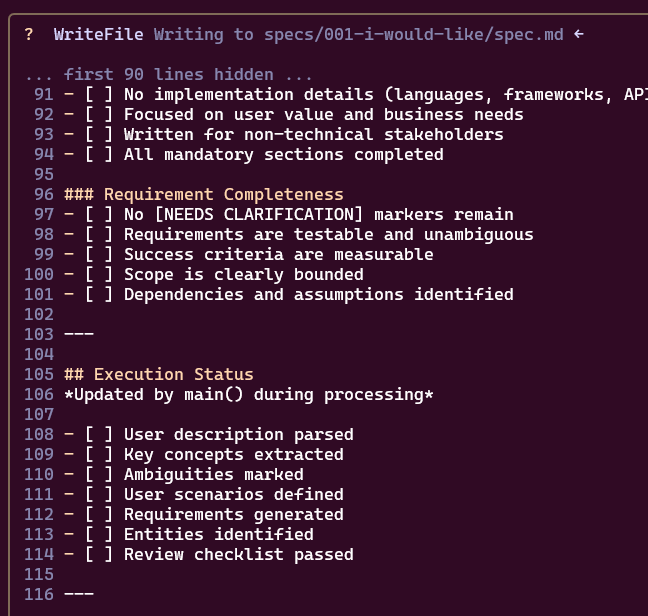
Take time to review this spec. If something doesn’t align with your vision, just tell Gemini what to adjust.
Step 2: Create Your Implementation Plan
/plan
What happens: Spec-kit creates a new git branch and generates several crucial files:

**plan.md** - Your technical roadmap:
**research.md** - Open questions to resolve:
**data-model.md** - Your data structures:
**contracts/** - API specifications defining how your frontend and backend communicate
**quickstart.md** - User testing scenarios to validate your implementation
Step 3: Generate Actionable Tasks
/tasks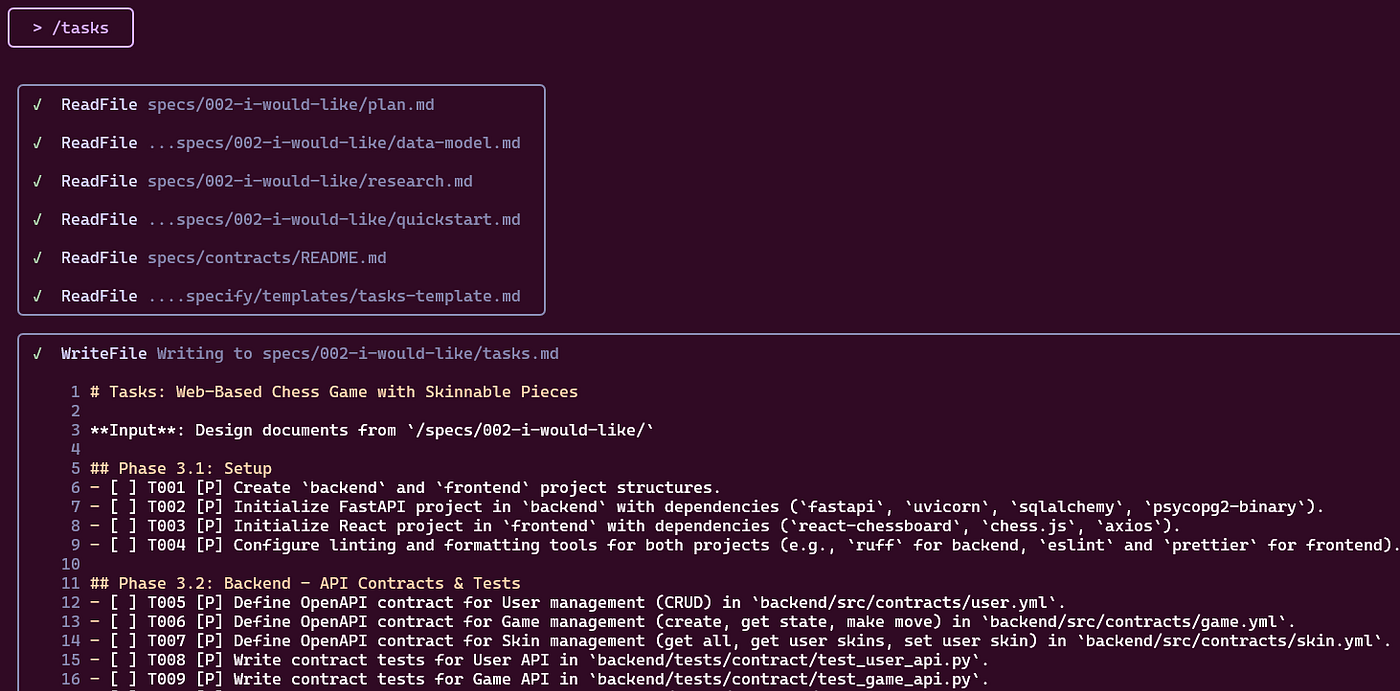
What happens: Spec-kit analyzes all your planning documents and creates a tasks.md file with concrete, actionable items:
## Development Tasks
### Phase 1: Foundation (Can be done in parallel)
- [ ] Set up React TypeScript project with Vite
- [ ] Initialize Express server with TypeScript
- [ ] Set up SQLite database with initial schema
- [ ] Configure development environment and scripts
### Phase 2: Core Features
- [ ] Implement Habit CRUD API endpoints
- [ ] Create habit creation/editing forms
- [ ] Build habit list interface
- [ ] Add daily check-in interface
Let Your AI Agent Work
Now comes the exciting part. With your specifications and tasks clearly defined, you can hand over the implementation to your AI assistant:
Now we can start working on tasks in @specs/001-habit-tracker/tasks.md. Remember to use serena to index code and search for relevant documentation.Watch the magic happen:
- Serena activates and begins indexing your project structure
- Gemini reads your specifications and understands the complete context
- Code generation begins following your exact technical specifications
- Files are created systematically with proper structure and dependencies
Example of what you’ll see:

🔍 Serena: Activating project …

✅ Setup environment
If something fails, simply say:
Try againTo continue progress:
Keep going with the next tasks
The Power of Context Preservation
Here’s where this approach truly shines. Unlike traditional AI coding sessions where you lose context and have to re-explain everything, this workflow maintains perfect awareness of:
- Your original specifications (always accessible via spec.md)
- Your technical decisions (documented in plan.md)
- Your current progress (tracked in tasks.md)
- Your codebase structure (indexed by Serena)
You can close your terminal, take a break for days, come back, and pick up exactly where you left off without losing any context.
Finishing Strong
Once your tasks are complete, wrap up your project:
Please write a comprehensive README.md that explains how to set up and run this project, including all dependencies and environment setup.Your AI agent will generate documentation that covers:
- Installation instructions
- Environment setup
- Running the development server
- API endpoints
- Project structure explanation
- Deployment guidelines
Advanced Tips for Vibe Coders
1. Iterative Refinement
Don’t worry about getting the spec perfect initially. You can always refine:
/specify update the habit tracker to include social features where users can share their progress with friends2. Parallel Development
The task breakdown often suggests parallel work streams. You can work on frontend components while the AI handles backend APIs.
3. Research-Driven Development
Use the research.md file to guide technical decisions:
Help me research the best approach for calculating habit streaks efficiently. Look at the research questions in @specs/002-habit-tracker/research.md4. Context-Aware Debugging
When issues arise, Serena’s indexing means the AI has full awareness of your codebase:
The habit streak calculation seems wrong. Can you examine the logic in src/utils/streakCalculator.ts and fix any issues?Troubleshooting Common Issues
MCP Connection Issues
If Serena isn’t connecting:
- Verify your uvx path with
which uvx - Check that the path in settings.json matches exactly
- Restart Gemini CLI
Context Loss
If the AI seems confused:
Please review the specifications in @specs/[your-project]/spec.md to understand the current project contextTask Overwhelm
If the task list feels overwhelming:
Can you prioritize the tasks in @specs/[your-project]/tasks.md and suggest which ones I should focus on first?Beyond the Basics: Scaling Your Vibe Code Skills
Once you’re comfortable with the workflow, explore these advanced techniques:
Multi-Project Management
Use spec-kit to manage multiple projects with consistent structure:
uvx --from git+https://github.com/github/spec-kit.git specify init project-two --ai geminiCustom MCP Integration
Extend Serena with custom indexing for your specific domain:
- Database schema awareness
- API documentation integration
- Custom code pattern recognition
Collaborative Development
Share your spec files with team members to maintain alignment:
- Version control your specifications
- Use branching for feature exploration
- Merge specifications as projects evolve
The Future of Development
This workflow represents a fundamental shift in how we build software. Instead of wrestling with complexity, we partner with AI to handle the mechanical aspects while we focus on creativity and problem-solving.
The combination of specification-driven development, intelligent context management, and free AI assistance democratizes software creation. You don’t need years of experience or expensive tools — just a clear vision and the right workflow.
Your Next Steps
- Set up the tools following this guide
- Start with a simple project to get comfortable with the workflow
- Join the community of vibe coders sharing experiences and improvements
- Iterate and improve your development process based on what you learn
Conclusion
The era of struggling with complex development setups and losing project context is over. With the Vibe Code workflow, you have everything needed to transform ideas into reality:
- Free, powerful AI assistance that understands your complete project
- Structured approach that prevents common pitfalls
- Context preservation that lets you develop at your own pace
- Scalable workflow that grows with your ambitions
The only question left is: What will you build first?
Ready to start your vibe coding journey? Set up the tools and begin with a simple project. Remember, every expert was once a beginner — but with AI as your coding partner, you’re starting with superpowers.
Resources:
Found this helpful? Follow for more AI-powered development guides and share your own vibe coding success stories in the comments below.
메타데이터
- post_id
- 717aa78b97bc
- slug
- vibe-code-beginner-kit-building-with-ai-coding-agents-without-spending-a-cent-717aa78b97bc
- url
- https://medium.com/@hieutrantrung.it/vibe-code-beginner-kit-building-with-ai-coding-agents-without-spending-a-cent-717aa78b97bc
- canonical_url
- https://medium.com/@hieutrantrung.it/vibe-code-beginner-kit-building-with-ai-coding-agents-without-spending-a-cent-717aa78b97bc
- author_url
- https://medium.com/@hieutrantrung.it
- status
- ok
- fetched_at
- 2026-08-01 14:11:17