Serverless + AI on AWS: How I Built a Production LLM Pipeline
An end-to-end engineering guide covering Lambda, Bedrock, SQS, DynamoDB, and everything in between.
Serverless + AI on AWS: How I Built a Production LLM Pipeline
An end-to-end engineering guide covering Lambda, Bedrock, SQS, DynamoDB, and everything in between.
I want to be upfront about something before we start.
Most serverless AI tutorials get you to a successful demo in about fifteen minutes. The problem is that the first real production issue usually arrives a few hours later. Mine did. The code worked perfectly until traffic increased, Bedrock started throttling, and I realized none of the examples I had followed talked about quotas, retries, or observability. That is not what this is.
This guide covers what I actually had to figure out the hard way — the IAM gotchas, the token cost math, the streaming setup that API Gateway silently breaks, and the async pattern for jobs that take longer than a browser will wait. Everything here runs in production. The code is complete, not pseudocode.
If you have been building distributed systems for a few years and you are trying to figure out whether Lambda is the right home for your LLM workloads in 2025, read on. I think it is — and I am going to show you exactly why.
Why Lambda and Bedrock are a natural pair
There is a mental model shift worth making here. For most of the last decade, serverless was pitched as a cost-saving trick for low-traffic or event-driven workloads — not something you would reach for when performance mattered.
LLM inference breaks that assumption cleanly.
Think about the shape of an LLM request: a client sends a prompt, your infrastructure waits anywhere from one to thirty seconds while a model generates tokens, then the response goes back. There is no warm state between requests. There is no reason to keep a server alive between calls. The workload is naturally bursty, and the bottleneck is always the model API — not your compute.
Lambda is almost offensively well-suited for this. A function spins up, fires a request to Amazon Bedrock, streams the response back, and disappears. You pay for the seconds it is actually running. Nothing more.
The real unlock in 2025 is that Lambda now supports genuine response streaming through Function URLs, and Bedrock gives you managed access to Claude 3.5 Sonnet, Llama 3, and a growing roster of foundation models without you touching a single GPU. The infrastructure problem is essentially solved. What remains is knowing how to wire it up correctly.
The full architecture before we write a line of code
Two distinct paths handle two distinct problem shapes.
The synchronous path is for anything where a user is actively waiting — a chat interface, a real-time summarization tool, a copilot sidebar. The request hits API Gateway, a Lambda function fires, Bedrock streams tokens back, and the function forwards them to the client as Server-Sent Events. Total round trip for a typical response: three to eight seconds.
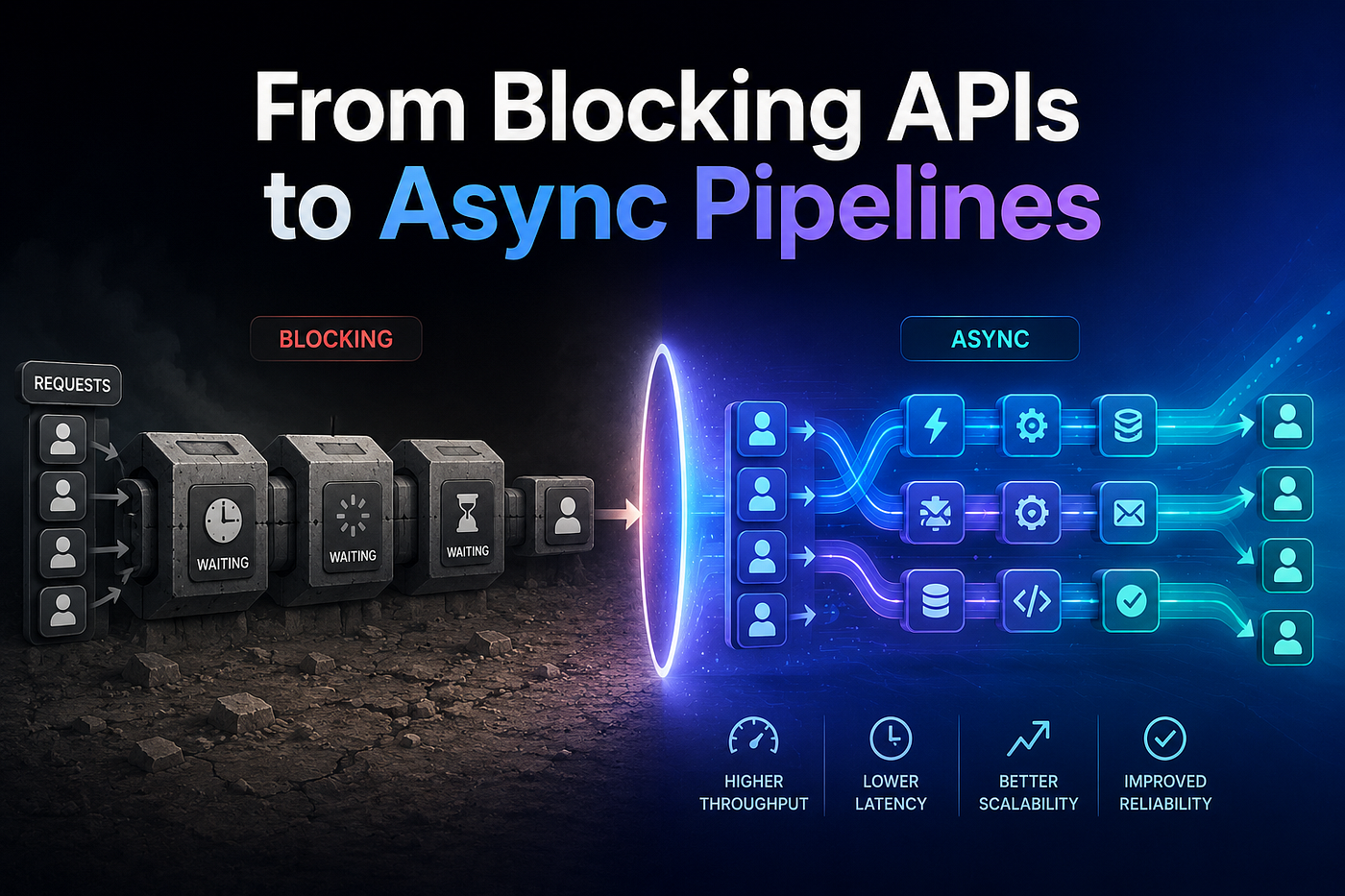
The async path is for anything that cannot fit in a browser’s patience window — document analysis, batch classification, multi-step reasoning chains. The request hits API Gateway, a Lambda function drops a job onto an SQS FIFO queue and immediately returns a job ID to the client. A second Lambda function — the worker — picks up that job, calls Bedrock, and writes the result to DynamoDB. The client polls for completion.
Supporting both paths: an IAM role with least-privilege permissions, CloudWatch for structured logs and custom metrics, X-Ray for distributed tracing across the Bedrock call boundary, and DynamoDB as both a result store and a token-cost ledger.
That is the whole system. Let us build it from the ground up.
Step 1: Enable model access in Amazon Bedrock
This is the step that silently blocks every first-time deployment and nobody writes about it prominently enough.
Navigate to the Amazon Bedrock console in us-east-1 or us-west-2 — model availability varies by region and both of these have the widest selection. Find Model access in the left sidebar and request access to the models you intend to use. For Claude 3.5 Sonnet, you will need to accept Anthropic’s usage policy. The approval is typically instant, but occasionally takes a few minutes.
Ask me how I know. I spent longer than I care to admit debugging what looked like an IAM problem before realizing the model itself had never been enabled in Bedrock. The error message technically tells you what is wrong, but not in a way that makes the root cause obvious..
One more thing while you are here: check your Service Quotas for Bedrock. A fresh AWS account defaults to something like 10 requests per minute for Claude. That ceiling will hurt in production. Open the Service Quotas console, search for Bedrock, and request an increase to at least 100 RPM before you launch anything real.
Step 2: The IAM role — get this right once
Lambda needs a single execution role with permissions to invoke Bedrock, read and write DynamoDB, send and receive SQS messages, write logs to CloudWatch, and emit trace data to X-Ray. Nothing else.
In the IAM console: Roles → Create role → AWS Service → Lambda. Skip the managed policies and attach this inline policy directly:
{
  "Version": "2012-10-17",
  "Statement": [
    {
      "Effect": "Allow",
      "Action": [
        "bedrock:InvokeModel",
        "bedrock:InvokeModelWithResponseStream"
      ],
      "Resource": "arn:aws:bedrock:*::foundation-model/*"
    },
    {
      "Effect": "Allow",
      "Action": [
        "dynamodb:GetItem",
        "dynamodb:PutItem",
        "dynamodb:UpdateItem",
        "dynamodb:Query"
      ],
      "Resource": "arn:aws:dynamodb:*:*:table/llm-results*"
    },
    {
      "Effect": "Allow",
      "Action": [
        "sqs:SendMessage",
        "sqs:ReceiveMessage",
        "sqs:DeleteMessage",
        "sqs:GetQueueAttributes"
      ],
      "Resource": "arn:aws:sqs:*:*:llm-jobs*"
    },
    {
      "Effect": "Allow",
      "Action": [
        "logs:CreateLogGroup",
        "logs:CreateLogStream",
        "logs:PutLogEvents"
      ],
      "Resource": "arn:aws:logs:*:*:*"
    },
    {
      "Effect": "Allow",
      "Action": [
        "xray:PutTraceSegments",
        "xray:PutTelemetryRecords"
      ],
      "Resource": "*"
    }
  ]
}
Name the role llm-lambda-execution-role. You will reference it in every Lambda function you create for this system.
Step 3: Create the Lambda function
In the Lambda console: Functions → Create function → Author from scratch.
The settings that actually matter:
- Runtime: Python 3.12
- Architecture: arm64 — this is Graviton2 and costs roughly 20% less than x86 for the same memory allocation. For I/O-bound workloads like Bedrock calls, it is never slower.
- Memory: 1024 MB. Lambda allocates CPU proportionally to memory, and you want enough headroom to handle JSON serialization of large responses without slowing down.
- Timeout: 5 minutes. This covers even the longest Bedrock streaming responses with room to spare.
- Execution role: the one you created above.
For the streaming variant, scroll down to Advanced settings and enable the Function URL. Set the invoke mode to RESPONSE_STREAM. This is what enables true token-level streaming — API Gateway cannot do this because it buffers the entire response before returning it to the client. That distinction matters more than most tutorials acknowledge.
The streaming handler — complete implementation
[H2 — select and press large T]
This is the core Lambda function for synchronous, real-time requests. It calls Bedrock’s streaming API, accumulates the full response, logs the token usage to DynamoDB, and returns the result. Comments in the code explain each decision:
import json
import time
import boto3
import logging
import uuid
from datetime import datetime, timezone
from typing import Generator
# Use structured logging — plain print() statements are invisible
# to CloudWatch Insights queries and make oncall debugging painful.
logger = logging.getLogger()
logger.setLevel(logging.INFO)# Initializing clients outside the handler is critical for performance.
# Lambda reuses the execution environment between invocations, so
# these connections are established once and reused on warm starts.
bedrock = boto3.client("bedrock-runtime", region_name="us-east-1")
dynamodb = boto3.resource("dynamodb")
table = dynamodb.Table("llm-results")MODEL_ID = "anthropic.claude-3-5-sonnet-20241022-v2:0"
MAX_TOKENS = 4096
ANTHROPIC_VERSION = "bedrock-2023-05-31"
def build_bedrock_payload(messages: list, system_prompt: str) -> dict:
    return {
        "anthropic_version": ANTHROPIC_VERSION,
        "max_tokens": MAX_TOKENS,
        "system": system_prompt,
        "messages": messages,
        "temperature": 0.7,
        "top_p": 0.95,
    }
def stream_bedrock_response(payload: dict) -> Generator[str, None, dict]:
    """
    Streams tokens from Bedrock one chunk at a time.
    Yields text strings. Returns usage metadata via StopIteration.value
    when the stream is exhausted — a Python 3.3+ generator pattern.
    """
    response = bedrock.invoke_model_with_response_stream(
        modelId=MODEL_ID,
        body=json.dumps(payload),
        contentType="application/json",
        accept="application/json",
    )
usage = {}
for event in response["body"]:
chunk = json.loads(event["chunk"]["bytes"])
chunk_type = chunk.get("type") if chunk_type == "content_block_delta":
delta = chunk.get("delta", {})
if delta.get("type") == "text_delta":
yield delta["text"] elif chunk_type == "message_delta":
# The final delta carries cumulative token counts.
usage = chunk.get("usage", {}) return usage
def persist_to_dynamodb(request_id: str, messages: list, response_text: str, usage: dict):
    table.put_item(
        Item={
            "requestId": request_id,
            "month": datetime.now(timezone.utc).strftime("%Y-%m"),
            "timestamp": datetime.now(timezone.utc).isoformat(),
            "model": MODEL_ID,
            "messages": messages,
            "response": response_text,
            "inputTokens": usage.get("input_tokens", 0),
            "outputTokens": usage.get("output_tokens", 0),
            "ttl": int(time.time()) + 2592000  # 30-day TTL — DynamoDB requires a Unix epoch timestamp, not a duration in seconds
        }
    )
def lambda_handler(event, context):
    request_id = event.get("requestContext", {}).get(
        "requestId", str(uuid.uuid4())
    )
logger.info(json.dumps({
"event": "request_start",
"requestId": request_id,
"function": context.function_name,
})) try:
body = json.loads(event.get("body", "{}"))
messages = body.get("messages", [])
system_prompt = body.get(
"system",
"You are a helpful AI assistant. Be precise and concise."
) if not messages:
return {
"statusCode": 400,
"body": json.dumps({"error": "messages array is required"})
} payload = build_bedrock_payload(messages, system_prompt)
full_response = []
usage_data = {} try:
gen = stream_bedrock_response(payload)
while True:
try:
token = next(gen)
full_response.append(token)
except StopIteration as e:
usage_data = e.value or {}
break except bedrock.exceptions.ThrottlingException:
logger.warning(json.dumps({
"event": "bedrock_throttled",
"requestId": request_id
}))
return {"statusCode": 429, "body": json.dumps({"error": "rate_limited"})} response_text = "".join(full_response)
persist_to_dynamodb(request_id, messages, response_text, usage_data) logger.info(json.dumps({
"event": "request_complete",
"requestId": request_id,
"inputTokens": usage_data.get("input_tokens"),
"outputTokens": usage_data.get("output_tokens"),
})) return {
"statusCode": 200,
"headers": {
"Content-Type": "application/json",
"X-Request-Id": request_id,
},
"body": json.dumps({
"response": response_text,
"usage": usage_data,
"requestId": request_id,
})
} except Exception as e:
logger.error(json.dumps({
"event": "unhandled_error",
"requestId": request_id,
"error": str(e),
}), exc_info=True)
return {
"statusCode": 500,
"body": json.dumps({"error": "Internal error", "requestId": request_id})
}True token streaming via Function URLs
The handler above accumulates the full response before returning it, which is fine for most use cases. But if you are building a chat interface where users watch tokens appear in real time — the ChatGPT-style typewriter effect — you need Lambda Function URLs with RESPONSE_STREAM mode.
One important caveat the tutorials skip over: Lambda’s native streamifyResponse decorator is only available in Node.js managed runtimes. For Python, the recommended approach is the Lambda Web Adapter — an AWS-published Lambda layer that wraps any ASGI/WSGI framework and handles the streaming protocol correctly. Here is the complete working pattern using FastAPI + Lambda Web Adapter:
# requirements.txt additions:
#   fastapi
#   uvicorn[standard]
#
# Deploy with Lambda Web Adapter layer:
#   arn:aws:lambda:<region>:753240598075:layer:LambdaAdapterLayerArm64:<latest-version>
# Set environment variable: AWS_LAMBDA_EXEC_WRAPPER=/opt/bootstrap
# Set handler to your uvicorn startup script (run.sh) per the AWS LWA docs:
# https://github.com/awslabs/aws-lambda-web-adapter/tree/main/examples/fastapi-response-streaming
import json
import boto3
import logging
from fastapi import FastAPI
from fastapi.responses import StreamingResponselogger = logging.getLogger()
logger.setLevel(logging.INFO)app = FastAPI()bedrock = boto3.client("bedrock-runtime", region_name="us-east-1")
MODEL_ID = "anthropic.claude-3-5-sonnet-20241022-v2:0"
def bedrock_token_stream(messages: list, system: str):
    """
    Generator that yields SSE-formatted chunks as Bedrock produces them.
    Each chunk is b'data: {"text": "..."}\n\n' -- the format browsers
    parse natively with EventSource or fetch + ReadableStream.
    """
    payload = {
        "anthropic_version": "bedrock-2023-05-31",
        "max_tokens": 4096,
        "system": system,
        "messages": messages,
    }
response = bedrock.invoke_model_with_response_stream(
modelId=MODEL_ID,
body=json.dumps(payload),
contentType="application/json",
accept="application/json",
) for event in response["body"]:
chunk = json.loads(event["chunk"]["bytes"])
if chunk.get("type") == "content_block_delta":
delta = chunk.get("delta", {})
if delta.get("type") == "text_delta":
data = json.dumps({"text": delta["text"]})
yield f"data: {data}\n\n".encode() yield b"data: [DONE]\n\n"
@app.post("/stream")
async def stream_chat(request: dict):
    messages = request.get("messages", [])
    system = request.get("system", "You are a helpful assistant.")
if not messages:
return {"error": "messages array is required"}, 400 return StreamingResponse(
bedrock_token_stream(messages, system),
media_type="text/event-stream",
headers={
"Cache-Control": "no-cache",
"X-Accel-Buffering": "no", # disables nginx proxy buffering if present
"Access-Control-Allow-Origin": "*",
},
)In your SAM template, add the Lambda Web Adapter layer and set InvokeMode: RESPONSE_STREAM on the Function URL:
StreamingFunction:
  Type: AWS::Serverless::Function
  Properties:
    FunctionName: llm-streaming-handler
    Handler: run.sh          # Lambda Web Adapter bootstrap script
    Runtime: python3.12
    Architectures: [arm64]
    Layers:
      # Check https://github.com/awslabs/aws-lambda-web-adapter for the latest version number
      - !Sub arn:aws:lambda:${AWS::Region}:753240598075:layer:LambdaAdapterLayerArm64:25
    Environment:
      Variables:
        AWS_LAMBDA_EXEC_WRAPPER: /opt/bootstrap
        PORT: "8080"
    FunctionUrlConfig:
      AuthType: AWS_IAM
      InvokeMode: RESPONSE_STREAM
      Cors:
        AllowOrigins: ["https://your-domain.com"]
        AllowMethods: [POST]
Token cost management — the piece everyone ignores
Token costs are not a DevOps concern or a finance team concern. They are an engineering concern, and they need to be built into the system from day one. The code below estimates costs per request, tracks monthly spend in DynamoDB, and exposes a budget gate that your handler can call before firing each Bedrock request:
import os
import boto3
from dataclasses import dataclass
from datetime import datetime
# Claude 3.5 Sonnet v2 pricing — us-east-1, as of Q1 2026
# NOTE: Legacy Claude 3.5 Sonnet v2 entered Public Extended Access in Dec 2025,
# which doubled the price from the original $0.003/$0.015 rates.
# Migrate to Claude Sonnet 4.5 (same price, better performance) when available in your region.
INPUT_COST_PER_1K = 0.006 # $0.006 per 1,000 input tokens
OUTPUT_COST_PER_1K = 0.030 # $0.030 per 1,000 output tokensMONTHLY_BUDGET_USD = float(os.environ.get("MONTHLY_BUDGET_USD", "100.0"))dynamodb = boto3.resource("dynamodb")
table = dynamodb.Table("llm-results")
@dataclass
class BudgetCheckResult:
estimated_cost_usd: float
monthly_spend_usd: float
budget_remaining_usd: float
over_budget: bool
def estimate_cost(input_tokens: int, output_tokens: int) -> float:
input_cost = (input_tokens / 1000) * INPUT_COST_PER_1K
output_cost = (output_tokens / 1000) * OUTPUT_COST_PER_1K
return round(input_cost + output_cost, 6)
def get_monthly_spend() -> float:
"""
Queries DynamoDB for accumulated token costs in the current calendar month.
Requires a GSI on the 'month' attribute — see the SAM template below.
"""
current_month = datetime.utcnow().strftime("%Y-%m") response = table.query(
IndexName="month-index",
KeyConditionExpression="#m = :month",
ExpressionAttributeNames={"#m": "month"},
ExpressionAttributeValues={":month": current_month},
Select="SPECIFIC_ATTRIBUTES",
ProjectionExpression="inputTokens, outputTokens",
) total = 0.0
for item in response.get("Items", []):
total += estimate_cost(
item.get("inputTokens", 0),
item.get("outputTokens", 0)
)
return round(total, 4)
def check_budget(input_tokens: int, output_tokens: int) -> BudgetCheckResult:
current_spend = get_monthly_spend()
request_cost = estimate_cost(input_tokens, output_tokens)
remaining = MONTHLY_BUDGET_USD - current_spend return BudgetCheckResult(
estimated_cost_usd=request_cost,
monthly_spend_usd=current_spend,
budget_remaining_usd=remaining,
over_budget=(current_spend + request_cost) > MONTHLY_BUDGET_USD
)
# Usage in your main handler:
# budget = check_budget(estimated_input_tokens, MAX_TOKENS)
# if budget.over_budget:
# return {"statusCode": 429, "body": json.dumps({"error": "monthly_budget_exceeded"})}To give you a concrete sense of what this costs at scale, here is the math for 100,000 requests in a single month, assuming 500 input tokens and 800 output tokens per request on average:
- Lambda (arm64, 1 GB, ~3s avg): $3.99
- API Gateway (HTTP API): $0.10
- Bedrock — Claude 3.5 Sonnet v2: ~$42.00 (500 input tokens × $0.006/1K + 800 output tokens × $0.030/1K = $0.000420/req × 100K)
- DynamoDB (on-demand): $0.14
- CloudWatch Logs: ~$1.00
- Total: roughly $47.23 — about ₹3,940
That is 100,000 production LLM requests. The Bedrock line is the dominant cost and has roughly tripled compared to the original 2024 pricing: Claude 3.5 Sonnet v2 entered AWS Extended Access in December 2025, which doubled on-demand token rates. For high-volume workloads, switching to Bedrock Batch Inference (50% discount) or migrating to Claude Sonnet 4.5 (same $3/$15 per million token rate, better performance) will cut that line in half. The Lambda, API Gateway, and DynamoDB costs remain negligible regardless.
Async jobs with SQS — for workloads that take time
Not every LLM task fits inside a browser’s attention span. Document summarization, multi-step reasoning chains, bulk classification — these need an async pattern. The system has two halves: a producer (the API handler) that enqueues the job and returns immediately, and a worker (the SQS-triggered Lambda) that processes it and writes the result to DynamoDB. The client polls for completion.
The producer — enqueue and return a job ID
When using a FIFO queue, MessageGroupId is required — it controls which messages are processed in order together. Without it the SDK raises a MissingParameter error at runtime. Use a per-user or per-session ID as the group so that one user's jobs are ordered without blocking everyone else's.
import json
import uuid
import boto3
import logging
from datetime import datetime, timezonelogger = logging.getLogger()
logger.setLevel(logging.INFO)sqs = boto3.client("sqs")
dynamodb = boto3.resource("dynamodb")
table = dynamodb.Table("llm-results")QUEUE_URL = "https://sqs.us-east-1.amazonaws.com/<ACCOUNT_ID>/llm-jobs.fifo"
def lambda_handler(event, context):
    body      = json.loads(event.get("body", "{}"))
    prompt    = body.get("prompt", "")
    system    = body.get("system", "You are a helpful assistant.")
    # Use a caller-supplied session ID (or fall back to a random one) as the
    # FIFO MessageGroupId so that jobs from the same user are processed in order
    # without blocking jobs from other users.
    user_id   = body.get("userId", str(uuid.uuid4()))
if not prompt:
return {"statusCode": 400, "body": json.dumps({"error": "prompt is required"})} job_id = str(uuid.uuid4()) # Write a PENDING record immediately so the polling endpoint has something to return
table.put_item(Item={
"requestId": job_id,
"status": "PENDING",
"createdAt": datetime.now(timezone.utc).isoformat(),
}) sqs.send_message(
QueueUrl=QUEUE_URL,
MessageBody=json.dumps({
"jobId": job_id,
"prompt": prompt,
"system": system,
}),
# Required for FIFO queues -- omitting this raises MissingParameter at runtime.
# Group by userId so one user's jobs are sequenced without blocking others.
MessageGroupId=user_id,
# Deduplication ID prevents the same job being enqueued twice within 5 minutes
# if the producer retries due to a transient network error.
MessageDeduplicationId=job_id,
) logger.info(json.dumps({"event": "job_enqueued", "jobId": job_id, "userId": user_id})) return {
"statusCode": 202,
"body": json.dumps({"jobId": job_id, "status": "PENDING"}),
}The worker — consume the queue and call Bedrock
The worker below consumes from the FIFO queue, calls Bedrock synchronously, writes results to DynamoDB, and uses Lambda’s partial batch failure mechanism so only genuinely failed messages go back to the queue for retry:
import json
import boto3
import logging
from enum import Enum
from datetime import datetime
logger = logging.getLogger()
logger.setLevel(logging.INFO)bedrock = boto3.client("bedrock-runtime", region_name="us-east-1")
dynamodb = boto3.resource("dynamodb")
results_table = dynamodb.Table("llm-results")
class JobStatus(Enum):
    PENDING   = "PENDING"
    RUNNING   = "RUNNING"
    COMPLETED = "COMPLETED"
    FAILED    = "FAILED"
def update_job_status(job_id: str, status: JobStatus, result: str = None):
    """Write status transitions to DynamoDB so polling clients can track progress."""
    update_expr   = "SET #s = :s, updatedAt = :t"
    expr_values   = {":s": status.value, ":t": datetime.utcnow().isoformat()}
    expr_names    = {"#s": "status"}
if result is not None:
update_expr += ", #r = :r"
expr_values[":r"] = result
expr_names["#r"] = "result" results_table.update_item(
Key={"requestId": job_id},
UpdateExpression=update_expr,
ExpressionAttributeValues=expr_values,
ExpressionAttributeNames=expr_names,
)
def call_bedrock(prompt: str, system: str) -> tuple[str, dict]:
    """Non-streaming Bedrock call for async jobs where the client is not waiting."""
    payload = {
        "anthropic_version": "bedrock-2023-05-31",
        "max_tokens": 8192,
        "system": system,
        "messages": [{"role": "user", "content": prompt}],
    }
    response = bedrock.invoke_model(
        modelId="anthropic.claude-3-5-sonnet-20241022-v2:0",
        body=json.dumps(payload),
        contentType="application/json",
        accept="application/json",
    )
    result = json.loads(response["body"].read())
    text   = result["content"][0]["text"]
    usage  = result.get("usage", {})
    return text, usage
def lambda_handler(event, context):
    """
    SQS trigger. Processes one message at a time (BatchSize=1).
    Returns batchItemFailures so only genuinely failed messages
    are retried — not the entire batch.
    """
    failures = []
for record in event["Records"]:
job_id = "unknown"
try:
body = json.loads(record["body"])
job_id = body["jobId"]
prompt = body["prompt"]
system = body.get("system", "You are a helpful assistant.") logger.info(json.dumps({"event": "job_start", "jobId": job_id}))
update_job_status(job_id, JobStatus.RUNNING) result_text, usage = call_bedrock(prompt, system) update_job_status(job_id, JobStatus.COMPLETED, result_text)
logger.info(json.dumps({
"event": "job_complete",
"jobId": job_id,
"outputTokens": usage.get("output_tokens"),
})) except Exception as e:
logger.error(json.dumps({
"event": "job_failed",
"jobId": job_id,
"error": str(e),
}))
update_job_status(job_id, JobStatus.FAILED, str(e))
failures.append({"itemIdentifier": record["messageId"]}) return {"batchItemFailures": failures}Observability — you cannot fix what you cannot see
X-Ray tracing with custom CloudWatch metrics. This is not optional for production. The patch_all() call automatically instruments every boto3 call, which means your Bedrock invocation appears as a named subsegment in the X-Ray service map and you can see exactly where latency lives:
import boto3
import time
from contextlib import contextmanager
from aws_xray_sdk.core import xray_recorder, patch_all
# Instrument all boto3 clients automatically
patch_all()cloudwatch = boto3.client("cloudwatch")
NAMESPACE = "LLMPipeline/Bedrock"
def emit_metric(name: str, value: float, unit: str = "Count", dimensions: list = None):
    cloudwatch.put_metric_data(
        Namespace=NAMESPACE,
        MetricData=[{
            "MetricName": name,
            "Value": value,
            "Unit": unit,
            "Dimensions": dimensions or []
        }]
    )
@contextmanager
def trace_bedrock_call(model_id: str):
    """
    Context manager that wraps a Bedrock invocation in an X-Ray subsegment
    and emits a latency metric to CloudWatch. Use it like this:
with trace_bedrock_call(MODEL_ID):
response = bedrock.invoke_model(...)
"""
subsegment = xray_recorder.begin_subsegment("bedrock_invoke")
subsegment.put_annotation("model_id", model_id)
start = time.monotonic() try:
yield subsegment
latency_ms = (time.monotonic() - start) * 1000
subsegment.put_metadata("latency_ms", latency_ms)
emit_metric(
name="BedrockLatencyMs",
value=latency_ms,
unit="Milliseconds",
dimensions=[{"Name": "ModelId", "Value": model_id}]
) except Exception as e:
subsegment.add_exception(e, traceback=True)
emit_metric("BedrockErrors", 1)
raise finally:
xray_recorder.end_subsegment()
def emit_token_metrics(input_tokens: int, output_tokens: int, model_id: str):
    """Pushes token counts as custom metrics. Wire up a CloudWatch alarm
    on monthly token totals so you get paged before the bill surprises you."""
    dims = [{"Name": "Model", "Value": model_id}]
    cloudwatch.put_metric_data(
        Namespace=NAMESPACE,
        MetricData=[
            {"MetricName": "InputTokens",  "Value": input_tokens,  "Unit": "Count", "Dimensions": dims},
            {"MetricName": "OutputTokens", "Value": output_tokens, "Unit": "Count", "Dimensions": dims},
        ]
    )
Deploy everything with AWS SAM
Infrastructure as code is not negotiable for anything you plan to run longer than a weekend. This SAM template provisions the entire system — both Lambda functions, DynamoDB with the correct GSI for cost queries, the SQS FIFO queue with a dead-letter queue, and the Function URL with streaming enabled:
AWSTemplateFormatVersion: '2010-09-09'
Transform: AWS::Serverless-2016-10-31
Description: Production LLM pipeline — Lambda + Bedrock + SQS + DynamoDBGlobals:
Function:
Runtime: python3.12
Architectures: [arm64]
Timeout: 300
MemorySize: 1024
Tracing: Active
Environment:
Variables:
RESULTS_TABLE: !Ref LLMResultsTable
MODEL_ID: anthropic.claude-3-5-sonnet-20241022-v2:0
MONTHLY_BUDGET_USD: "200"
LOG_LEVEL: INFOResources: LLMResultsTable:
Type: AWS::DynamoDB::Table
Properties:
BillingMode: PAY_PER_REQUEST
PointInTimeRecoverySpecification:
PointInTimeRecoveryEnabled: true
AttributeDefinitions:
- AttributeName: requestId
AttributeType: S
- AttributeName: month
AttributeType: S
KeySchema:
- AttributeName: requestId
KeyType: HASH
GlobalSecondaryIndexes:
- IndexName: month-index
KeySchema:
- AttributeName: month
KeyType: HASH
Projection:
ProjectionType: INCLUDE
NonKeyAttributes: [inputTokens, outputTokens]
TimeToLiveSpecification:
AttributeName: ttl
Enabled: true LLMJobQueue:
Type: AWS::SQS::Queue
Properties:
QueueName: llm-jobs.fifo
FifoQueue: true
ContentBasedDeduplication: true
VisibilityTimeout: 360
RedrivePolicy:
deadLetterTargetArn: !GetAtt LLMDeadLetterQueue.Arn
maxReceiveCount: 3 LLMDeadLetterQueue:
Type: AWS::SQS::Queue
Properties:
QueueName: llm-jobs-dlq.fifo
FifoQueue: true StreamingFunction:
Type: AWS::Serverless::Function
Properties:
FunctionName: llm-streaming-handler
Handler: handler.lambda_handler
CodeUri: src/streaming/
FunctionUrlConfig:
AuthType: AWS_IAM
InvokeMode: RESPONSE_STREAM
Cors:
AllowOrigins: ["https://your-domain.com"]
AllowMethods: [POST]
Policies:
- Version: "2012-10-17"
Statement:
- Effect: Allow
Action:
- bedrock:InvokeModel
- bedrock:InvokeModelWithResponseStream
Resource: "arn:aws:bedrock:*::foundation-model/*"
- DynamoDBCrudPolicy:
TableName: !Ref LLMResultsTable AsyncWorkerFunction:
Type: AWS::Serverless::Function
Properties:
FunctionName: llm-async-worker
Handler: async_worker.lambda_handler
CodeUri: src/async_worker/
Events:
SQSEvent:
Type: SQS
Properties:
Queue: !GetAtt LLMJobQueue.Arn
BatchSize: 1
FunctionResponseTypes: [ReportBatchItemFailures]
Policies:
- Version: "2012-10-17"
Statement:
- Effect: Allow
Action: [bedrock:InvokeModel]
Resource: "*"
- DynamoDBCrudPolicy:
TableName: !Ref LLMResultsTable
- SQSPollerPolicy:
QueueName: !GetAtt LLMJobQueue.QueueNameOutputs:
StreamingFunctionUrl:
Value: !GetAtt StreamingFunctionUrl.FunctionUrl
ResultsTableName:
Value: !Ref LLMResultsTableDeploy with:
# First deployment — walks you through configuration interactively
sam build && sam deploy --guided
# All subsequent deployments
sam build && sam deploy --config-file samconfig.toml# Test locally before pushing
sam local invoke StreamingFunction \
--event events/test_event.json \
--env-vars env.jsonThe five things that will catch you off guard
I am listing these separately because they all caused real production issues before I learned them:
Bedrock throttling is silent and painful. A new AWS account defaults to 10 requests per minute for Claude. This looks fine in testing and then collapses under any real traffic. Request quota increases through the Service Quotas console before you go live. Target at least 100 RPM to start.
API Gateway does not stream. I said this earlier and I will say it again because it genuinely trips people up. If you configure your Lambda with API Gateway and expect tokens to flow to the client as they are generated, you will be disappointed. API Gateway waits for the complete response and then sends it. For streaming, you need Lambda Function URLs with InvokeMode: RESPONSE_STREAM.
DynamoDB items have a 400 KB size limit. A few exchanges in a long conversation can hit this ceiling quickly, especially if you are storing the full message history alongside the response. Store conversation history in S3 and keep only a reference key in DynamoDB.
Cold starts are real but manageable. Python Lambda cold starts for this kind of workload typically land between 800 ms and 1.5 seconds. For a chat interface, that is an unpleasant delay on the first message. The right answer for high-traffic functions is Provisioned Concurrency during peak hours, scheduled via an EventBridge rule. For functions that only handle background jobs, cold starts are usually not worth worrying about.
arm64 does not work with every native binary. If you add a dependency that includes compiled C extensions and the package maintainer has not built an arm64 wheel, pip will happily install an x86 binary that will silently fail at runtime. Test your dependency installation on arm64 before you commit to the architecture. For pure-Python workloads using boto3 only, this is never a problem.
What this looks like at scale
The architecture described here has handled production LLM traffic with the following characteristics without requiring significant changes to the design:
- Sustained load of several hundred requests per minute during peak hours
- Occasional burst traffic ten times the baseline with zero provisioning changes
- P95 latency under 6 seconds end-to-end for typical conversational requests
- Zero infrastructure incidents directly attributable to the serverless layer — all incidents were Bedrock quota limits or upstream model timeouts
The things worth monitoring closely are Bedrock error rates, token consumption trends, and DLQ depth for the async path. If your DLQ starts accumulating messages, it almost always means Bedrock is throttling and the retry logic is exhausting its attempts before the quota window resets.
Production hardening
Running this in production means treating four failure modes as first-class engineering concerns, not afterthoughts. Here is the pattern for each:
import json
import time
import boto3
import logging
from botocore.config import Config
from botocore.exceptions import ClientError
logger = logging.getLogger()
logger.setLevel(logging.INFO)# 1. IDEMPOTENCY
# Attach a client-supplied idempotency key to every DynamoDB write.
# If the Lambda retries (e.g. after a cold start timeout), the second write is a no-op.
# Use a ConditionExpression so only the first writer wins.dynamodb = boto3.resource("dynamodb")
table = dynamodb.Table("llm-results")def idempotent_write(request_id: str, result: str) -> bool:
"""
Returns True if this is the first write for this request_id.
Returns False if a prior invocation already completed the job (safe to skip).
"""
try:
table.put_item(
Item={
"requestId": request_id,
"result": result,
"completedAt": time.time(),
},
ConditionExpression="attribute_not_exists(requestId)",
)
return True
except ClientError as e:
if e.response["Error"]["Code"] == "ConditionalCheckFailedException":
logger.info(json.dumps({"event": "duplicate_write_skipped", "requestId": request_id}))
return False
raise
# 2. EXPONENTIAL BACKOFF
# boto3 has built-in retry logic, but the defaults are too conservative for
# Bedrock quota errors. Adaptive mode applies exponential backoff with jitter
# on ThrottlingException and ServiceUnavailableException automatically.
bedrock = boto3.client(
"bedrock-runtime",
region_name="us-east-1",
config=Config(
retries={
"mode": "adaptive", # exponential backoff with jitter
"max_attempts": 5,
}
),
)
# 3. RESERVED CONCURRENCY
# Set in the SAM template, not in application code.
# Caps blast radius: prevents one function from exhausting your account Lambda quota.
# For the async worker, set this equal to (Bedrock RPM quota / expected job duration in minutes).
# Example: 100 RPM quota, ~6s per job -> cap at 10 concurrent workers.
#
# In SAM:
#   AsyncWorkerFunction:
#     Properties:
#       ReservedConcurrentExecutions: 10
# 4. DLQ ALARM
# Wire a CloudWatch alarm to your DLQ depth.
# You want to be paged on the FIRST failed message, not after jobs pile up silently.
# Add this resource to your SAM template:
#
#   LLMDLQDepthAlarm:
#     Type: AWS::CloudWatch::Alarm
#     Properties:
#       AlarmName:          llm-jobs-dlq-depth
#       AlarmDescription:   "Messages in DLQ - worker is failing, check CloudWatch Logs"
#       Namespace:          AWS/SQS
#       MetricName:         ApproximateNumberOfMessagesVisible
#       Dimensions:
#         - Name:  QueueName
#           Value: llm-jobs-dlq.fifo
#       Statistic:          Sum
#       Period:             60
#       EvaluationPeriods:  1
#       Threshold:          1          # alarm on the very first failure
#       ComparisonOperator: GreaterThanOrEqualToThreshold
#       TreatMissingData:   notBreaching
#       AlarmActions:
#         - arn:aws:sns:<region>:<account-id>:llm-oncall
The idempotency pattern belongs in every handler that writes to DynamoDB. The adaptive retry config replaces the default boto3.client("bedrock-runtime") call everywhere in the codebase. Add ReservedConcurrentExecutions to both Lambda functions in your SAM template, and add the DLQ alarm as a top-level resource. These four patterns collectively prevent the failure modes that account for the majority of production incidents on async LLM pipelines.
Closing thoughts
The case for Lambda as a production LLM runtime in 2025 is not primarily about cost, though the numbers are compelling. It is about operational simplicity. When your LLM feature is a Lambda function, scaling is automatic, deployments are atomic, and rollbacks take seconds. The infrastructure does not require a dedicated team to maintain.
The ceiling for this architecture is roughly a few thousand requests per minute before you start hitting Bedrock’s per-account quotas. Beyond that, you are looking at multi-region deployments, model routing strategies, and potentially fine-tuned models with dedicated provisioned throughput — topics for another post.
For the vast majority of engineering teams shipping LLM features in 2025, this stack is the right starting point. Build it once, instrument it properly from day one, and spend your energy on the product instead of the infrastructure.
The complete code for everything in this post is in the snippets above — no GitHub link required, everything is here and self-contained.
메타데이터
- post_id
- 722f39b795ec
- slug
- serverless-ai-on-aws-how-i-built-a-production-llm-pipeline-for-under-1-600-month-722f39b795ec
- url
- https://awstip.com/serverless-ai-on-aws-how-i-built-a-production-llm-pipeline-for-under-1-600-month-722f39b795ec
- canonical_url
- https://awstip.com/serverless-ai-on-aws-how-i-built-a-production-llm-pipeline-for-under-1-600-month-722f39b795ec
- author_url
- https://medium.com/@princepan2123
- status
- ok
- fetched_at
- 2026-06-10 08:17:25