Google Just Made Studying Feel Like Doom Scrolling And That’s Exactly the Point
NotebookLM’s new Short Video Overviews turn any document into a 60-second TikTok-style clip with narration and animations, built entirely…
Google Just Made Studying Feel Like Doom Scrolling And That’s Exactly the Point
NotebookLM’s new Short Video Overviews turn any document into a 60-second TikTok-style clip with narration and animations, built entirely from your own source material.
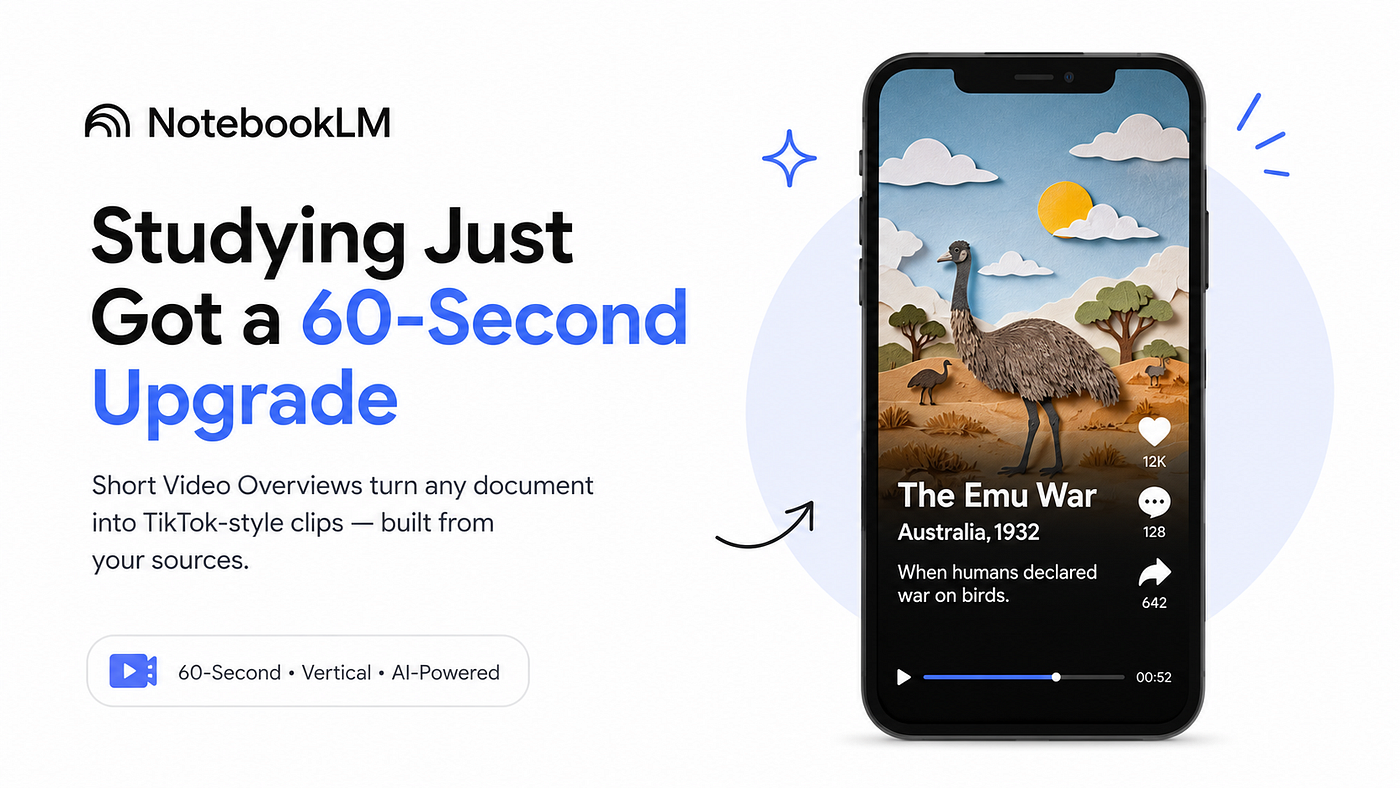
Google’s NotebookLM can now turn your notes, PDFs, and documents into TikTok-style educational videos in under a minute, making study sessions faster, visual, and mobile-friendly. 📚🎥✨ Image generated with ChatGPT
Google’s own tagline for this feature is “doom scrolling but make it educational.” That framing is more precise than it sounds.
On June 30, 2026, Google added Short Video Overviews to NotebookLM a new output format that turns uploaded documents, PDFs, and notes into 60-second vertical videos with AI-generated narration and educational animations. The format is built for phones, matches the dimensions of an Instagram Reel or TikTok, and is grounded entirely in whatever material you uploaded rather than the open web.
If you’ve been using NotebookLM’s Audio Overview feature the AI podcast-style summaries, this is the same idea applied to short-form video instead.
What It Actually Does
You upload a source a PDF, Google Doc, set of pasted notes, or a web link and NotebookLM generates a roughly 60-second portrait-format video. The video picks a single concept from your material, narrates it, and pairs it with AI-generated images and animations produced by Nano Banana 2 Lite, Google’s newest image generation model specifically built for speed.
Google demonstrated this with Australia’s “emu war,” rendered in a playful paper-cutout style while narration covered the historical beats. The animations are styled and contextual, not stock footage the model generates visuals specific to what’s being explained.
The key distinction from a generic text-to-video tool: Short Video Overviews are source-conditioned. The model reads your material first, builds the script from it, and generates visuals that match. It cannot pull information the internet didn’t appear in your uploaded sources. That grounding is the feature it’s what makes it a revision tool rather than a hallucination machine.
NotebookLM now has four distinct output formats from the same notebook. Text summaries and question-answering remain the baseline. Audio Overviews turn material into a podcast-style conversation. Cinematic Video Overviews (launched March 2026) produce longer, more produced horizontal videos. Short Video Overviews are the newest addition faster, vertical, one concept per clip, built for mobile.
Who Can Use It Right Now
This is the part to read carefully before you update your app expecting to find it.
Short Video Overviews are currently rolling out to Google AI Pro and Google AI Ultra subscribers on web and mobile. Free-tier NotebookLM users are confirmed to be getting access “soon,” but Google has not given a specific date, only “the coming weeks.”
Google AI Pro costs $19.99/month. Google AI Ultra costs $249.99/month. If you’re on the free tier, the feature is genuinely coming just not guaranteed to be there the moment you go looking.
One additional detail: even paying subscribers may not see the option immediately. Google is doing a phased rollout within the paid tiers, not an all-at-once flip. If you’re subscribed and don’t see the Short option in the Studio panel yet, check back in a day or two before assuming there’s a problem.
Additional constraints at launch: English only, users must be 18 or older, and available on both web and mobile.
How to Use It Step by Step
Open NotebookLM and either create a new notebook or open an existing one. Upload your source material PDF, Google Doc, pasted notes, or a web link all work.
Once your sources are loaded, open the Studio panel on the right side of the screen. Choose Video as your output type. Select Short not the standard Video Overview or the longer Cinematic option. The Short format is the 60-second vertical clip.
You’ll be presented with topics NotebookLM extracts from your sources. Pick one, or type a custom focus area if you want the video to cover only a specific section of the material. Then click Generate and wait approximately one minute for the vertical clip to render.
Watch the result and cross-check the key claims against your original source before using it for anything high-stakes an exam, a client presentation, or anything you plan to cite.
Where This Is Actually Useful
Students reviewing the night before an exam can generate a handful of 60-second clips covering different sections of their notes instead of rereading the same material a third time. The video format forces the model to prioritize the most important concepts rather than reproducing everything, which is often more useful for last-minute retention.
Content creators can use Short Overviews to quickly test how a long article or research piece compresses into a one-minute explainer before committing to a full-length video. If the core idea doesn’t survive compression into 60 seconds clearly, the piece may need restructuring.
Business users can turn a dense internal report or proposal into something a colleague can actually watch before a meeting the one-minute vertical format naturally works on a phone screen in a way a 10-page PDF doesn’t.
One Important Technical Caveat
Source quality directly affects output quality. One messy, poorly organized PDF plus several unrelated links will produce a polished-looking 60-second clip that misses the point. Curate 3 to 5 strong, focused sources before generating for the best results the same discipline that makes NotebookLM’s text summaries accurate applies here too.
Also worth knowing: like Audio Overviews, narration can occasionally smooth over or overstate nuances in source material. The model is good at conveying the main idea, but it sometimes loses precision on numbers, specific dates, or technical distinctions. Cross-check before citing.
Honest Limitations
The free tier doesn’t have access yet “coming soon” is accurate but without a specific date. If you’re not subscribed to Google AI Pro or Ultra and this is the main reason you’d subscribe, wait for the free rollout before paying.
English only at launch. Additional languages are not announced and have no confirmed timeline.
The 60-second format is built for one concept per clip. It is not a replacement for the Cinematic Video Overview when you need a comprehensive walkthrough of a full document it’s a complement for reviewing a single point quickly. Expecting a 60-second clip to fully capture a complex 20-page document will produce disappointment.
Generation speed is fast by design Nano Banana 2 Lite generates images in approximately 4 seconds but the overall clip render time is roughly one minute, depending on source complexity.
What To Do Right Now
If you’re on Google AI Pro or Ultra: open NotebookLM today, load a notebook with a few strong sources, and generate your first Short Video Overview on the most conceptually dense section of the material. Compare what the model chose to highlight against what you’d have chosen yourself that comparison tells you whether to trust it for your use case.
If you’re on the free tier: nothing to do yet. Keep an eye on your Studio panel over the next few weeks. When the option appears, you’ll find it in the same Video section alongside the existing Audio and Cinematic formats.
Note on sourcing: This article is based on Google’s official June 30, 2026 announcement, and reporting from 9to5Google, TechTimes, AndroidHeadlines, TechMyMoney, ExplainX.ai, and Pasquale Pillitteri’s AI newsletter, all published June 30–July 4, 2026. Free tier access timeline is “the coming weeks” per Google’s official announcement no specific date has been given.
메타데이터
- post_id
- 72cfb1d400ed
- slug
- google-just-made-studying-feel-like-doom-scrolling-and-thats-exactly-the-point-72cfb1d400ed
- url
- https://medium.com/ai-tomorrow/google-just-made-studying-feel-like-doom-scrolling-and-thats-exactly-the-point-72cfb1d400ed
- canonical_url
- https://medium.com/ai-tomorrow/google-just-made-studying-feel-like-doom-scrolling-and-thats-exactly-the-point-72cfb1d400ed
- author_url
- https://medium.com/@milandanushka
- status
- ok
- fetched_at
- 2026-07-08 08:18:29