7 Massive Features Apple is about to Unveil at WWDC 2026
Get ready for WWDC 2026! Apple is set to unveil iOS 27 and a massive chatbot-style Siri overhaul to transform your iPhones completely.
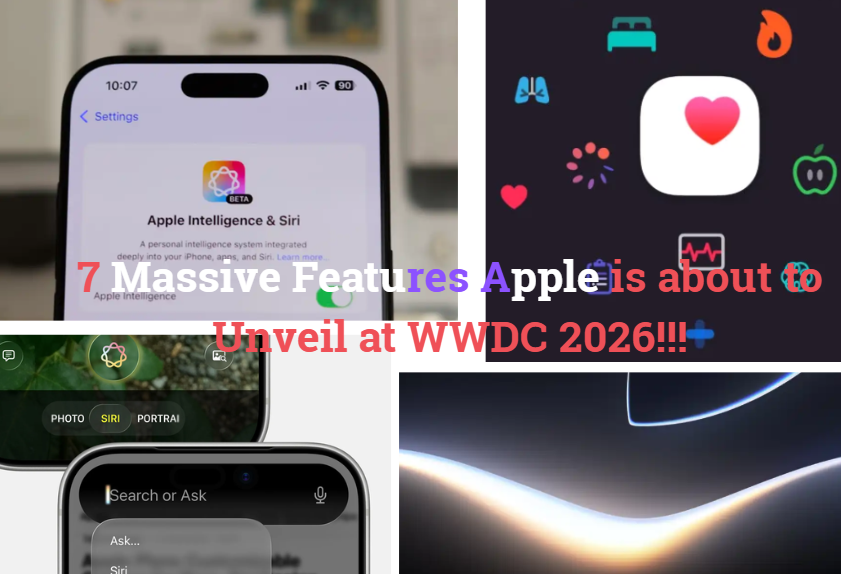
7 Massive Features Apple is about to Unveil at WWDC 2026
Get ready for WWDC 2026! Apple is set to unveil iOS 27 and a massive chatbot-style Siri overhaul to transform your iPhones completely.
The tech world is locked in on Cupertino.
On June 8, Apple kicks off WWDC 2026 under the theme “Glow All Out,” and the stakes have never been higher. With rumors swirling around a fundamental shift in Apple’s architectural focus, this keynote is tracking to be a historic turning point for the company.
We have been testing and writing about Apple products for years, and we have reviewed hundreds of apps, dissected every iOS update, and spent embarrassing amounts of time in Settings menus most people don’t know exist.
And yet, looking at the massive pipeline leaking out of supply chains and newsrooms ahead of Monday’s keynote, iOS 27 is shaping up to introduce shifts that will genuinely change how we use our phones.
These are everyday workflow changes hiding in plain sight, waiting to save you time, taps, and frustration.
Here are seven massive new features you can expect at WWDC 2026.
#1 Siri Finally Gets a Standalone App (And a Brain Transplant)
We have been trained to talk to Siri like we’re dictating a formal letter, often frustrated by its rigid boundaries and classic “Here’s what I found on the web” failures.
The Verge captures the collective skepticism of the tech community perfectly:
“Here comes new Siri again.”
But this time, it’s a complete architectural overhaul. Codenamed Campos and powered by an underlying large language model (LLM) partnership with Google Gemini, Siri is graduating from a floating voice bubble into a standalone chatbot app on your iPhone.
The new Siri will feature true agentic workflows (multi-step tasks across different apps) and total on-screen awareness. If you’re looking at a flight confirmation, you can simply activate Siri and say, “Add this to my calendar and text the arrival time to my dad.”
It understands exactly what is on your display and executes the steps seamlessly. Visually, the entire experience will breathe through a newly designed interface deeply integrated into the Dynamic Island.
#2 Photos App Gains a Magical AI Trio: Extend, Enhance, Reframe
Apple’s native Photos app is getting a massive upgrade in iOS 27, introducing three distinct.
AI-powered editing features that aim to eliminate third-party editing tools entirely:
— Allows you to generate additional image content beyond the original boundaries of your photo — perfect for when you shot a picture too close and need to fill in the background.
— Uses localized AI processing to automatically fix exposure, balancing colors, lighting, and shadow quality without blowing out the image details.
— Designed specifically for spatial photos and videos, allowing you to actually shift the camera perspective after the shot has already been taken.
#3 The Camera App Births a Dedicated ‘Siri Mode’
“Beyond integration into the camera, Apple is expanding the feature with additional in-house capabilities.”
Apple launched Visual Intelligence with the iPhone 16’s Camera Control button, but iOS 27 is embedding it directly into the core camera experience.
Inside the native Camera app, a new “Siri” mode will sit right alongside standard options like Photo, Video, and Cinematic. When you slide over to Siri mode, the camera instantly acts as an information scanner.
According to Bloomberg, you will be able to point your phone at a nutrition label on food packaging to instantly log your dietary metrics into the Health app, or point it at a physical document to capture and add contact details straight to your address book in real-time.
#4 Apple Wallet Let’s You ‘Create a Pass’ From Scratch
If you have been using dedicated third-party utility apps or sketchy web tools to convert barcodes, screenshot tickets, or membership cards into your Apple Wallet, iOS 27 is fixing this friction point entirely.
A new “Create a Pass” feature will let you build digital passes completely from scratch.
You can simply point your iPhone camera at a physical or digital QR code, and iOS will instantly transform it into an official digital ticket. The feature includes deep customization tools for layouts, images, colors, and text fields.
Apple is rolling out three specific templates: Standard (default orange), Membership (blue, geared toward gyms and clubs), and Event (purple, meant for sports games and concert tickets).
#5 Apple Health Absorbs ‘Health+’ (For Free)
For a long time, internal reports indicated that Apple was building a paid, premium subscription service dubbed “Apple Health+.”
However, leadership reportedly shifted strategies, opting to pack these highly advanced tools directly into the native Health app for free in iOS 27.
Expect robust, AI-powered coaching and wellness suggestions that analyze your sleep and activity data to give you active daily recommendations.
Additionally, the app will feature comprehensive nutritional tracking and a built-in library of educational health videos created directly by verified physicians and medical experts.
#6 The iOS Keyboard Clones Grammarly
Autocorrect has historically been a running joke among smartphone users, but the iOS 27 keyboard is expanding its scope beyond simple typos into deep contextual grammar.
The new system keyboard will act much like Grammarly, utilizing localized machine learning to analyze the structure of your sentences.
Instead of just highlighting a misspelled word, it will offer live, inline alternative word suggestions and phrasing improvements to level up your writing while you’re drafting emails, messages, or notes.
#7 Safari Learns to Auto-Name Your Messy Tab Groups
If you are the type of user who lives in Safari and constantly creates Tab Groups for different projects, travel plans, or research rabbit holes, keeping them clean is a chore.
Using Apple Intelligence, Safari in iOS 27 will be able to automatically read the contents of your open tabs and generate clean, descriptive names for your Tab Groups.
It works on the same logic Apple currently uses to generate custom podcast chapters or organize your Reminders into dynamic categories.
It’s an optional, invisible feature that quietly eliminates digital clutter in the background.
Stakes of WWDC 2026
“Apple’s WWDC — Tim Cook’s AI legacy at stake in his final developer conference as CEO”
What makes these features so fascinating is that they represent a fundamental pivot in how Apple views personal computing.
As per the underscores, this is tracking to be Tim Cook’s final WWDC keynote before hardware engineering chief John Ternus is rumored to take the reins as CEO.
Cook’s entire AI legacy is riding on this launch. By embedding deep, localized AI architecture directly into the apps we use every single day — our cameras, our keyboards, our wallets, and our photos — Apple is attempting to prove that its privacy-first, hybrid on-device/private cloud AI model is the definitive future of the iPhone.
Consider this your look ahead. Your iPhone is about to become significantly more capable, intuitive, and invisible.
Which of these new features are you tracking the closest?
메타데이터
- post_id
- 72ec486cada0
- slug
- 7-massive-features-apple-is-about-to-unveil-at-wwdc-2026-72ec486cada0
- url
- https://medium.com/techx-official/7-massive-features-apple-is-about-to-unveil-at-wwdc-2026-72ec486cada0
- canonical_url
- https://medium.com/techx-official/7-massive-features-apple-is-about-to-unveil-at-wwdc-2026-72ec486cada0
- author_url
- https://medium.com/@shipx
- status
- ok
- fetched_at
- 2026-06-10 08:17:25