Most Developers Use Prettier Wrong. Are You One of Them?
Prettier is supposed to end formatting arguments. Most teams accidentally turn it into another source of noisy diffs, broken workflows…
Most Developers Use Prettier Wrong. Are You One of Them?
Prettier is supposed to end formatting arguments. Most teams accidentally turn it into another source of noisy diffs, broken workflows, fake code quality, and pointless configuration drama.
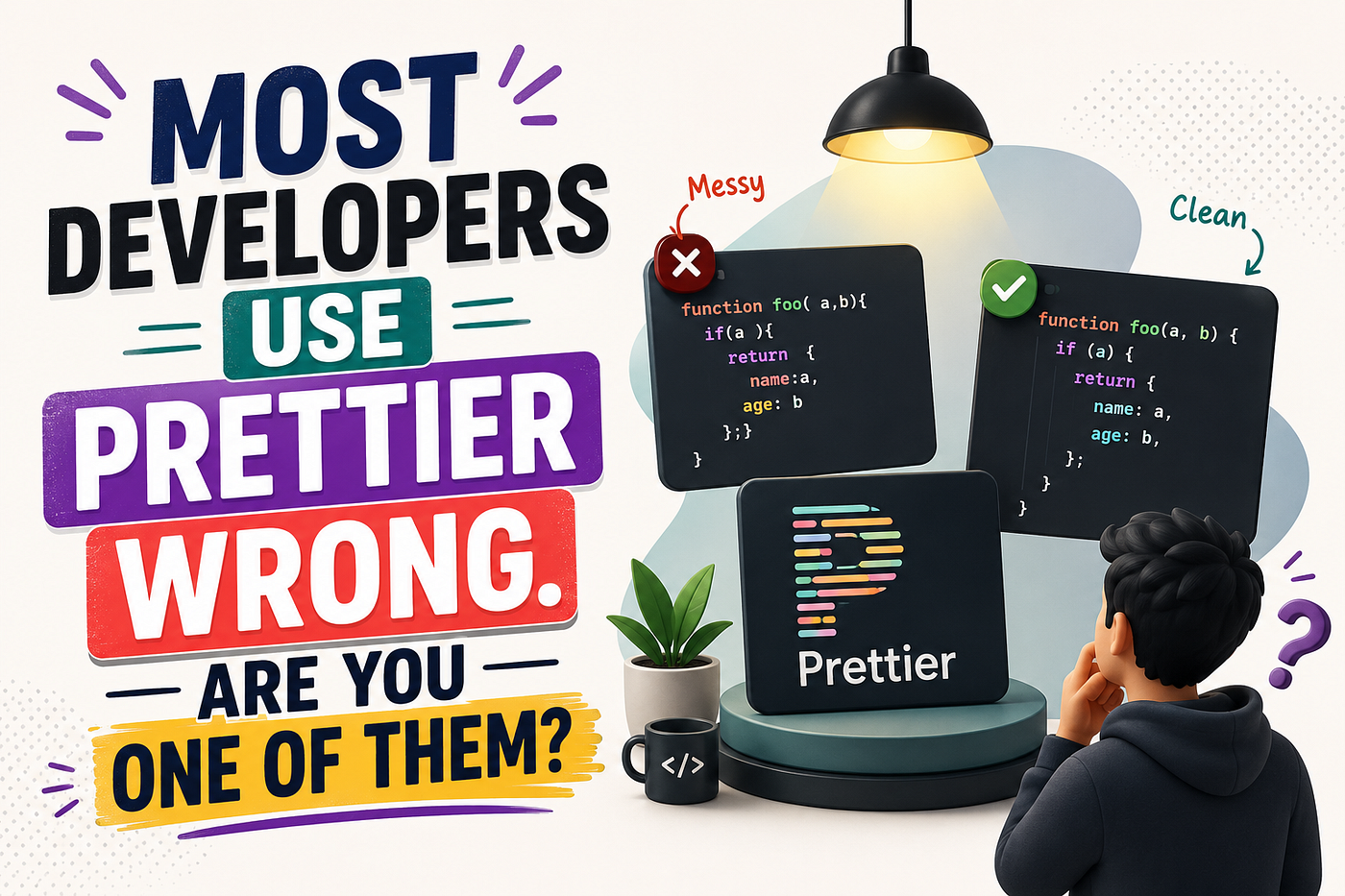
Most Developers Use Prettier Wrong. Are You One of Them?
Prettier is not complicated.
That is the whole point.
It formats code so developers can stop wasting time arguing about formatting.
And somehow, teams still manage to use it wrong.
They turn it into a personality test. They fight over every option. They mix it badly with ESLint. They format entire legacy folders in unrelated pull requests. They trust formatted code like it means the code is clean. They disable it when it disagrees with their taste, then complain the codebase is inconsistent.
Prettier was built to remove a category of noise.
Many developers accidentally create a new one.
I have seen pull requests where the actual change was five lines, but the diff showed 800 lines because Prettier reformatted half the file. I have seen teams argue for twenty minutes about line wrapping while ignoring a broken authorization check. I have seen developers install Prettier, ESLint, format-on-save, editor extensions, and still end up with different formatting on every machine.
That is not a tooling problem.
That is a discipline problem.
1. They Treat Prettier Like a Code Quality Tool
Prettier formats code.
It does not understand whether your abstraction is bad.
It does not know if your API leaks data.
It does not know if your React component is doing too much work.
It does not know if your database query is dangerous.
It does not know if your authentication logic is broken.
This sounds obvious, but many developers behave like formatted code is automatically better code. A file gets cleaned up visually, the indentation looks professional, long chains break nicely, and suddenly the code feels safer than it really is.
Bad code can look beautiful after Prettier.
async function getUsers(req, res) {
  const users = await db.user.findMany();
  res.json(users);
}
Prettier can make this look neat. It cannot ask why the endpoint returns every user. It cannot ask where authorization is. It cannot ask whether this needs pagination. It cannot ask whether sensitive fields are being exposed.
That is your job.
Prettier solves one narrow problem: consistent formatting. That problem matters because it reduces noise. But the moment a team starts confusing formatting with quality, code review gets weaker.
A clean diff can still contain a terrible decision.
The better approach is to keep Prettier in its lane. Let it handle spacing, line breaks, quotes, trailing commas, and mechanical formatting. Let ESLint catch real code problems where appropriate. Let tests prove behavior. Let code review focus on correctness, security, architecture, performance, and maintainability.
Prettier should make review quieter.
It should not make reviewers lazier.
Takeaway: formatted code is not clean code. It is only formatted code.
2. They Fight Prettier Instead of Letting It Win
Prettier is opinionated for a reason.
The value is not that it formats exactly how every developer personally prefers.
The value is that the team stops discussing personal preference.
Some developers install Prettier, then immediately try to make it behave like their old formatting habits. They want this array to stay on one line, that JSX prop to break differently, this chain to align manually, that object to preserve visual grouping, and this file to ignore the formatter because “it looks better my way.”
That mindset defeats the tool.
Prettier is not trying to preserve your handcrafted whitespace. It parses code and prints it back according to its rules. That is why it works. It removes emotional formatting choices from human hands.
The problem starts when developers keep trying to negotiate with it.
const user = { id: 1, name: "Umar", role: "admin", status: "active" };Maybe you liked it one way. Prettier may break it differently based on print width and structure. You can dislike the result. That does not automatically mean the formatter is wrong.
The mature team decision is simple: accept the formatter unless there is a real readability problem that justifies a rare exception.
Not every awkward line deserves a configuration war.
Not every personal preference deserves a custom rule.
Not every file deserves prettier-ignore.
A formatter only saves time if people stop fighting it.
Takeaway: the power of Prettier is not perfect taste. It is removing taste from the daily workflow.
3. They Configure Too Much and Understand Too Little
Prettier has options, but it is intentionally not a giant style engine.
That frustrates developers who want to control everything.
They add configuration because it feels professional. A .prettierrc file appears. Then another setting. Then editor settings. Then workspace settings. Then ESLint formatting rules. Then package scripts. Then everyone has a different extension version. Then nobody knows why the file changes differently on save.
A simple config is usually enough:
{
  "semi": true,
  "singleQuote": false,
  "trailingComma": "es5",
  "printWidth": 80
}
Even this should be chosen carefully.
The mistake is not having a config. The mistake is treating config like a place to express identity.
One of the most misunderstood options is printWidth. Many developers treat it like a hard maximum line length. Then they get angry when Prettier prints some lines longer or shorter than expected.
Prettier is not a strict line-length cop. printWidth is a formatting guide. It tells Prettier roughly where to prefer wrapping, but the printer still makes decisions based on syntax.
If your team needs a hard maximum line length for certain files, that is a linting or review concern, not something Prettier always guarantees.
The better approach is to keep configuration boring. Choose a small number of options. Commit them to the repository. Avoid personal editor overrides. Make the project config the source of truth.
Your Prettier setup should be so boring that nobody talks about it.
That is success.
Takeaway: if your Prettier config needs a long explanation, your team is probably using formatting as a personality outlet.
4. They Let Prettier and ESLint Fight Each Other
One of the most annoying development experiences is when ESLint and Prettier disagree.
You save the file.
Prettier formats it.
ESLint complains.
You run fix.
ESLint changes it.
Prettier changes it back.
Now the developer is not solving product problems. They are babysitting tools that should have been configured correctly.
This usually happens because the team never clearly separated responsibilities.
Prettier should format.
ESLint should catch code-quality problems.
Those are different jobs.
ESLint can catch things like unused variables, unsafe patterns, missing dependencies in hooks, unreachable code, suspicious comparisons, and project-specific rules. Prettier should handle mechanical formatting. When ESLint also enforces formatting rules that conflict with Prettier, the tools start fighting.
A cleaner mental model looks like this:
Prettier Handles:
- Spacing
- Line wrapping
- Quotes
- Semicolons
- Trailing commas
- Formatting consistency
ESLint Handles:
- Bugs
- Unsafe patterns
- Unused variables
- React hook rules
- Import problems
- Code-quality rules
In many projects, eslint-config-prettier is used to turn off ESLint rules that conflict with Prettier. The exact setup depends on your ESLint version and project structure, but the principle is stable: do not make two tools responsible for the same formatting decision.
Bad tooling creates emotional fatigue. Developers start ignoring warnings because half of them are noise. Once warnings become noise, real warnings get missed too.
The better approach is to make formatting automatic and code-quality checks meaningful.
Takeaway: Prettier and ESLint should cooperate, not wrestle every time you save a file.
5. They Format Too Much in the Wrong Pull Request
Prettier can destroy pull request clarity when teams introduce it carelessly.
The developer changes one function.
Format-on-save reformats the entire file.
Now the diff shows unrelated changes everywhere.
The reviewer cannot see what actually matters.
This is not Prettier’s fault. It is workflow carelessness.
A bad pull request looks like this:
Changed:
- One bug fix
- 900 lines of formatting
- Import ordering
- Whitespace changes
- Quote changes
- Unrelated file cleanup
The reviewer now has to separate meaningful changes from mechanical changes. That increases review time and hides real bugs.
This problem gets worse in legacy projects. The first time Prettier runs on an unformatted codebase, the diff can be massive. If that happens inside a feature PR, the team loses context.
The better pattern is simple:
Do formatting migrations separately.
Create one pull request that only formats the codebase.
Do not include behavior changes.
Then future pull requests can stay clean.
For ongoing work, format only the files touched by the change. Better yet, use tooling that formats staged files before commit.
A useful setup might include a script like:
{
  "scripts": {
    "format": "prettier . --write",
    "format:check": "prettier . --check"
  }
}
For staged-file formatting, many teams use tools like lint-staged with a Git hook. The exact tool is less important than the principle: avoid surprise formatting changes in unrelated files.
Takeaway: formatting changes should be boring, isolated, and easy to review.
6. They Trust Format-on-Save but Forget CI
Format-on-save is great.
It is not enough.
A team cannot rely on every developer’s editor being configured perfectly. Someone uses VS Code. Someone uses WebStorm. Someone uses Vim. Someone has the Prettier extension disabled. Someone has global settings overriding project settings. Someone edits a file in GitHub. Someone commits from a different machine.
If formatting only works on your laptop, formatting does not really work for the team.
The project needs a shared enforcement point.
That usually means a CI check.
{
  "scripts": {
    "format:check": "prettier . --check"
  }
}
Then CI runs:
npm run format:checkIf formatting is wrong, the pull request fails before it reaches main.
This is not bureaucracy. This is how the team avoids discussing formatting manually.
The workflow should be simple:
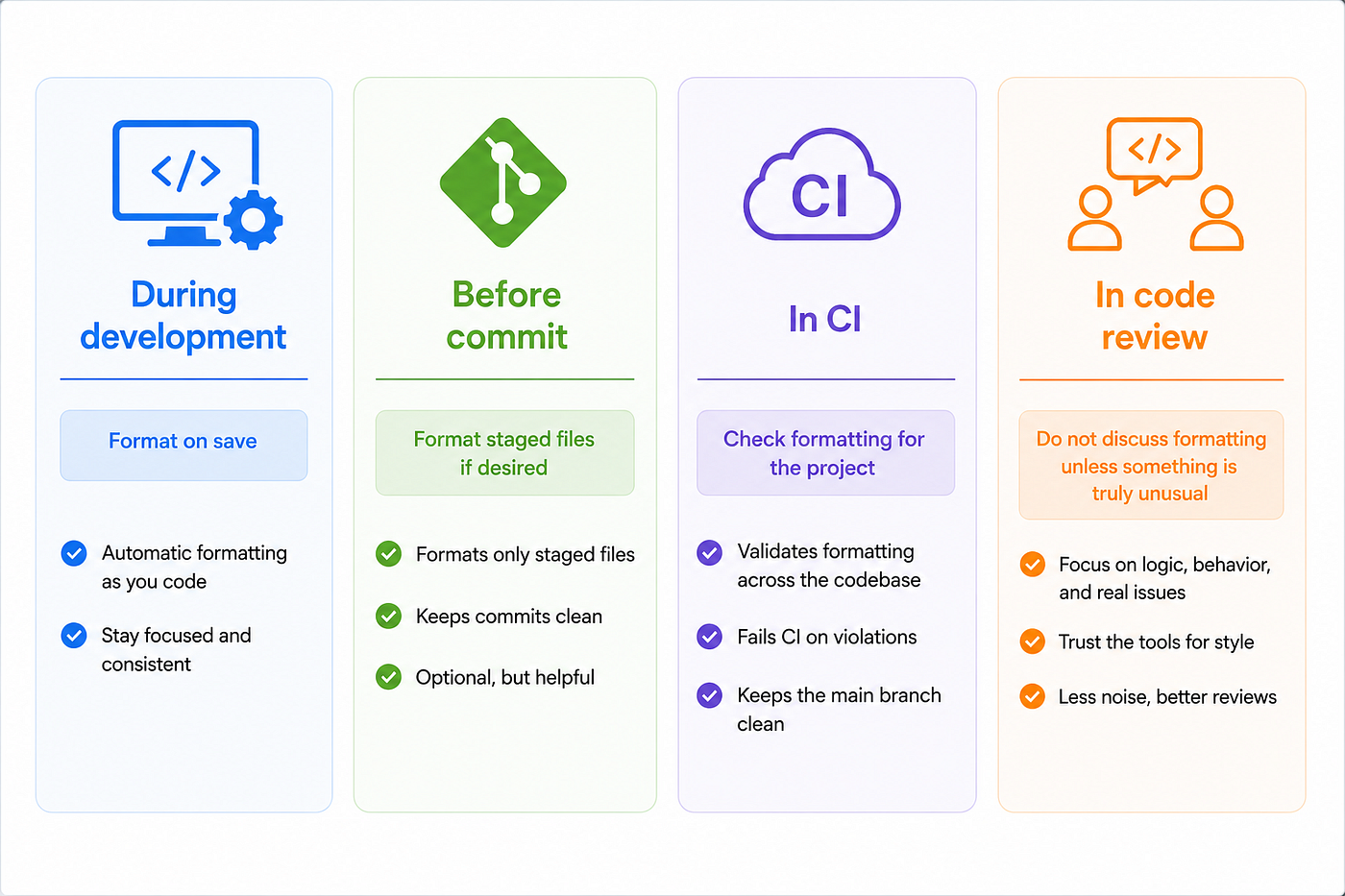
The workflow should be simple:
This creates a calm system. Developers get fast feedback locally. CI protects the shared codebase. Reviewers focus on real engineering decisions.
The mistake is assuming local convenience equals team consistency.
It does not.
Takeaway: format-on-save helps individuals. CI formatting checks protect the repository.
7. They Forget .prettierignore Until the Diff Is Already Ugly
Not every file should be formatted by Prettier.
Generated files should usually be ignored.
Build output should be ignored.
Coverage folders should be ignored.
Lock files may be handled carefully depending on the ecosystem.
Vendor code should be ignored.
Large generated snapshots may need special treatment.
If you do not define what Prettier should ignore, you eventually get ugly diffs that nobody asked for.
A basic .prettierignore might look like this:
node_modules
dist
build
coverage
.next
.generated
public/vendor
The exact entries depend on the project. A Next.js app has different folders than a Node API. A monorepo has different needs than a small package. A generated SDK has different risks than a normal app.
The principle is simple: Prettier should format source files you own.
It should not rewrite artifacts your build, generator, package manager, or vendor process owns.
There is also prettier-ignore for rare cases inside files. Use it carefully. It can be useful for generated snippets, intentionally formatted tables, or code that becomes less readable after formatting. But if a codebase is full of ignore comments, the team is probably fighting the tool again.
Ignore rules are part of the formatting contract. Without them, Prettier becomes too broad. With too many of them, Prettier becomes optional.
Both are bad.
Takeaway: .prettierignore is not an afterthought. It defines where formatting responsibility stops.
8. They Use Prettier to Avoid Hard Readability Decisions
Prettier makes code consistent.
It does not always make code readable.
This is one of the mature lessons developers learn late.
Sometimes Prettier formats a line in a way you dislike. Sometimes a function still looks complicated after formatting. Sometimes JSX remains hard to scan. Sometimes a chained expression becomes technically formatted but mentally exhausting.
The weak response is to blame Prettier.
The better response is to ask whether the code itself is doing too much.
Bad readability often survives formatting because the problem is structural.
return users
  .filter(user => user.isActive && user.permissions.includes("admin"))
  .map(user => ({
    id: user.id,
    label: `${user.profile.firstName} ${user.profile.lastName}`,
    disabled: user.status !== "active" || user.organization.deletedAt !== null,
  }))
  .sort((a, b) => a.label.localeCompare(b.label));
Prettier can format this. It cannot decide whether the transformation should be named, split, tested, or moved elsewhere.
A better version may be more readable because the logic is expressed clearly:
const activeAdmins = users.filter(isActiveAdmin);
const options = activeAdmins.map(toUserOption).sort(sortByLabel);
Now Prettier has less mess to manage.
This is the difference between formatting and clarity.
If a formatted block is still painful, do not ask Prettier to fix architecture. Extract a function. Name the idea. Split the component. Reduce nesting. Simplify conditions. Remove clever chains. Add tests where behavior matters.
Prettier cannot rescue code that is trying to hide too much thinking in one expression.
Takeaway: when formatted code is still hard to read, the problem is probably the code, not the formatter.
Conclusion
Prettier is one of the simplest tools in modern development.
That is why misusing it is so annoying.
It should quietly remove formatting debates from your team’s life. It should make diffs cleaner. It should make code review less noisy. It should make style consistent across editors, machines, and contributors.
But it cannot do that if developers keep fighting it, over-configuring it, mixing it badly with ESLint, formatting unrelated files in feature PRs, skipping CI checks, ignoring .prettierignore, and pretending formatted code is automatically good code.
Prettier is not your architect.
It is not your reviewer.
It is not your linter.
It is not your security engineer.
It is a formatter.
Use it like one.
Let Prettier handle the boring formatting work so humans can focus on the decisions that actually break software.
Follow for more developer productivity and software engineering insights.
메타데이터
- post_id
- 746f5c0fe550
- slug
- most-developers-use-prettier-wrong-are-you-one-of-them-746f5c0fe550
- url
- https://medium.com/skillstuff/most-developers-use-prettier-wrong-are-you-one-of-them-746f5c0fe550
- canonical_url
- https://medium.com/skillstuff/most-developers-use-prettier-wrong-are-you-one-of-them-746f5c0fe550
- author_url
- https://medium.com/@learnwithmasaud
- status
- ok
- fetched_at
- 2026-06-12 07:40:50