Selenium with C# and .NET 9 — Beginner Setup Guide
Step 1: Install Visual Studio
Selenium with C# and .NET 9 — Beginner Setup Guide
Step 1: Install Visual Studio
Download and install Visual Studio (the C# code editor) from Microsoft’s official site. This is where you’ll write and run your Selenium test scripts.
Step 2: Create a New Project
Open Visual Studio → Click File → New → Project (or right-click your existing solution → Add → New Project).
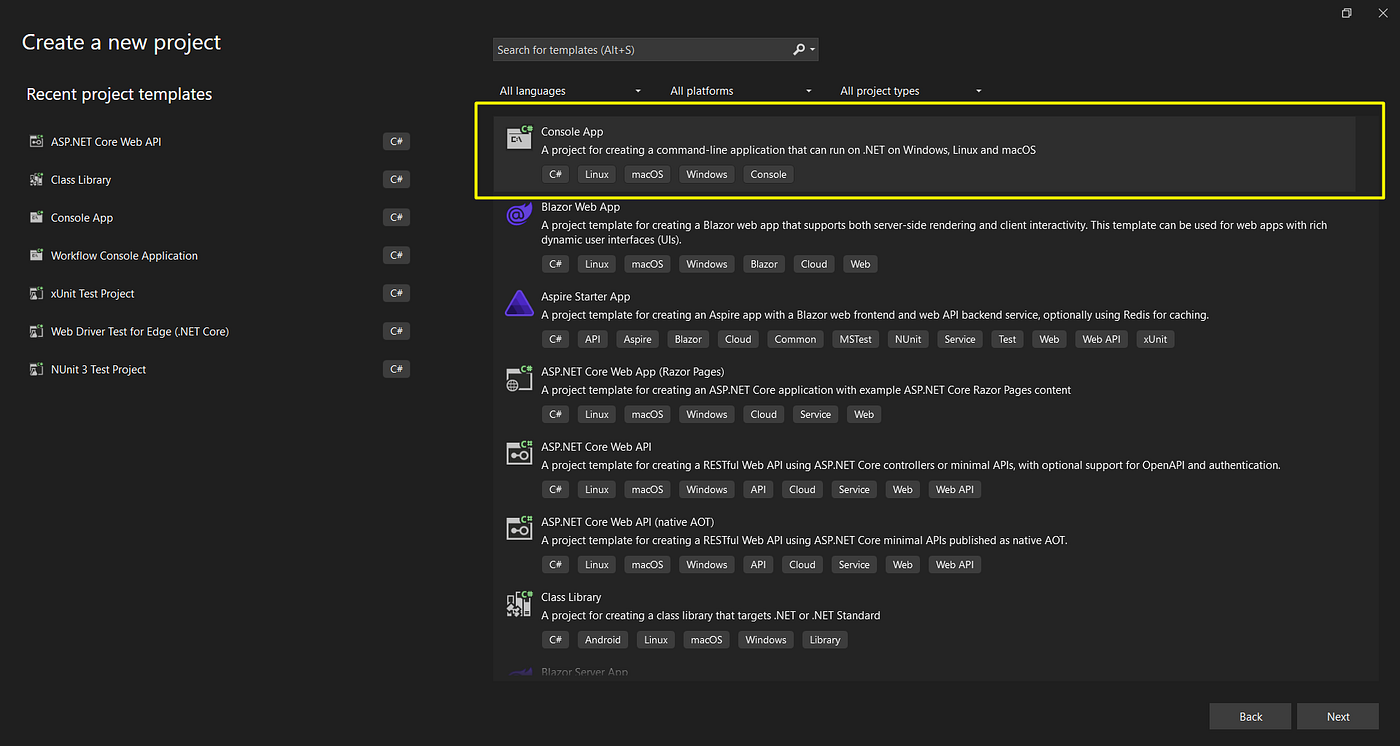
Step 3: Choose Console App
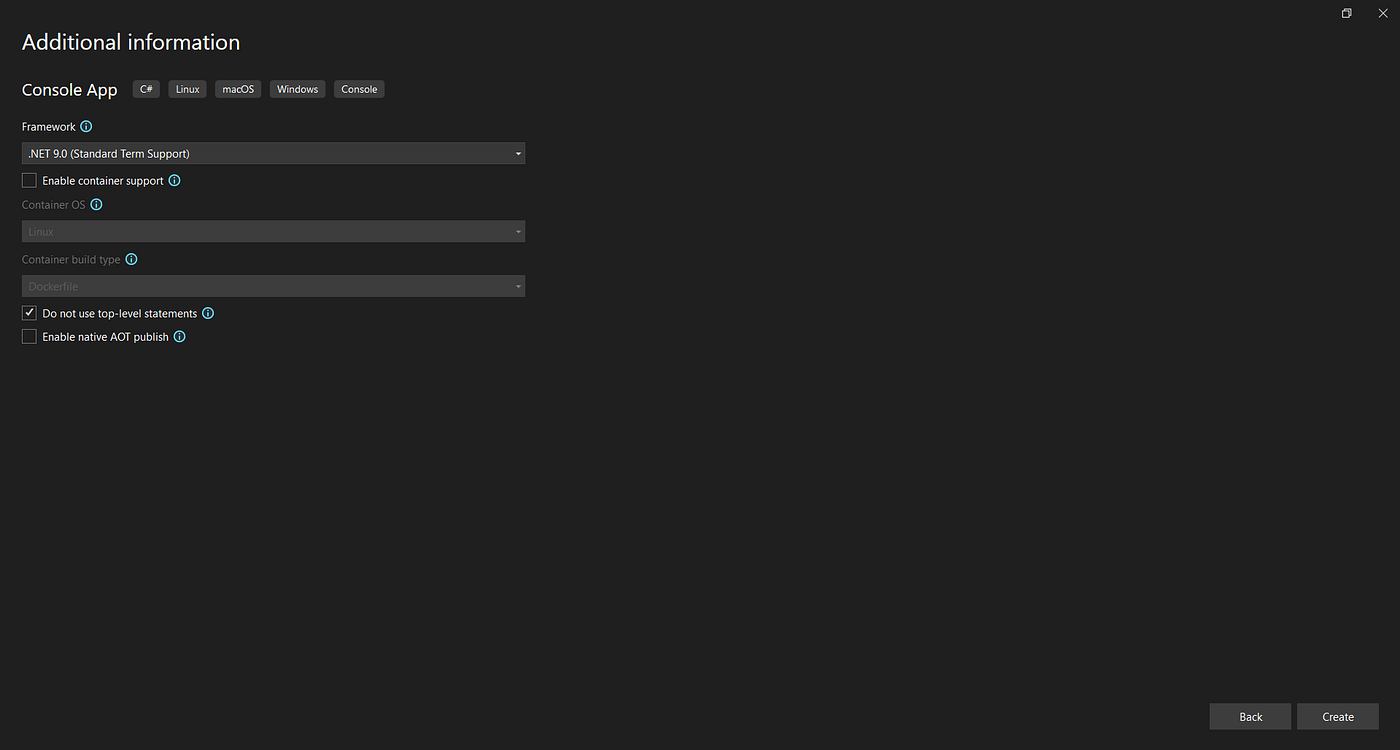
Select Console Application (.NET 9) → click Next.
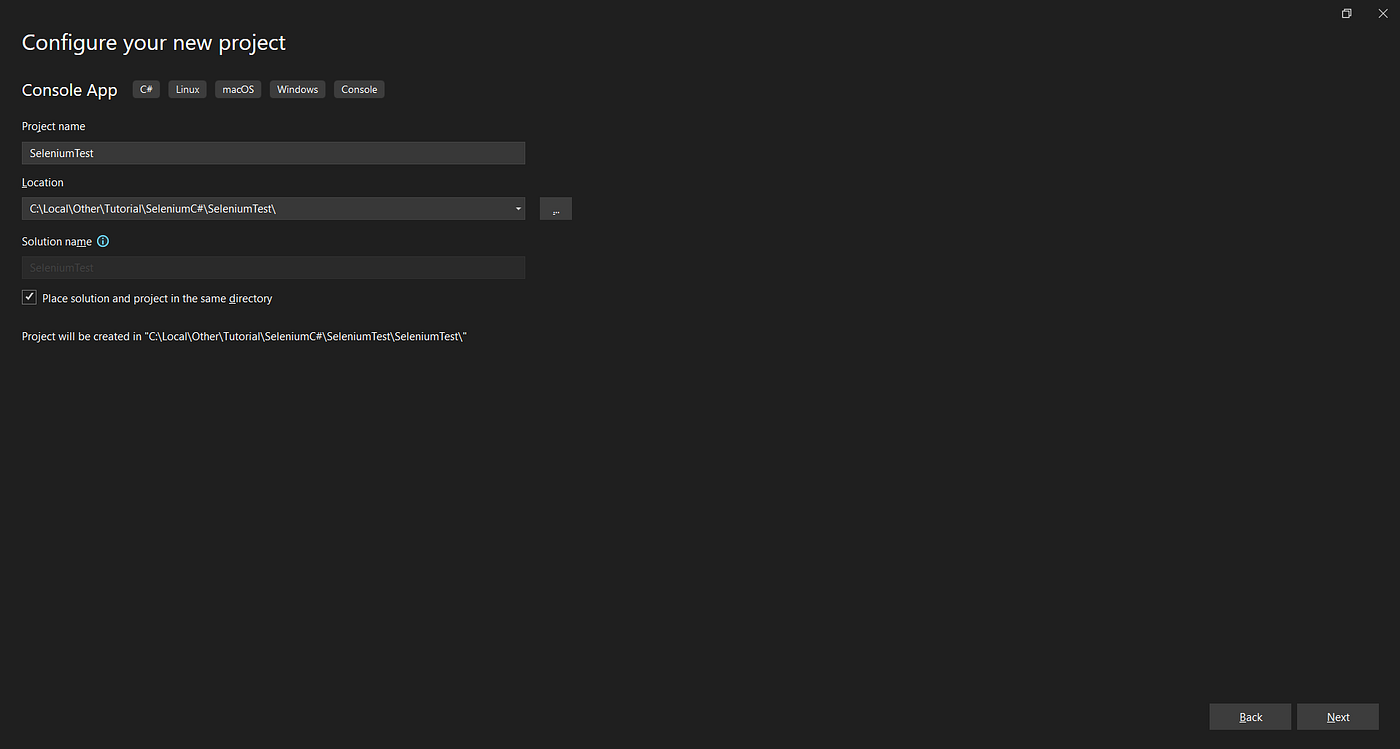
Step 4: Name the Project
Enter a name like SeleniumTest and click Create.
Step 5: Project Setup
Your new project SeleniumTest will appear in Solution Explorer.
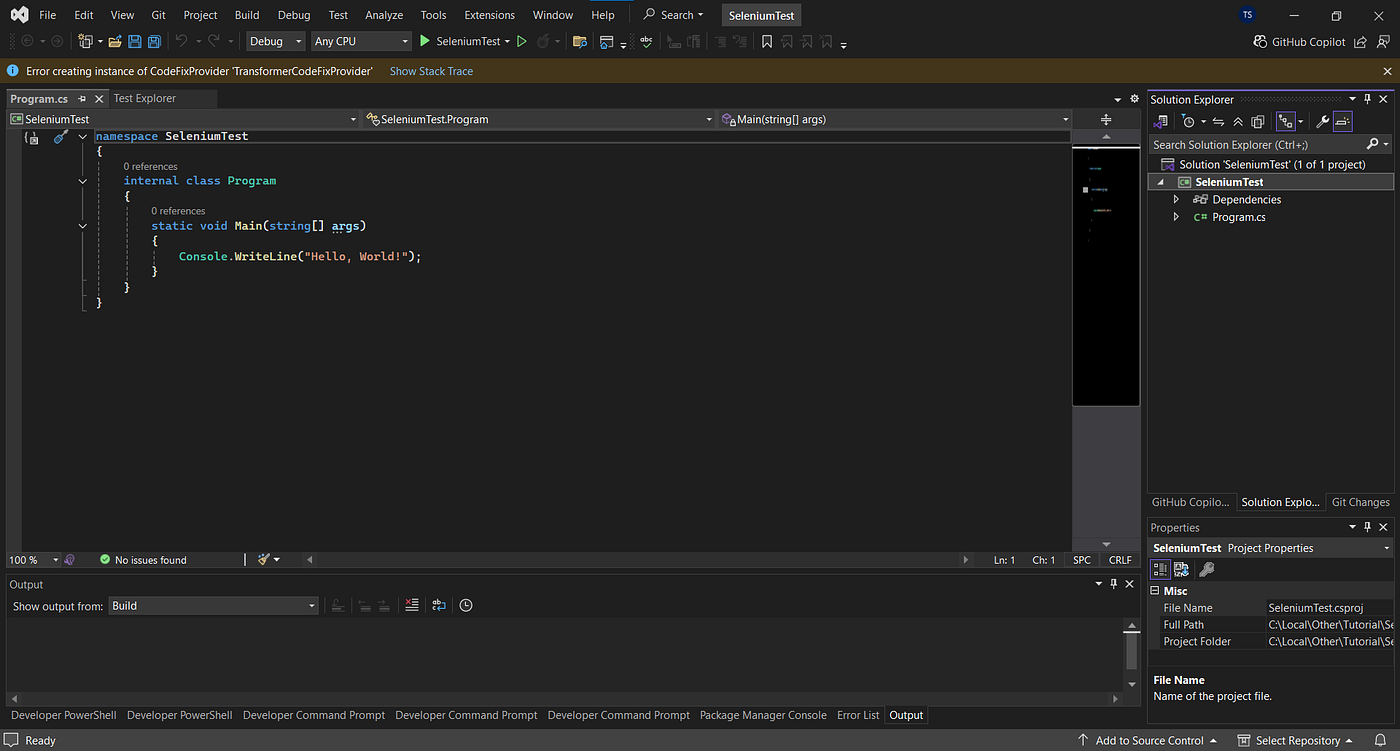
Step 6: Add Selenium Packages
Right-click the project → choose Manage NuGet Packages.
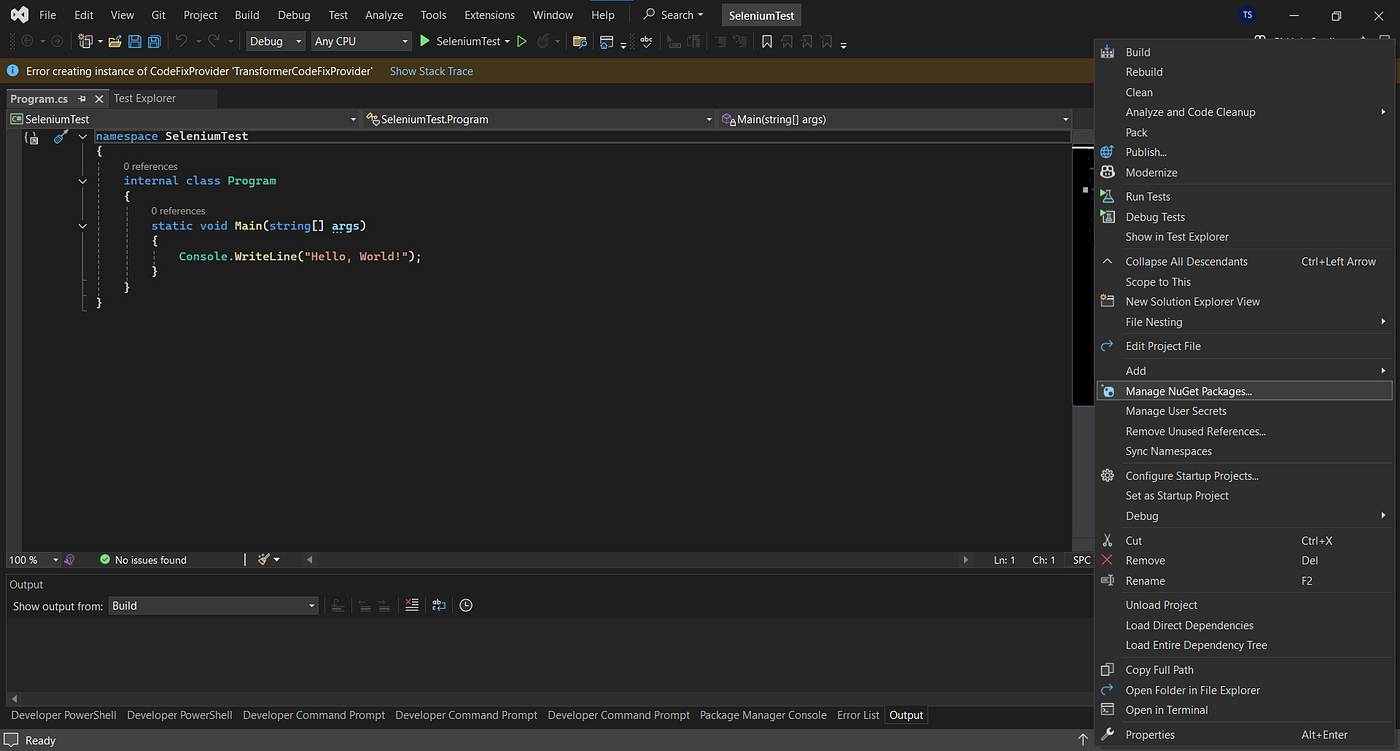
Step 7: Install Selenium WebDriver
Search for Selenium → install Selenium.WebDriver and Selenium.Support packages.
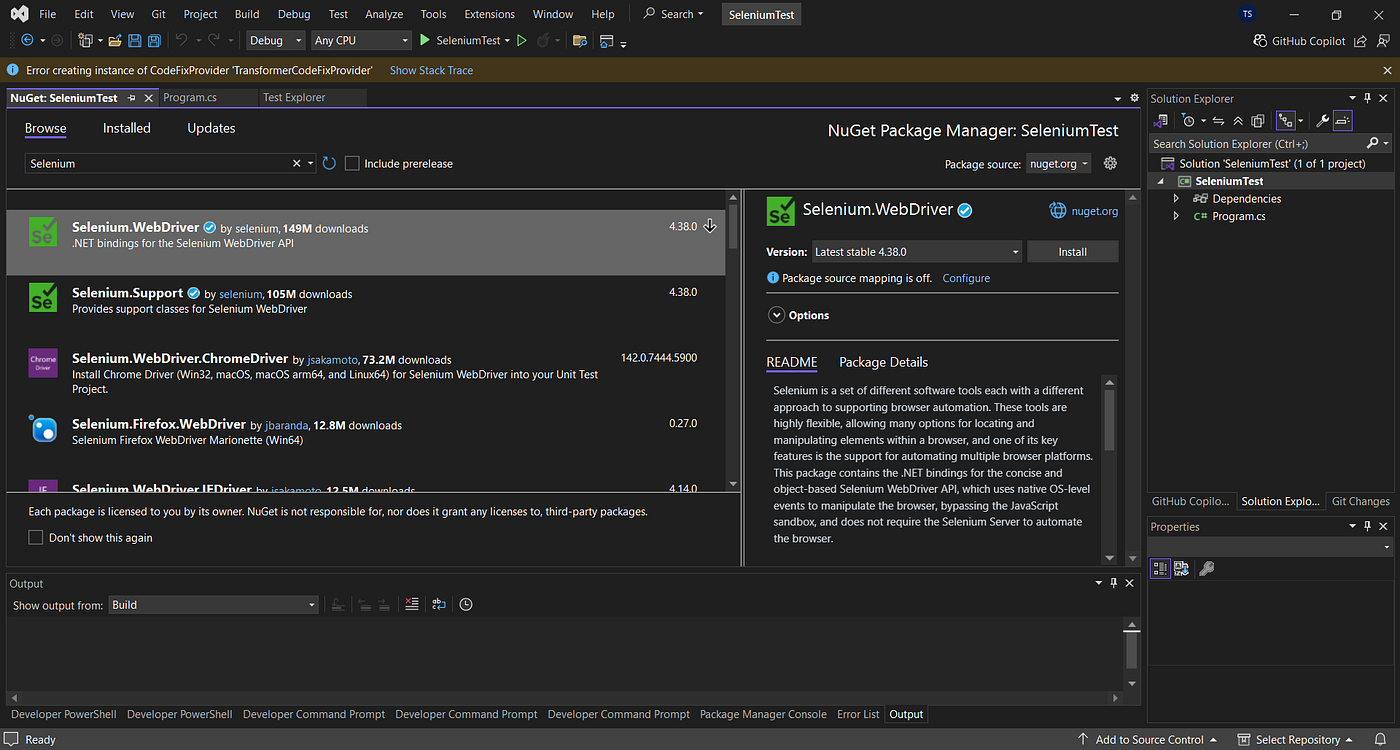
Step 8: Confirm Installation
You’ll see a message like Selenium.WebDriver installed successfully at the top.
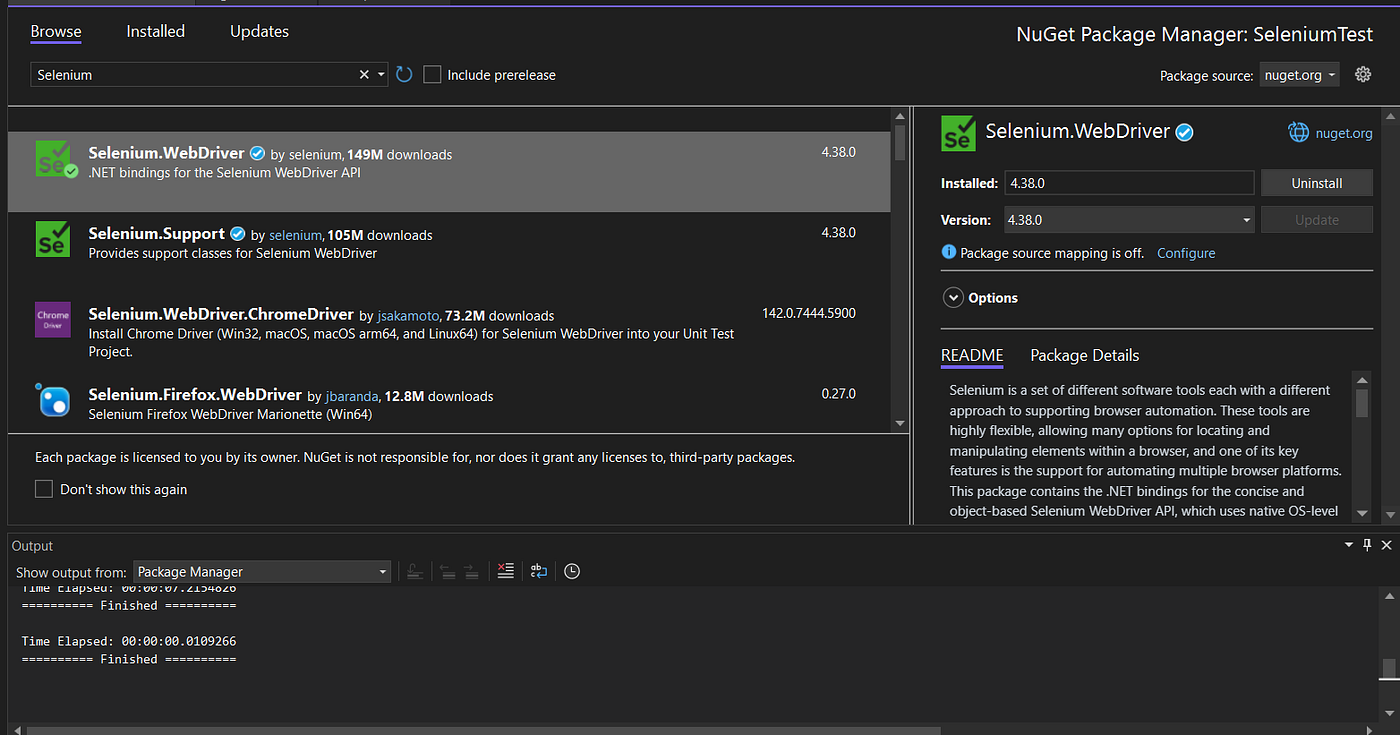
Step 9: Restart Visual Studio
After restarting, check under the NuGet folder — the Selenium packages will be listed.
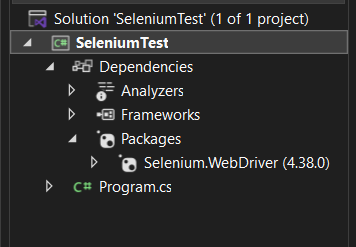
Step 10: Write Your First Selenium Test
Here’s a simple example that opens a page and prints its title 👇
using OpenQA.Selenium;
using OpenQA.Selenium.Chrome;

class Program
{
    static void Main(string[] args)
    {
        IWebDriver driver = new ChromeDriver();
        driver.Navigate().GoToUrl("https://google.com");
        Console.WriteLine("Page Title: " + driver.Title);
        driver.Quit();
    }
}
Run the code → you’ll see the page title printed in your console.


Conclusion
You’ve just set up your first Selenium project using C# and .NET 9 in Visual Studio! Now you can launch browsers, open web pages, and start writing automated test scripts easily.
I will start the series to cover all the topics related to Selenium C#.
메타데이터
- post_id
- 74bea2dd67b6
- slug
- selenium-with-c-and-net-9-beginner-setup-guide-74bea2dd67b6
- url
- https://medium.com/@imtejassingh/selenium-with-c-and-net-9-beginner-setup-guide-74bea2dd67b6
- canonical_url
- https://medium.com/@imtejassingh/selenium-with-c-and-net-9-beginner-setup-guide-74bea2dd67b6
- author_url
- https://medium.com/@imtejassingh
- status
- ok
- fetched_at
- 2026-06-26 21:52:29