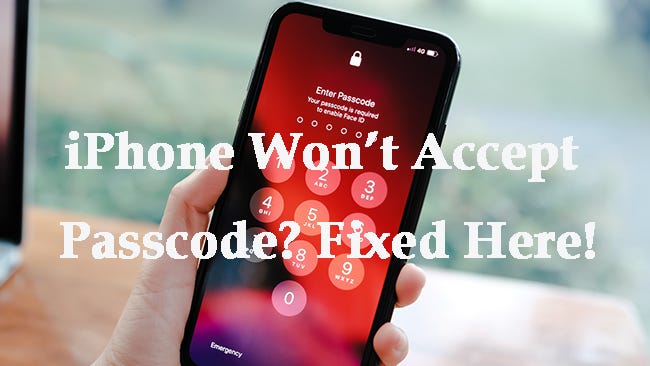
What “iPhone Passcode Expired” Really Means — and How to Fix It (Quick & Easy)
Seeing that “iPhone Passcode Expired” alert isn’t a virus or scam — it’s an Apple-designed security prompt, not malicious activity. So…
What “iPhone Passcode Expired” Really Means — and How to Fix It (Quick & Easy)
Seeing that “iPhone Passcode Expired” alert isn’t a virus or scam — it’s an Apple-designed security prompt, not malicious activity. So before you panic, here’s a clear breakdown of what triggers it and how to resolve it fast.
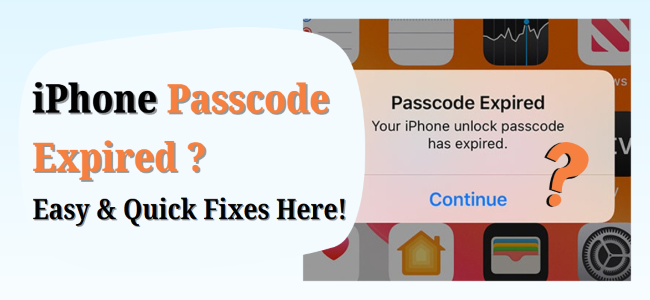
Why This Happens (and Why It’s Legitimate)
- Mobile Device Management (MDM) or Configuration Profiles If your iPhone is connected to a workplace or school system, IT may enforce policies requiring regular passcode updates (every week, 30 days, etc.), which can trigger this alert.
- Rare Security Flags In infrequent cases, Apple might prompt a passcode reset if it suspects a security breach — for example, due to inactivity or unusual account behavior.
3 Quick Fixes (You Know the Current Passcode)
If you can still unlock your iPhone — or it’s asking you to update the passcode — these fixes should help you regain control right away:
- Change the Passcode in Settings Go to Settings → Face ID & Passcode (or Touch ID & Passcode), enter your old code, then tap Change Passcode and set a new one. This usually clears the error.
- Force-Restart Your iPhone If the alert keeps popping up after changing the passcode, restart the device with a force reboot. The process varies by model — this refresh often resolves glitches.
- Remove Work or School Profiles If you’ve added an email or MDM configuration to your iPhone, deleting that profile (found under VPN & Device Management) may eliminate repetitive expired passcode prompts.
Advanced Fixes (If You’ve Forgotten Your Passcode)
If changing your passcode isn’t an option — say, you’ve forgotten it — here are advanced solutions to regain access:
- Update via iTunes (or Finder on Mac) Connect your iPhone to a computer and update iOS using iTunes/Finder. In some cases, this resolves persistent error messages without requiring a passcode.
- Erase via iCloud (Find My iPhone) If Find My iPhone is enabled, go to iCloud.com, pick your device under All Devices, then click Erase iPhone. Once erased, you can set it up again — new passcode included. Be cautious: this will wipe your data unless you have a backup.
- Use TunesKit iPhone Unlocker When you need a seamless and powerful recovery option, TunesKit iPhone Unlocker is a standout tool. It lets you erase the passcode and restore access — even without the old one. It works across various lock types (4-digit, 6-digit, Face ID, Touch ID), handles MDM removal, and supports the latest iOS versions.
Pro Tips to Keep It from Happening Again
- Skip removing MDM or work profiles if you still need controlled access to corporate features — or use TunesKit to surgically remove MDM when appropriate.
- Regularly update iOS using iTunes or via Settings → Software Update — this minimizes bugs that might trigger recurring prompts.
- Always back up your iPhone to iCloud or a computer — especially before using erasure or unlocking tools.
Final Thoughts
If you’re locked out or hitting that pesky “Passcode Expired” screen, start with the simplest fixes — like changing passcode, rebooting, or removing MDM. But if you’re completely stuck, TunesKit iPhone Unlocker offers a straight path to recovery, handling both passcode removals and MDM, with support for the latest iOS versions.
Hope this Medium-ready guide helps you — or your readers — resolve the passcode expiration headache smoothly!
Let me know if you’d like a tighter edit or Medium-styled formatting tips (like suitable headings or call-outs).
메타데이터
- post_id
- 74f3bb9ff32c
- slug
- what-iphone-passcode-expired-really-means-and-how-to-fix-it-quick-easy-74f3bb9ff32c
- url
- https://medium.com/@adam-eldon/what-iphone-passcode-expired-really-means-and-how-to-fix-it-quick-easy-74f3bb9ff32c
- canonical_url
- https://medium.com/@adam-eldon/what-iphone-passcode-expired-really-means-and-how-to-fix-it-quick-easy-74f3bb9ff32c
- author_url
- https://medium.com/@adam-eldon
- status
- ok
- fetched_at
- 2026-07-21 18:15:10