The Real Problem After RAG: Proving That AI Is Looking in the Right Place
How did I develop natural language navigation, Turkish search normalization, and command routing control in my Telegram-based local AI…
The Real Problem After RAG: Proving That AI Is Looking in the Right Place
How did I develop natural language navigation, Turkish search normalization, and command routing control in my Telegram-based local AI system?
**[If you cannot access the full article, please click here]**

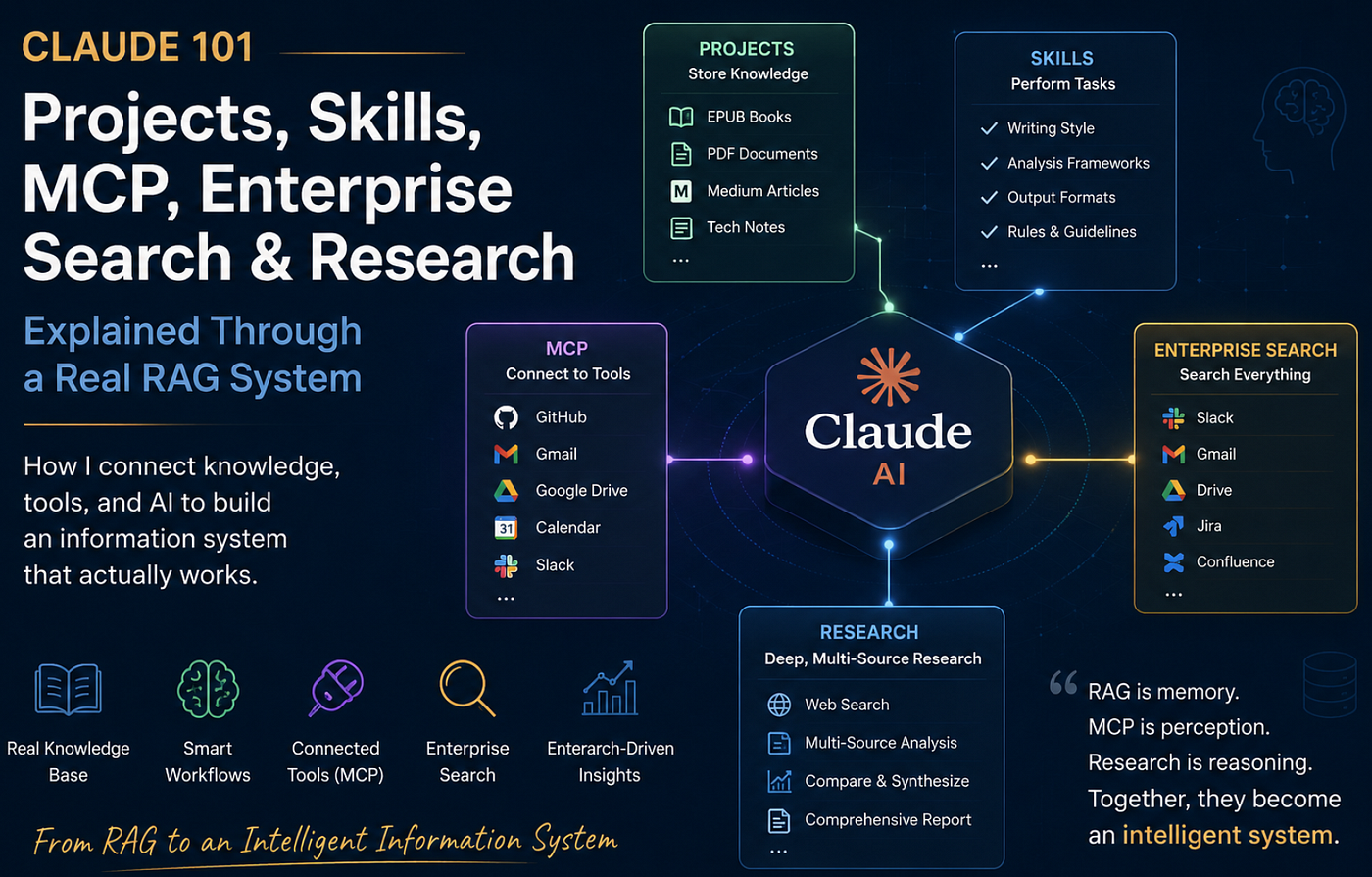
Image generated using AI (ChatGPT) by the author.
Hi I’ve been working on my own local AI system for a while now. At first, it was simple:
Import documents into the system Perform a search Ask a question Get an answer
But as the system grew, I realized that the real problem wasn’t just “generating answers.” The real problem was this:
Is the system looking at the right source? Is the right command going to the right engine? Are Turkish character differences messing up the search? In this post, I’ll explain how I made my local AI runtime, which runs on Telegram, more reliable.
There are real commands, real outputs, small problems, and small fixes.
1. First, I stabilized the runtime state
The first thing I do before starting any development is always the same:
cd /home/ali/projects/telegram && \ python3 -m py_compile app.py inventory_engine.py && \ git status && \ sudo systemctl status asuli-bot.service --no-pagerOutput:
Current branch: main Nothing to process; the working tree is empty
● asuli-bot.service - Asuli Telegram Bot Loaded: loaded Active: active (running)This has become my golden rule:
No new features until the code is compiled, Git is clean, and the service is running.
Here, py_compile is a simple but critical check.
If there’s a syntax error in the Python file, it catches it before it even reaches Telegram.
2. Natural language navigation: Understanding intent instead of memorizing commands
First, I solved the user experience issue.
The old way of using it was as follows:
/sections 6
/section 6 2
But the natural way to use it is actually like this:
show the DNS sectionThat’s why I added natural language navigation.
But there was a risk here.
The system shouldn’t have interpreted every “show the [section]” phrase as a request to generate a response.
First, I captured these phrases:
triggers = [
    "open section",
    "show section",
    "open part",
    "show part",
    "open subheading",
    "show subheading",
    "open section",
    "show section",
]
Then I cleared the search query:

query = low
for t in triggers:
    query = query.replace(t, " ")

for t in ["in his book", "in the book", "the topic", "topic", "to me", "please"]:
    query = query.replace(t, " ")

query = " ".join(query.split()).strip()

Test:

Show the DNS section of the service
Bot response:
Natural language processing interpreted this as a section request.
Search term: service dns
TOPIC SEARCH: service dns
 - - - - - - - - - - - - -
Section found: 1
1. [kubernetes-up-and-running-3rd-edition]
 Chapter 6 - Service Discovery
 Section 2 - Service DNS
At this point, the system was finding the correct section.
But it was still just making a suggestion.
What I wanted was this:
If you found it, open it directly.
3. If there was only one result, I had the section content open directly
To do this, I extracted the chapter and section information from the search result.
def extract_single_section_reference(section_search_result: str):
    text = section_search_result or ""

    count_match = re.search(r"Bulunan section:\s*(\d+)", text)
    if not count_match:
        return None

    if int(count_match.group(1)) != 1:
        return None

    book_match = re.search(r"\d+\.\s+\[([^\]]+)\]", text)
    chapter_match = re.search(r"Chapter\s+(\d+)\s+-", text)
    section_match = re.search(r"Section\s+(\d+)\s+-", text)

    if not book_match or not chapter_match or not section_match:
        return None

    return book_match.group(1), int(chapter_match.group(1)), int(section_match.group(1))

Then, if there was only one result, I had the content open directly:

single_ref = extract_single_section_reference(result)
if single_ref:
book_slug, chapter_no, section_no = single_ref
 detail = section_detail_by_slug(book_slug, chapter_no, section_no)
 return (
 "Natural language navigation found a single section and opened it directly.\ n\n"
f"Search term: {query}\n" f"Source: {book_slug}\n"
 f"Opened section: /section {chapter_no} {section_no}\n\n"
 f"{detail}" )
The main function was as follows:
lines = source.read_text(encoding="utf-8", errors="ignore").splitlines()
body = "\n".join(lines[start_line - 1:end_line]).strip()
return header + "\n\n - - SECTION TEXT - -\n\n" + body
In other words, the system was no longer just saying “the section is here.”
It was reading the relevant range of lines from the source file and displaying the actual section text.
4. I prevented the system from falling back to the LLM when no source was available
This was one of the most critical points.
Test message:
Show the section on AtatürkFrom a natural language navigation perspective, this message is a “section request.”
However, there was no relevant section for Atatürk in the system.
The first risk was:
If a section cannot be found, the LLM should not fall back and generate a prediction.
To achieve this, I added a "no-fallback" behavior.

result = search_sections_by_topic(query)

if not result or "not found" in str(result).lower():
 return (
 "Natural language navigation interpreted this as a section request.\n\n"
 f"Search term: {query}\n\n"
 "No section matching this term was found. It wouldn't be right for me to provide an answer based on a guess.\n"
 "You can first select a source related to /search <word> or search for a section using /topic <word>."
 )
Test:
Show the section on AtatürkBot’s response:
Natural language navigation interpreted this as a section request.
Search term: ataturk
No section matching this term was found. It would not be appropriate for me to provide an answer based on a guess.
You can first select a source related to the term using /search <word>, or search for a section using /topic <word>.
This may seem like a small issue, but I believe it’s important for the system’s reliability.
Because here’s what the system does:
If there’s no source, it stays silent. It doesn’t make things up. It directs the user to the correct search command.
5. Searching PDFs by title alone wasn’t enough
Then another problem arose.
The PDFs were in the system, but not every search returned the same result.
Example:
/pdfsearch AtaturkDesired PDF found:
Number of PDFs found: 1
Bulunan PDF sayısı: 1 1. -Osprey - Command - 030 - Mustafa Kemal Ataturk Isbn 1780965907 2013
Main merge:
git checkout main && \
git merge --no-ff feature/pdf-selected-entity-resolver-v1 \
-m "merge: promote pdf selected entity resolver to main"
Cleanup:
python3 -m py_compile app.py inventory_engine.py && \
git status && \
git tag --list | sort && \
sudo systemctl status asuli-bot.service --no-pager
Output:
Current branch: main
Nothing to process, working tree is clean
v1.5-pdf-resolver-stable
v1.5-runtime-stable
Active: active (running)6. Turkish / ASCII Search Normalization
Then a more fundamental problem arose.
Sometimes a user types this:
Atatürk
Sometimes this:
Ataturk
Sometimes:
Türk
Sometimes:
Turk
The search system must treat these as the same.
That’s why I added a central normalization function.
def normalize_search_text(text: str) -> str: """ Search normalization. Türkçe karakterleri ASCII karşılıklarına indirger: Atatürk -> ataturk Türk -> turk İstanbul -> istanbul """ if text is None: return "" value = str(text) tr_map = str.maketrans({ "ç": "c", "Ç": "C", "ğ": "g", "Ğ": "G", "ı": "i", "I": "I", "İ": "I", "ö": "o", "Ö": "O", "ş": "s", "Ş": "S", "ü": "u", "Ü": "U", }) value = value.translate(tr_map) value = unicodedata.normalize("NFKD", value) value = "".join(ch for ch in value if not unicodedata.combining(ch)) return value.lower().strip()Then I switched to the following approach in the search sections:
query = normalize_search_text(query) haystack = normalize_search_text(…)
Test:
cd /home/ali/projects/telegram && \ python3 — <<’PY’ from inventory_engine import normalize_search_text
samples = [ “Atatürk”, “Ataturk”, “Türk”, “Turk”, “İstanbul”, “Istanbul”, “ışıĞÜÇÖŞİ”, ]
for s in samples: print(s, “=>”, normalize_search_text(s)) PY
Output:
Atatürk => ataturk Ataturk => ataturk Türk => turk Turk => turk İstanbul => istanbul Istanbul => istanbul ışıĞÜÇÖŞİ => isigucosi
Telegram tests:
/search “Atatürk” → “Mustafa Kemal Atatürk” PDF found /search “Turk” → Returned “MEDIUM” + PDF result /search “İstanbul” → No results found /search “Istanbul” → No results found
It is not an error that no results were returned for Istanbul here.
This is because normalization corrects search matches; it does not generate data that does not exist.
Commit:
git commit -m “feat: Turkish ASCII search normalisation added”
Tag:
git tag -a v1.6-search-normalization-stable \ -m “Search normalisation now supports Turkish ASCII matching”
Merging into the main branch:
git checkout main && \ git merge — no-ff feature/search-normalization-v1 \ -m “merge: move search normalisation to the main branch”
Result:
main → 81a7db0 tag → v1.6-search-normalization-stable working tree → clean service→ active
7 .Command Redirection Check
At one point, whilst copying the Telegram output, I noticed the following confusion:
/pdfara Ataturk
It looked as though a combined search result had been returned.
In this case, rather than making an assumption, we need to verify it using the log.
First, I checked the handler logs:
cd /home/ali/projects/telegram && \ grep -nE "CommandHandler|pdfara_cmd|ara_cmd|mediumara_cmd" app.py | sed -n '1,220p'Relevant output:
1885 app.add_handler(CommandHandler("mediumara", mediumara_cmd))
1887 app.add_handler(CommandHandler("pdfara", pdfara_cmd))
1889 app.add_handler(CommandHandler("ara", ara_cmd))
I then looked at what the functions actually called:
/ara #search
→ unified_search_with_state()
/pdfara → pdfara_cmd
→ search_pdf_with_state()
/mediumara → mediumara_cmd
→ search_medium()
Code:
async def ara_cmd(...): reply = unified_search_with_state(user_id, query) async def pdfara_cmd(...): reply = search_pdf_with_state(user_id, query) async def mediumara_cmd(...): reply = search_medium(query)So the code was correct.
But I wanted to make this visible in the user’s response so I could test it.
I temporarily added a route tag to each response:
ROUTE: /pdfara → PDF search
ROUTE: /ara → unified search
ROUTE: /mediumara → Medium search

Test:

/pdfara Ataturk #search
Output:

ROUTE: /pdfara → PDF search

Number of PDFs found: 1
...

Test:

/ara Ataturk #search

Output:

ROUTE: /ara → unified search

Total results found: 1
...

Test:

/mediumara Turkish #search

Output:

ROUTE: /mediumara → Medium search

Medium articles found: 1
...
I then verified this in the logs as well:
sudo journalctl -u asuli-bot.service \
 - since "2026–06–17 21:24:30" \
 - until "2026–06–17 21:27:00" \
 - no-pager -l | \
grep -E "PDFARA_CMD_TRIGGER|ARA_CMD_TRIGGER|MEDIUMARA_CMD_TRIGGER|ARA_CMD_SENT|ARA_CMD_REPLY_READY"
Output:
17 Jun 21:25:44 python[550427]: PDFARA_CMD_TRIGGER user=8631013380
17 Jun 21:25:54 python[550427]: ARA_CMD_TRIGGER user=8631013380 args=['Ataturk']
17 Jun 21:25:54 python[550427]: ARA_CMD_REPLY_READY user=8631013380 len=197
This was clear evidence.
The commands weren’t mixed up.
It was just the order of the Telegram copies that had caused confusion.
Commit:
git commit -m "chore: add command routing audit labels"
Tag:
git tag -a v1.7-command-routing-audit-stable \
-m "Command routing audit labels verified for ara pdfara and mediumara"
8 — Removing Debug Information from the User Interface and Moving It to the Log
The ‘Route’ label was useful for auditing purposes.
However, in day-to-day use, it is unnecessary to show the user the following:
ROUTE: /search → unified search
The user should see a clean response.
However, the system administrator should still be able to monitor this via the log.
That’s why I removed the route information from the Telegram response and moved it to the journalctl log.
Previous structure:
reply = "ROUTE: /pdfara → PDF search\n\n" + reply

#New structure:

print(f"ROUTE_AUDIT user={user_id} command=/pdfara target=pdf_search", flush=True)
Diff:

-        reply = "ROUTE: /ara → unified search (birleşik arama)\n\n" + reply
+        print(f"ROUTE_AUDIT user={user_id} command=/ara target=unified_search", flush=True)

-        reply = "ROUTE: /pdfara → PDF search (sadece PDF arama)\n\n" + reply
+        print(f"ROUTE_AUDIT user={user_id} command=/pdfara target=pdf_search", flush=True)

-        reply = "ROUTE: /mediumara → Medium search (sadece Medium arama)\n\n" + reply
+        print(f"ROUTE_AUDIT user={user_id} command=/mediumara target=medium_sear
Restart:

cd /home/ali/projects/telegram && \
sudo systemctl restart asuli-bot.service && \
sleep 3 && \
git status && \
sudo systemctl status asuli-bot.service --no-pager
Output:
Current branch: feature/debug-route-labels-v1
Active: active (running)
Telegram tests:
/pdfara Ataturk /ara Ataturk /mediumara Turkish
‘ROUTE:’ no longer appeared in the user’s response.
PDF result:
Number of PDFs found: 1
For details: /pdfdetail <number>
- [candidate] — Osprey — Command — 030 — Mustafa Kemal Atatürk ISBN 1780965907 2013
Combined search result:
Total results found: 1

Breakdown:
- PDF: 1

For details: /details <number>

1. [PDF] - Osprey - Command - 030 - Mustafa Kemal Atatürk ISBN 1780965907 2013

Medium result:

Medium article found: 1

1. [MEDIUM] 13 January 2024 All articles at a glance    Turkish  4e499925bb1b

However, monitoring continues on the log side:

sudo journalctl -u asuli-bot.service --since "5 minutes ago" --no-pager -l | \
grep -E "ROUTE_AUDIT|PDFARA_CMD_TRIGGER|ARA_CMD_TRIGGER|MEDIUMARA_CMD_TRIGGER"
Output:
17 Jun 21:29:51 python[552751]: PDFARA_CMD_TRIGGER user=8631013380
17 Jun 21:29:51 python[552751]: ROUTE_AUDIT user=8631013380 command=/pdfara target=pdf_search
17 Jun 21:29:56 python[552751]: ARA_CMD_TRIGGER user=8631013380 args=['Ataturk']
17 Jun 21:29:56 python[552751]: ROUTE_AUDIT user=8631013380 command=/ara target=unified_search
17 Jun 21:29:59 python[552751]: MEDIUMARA_CMD_TRIGGER user=8631013380
17 Jun 21:29:59 python[552751]: ROUTE_AUDIT user=8631013380 command=/mediumara target=medium_search
This was the behaviour I wanted:
User response is clean System behaviour can be monitored in the logs
Commit:
git commit -m "chore: move route audit labels to logs"Tag:
git tag -a v1.8-debug-route-labels-stable \
-m "Route audit labels moved from Telegram replies to logs"
Main merge:
git checkout main && \
git merge - no-ff feature/debug-route-labels-v1 \
-m "merge: promote debug route labels to main"
Final check:
cd /home/ali/projects/telegram && \
python3 -m py_compile app.py inventory_engine.py && \
git status && \
git tag - list | sort && \
sudo systemctl status asuli-bot.service - no-pager
Output:
Current branch: main Nothing to process, working tree is clean
v1.0-runtime-stable v1.0-runtime-stable-checkpoint v1.1-navigation-stable v1.1-runtime-stable v1.2-repo-cleanup-stable v1.3-natural-navigation-stable v1.4-direct-content-navigation-stable v1.4-runtime-stable v1.5-pdf-resolver-stable v1.5-runtime-stable v1.6-search-normalization-stable v1.7-command-routing-audit-stable v1.7-runtime-stable v1.8-debug-route-labels-stable Active: active (running)Latest Version Chain
At the end of this work, the runtime was as follows:
v1.3 Natural language navigation: Finding sections using natural language and not making assumptions if no source is available
v1.4 Direct content navigation: Opening the content of a section found via natural language directly
 v1.5 PDF resolver improvement: Using the title, filename, source_path and path fields together in PDF searches
v1.6 Search normalisation: Normalising matches such as Atatürk / Ataturk, Türk / Turk, İstanbul / Istanbul
v1.7 Command routing audit: Verifying that the /pdfara, /ara and /mediumara commands are routed to the correct handler
v1.8 Debug route labels: Removing route information from the user response and moving it to the journalctl logWhat Have I Learnt?
- In RAG, the first problem isn’t retrieval
At first glance, everyone thinks:
Better embeddings Better vector search A better model
But in practice, the problem that arises earlier is this:
Did the system take the right route? Did it look at the right source? Did it stop if there was no source? Where did the answer come from in the pipeline?
Without answering these questions, simply using a good model is not the solution on its own.
2. No source, no answer
The most critical behaviour for me was:
Show the section on Atatürk
when the system froze on this question.
Sometimes the correct answer is not to give an answer at all.
No section matching this phrase was found. It would not be right for me to answer by guessing.
This statement enhances the system’s reliability.
3. The issue with Turkish characters is not a minor one
This difference is significant in real-world use:
Atatürk Ataturk Türk Turk İstanbul Istanbul
Users do not always spell things the same way.
The search layer must be able to handle this.
That is why normalise_search_text() has become central.
4. Debug information belongs in the log, not to the user
During the audit, it was useful to display the ‘ROUTE:’ tag to the user.
However, this was not a permanent solution.
The correct solution:
The Telegram response is clean
The journalctl log is auditable
This distinction brings the system closer to being a production-ready product.
5. Every small step should be marked with a tag
Throughout this project, I’ve marked each stage with a tag:
git tag -a v1.5-runtime-stable … git tag -a v1.6-search-normalisation-stable … git tag -a v1.7-command-routing-audit-stable … git tag -a v1.8-debug-route-labels-stable …
This has given me the following benefits:
I know where to go back to if something goes wrong. I know which behaviour was introduced in which version. Every development step is small and traceable.
Conclusion
The work described in this article was not a large-scale model training exercise.
Nor was it the setup of a new vector database.
What was actually done was this:
Making the operational behaviour of the local AI system verifiable.
Setting up a RAG system is one step.
But turning it into a reliable runtime for everyday use is another step.
The conclusion I have reached in this work is as follows:
The system doesn’t just respond. It also demonstrates how it arrived at its response. If there’s no source, it pauses. It tolerates differences in Turkish characters. It routes commands to the correct destination. It records debug information in the log. It provides the user with a clear response.
For me, this is where true maturity in a local AI system begins.
The next step:
release chain cleanup command documentation regression test suite automated route tests
Because the question is no longer:
Does the AI provide an answer?
The real question is:
Is the AI in the right place, looking in the right direction, and can I prove it?
That’s the summary of this section in my journey with the local AI runtime.
**You can read my other articles on Medium.**
I hope you enjoy reading this, and I’d really appreciate it if you could share any relevant experiences you have in the comments.
메타데이터
- post_id
- 75e513f6df33
- slug
- the-real-problem-after-rag-proving-that-ai-is-looking-in-the-right-place-75e513f6df33
- url
- https://medium.com/becoming-for-better/the-real-problem-after-rag-proving-that-ai-is-looking-in-the-right-place-75e513f6df33
- canonical_url
- https://medium.com/becoming-for-better/the-real-problem-after-rag-proving-that-ai-is-looking-in-the-right-place-75e513f6df33
- author_url
- https://medium.com/@alielmali
- status
- ok
- fetched_at
- 2026-06-21 09:28:28