I Stop Writing Articles — My AI System Does it For Me
Complete Blueprint Of Building Highly SEO Optimized Blog Writing, Publishing, and Traffic Growth Using a Simple No-Code Workflow
Turn Your Writing Into Passive Income with AI Automation
I Stop Writing Articles — My AI System Does it For Me
Complete Blueprint Of Building Highly SEO Optimized Blog Writing, Publishing, and Traffic Growth Using a Simple No-Code Workflow

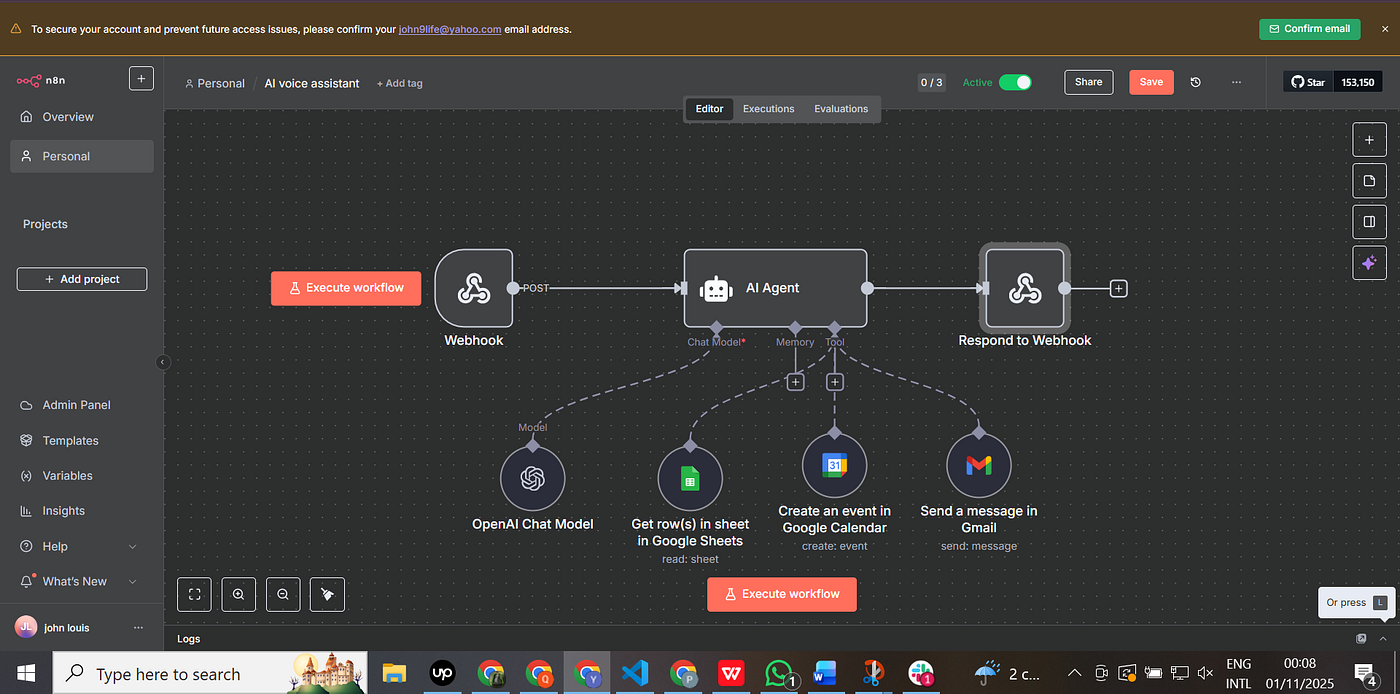
Screenshot by me
In this AI world, you can automate your writing with different AI tools and make it smarter and more effective.
What does automating your Writing mean?
It means AI can write for you and publish for you without letting you do anything at all, automatically.
Seems interesting, but how?
Good Question There are different AI Automation tools, such as N8N, Make.com, and Zapier, that help businesses automate their work and increase sales and income without any human intervention.
For my writing, I built an automation using n8n that writes and publishes for me automatically.
So, in this article, I will guide you on how I built a highly SEO-optimized blog automation that:
- Writes blog posts
- Increases the article’s traffic
- Helps me earn more from writing.
Most writers in the medium face difficulties in earning from writing, so in this article, I will solve this problem. Read the article completely.
What is N8N?
I built this automation using n8n.
N8N is a no-code automation tool that helps you build different automations for business, and in return, you earn money from that.
Prerequisites
- Create an account on n8n. It is free of cost, and you can easily create an account on n8n.
- Once you create an account.
- You will see a dashboard like this.

Screenshot by me
- In the top right corner, you will see “ Create workflow.”
- This is where you will start building automation.
- Once you click on that, you will see

Screenshot by me
In this, you will start building automation.
How n8n works
- Trigger — start the workflow
- Action Nodes — Perform tasks
- Logic nodes — condition, loops, and filter
- Last response- Output
Using this structure, we can build any kind of automation and sell it.
First Step Trigger Node
How the workflow will trigger it up to you. In my case, the workflow triggers at a scheduled time.
- The workflow will run daily at 7 am.

Screenshot be me
2. Google Sheet.

Screenshot my Me
- I am using a Google Sheet for fetching keywords on which the automation will write an article.
- You have to create a blank spreadsheet with a column named keywords.
Problem
You may have a large number of keywords

Screenshot by me
Solution Use a loop node
This will select the top keywords
Then come the action nodes: the Brain of the automation.
Perplexity AI :

Screenshot by me
This node is used for research and making content (pain point)
- Faster
- Accurate
- Up to date
SERP
This node is used for scraping the top trending articles from Google based on a keyword.
For example, if you search for the best car for your family This node will return
- Website 1
- Website 2
So it will scrape the data from it and bring it into the workflow. like title, meta description, and content.
AI node(ChatGpt)

Screenshot by me
- This node will create a rough draft
- Combining Research and Serp Content
Second AI Node
- This Node will refine the draft
- Merges With Requirements
Structure the Content

Screenshot by me
After generating the content
I am using a parser node to structure the output like:
- Title
- Meta description
- Blog Content
Humanizer Node

Screenshot by me
- This node will humanize the content
- Give Final Touch
Approval and Publishing

Screenshot by me
The next step is the approval node
Two Conditions
Approved
Published Automatically on:
- Medium
- Vocal Media
- Wordpress
Not Approved workflow repeats the process until it completes the requirement. This automation not only writes articles but also helps you in ranking your article high.
Conclusion
If you want the complete blueprint with prompts.
Just comment on me with your favorite part from the article.
Thanks for reading. If any queries, feel free to ask. Once again, thanks.
메타데이터
- post_id
- 77ce0f4d9de0
- slug
- i-stop-writing-articles-my-ai-system-does-it-for-me-77ce0f4d9de0
- url
- https://medium.com/@qarabeg6/i-stop-writing-articles-my-ai-system-does-it-for-me-77ce0f4d9de0
- canonical_url
- https://medium.com/@qarabeg6/i-stop-writing-articles-my-ai-system-does-it-for-me-77ce0f4d9de0
- author_url
- https://medium.com/@qarabeg6
- status
- ok
- fetched_at
- 2026-08-11 06:11:26