Staking TheOAN ($AION)— delegate AION with Makkii Mobile Wallet
A step by step tutorial on how to stake AION with Makkii Mobile Wallet (Ledger support on Android)
Staking TheOAN ($AION)— delegate AION with Makkii Mobile Wallet
A step by step tutorial on how to stake AION with Makkii Mobile Wallet (Ledger support on Android)
Requirements: Store AION in Makkii wallet wallet
You are required to hold AION tokens in a wallet and NOT on an exchange to delegate. See a list of available wallets **here**.
This guide include how to installation and deposit tutorial: 🔗**Makki Mobile Wallet account registration GUIDE written by The OAN team**
Ledger Wallet Support on Android: Makkii supports integrating with the Ledger cold wallet. Using the correct cable, plug your Ledger device into your Android. The Ledger will then prompt you for the next steps.
1. Login, choose “Discover tab” and click “Delegate”
- Step 1: Login
- Step 2: Under “Discover tab” in the bottom menu choose “Aion Staking”
- Step 3: Choose “Delegate” to access staking pools list
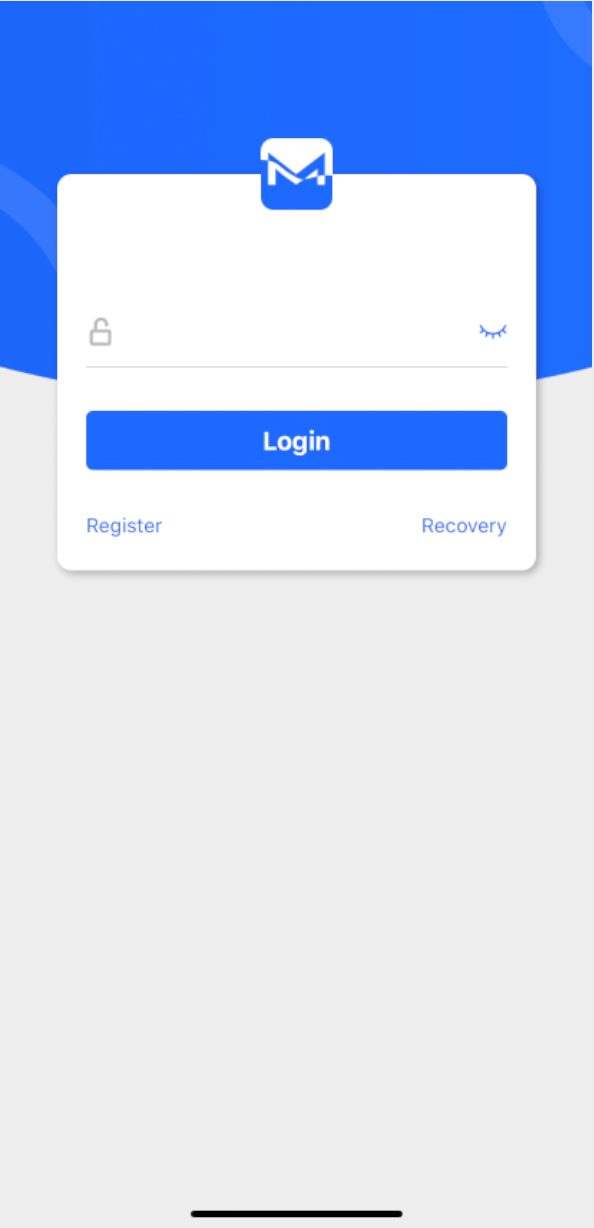
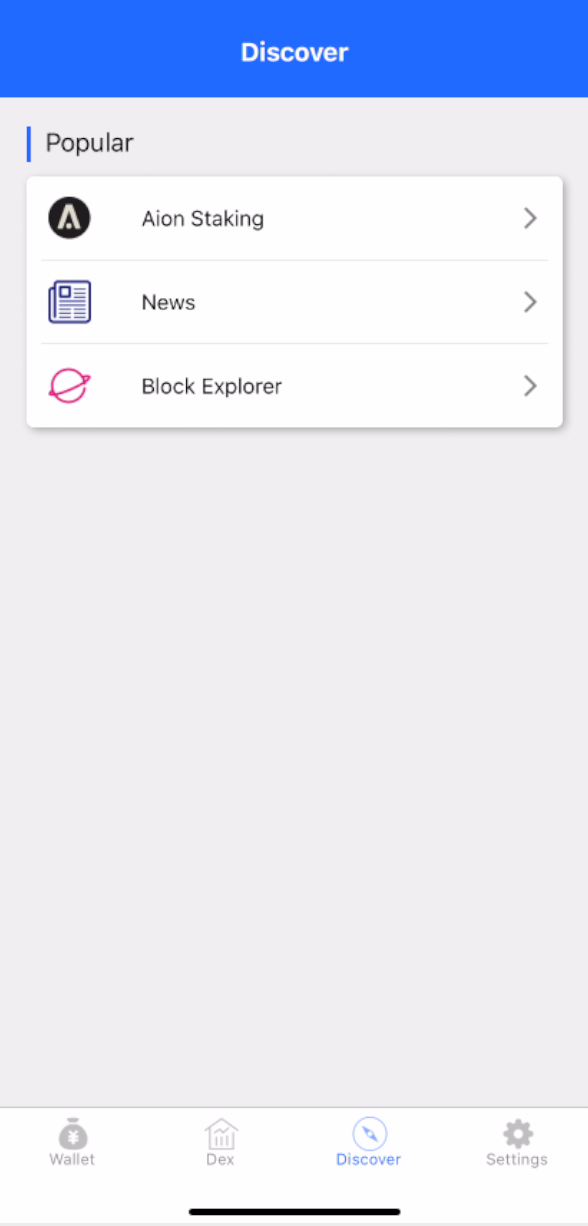
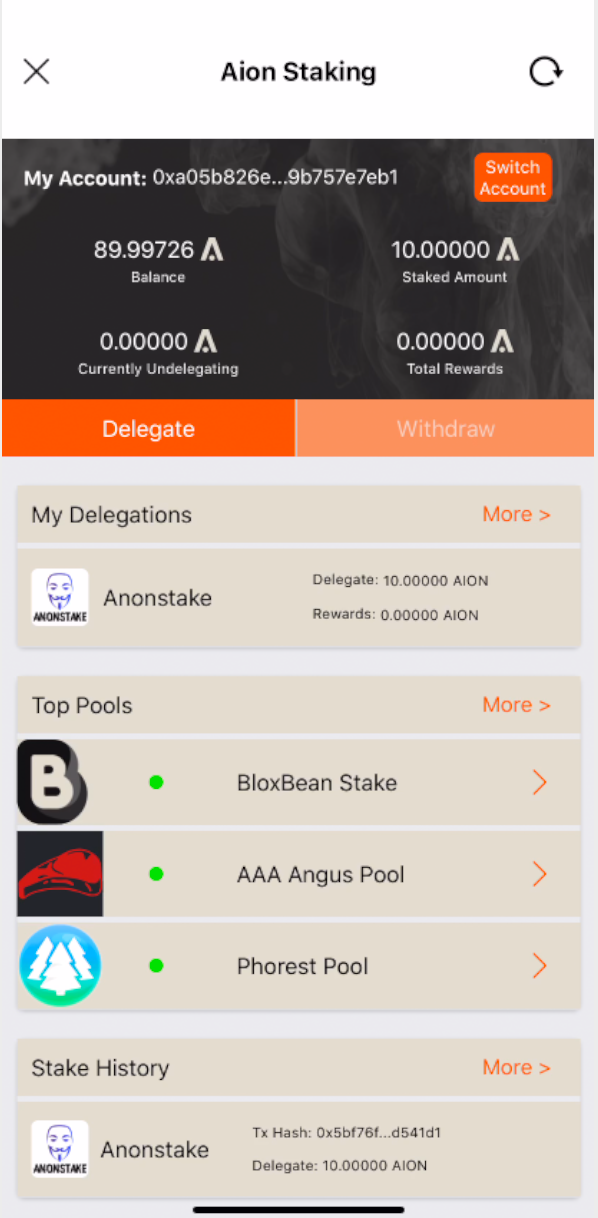
Step 1: Login | Step 2: Under “Discover tab” in the bottom menu choose “Aion Staking” | Step 3: Choose “Delegate” to access staking pools list
2. Choose the staking pool and the amount to delegate then confirm delegation
- Step 4: Choose Anonstake or any other staking pool from the list
- Step 5: Insert amount you want to delegate (you can choose several pools with several delegations)
- Step 6: To send delegation transaction press “Send” button
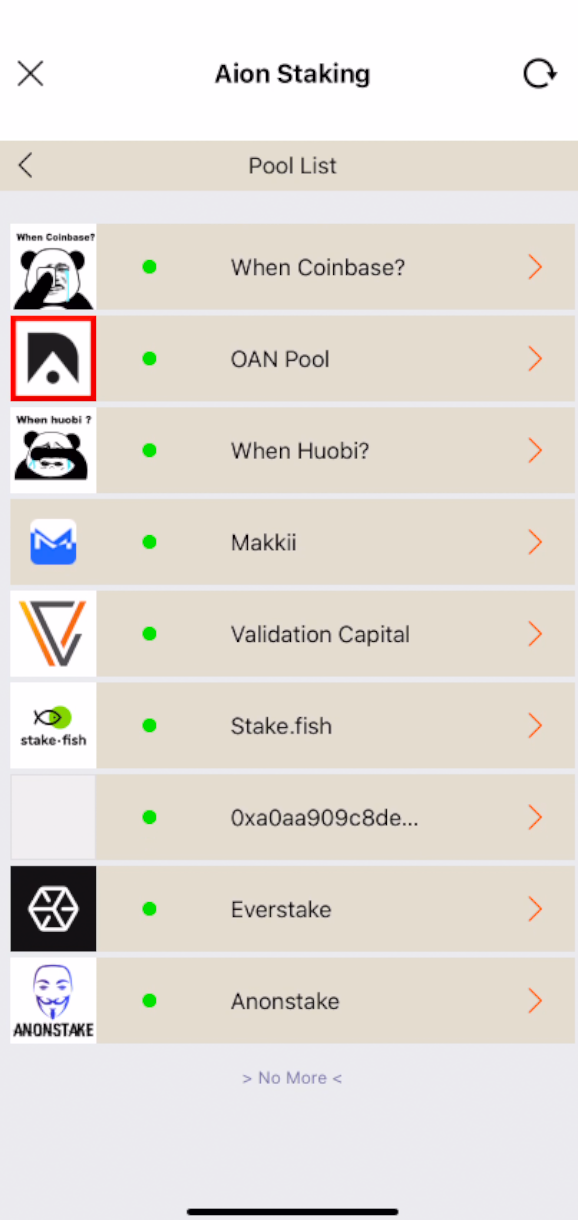
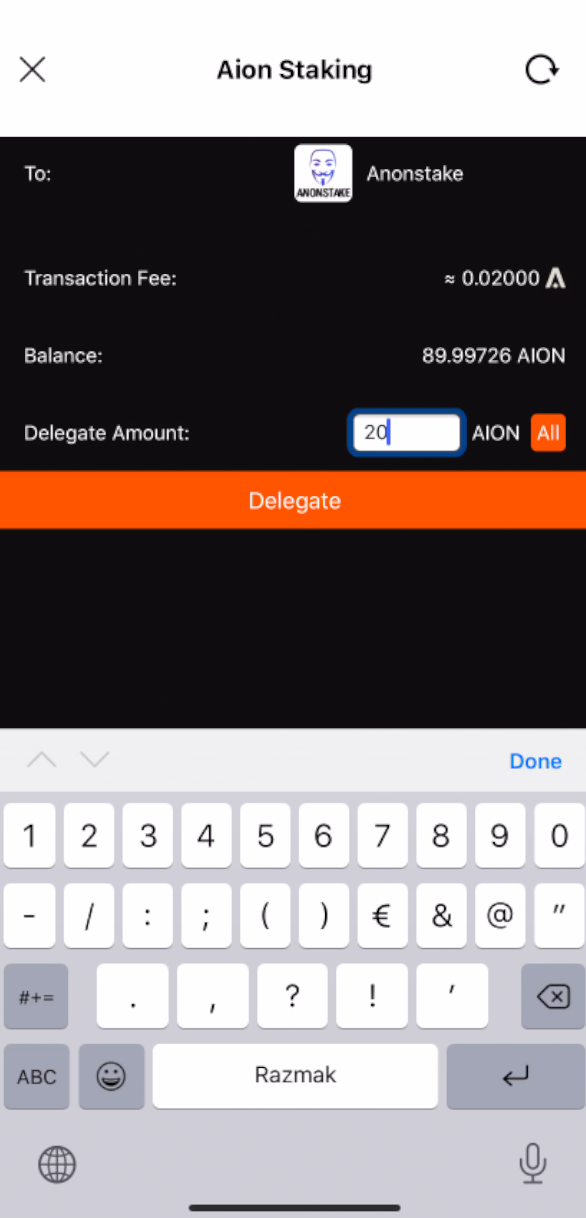
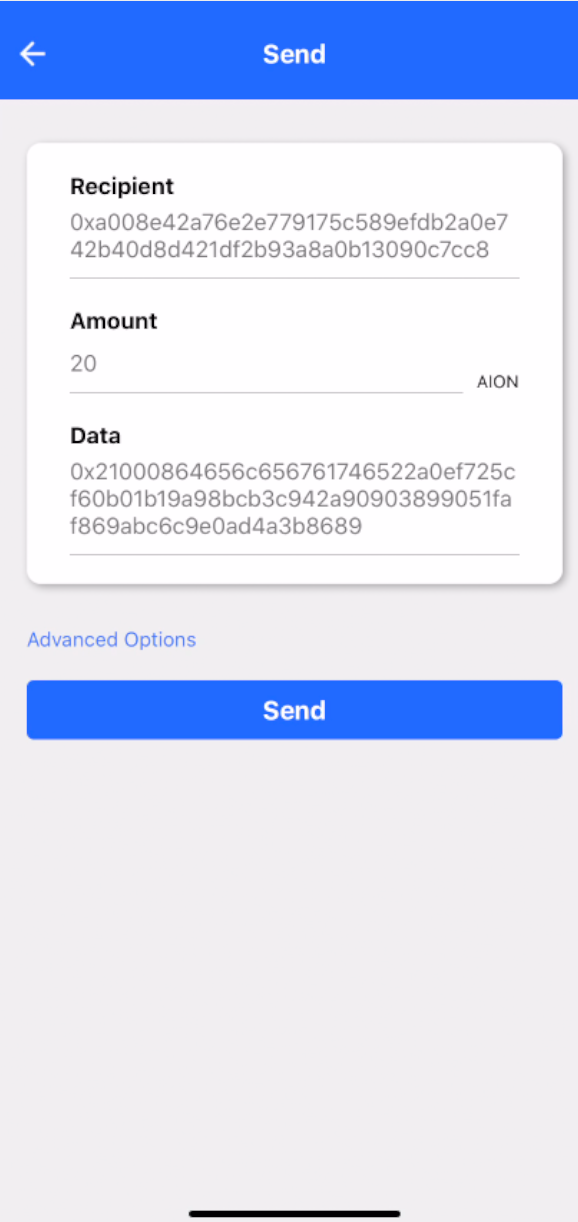
Step 4: Choose Anonstake or any other staking pool from the list | Step 5: Insert amount you want to delegate (you can choose several pools with several delegations) | Step 6: To send delegation transaction press “Send” button
3. Confirm delegation with password and wait for block finalisation!
- Step 7: Insert Makkii password to confirm the transaction
- Step 8: Copy the TxID of the transaction or click on the link
- Step 9: You are able to see your delegation in “Aion staking” menu (under “Discovery” tab)
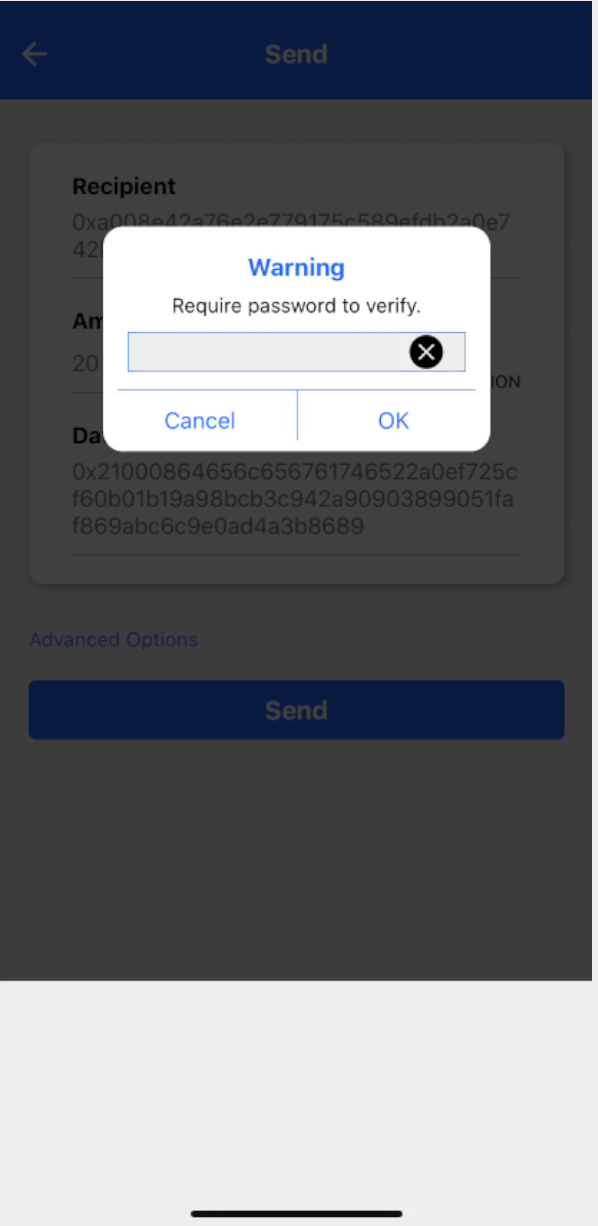
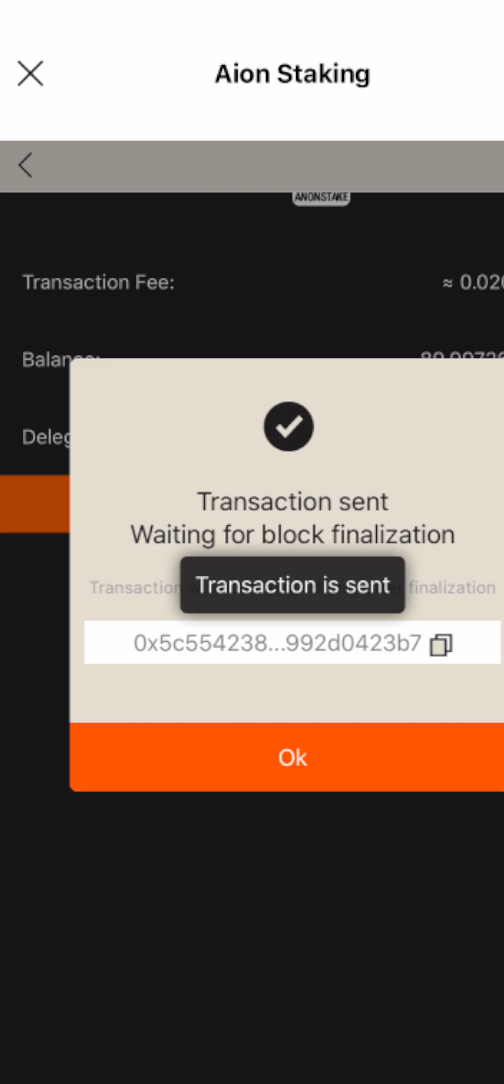
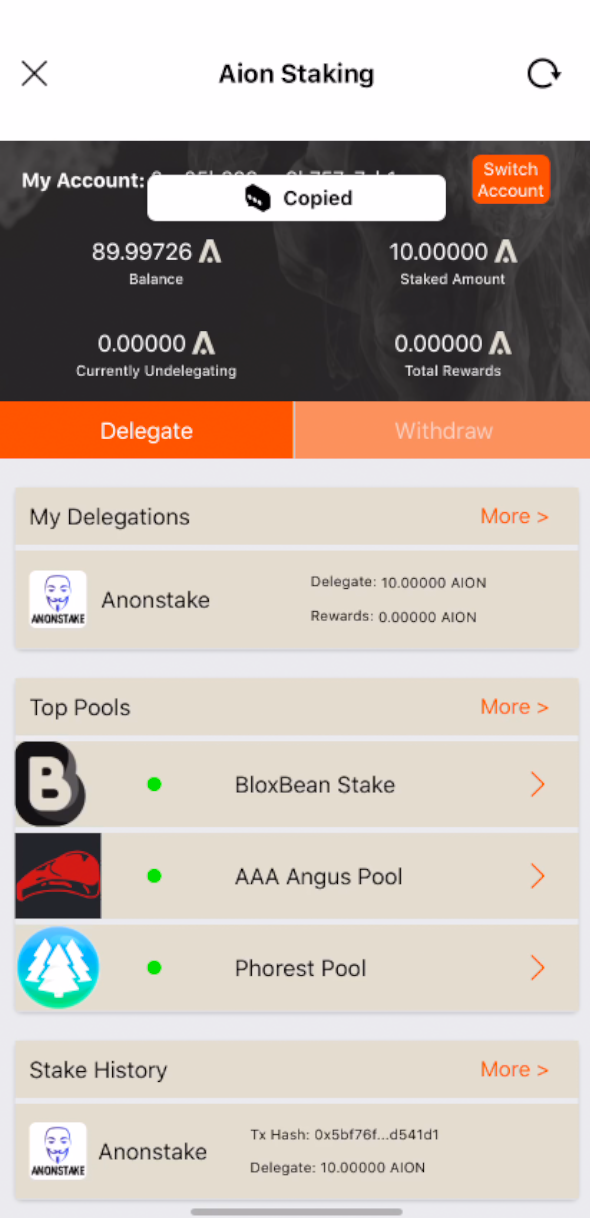
Congratulations, your $AION tokens are now delegated to Anonstake staking pool and you will start earning your rewards! Rewards distribution are inherently immediate per block basis! 🎉🎉🎉
What is The OAN?
The OAN is a public infrastructure that creates a new design space for Open Applications. As a public system, a global community of individuals, software companies, and institutions secure and maintain the operations of the network. The critical functions are enabled and incentivised through Aion. The usage of the network is metered and paid in Aion, compensating those contributing to its operations (🔗 **The OAN**).

Anonstake.com provides public delegation services to retail token holders. Our professional team is passionate about blockchain, new IT technologies and has a mix of youth and experienced team members. We have been contributing to the blockchain industry since 2016 and have the know-how and the hardware capabilities to ensure and design highly available network infrastructure.
Please 👏 to share and get Anons to start staking!
Contact or Follow us on platforms below:
Website: anonstake.com
Telegram: t.me/anonstakecom
Twitter: www.twitter.com/anonstake
Facebook: fb.me/anonstake
Facebook Messenger: http://m.me/anonstake
메타데이터
- post_id
- 77d2fc3bd4c4
- slug
- staking-theoan-aion-delegate-aion-with-makkii-mobile-wallet-77d2fc3bd4c4
- url
- https://medium.com/anonstake/staking-theoan-aion-delegate-aion-with-makkii-mobile-wallet-77d2fc3bd4c4
- canonical_url
- https://medium.com/anonstake/staking-theoan-aion-delegate-aion-with-makkii-mobile-wallet-77d2fc3bd4c4
- author_url
- https://medium.com/@anonstake
- status
- ok
- fetched_at
- 2026-07-24 17:05:14



