🥨 SPSS Snacks #4 | Split and Freeze
Because you need to keep some columns/rows and scroll others.
🥨 SPSS Snacks #4 | Split and Freeze
Because you need to keep some columns/rows and scroll others.
Splitting SPSS dataset horizontally and vertically
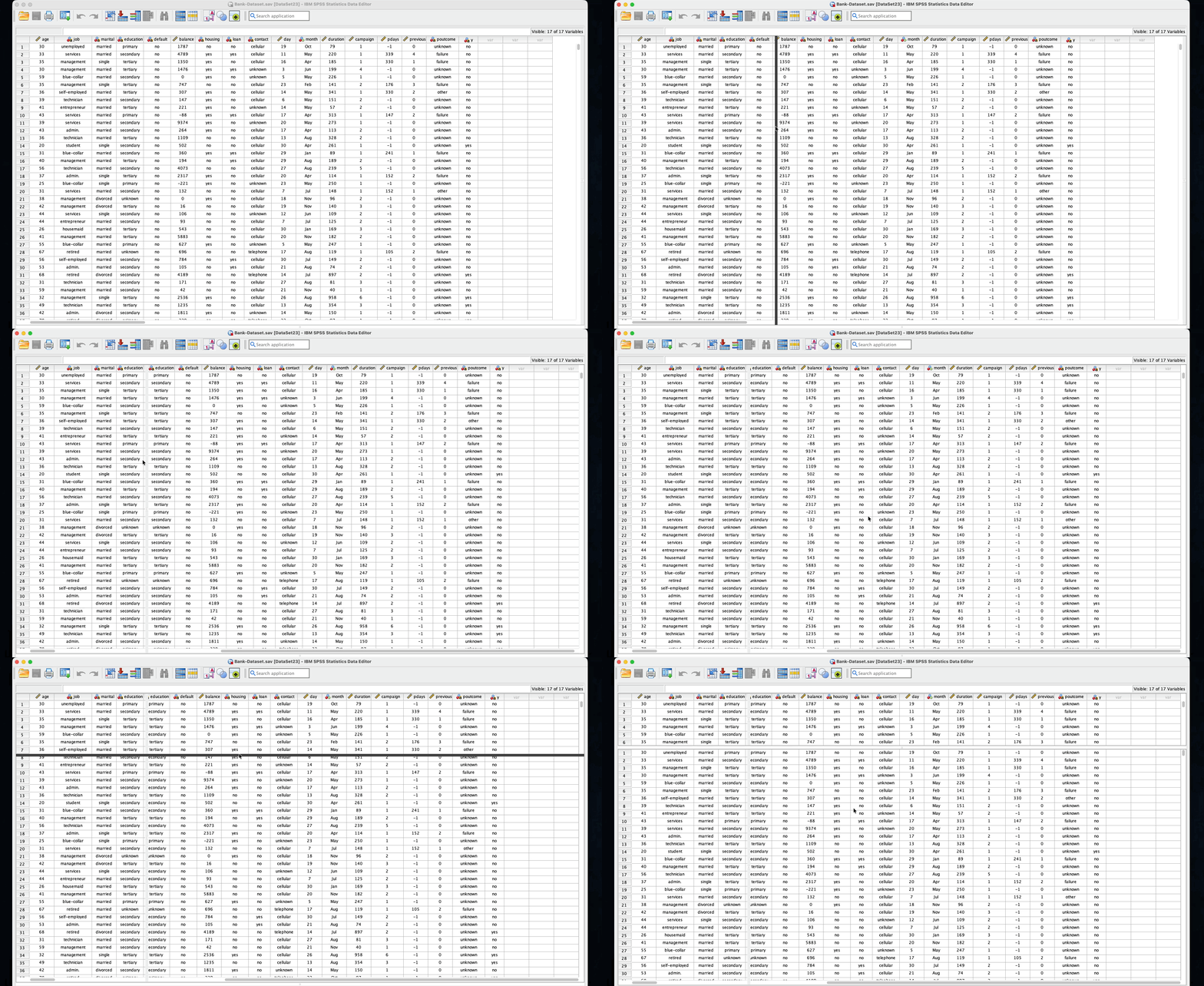
Many times, you want to freeze the information in some of the first columns (e.g., demographic data) while scrolling through the rest of the columns. Or similarly, keeping the first number of rows and scrolling the other rows under it.
SPSS's not-too-obvious splitting feature helps these scenarios. I say not-too-obvious because of the way you activate it: you need to go to the right edge, the cursor changes into arrows with a line, and you drag the edge to the left and leave it after the column you want to freeze.
Similarly, you drag the edge from the bottom up to the row that you want to keep at the top.
To remove the split, you drag the edges back to the right or bottom.
You can also split the window from the menus: Window > Split will split the window in half, both horizontally and vertically. You can then adjust the lines. Use Window > Remove Split to remove the splitting lines.
메타데이터
- post_id
- 787bf52686a6
- slug
- spss-snacks-4-split-and-freeze-787bf52686a6
- url
- https://medium.com/@mhmxd/spss-snacks-4-split-and-freeze-787bf52686a6
- canonical_url
- https://medium.com/@mhmxd/spss-snacks-4-split-and-freeze-787bf52686a6
- author_url
- https://medium.com/@mhmxd
- status
- ok
- fetched_at
- 2026-06-14 11:28:49