Flutter Lifecycle Callbacks: What I Learned After 7 Years of State Management
Why build doesn’t mean repaint, how GlobalKeys trigger deactivate, and why the Element Tree is important to the State
Flutter Lifecycle Callbacks: What I Learned After 7 Years of State Management
Why build doesn’t mean repaint, how GlobalKeys trigger deactivate, and why the Element Tree is important to the State

I have been working with Flutter since 2018 when I first started Software Development professionally. And a lot many times, during the course of the starting 2–3 years, I was unable to understand the lifecycle methods. And things like:
- Who invoked those lifecycle methods?
- What do really
didChangeDependenciesanddidUpdateWidgetcallbacks really mean? - Why
MediaQeuerycalls do not work ininitStatecallback? - How does it all fit into the 3 trees of Flutter, the
Widget Tree,Element Tree, and theRenderObject Tree? - How do you really see the lifecycle callbacks in action?
Today, we’re going to tackle just that. Once and for all. This will be your latest and final guide into the State and the Lifecycle Methods.
Before we get into the lifecycle callbacks, let us first introduce ourselves to the 4 kind of widgets in Flutter:
**StatelessWidget**: Describes a portion of the UI**StatefulWidget**: Just like a stateless widget, but holds state**RenderObjectWidget: **Widgets that actually render something on the screen**InheritedWidget**: Widgets that helps in passing data around the widget tree
Now, let’s look at an empty Stateful and aStatefulWidget. Almost every widget looks like this:
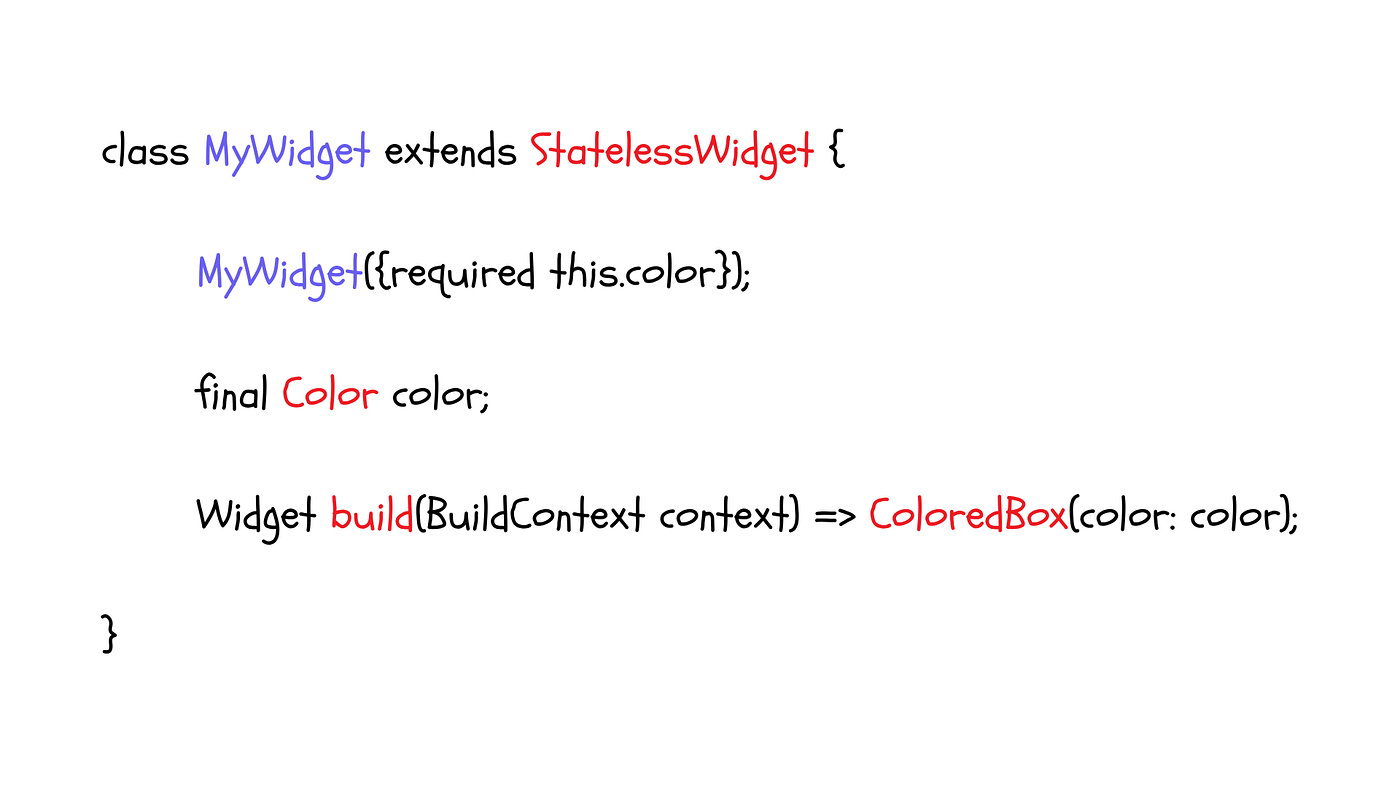
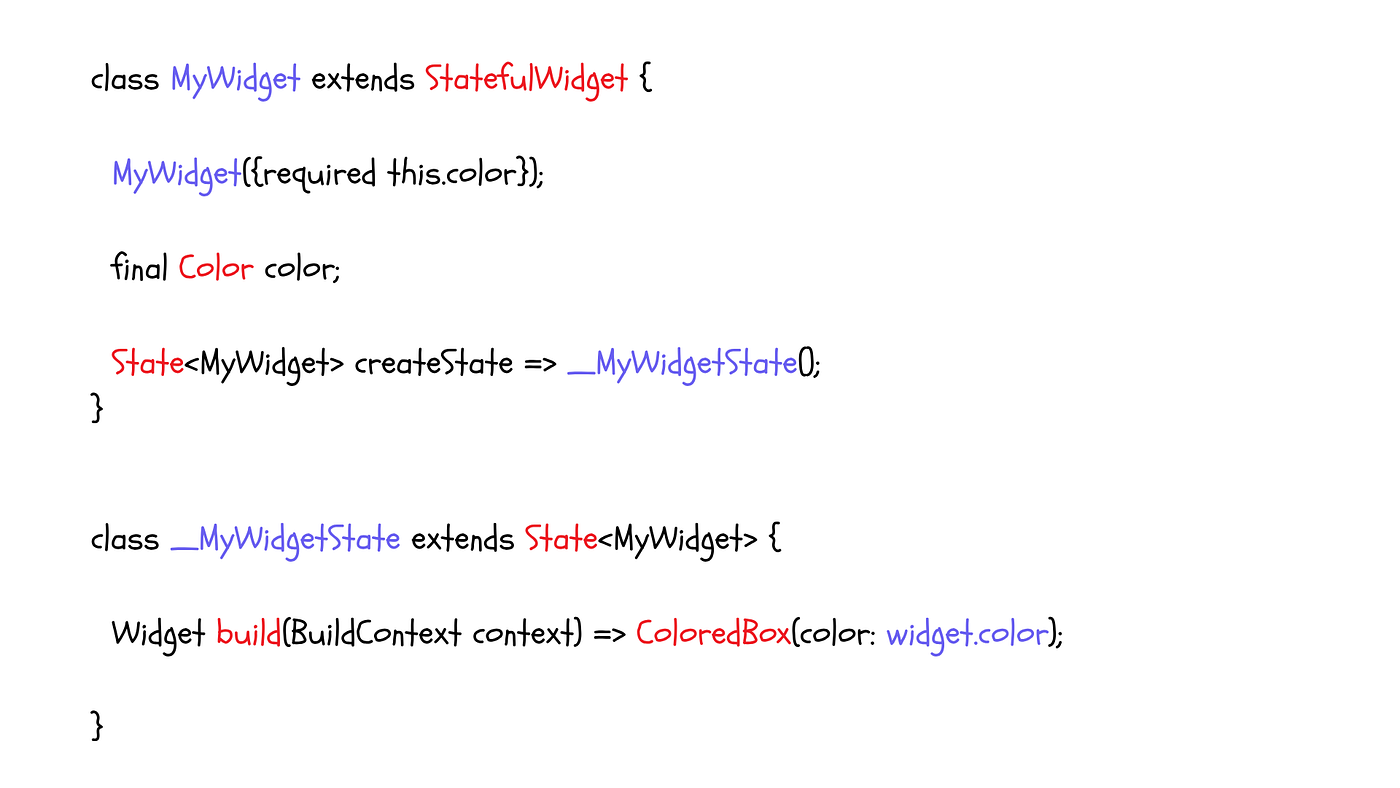
Both MyWidget classes of Stateless and Stateful widgets, have a constructor and parameters in common. But the build method in the Stateful widget, resides in the State object.
If you look in the Flutter Docs, you will see one more method in the widget class under both Stateless and Stateful widgets.
  /// For Stateless Widgets
  /// Creates a [StatelessElement] to manage this widget's location in the tree.
  ///
  /// It is uncommon for subclasses to override this method.
  @override
  StatelessElement createElement() => StatelessElement(this);

  /// For Stateful Widgets
  /// Creates a [StatefulElement] to manage this widget's location in the tree.
  ///
  /// It is uncommon for subclasses to override this method.
  @override
  StatefulElement createElement() => StatefulElement(this);
Both these widgets create an element, that gets attached to the Element tree. This is the second tree that comes behind the widget tree.
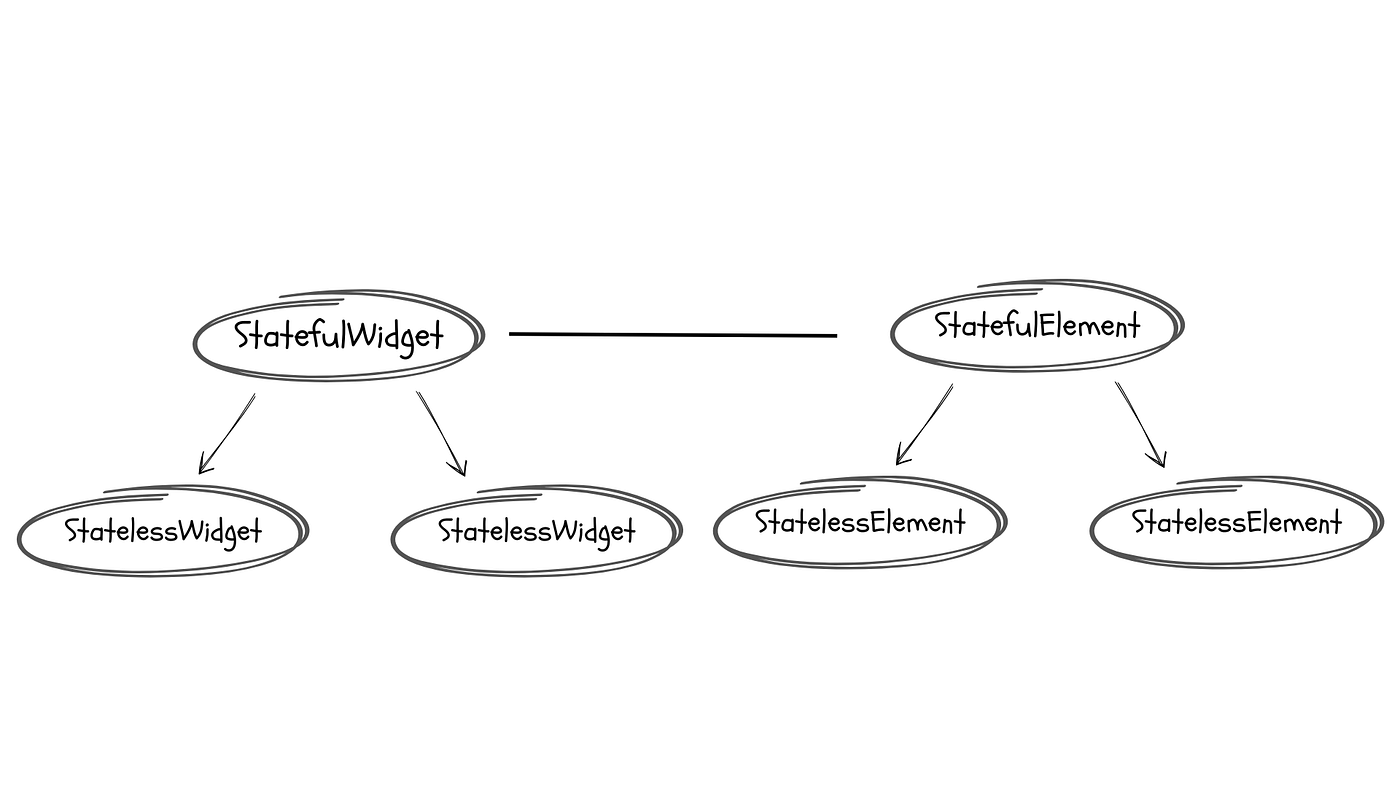
This
Element Treemanages the widget’s location in the widget tree, and it also manages theState objectof theStateful Widget.
This is an important piece of information that is going to be very helpful in understanding the working of the lifecycle.
And since the state object is managed by the Element Tree, the lifecycle of a Stateful Widget, is also managed by the Element of that Stateful Widget.
So when you call setState, you are actually calling a method on the element to tell the framework, that in the next frame update, this widget needs to be looked at.
If you look inside the setState method definition, it says:
_element!.markNeedsBuild();Elements, then, analyses differences between the widget trees, frame-to-frame, and resolves the widget tree accordingly.
Now that we have a little grasp on the basics, let’s get to the meaty part of this article.
We already looked at an empty Stateful widget. The first method that we saw was createState.
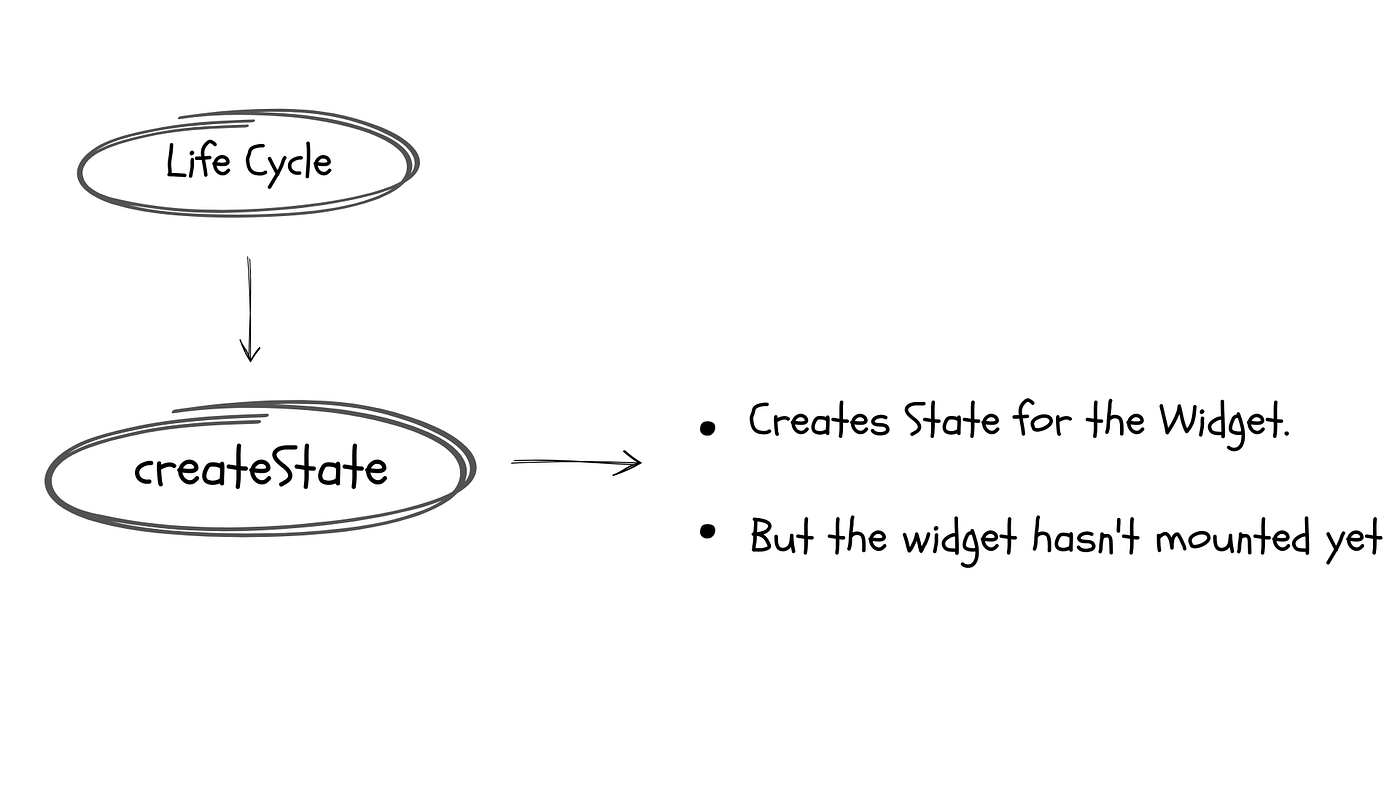
State<MyWidget> createState() => _MyWidgetState();- This method lives on the widget, not on state. That design is intentional. It lets Flutter keep the Widget and the State fully decoupled.
- It’s called exactly once per lifetime of the
element. If Flutter removes the widget and creates a new one, like changing thekeyof the widget,createStateis called again for the new element. - At this point,
contextis not yet available inside theState. The State object exists but it hasn’t been mounted yet. - If you try and access the
widgetor thecontextfrom within theStateconstructor, you will get aLateInitializationError.
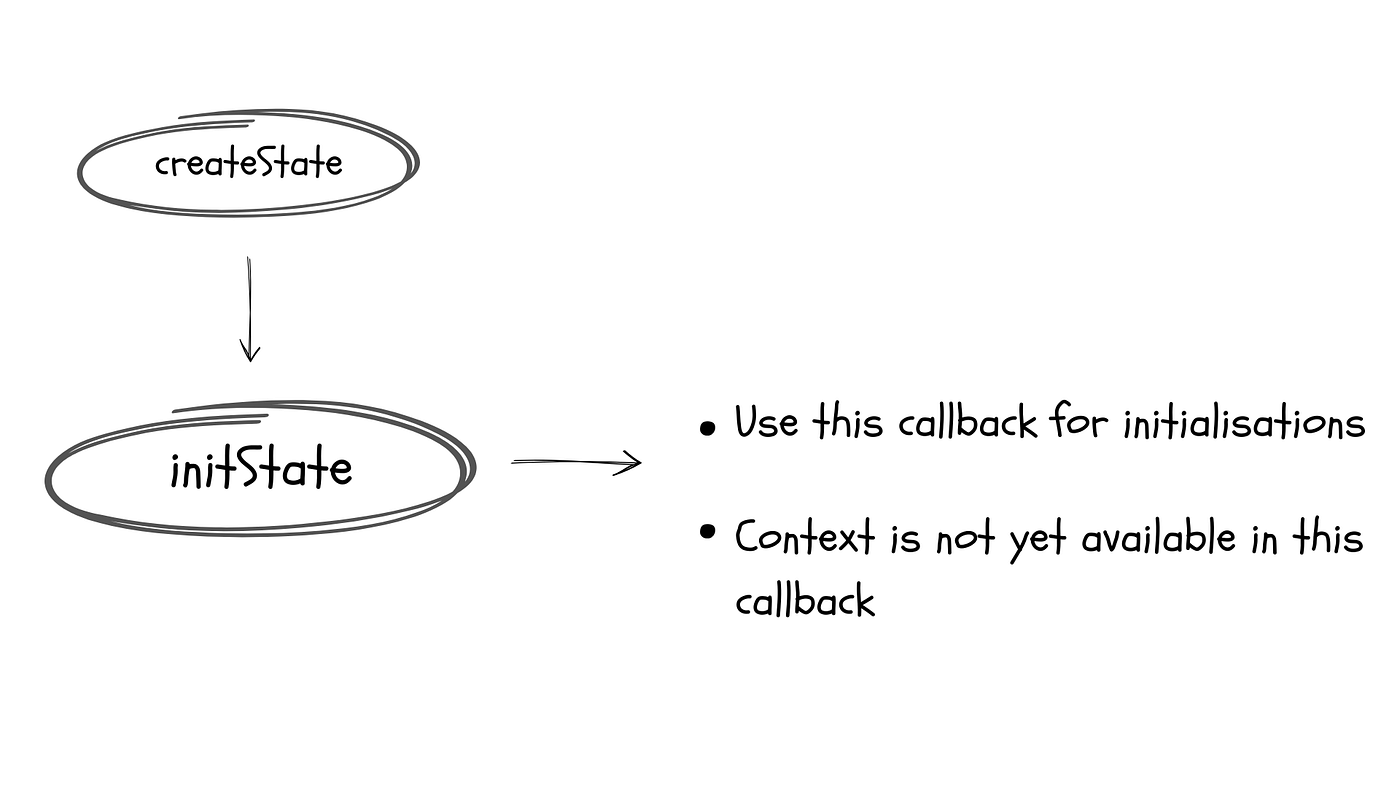
Now that the state object of the widget is created, let’s move on to the next method that is called in the lifecycle.
  @override
  void initState() {
    super.initState();
    ...
  }
Right now, the context is not available in this method, since the state has yet to be mounted onto its element. So the calls to MediaQuery.of(context) won’t work here, and instead throw an error like this:
The following assertion was thrown building LayoutBuilder:
dependOnInheritedWidgetOfExactType<_InheritedTheme>() or dependOnInheritedElement() was called
before _InstrumentedCounterState.initState() completed.
Also, if you remember the setState call actually marks the element dirty.
So, you cannot call setState directly inside the initState callback because the framework hasn’t called build even once yet, so there is actually nothing to mark dirty.
However, you can schedule a post-frame callback like this:
WidgetsBinding.instance.addPostFrameCallback((_) {
  if (mounted) setState(() {...});
});
This runs after the first build() completes, making it safe.
Use this callback to initialise any state variables, controllers or subscriptions.
Before we get to the
didChangeDependenciescallback, we should understand the third type of widget,InheritedWidget.
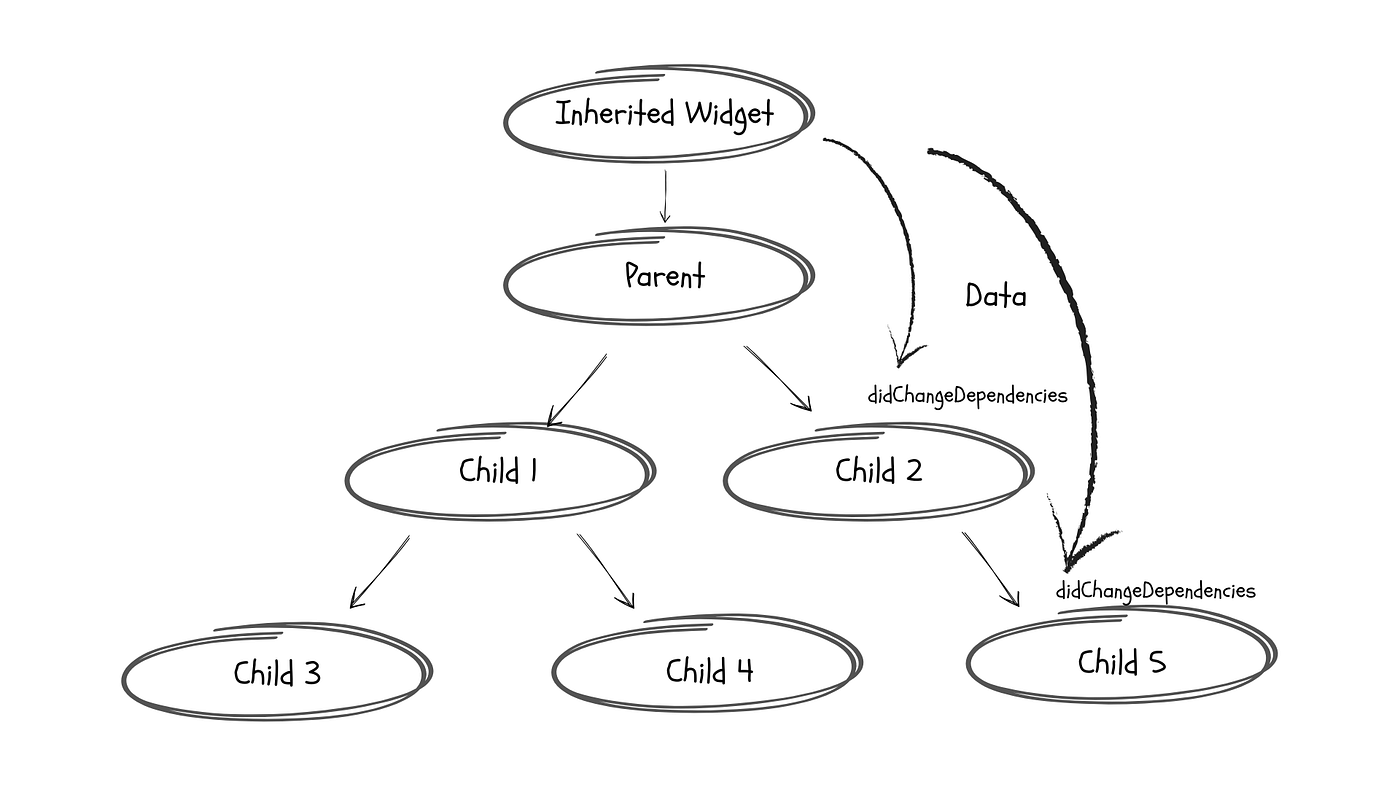
InheritedWidgetis Base class for widgets that efficiently propagate information down the tree.MediaQuery,Theme,Provider, all are examples ofInheritedWidget.
So, when you write:
MediaQuery.of(context).. or
Theme.sizeOf(context)
Internally, you are asking InheritedWidget MediaQuery or Theme to register this StatefulWidget as one of your subscribers, and whenever you notice a change, inform this widget, so that it can update itself to the changes accordingly.
How does the InheritedWidget notify its subscribers?
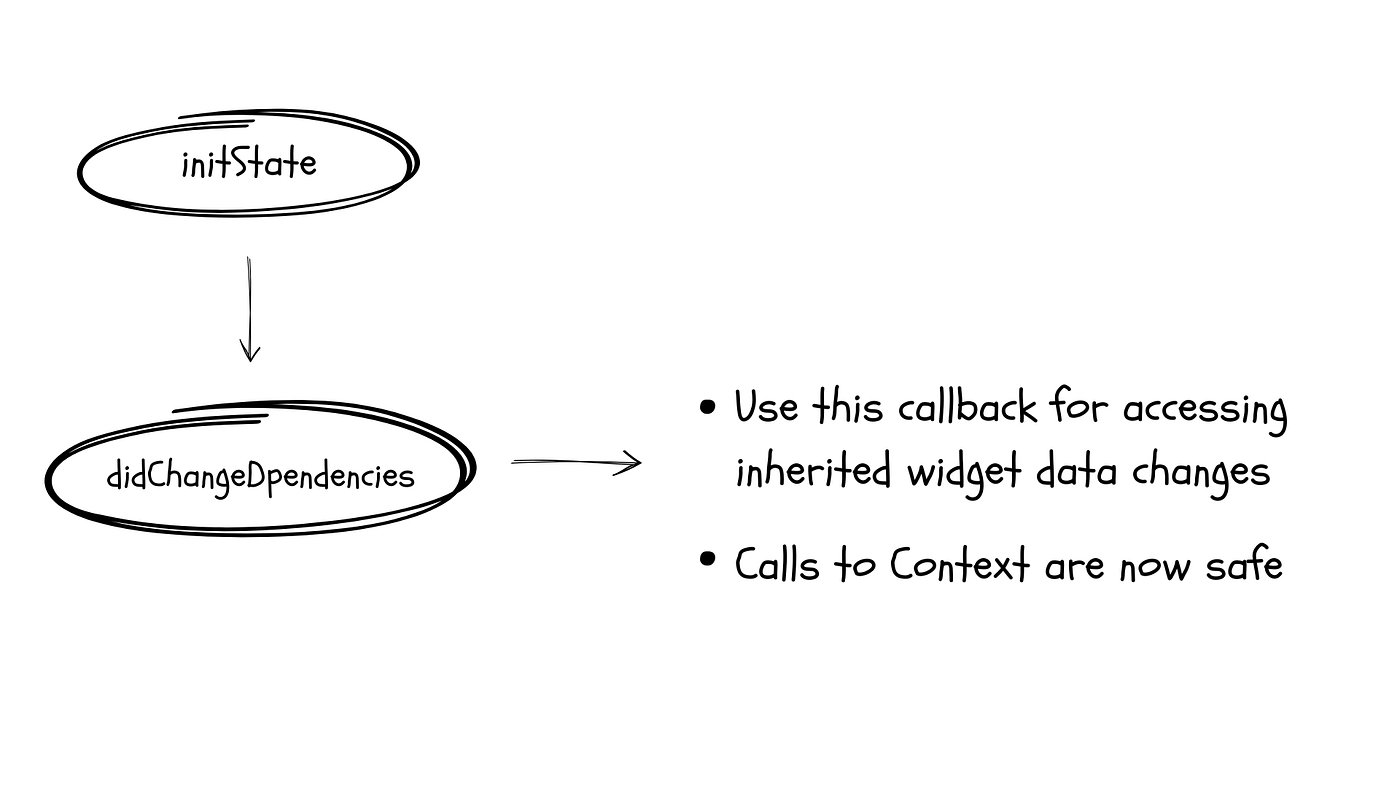
It does so using the didChangeDependencies callback. This method is called immediately after initState is called, and again every time an InheritedWidget this widget is subscribed to is updated.
void didChangeDependencies() {}Calls to context are now safe in this callback and you should use this callback for updating values that depend on InheritedWidget.
The build() callback is called whenever Flutter needs fresh widget tree from this state. It returns a widget and it is triggered:
- After
didChangeDependenciesis called. - After
setStatecalls. - After the
didUpdateWidgetcallback is invoked. - A parent rebuild propagates down.
This callback is called synchronously on the UI thread. It must complete within ~16 ms (one frame at 60 fps) or the app janks.
An interesting thing to note here is that
build()being called does not mean that the screen repaints. Flutter has 3 trees. Widget → Element → RenderObject.
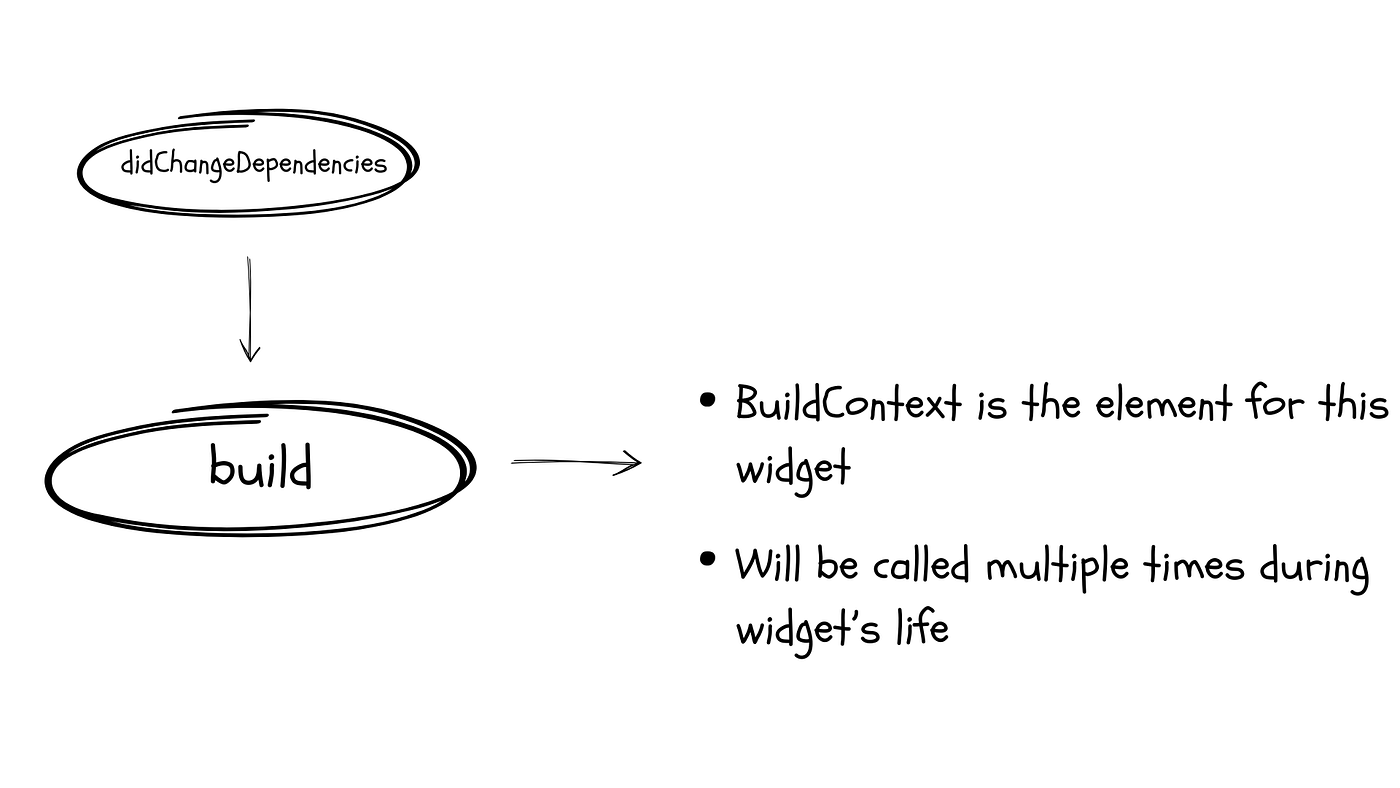
So the call to build() only reconstructs the widget tree. The Element tree diffs it, and only update the RenderObject tree where something actually happened.
Expensive build() calls are wasteful but not as catastrophic as many developers fear — no pixel moves unless the RenderObject changes.
Returning a widget from the build() that is == to the previous result does not mean it skips the diffing algorithm. The element tree always diff the new widget tree.
But using const constructors short-circuits early at the Element level. A const widget with the same value is skipped entirely. This is why const widgets are recommended wherever possible.
This is also why, making a widget const, or wrapping it in RepaintBoundary / using AutomaticKeepAliveClientMixin can prevent unnecessary downstream rebuilds, when that widget hasn't changed.
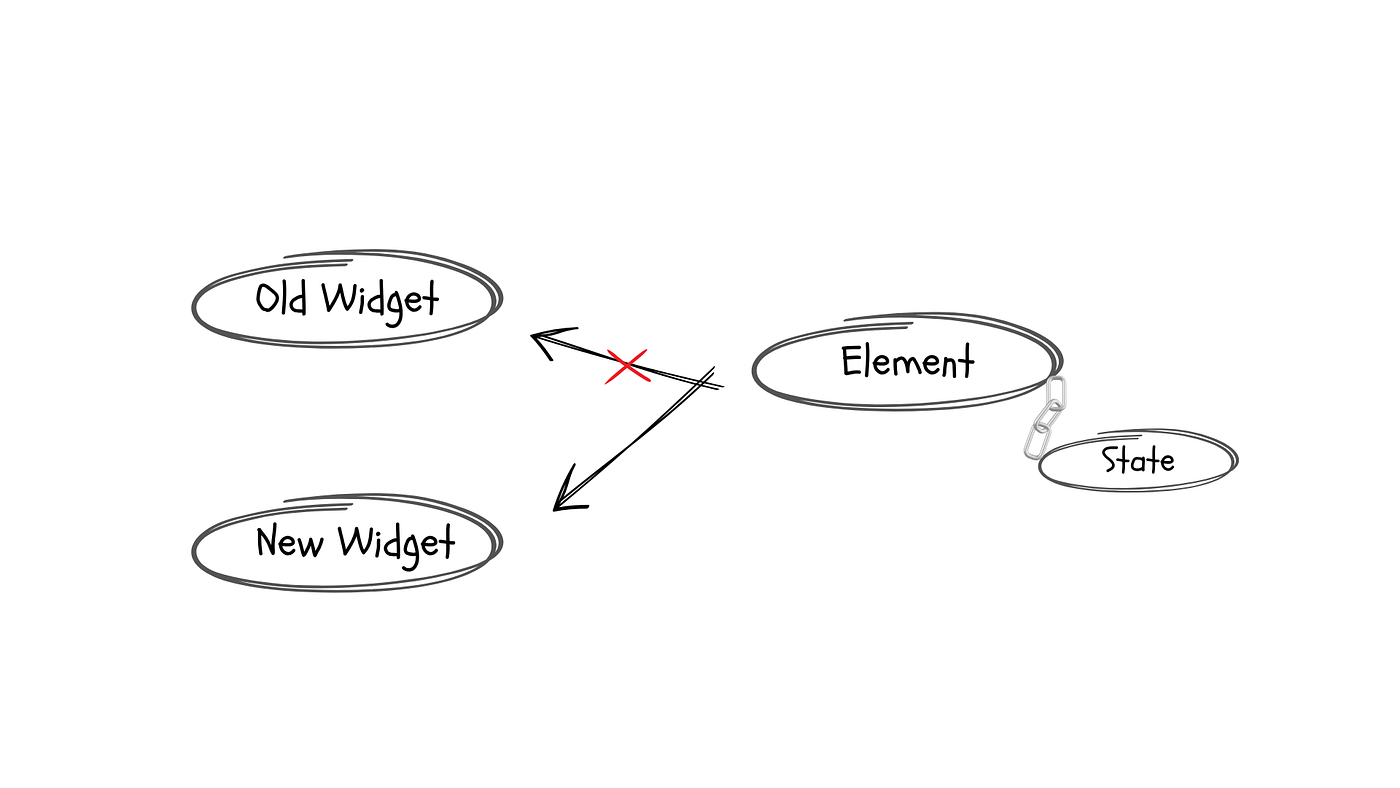
We know that the widget part in the StatefulWidget is similar to the StatelessWidget, as light and destructible. So, when the parent widget rebuilds, and the framework asks the widget tree to display a new widget, the element makes some checks.
If the runtimeType and the key are identical to the previous widget, the Element ask the state object to refer to the new widget, and then call didUpdateWidget.
void didUpdateWidget(covariant T oldWidget) {}This is the correct place to update your animation/ stream subscription if it depends on the constructor’s (widget’s) parameters.
Something like this:
@override
void didUpdateWidget(covariant MyWidget old) {
  super.didUpdateWidget(old);
  if (old.stream != widget.stream) {
    _subscription?.cancel();
    _subscription = widget.stream.listen(_onData);
  }
}
The covariant here in the callback signature is a Dart keyword that narrows the type. It lets you accept the desired StatefulWidget class instead of the base class, without violating Liskov Substitution Principle. The framework correctly passes in the type. The covariant is just for suppressing the type warning.
This callback is always followed by the build() callback. You don’t need to call setState inside didUpdateWidget.
Let’s say you don’t override the didUpdateWidget callback. What happens then?
The framework still calls the build(), after this callback. It just quietly replaces the widget references. But if you were depending on the widget props for animations, those won’t take any effect in this case.
This second last callback is called deactivate.
void deactivate() {}This callback is invoked when the state is removed from the element subtree. This removal can be temporary or permanent. This removal is temporary when the framework move the state from one part of the tree to another with the same GlobalKey.
In both cases, the deactivate callback is invoked.
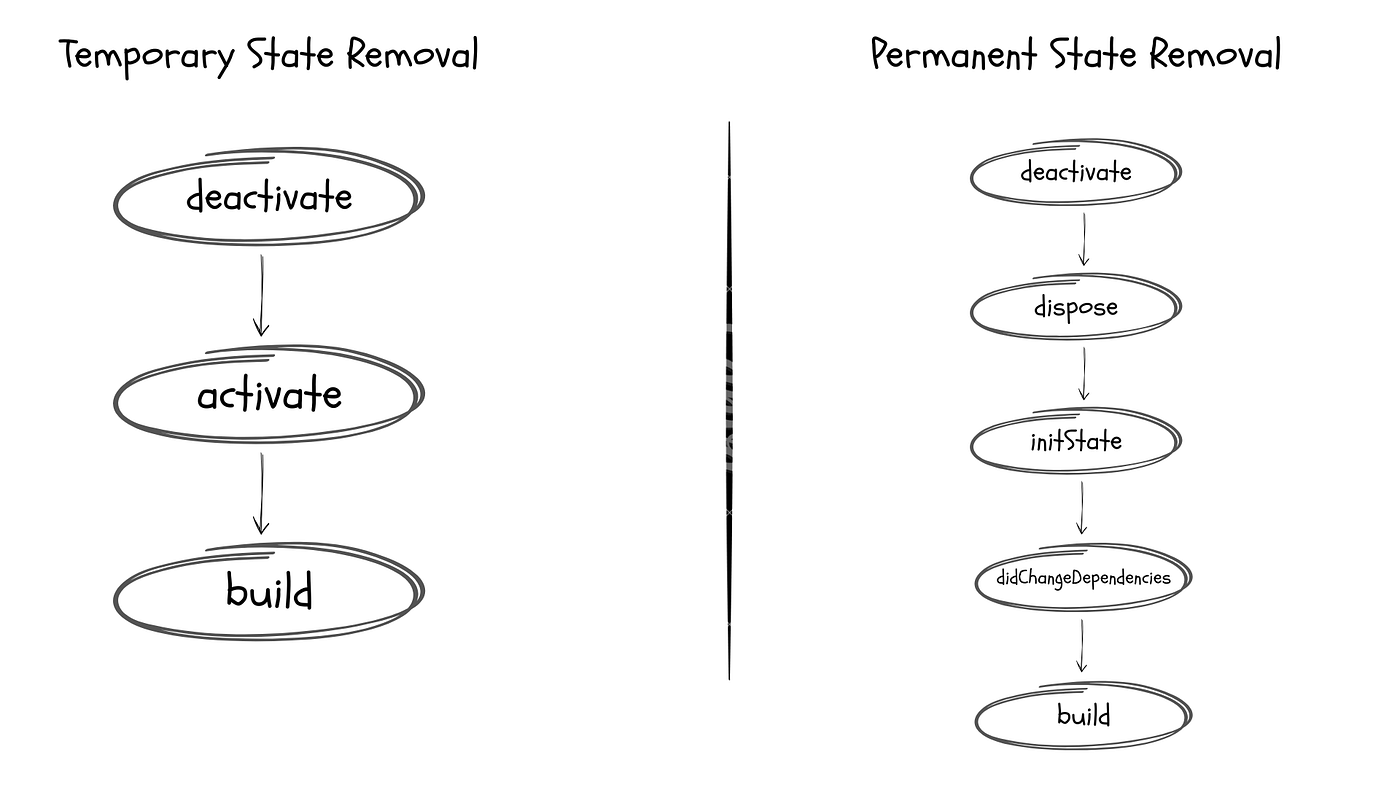
This method is immediately followed by dispose callback if the removal of the state object is permanent.
If it’s temporary, this callback is followed by activate() and then build().
A fun fact about deactivate callback is that mounted is still true inside it. It becomes false only after the dispose callback completes.
void dispose() {}This is the final callback invoked on the state object in its lifecycle. After this callback returns, the state enters defunct state, and must never be used again.
This is the callback where you dispose off all the resources that you might have used along the way, for example, AnimationController, TextEditingController, ScrollController, PageController, and more.
Now that we have everything in place for the lifecycle callbacks of a StatefulWidget, we can progress to a real world example that demonstrates exactly how the lifecycle works.
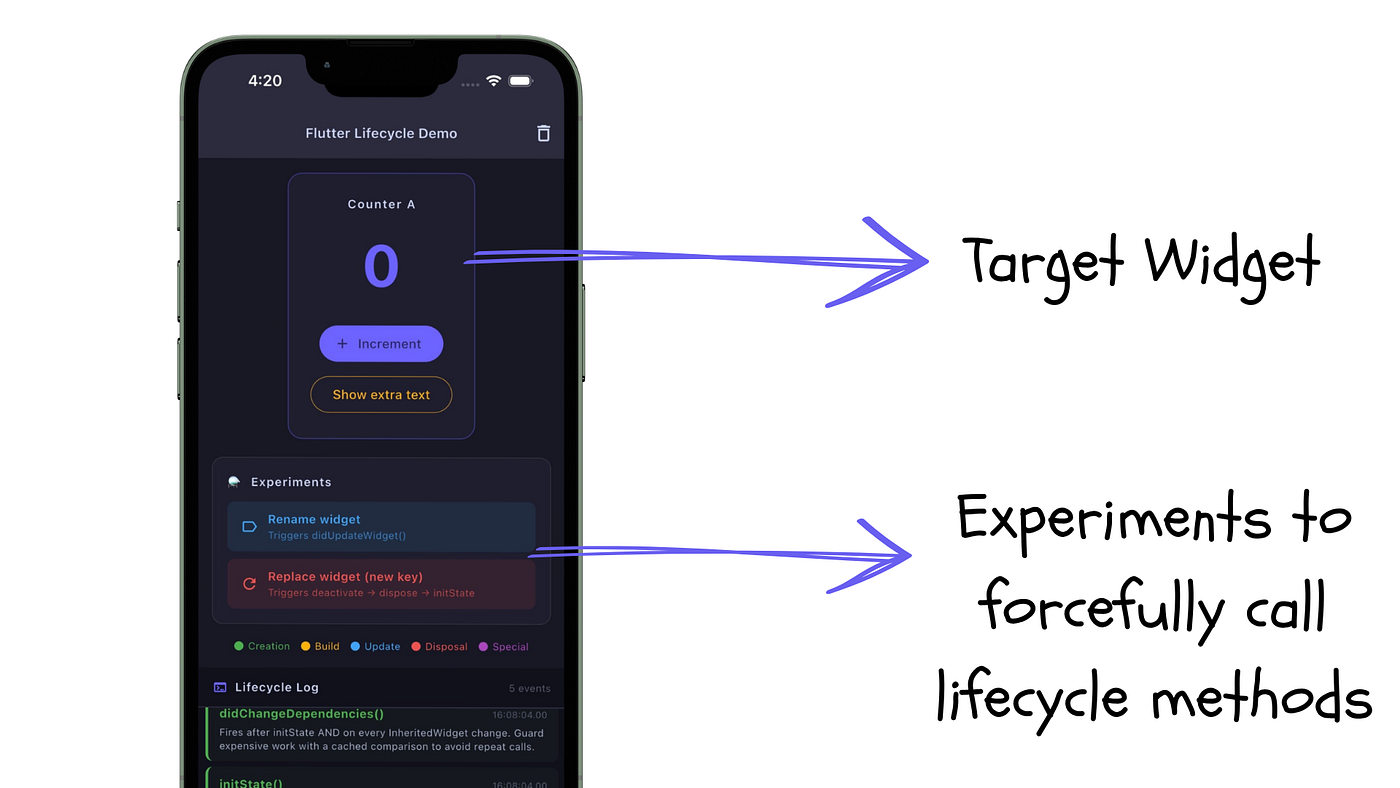
The example demonstrates how certain actions affects the lifecycle of the target widget. Callbacks like setState, didUpdateWidget and didChangeDependencies are a few live examples in this demo project that we will create.
Here is the GitHub link for the demo project:
As you run the app, you can see that 3 lifecycle events are fired almost instantly.
initStatedidChangeDependenciesbuild
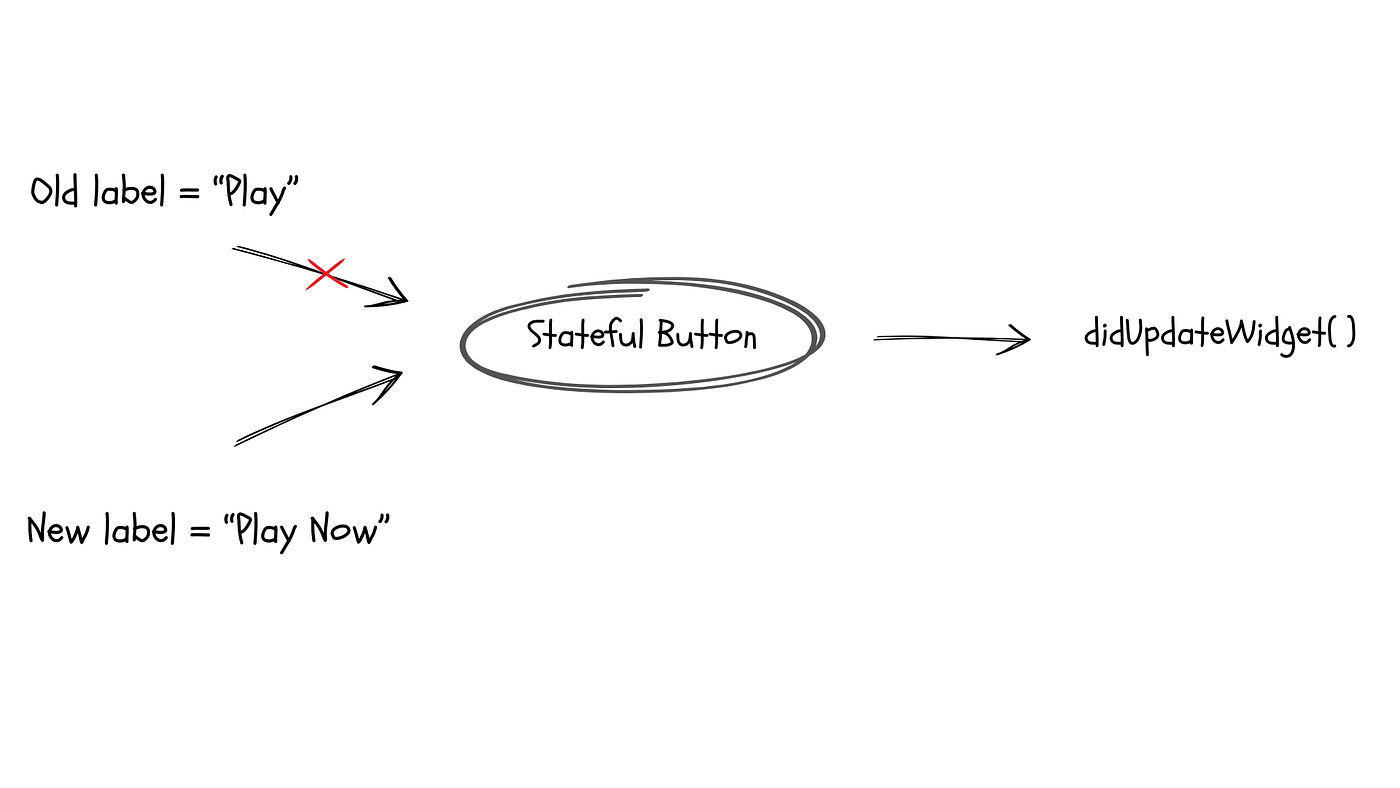
If we change the props (arguments to the constructor), like the name of the widget, by calling setState on the parent widget, it forces down a rebuild to the children. This in turn, calls the didUpdateWidget callback.
And when we change the key that this target widget uses, it triggers a series of lifecycle callback for that widget in this order:
deactivate → dispose → initState → didChangeDependencies → build
That’s how the lifecycle of a Stateful widget works.
If you liked this kind of a detailed article, do check out my profile and support. :)
메타데이터
- post_id
- 78b55d4cd761
- slug
- flutter-lifecycle-callbacks-what-i-learned-after-7-years-of-state-management-78b55d4cd761
- url
- https://levelup.gitconnected.com/flutter-lifecycle-callbacks-what-i-learned-after-7-years-of-state-management-78b55d4cd761
- canonical_url
- https://levelup.gitconnected.com/flutter-lifecycle-callbacks-what-i-learned-after-7-years-of-state-management-78b55d4cd761
- author_url
- https://medium.com/@dhruvam
- status
- ok
- fetched_at
- 2026-07-07 21:40:51