Visualize Schema Diagram in Azure Data Studio
By default you can see the option of Database Diagram in Microsoft SQL Server Management Studio (SSMS) by which you can visualize the…
Visualize Schema Diagram in Azure Data Studio
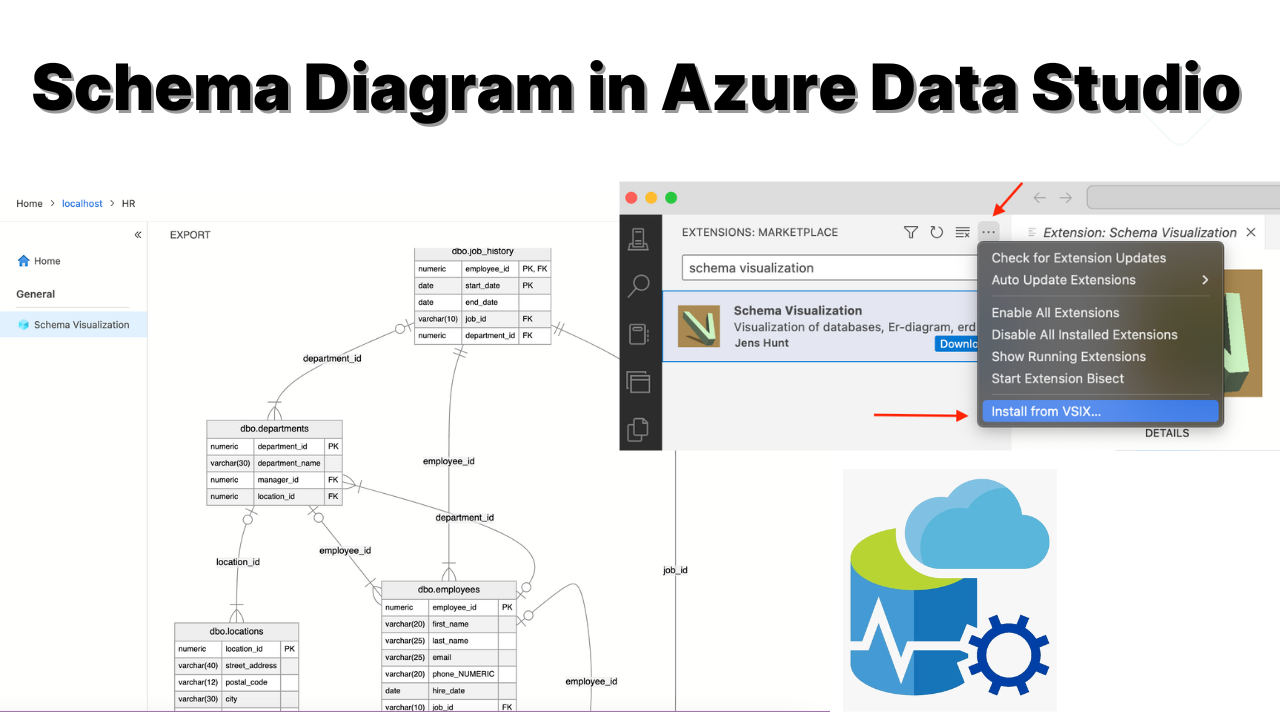
Schema Diagram in Azure Data Studio
By default you can see the option of Database Diagram in Microsoft SQL Server Management Studio (SSMS) by which you can visualize the schema diagram. But if you are using Azure Data Studio for using Microsoft SQL server you won’t be able to see any option for adding schema diagram.
So, to fix this issue, you can install the extension called Schema Visualization. To install this extension first of all click on the extension tab of Azure Data Studio and search for
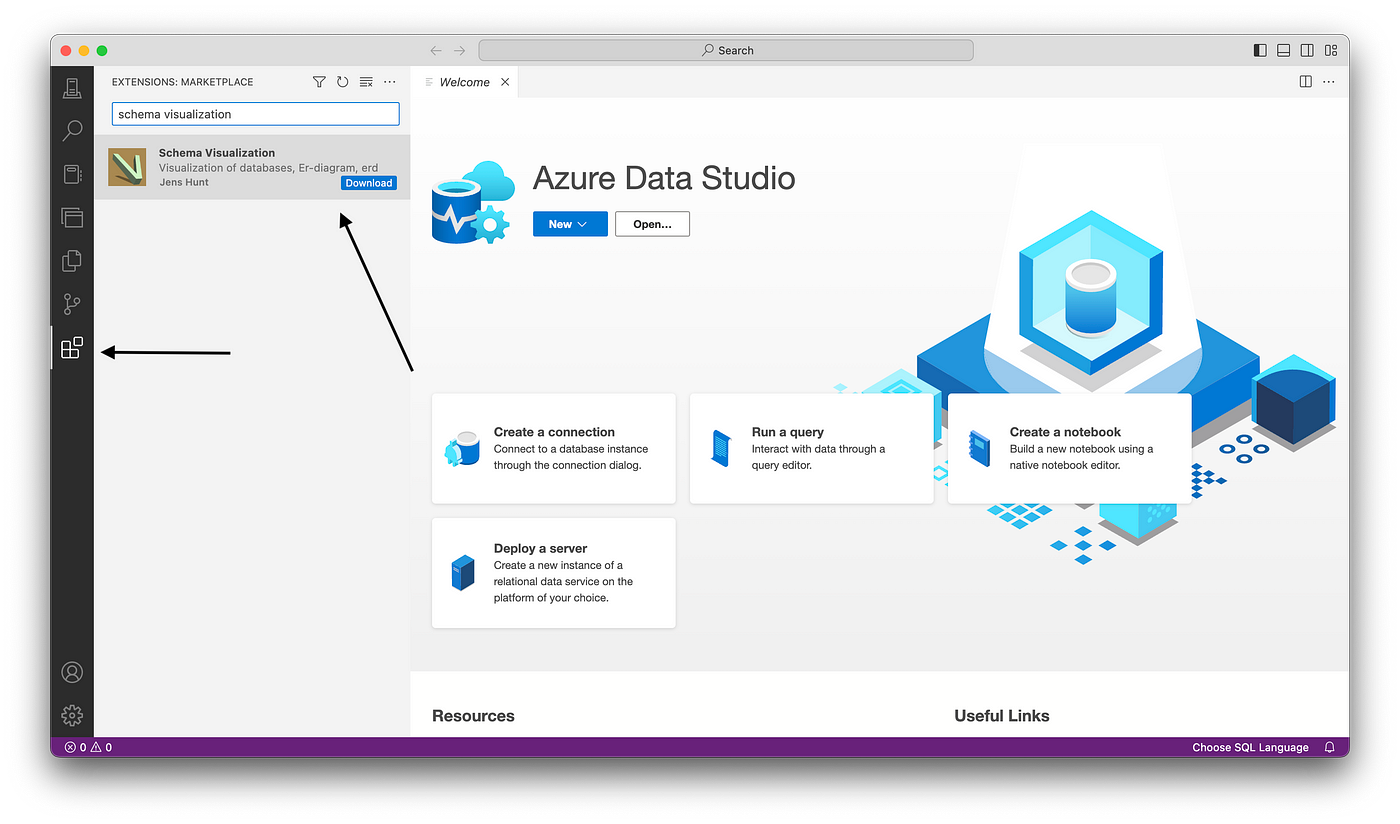
Schema visualization
Just click on Download This will redirect you to the browser to download the .vsix file.

.vsix file for installing visualization tool
Once you download that again go to the azure data studio extension tab

Install from VSIX
Then just choose the Visualization 0.9.1.vsix file which you have just downloaded.

Choose Visualization 0.9.1.vsix file
Then you get the pop up saying to install the extension just click on yes.

Click on Yes
Then the visualization extension will be successfully installed. Once this extension is installed to visualize the schema diagram.
For that just double click on the database this will open the option for Schema Visualization. Just click on it, then it will show the schema diagram.
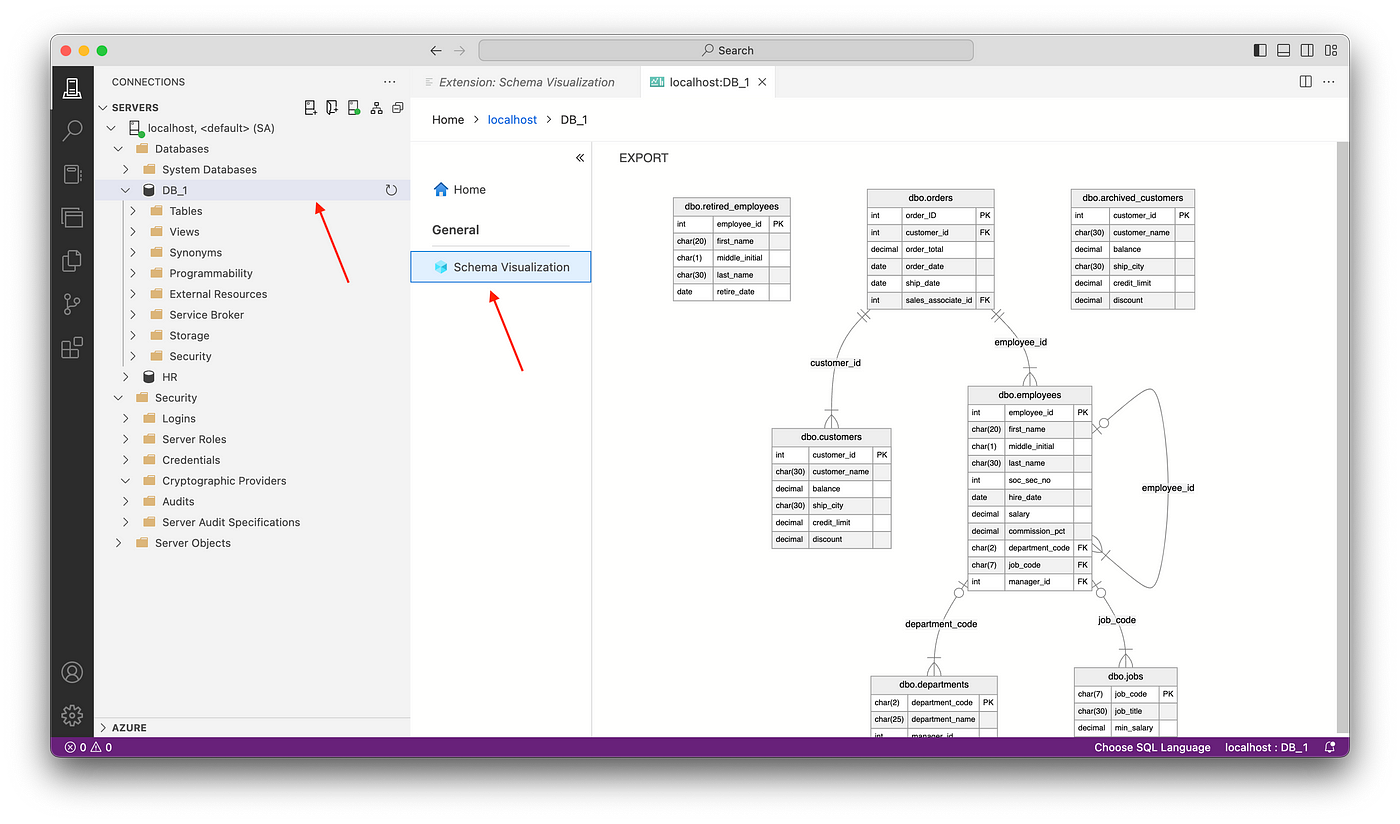
Schema Diagram
This is how you install Schema Visualization extension on Azure Data Studio.
메타데이터
- post_id
- 7990e85fdf6a
- slug
- visualize-schema-diagram-in-azure-data-studio-7990e85fdf6a
- url
- https://levelup.gitconnected.com/visualize-schema-diagram-in-azure-data-studio-7990e85fdf6a
- canonical_url
- https://levelup.gitconnected.com/visualize-schema-diagram-in-azure-data-studio-7990e85fdf6a
- author_url
- https://medium.com/@codewitharjun
- status
- ok
- fetched_at
- 2026-06-15 20:49:13






