OkHttpClient in Android: Why You Shouldn’t Create It Repeatedly
Did you know that creating a new OkHttpClient instance for each screen or API call in your Android app is considered a bad practice?
OkHttpClient in Android: Why You Shouldn’t Create It Repeatedly
Did you know that creating a new OkHttpClient instance for each screen or API call in your Android app is considered a bad practice? I didn’t — until I started refactoring some networking code in a project recently. It turns out that OkHttpClient is designed to be shared, ideally as a singleton. This small change can have a positive impact on your app’s memory usage, performance, and network efficiency.
The Common Mistake
Many developers instinctively write code like this:
val client = OkHttpClient()Or even use the builder:
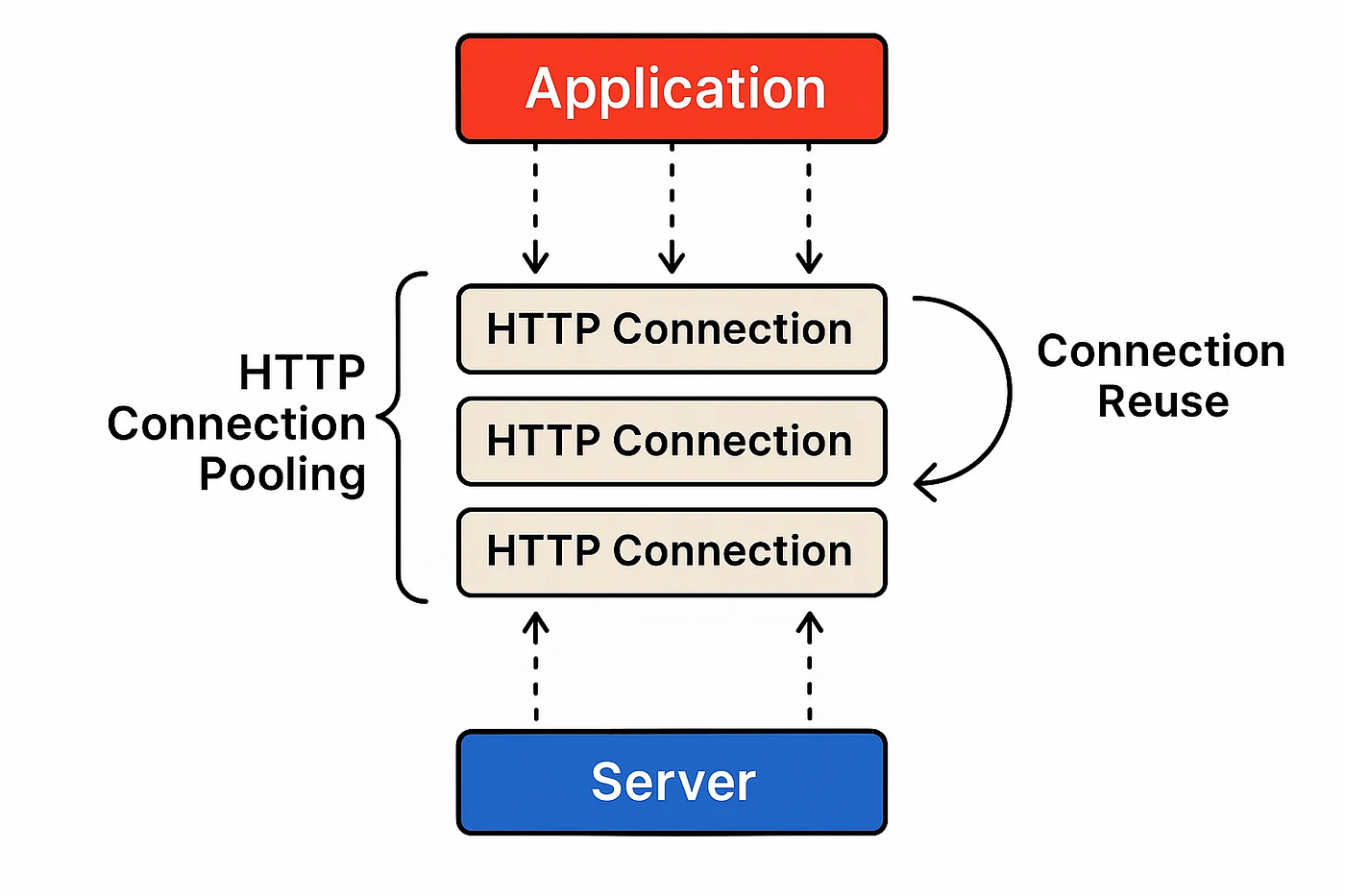
val client = OkHttpClient.Builder().build()At first glance, it seems harmless — you need a client, so you create one. But each time you do this, a new OkHttpClient instance is created with its own connection pool for keep-alive HTTP connections and its own thread pool for asynchronous requests.
Repeatedly creating new clients can waste memory, prevent connection reuse, and gradually lead to subtle performance issues, especially in larger apps. Even if everything seems fine initially, the inefficiency increases as your app scales.
Why Sharing a Client Matters
OkHttpClient is optimized for reuse. A single instance can handle multiple HTTP calls efficiently by reusing connections and threads. This reduces latency, saves memory, and improves overall performance. The official OkHttp documentation highlights this clearly:
“OkHttp performs best when you create a single OkHttpClient instance and reuse it for all of your HTTP calls. This is because each client holds its own connection pool and thread pools. Reusing connections and threads reduces latency and saves memory. Conversely, creating a client for each request wastes resources on idle pools.”
How to Properly Share OkHttpClient
The key takeaway is simple: create a single OkHttpClient instance per configuration and reuse it throughout your app. This ensures that connection pools and thread pools are not duplicated unnecessarily, which improves performance and memory efficiency.
Using a Singleton
One straightforward way to share OkHttpClient is by creating a singleton in Kotlin:
object NetworkClient {
    val okHttpClient: OkHttpClient by lazy {
        OkHttpClient.Builder()
            .addInterceptor(/* your interceptors */)
            .build()
    }
}
Anywhere in your app, you can now use NetworkClient.okHttpClient instead of creating a new instance. The client will be initialized once and reused for all requests.
Using Dependency Injection (Dagger or Hilt)
If your project uses Dagger or Hilt, you can scope OkHttpClient as a singleton. This approach is especially useful in larger apps with multiple modules or API services:
@Module
@InstallIn(SingletonComponent::class)
object NetworkModule {    @Provides
    @Singleton
    fun provideOkHttpClient(): OkHttpClient {
        return OkHttpClient.Builder()
            .addInterceptor(/* your interceptors */)
            .build()
    }
}
Hilt or Dagger ensures that this client is created once and injected wherever needed. This eliminates the risk of accidentally creating multiple instances and keeps your networking layer efficient.
Handling Multiple Configurations
Sometimes your app may need different OkHttpClient configurations. For example, one client might include authentication headers, while another doesn’t. In such cases, create one shared client per configuration, rather than creating new instances for each screen or request.
Final Thoughts
When I first started using OkHttp, I didn’t pay much attention to client reuse. I would create a new instance for each API service or screen, thinking it was harmless. During a recent refactoring, I got help from ChatGPT to improve my networking code. It suggested making OkHttpClient a singleton, and when I asked why, it provided a link to the **official OkHttp documentation** confirming that this is the recommended approach.
After applying the singleton pattern, my app became more memory-efficient and faster. So, if you’re working with Retrofit + OkHttp:
- Create the client once
- Reuse it across your app
- Scope it properly with dependency injection or a singleton
Following this approach ensures that your network layer is both robust and performant, and it avoids one of the most common mistakes Android developers make with OkHttp.
메타데이터
- post_id
- 79be30e67fcf
- slug
- okhttpclient-in-android-why-you-shouldnt-create-it-repeatedly-79be30e67fcf
- url
- https://medium.com/@mohammad.hasan.mahdavi81/okhttpclient-in-android-why-you-shouldnt-create-it-repeatedly-79be30e67fcf
- canonical_url
- https://medium.com/@mohammad.hasan.mahdavi81/okhttpclient-in-android-why-you-shouldnt-create-it-repeatedly-79be30e67fcf
- author_url
- https://medium.com/@mohammad.hasan.mahdavi81
- status
- ok
- fetched_at
- 2026-08-12 11:48:19