Architecting Hybrid Connectivity in OCI: A Hands‑On FastConnect Setup
Building Low‑Latency Connectivity Between OCI and an On‑Prem Data Center
Architecting Hybrid Connectivity in OCI: A Hands‑On FastConnect Setup
Building Low‑Latency Connectivity Between OCI and an On‑Prem Data Center
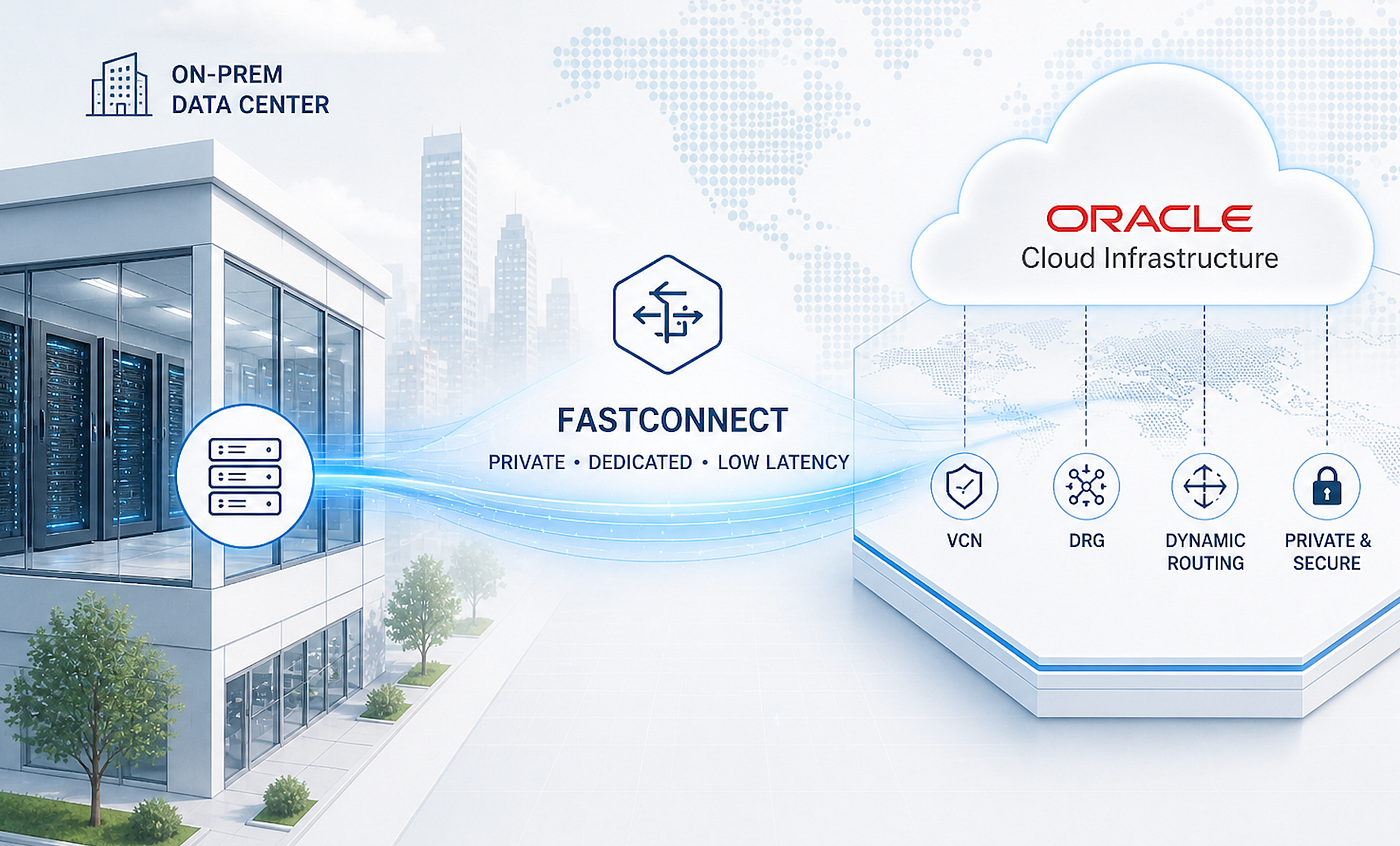
In this article, I’ll walk through how to set up the core networking infrastructure inside OCI to support a low‑latency FastConnect connection to an on‑prem data center. The focus is on the OCI side of the architecture, covering the design and configuration of key components such as the FastConnect connection, Dynamic Routing Gateway (DRG), Virtual Cloud Networks (VCNs) and the associated route tables that enable seamless traffic flow between cloud and on‑prem environments.
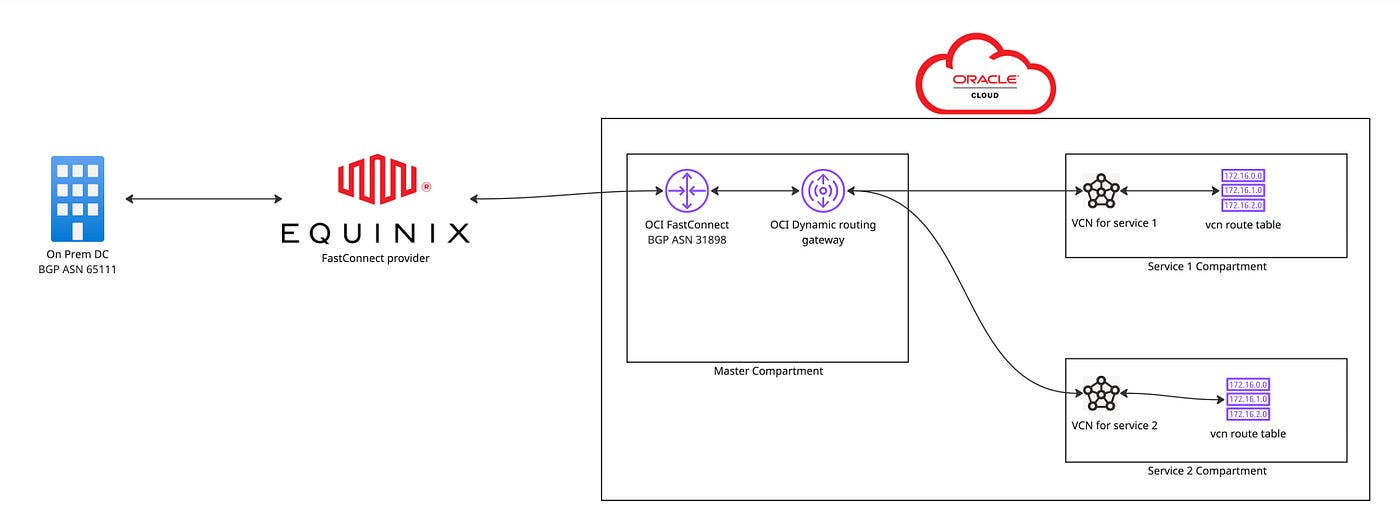
OCI On-Prem Network Connectivity Diagram
- Creating the DRG
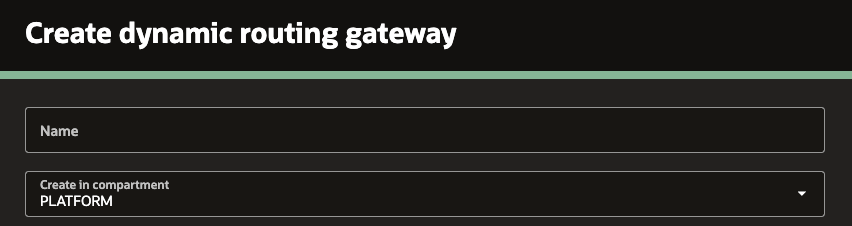
Navigate to Networking -> Customer connectivity -> Dynamic routing gateway -> Create dynamic routing gateway. Provide the name of the DRG and select the approciate compartment.
- Setting up the OCI FastConnect connection
Navigate to Networking -> Customer connectivity -> FastConnect -> Create FastConnect. Select the Connection type and Redundancy level based on your requirements.
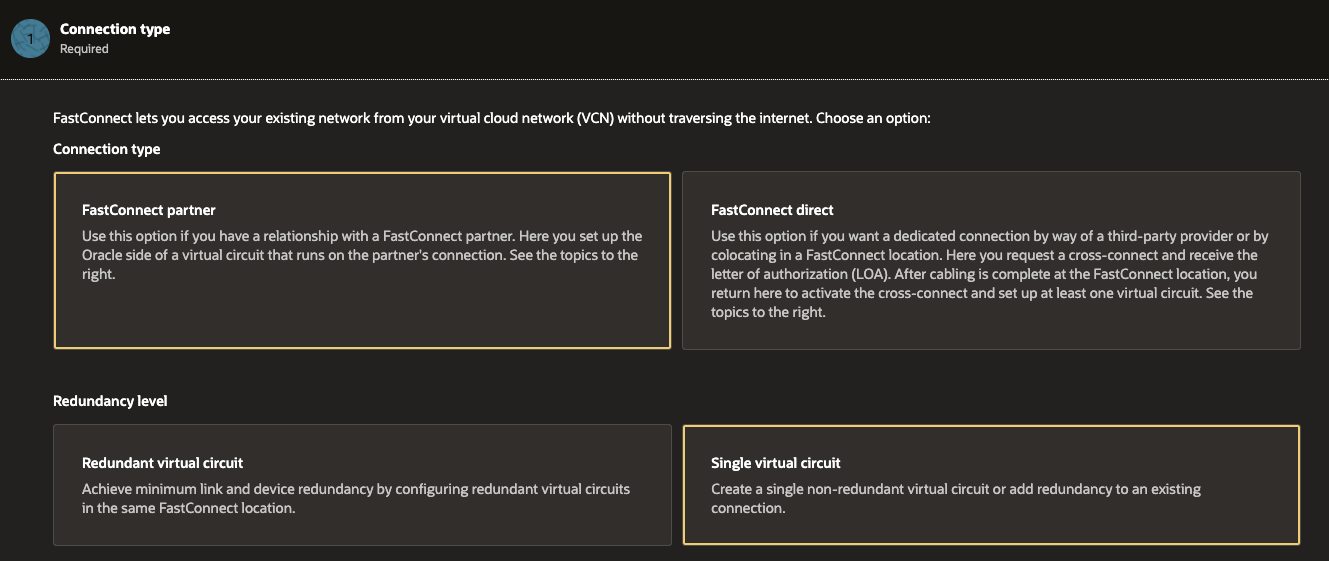
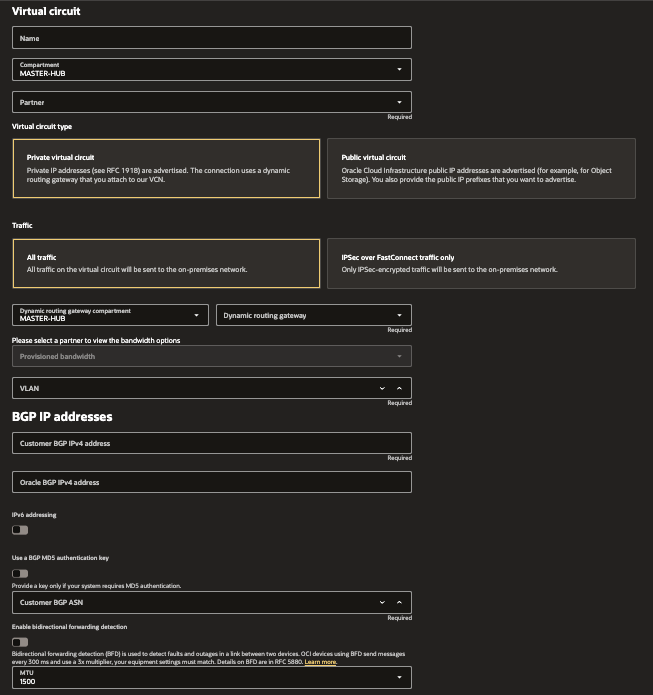
The next step is to configure the Virtual Circuit details. Some important parameters include the Partner, where you select the FastConnect service provider, and the Virtual Circuit Type. Since this connection is between OCI and an on‑premises data center, select a Private Virtual Circuit.
Next, select the DRG created in Step 1 along with its compartment, specify the bandwidth for the FastConnect circuit, and configure the IPv4 addresses for both the on‑premises and OCI sides. A /30 subnet is sufficient for this purpose. Finally, provide the BGP ASN of the on‑premises BGP peering.
- Attach the VCNs to the DRG
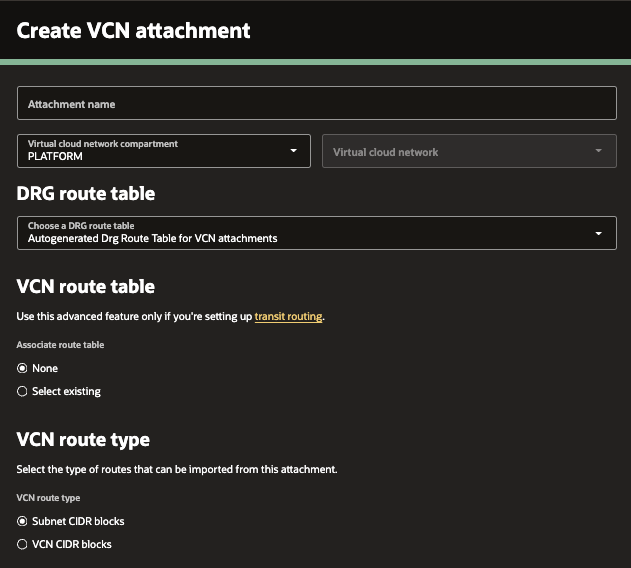
Navigate to Networking → Customer Connectivity → Dynamic Routing Gateway, select the DRG created earlier, and under VCN attachments click Create Virtual Cloud Network Attachment.
After entering the attachment name, VCN compartment, and VCN details, configure the following important options related to BGP route advertisement:
- VCN Route Table — Enable this option if you want to export routes from a specific VCN route table to the on‑premises environment via BGP route advertisements. (not required for this scenario)
- VCN Route Type — Choose whether to export only the subnets defined within the VCN or the entire VCN CIDR block to the on‑premises network via BGP route advertisements.
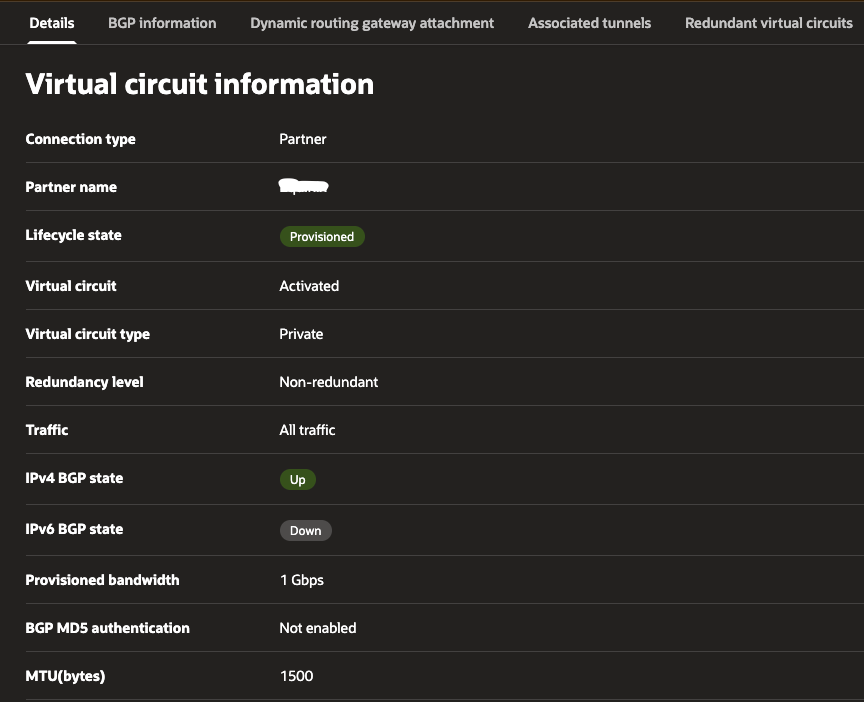
Once these three steps are completed, the core OCI‑side FastConnect configuration is in place and under FastConnect details you will be able to see the connection and BGP status.
I hope you found this article helpful. Please provide any comments or feedback.
Happy Platform Engineering!
메타데이터
- post_id
- 79f1b93c74de
- slug
- architecting-hybrid-connectivity-in-oci-a-hands-on-fastconnect-setup-79f1b93c74de
- url
- https://medium.com/@romesh.samarakoon/architecting-hybrid-connectivity-in-oci-a-hands-on-fastconnect-setup-79f1b93c74de
- canonical_url
- https://medium.com/@romesh.samarakoon/architecting-hybrid-connectivity-in-oci-a-hands-on-fastconnect-setup-79f1b93c74de
- author_url
- https://medium.com/@romesh.samarakoon
- status
- ok
- fetched_at
- 2026-06-22 17:31:34