How do I know my team needs social media collaboration software?
If your team is still approving posts over Slack DMs and tracking feedback in a shared Google Doc, you already have the answer. Here’s how…
How do I know my team needs social media collaboration software?
If your team is still approving posts over Slack DMs and tracking feedback in a shared Google Doc, you already have the answer. Here’s how to read the signs before something goes wrong, and what to actually do about it.
You know the feeling. A client post goes live with last week’s copy because someone approved the wrong version. Or a campaign asset gets stuck in an email thread and misses its window. Or your newest hire sends three Slack messages asking “which doc is the current one?” and no one’s quite sure.
These aren’t rare disasters. For social media teams managing more than a handful of accounts, they’re the background noise of everyday work, until they’re not.
So how do you actually know when the patchwork of tools stops being “good enough” and starts costing you? Here are the clearest signals.
Your approvals are the slowest part of your workflow
Approval bottlenecks are the most common reason agencies and content teams look for dedicated social media collaboration software. And the frustrating part? The bottleneck usually isn’t the client or the stakeholder, it’s the system.
When feedback lives in email, Slack, and comment threads across three different platforms, getting a single post approved requires coordinating across all of them. Teams without formalized approval workflows experience approval cycles that take significantly longer than those with a structured process in place — time that compounds across every client and every campaign.
The signs your approval process is broken:
- Posts are getting approved in Slack DMs instead of on the content itself
- You’re sending “following up on this” messages more than twice per post
- Clients are giving feedback on the wrong version because they didn’t see the update
- Your team has to re-explain context every time a new stakeholder joins a review
A structured approval workflow — where feedback is attached to the exact post, visible to everyone, and moves through defined stages — cuts all of that noise. Planable’s multi-level approval system, for example, lets you set workflows per workspace: optional for internal drafts, mandatory multi-level for client-facing work.

Planable’s user permission dashboard with role-based access controls for content approval, publishing, and analytics.
The real cost of a broken approval process it’s the mental load of tracking five different conversations about the same piece of content.
Content is living in too many places at once
Here’s a test: if a client calls right now and asks “what’s scheduled for next Thursday on our Instagram?”, how long does it take to answer?
If you’re checking a spreadsheet, cross-referencing a scheduling tool, and then opening a Google Drive folder to see if the asset is final, that’s a signal.
Social media collaboration software consolidates the full content lifecycle (drafting, feedback, media assets, scheduling, and publishing status) into a single workspace. Not because it’s tidier, but because fragmented content = fragmented accountability.
When content lives in too many places:
- Version confusion becomes constant (“is this the approved copy or the old one?”)
- Onboarding new team members takes twice as long because the process isn’t in one place
- Post errors increase (think of wrong hashtag, outdated link, old logo) because no one had a single view
- Clients lose trust in your team’s ability to maintain brand consistency
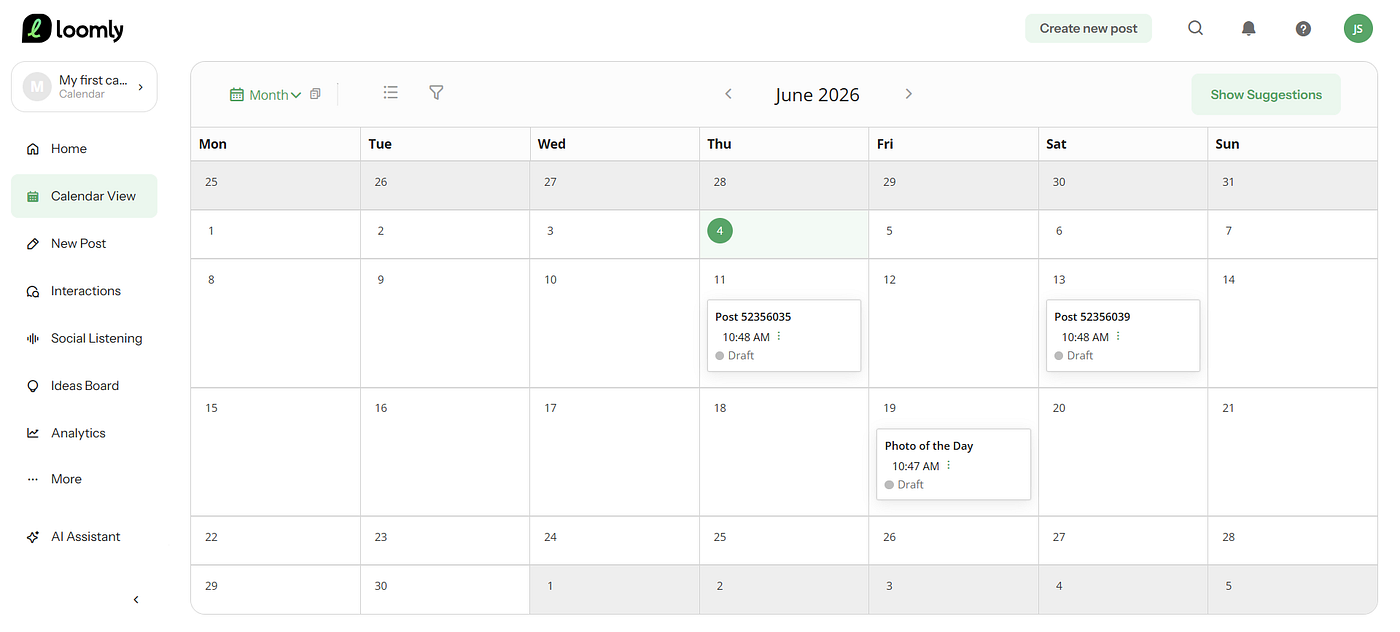
Tools like Planable give teams a unified calendar view across all clients and channels (feed, grid, calendar, and list) so everyone knows exactly what’s live, what’s scheduled, and what’s waiting for sign-off.

Planable content grid view with scheduled Facebook posts, and workspace navigation dashboard.
What is social media collaboration software, exactly?
Social media collaboration software is a platform that brings the full content workflow (planning, drafting, reviewing, approving, and scheduling social posts) into one shared space. The key difference between a basic scheduler and a collaboration tool is how the former handles publishing while the latter handles the entire process of getting to publish, including feedback loops, version control, and multi-stakeholder review.
For agencies managing multiple clients, the most important features are separate workspaces per client, customizable approval stages, internal vs. client-visible comments, and real-time feedback on content itself (not in a chat thread beside it).
You’re managing 5+ accounts and nothing is centralized
There’s a natural inflection point in social media management: when you go from “a few accounts” to “a lot of accounts,” your tools either scale with you or they don’t.
Below 3–4 accounts, most teams can make a basic scheduler work. Above 5–6, the operational gaps start showing, especially around cross-account visibility, label management, and maintaining quality consistency without micromanaging every post.
Multi-account social media management requires:
- A single view across all clients or locations (not a dropdown that shows one at a time)
- The ability to organize by client, campaign, or label without losing context
- Separate permissions so clients only see their own workspace, never another client’s content
- A way to replicate or adapt content across accounts without copy-pasting manually
This is where purpose-built collaboration platforms pull ahead of general scheduling tools. Buffer, Planable, or Hootsuite work well when publishing volume is the main challenge. When coordination is the challenge (between team members, clients, and approval stages) you need something built for that workflow.
How do you know if it’s time to switch tools?
These are the clearest trigger points:
- You’ve onboarded a new client and your process broke. If adding one client caused visible strain on your workflow (more Slack messages, more confusion, slower approvals) the process doesn’t scale.
- A post went live with an error. Wrong copy, wrong image, wrong date. Once is a mistake. Twice is a workflow problem.
- Your team avoids giving feedback. When the feedback mechanism is painful (tagging in comments, emailing screenshots, rewriting in a shared doc), people start rubber-stamping instead of reviewing properly.
- Clients are asking to be “more involved” but you have no clean way to include them. This usually means they’re seeing the chaos from the outside.
- You’re hiring and can’t explain the process clearly. If it’s hard to document because it’s spread across too many tools, it’s not a process, but a tribal knowledge.
What to look for when you evaluate collaboration tools
Not all social media collaboration tools solve the same problems. Before evaluating any platform, get clear on where your workflow actually breaks:
- Approvals first? Look for tools with customizable approval workflows, internal comments, and client-facing views. Planable and Kontentino both lead here.
- Analytics-led teams? Sprout Social and Hootsuite have deeper reporting and social listening, though at significantly higher price points ($199/mo/user).
- Lean teams or budget constraints? Buffer ($5/mo per channel) and SocialPilot ($25.50/mo) offer solid core functionality without the enterprise overhead.
- Design-heavy content? Canva integrates directly with Planable, so teams can move visuals from creation to approval without leaving the workflow.
- Multi-location brands? Look for dedicated workspace separation (like Planable has), white-label client access, and the ability to replicate or adapt content across locations.
The right collaboration tool is the one that removes the biggest recurring friction in your specific workflow, not the one with the most features.
What to do now: a practical checklist
If you’re evaluating whether your team needs a dedicated social media collaboration platform, run through this:
- Map your approval chain. How many people touch a post before it publishes? How many tools are involved? If the answer is 3+ tools, there’s likely a cleaner path.
- Count your active accounts. 5+ accounts with more than one team member managing them is a reliable signal you need dedicated collaboration infrastructure.
- Run a post-mortem on your last error. Where did the process break. Drafting, feedback, final approval, or scheduling? That’s the gap to close.
- Ask your team where they lose time. Not where the work is hard, where it wastes time. Unnecessary back-and-forth and version confusion are fixable with the right tool.
- Trial one tool with one client. Don’t switch everything at once. Pick your most complex client relationship and run a 30-day trial. If approvals get faster and errors go down, that’s your answer.
The good news: if your team is feeling the friction, the fix is usually “work with better infrastructure.” Social media collaboration software exists precisely for the point where coordination becomes the bottleneck.
Your content is good. Your team is capable. The question is just whether your tools are keeping up. 🙂
메타데이터
- post_id
- 7a15ee03363a
- slug
- how-do-i-know-my-team-needs-social-media-collaboration-software-7a15ee03363a
- url
- https://medium.com/@ioanapostolache/how-do-i-know-my-team-needs-social-media-collaboration-software-7a15ee03363a
- canonical_url
- https://medium.com/@ioanapostolache/how-do-i-know-my-team-needs-social-media-collaboration-software-7a15ee03363a
- author_url
- https://medium.com/@ioanapostolache
- status
- ok
- fetched_at
- 2026-06-15 20:49:13