DK2D Log #8 Raycasting & Removing Collision Jittering
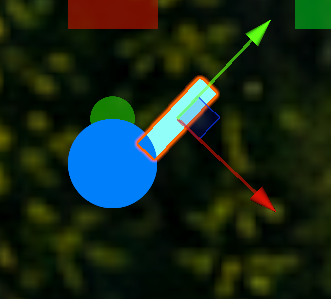
When the player is colliding with a wall they have a jitter because they will constantly hit the wall and be pushed back over and over.
DK2D Log #8 Raycasting & Removing Collision Jittering
When the player is colliding with a wall they have a jitter because they will constantly hit the wall and be pushed back over and over.
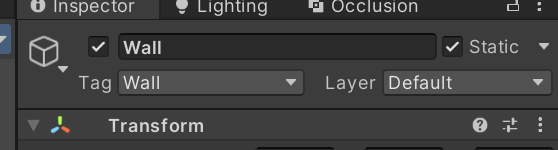
To get rid of this jittering, I can use a raycast to detect if the player is up against the wall, disabling the movement in that direction. To set this up there are a few things I must do first, the first being adding a Tag to the Wall, so the raycast can find the correct collision objects.
Next I need to figure out the length I need the ray to be, an easy way to do this is to use OnDrawGizmos() and use Gizmos.DrawLine, from the player position and using transform.up for the correct direction for it to be drawn in, and then I can alter the variable for the length to figure out how long I need it to be and can see in the Unity Editor when it looks good.


Now that I have determined a good length for the raycast, I can comment this whole section out by selecting the whole section and pressing “Ctrl K C”, and if I ever want to uncomment this section I can revert it by pressing “Ctrl K U”.

Next I will make the raycast method, first making a LayerMask variable for the layers I want the raycast to ignore and invert the layers so that it ignores the selected layers. Then I will create a raycast from the position of the player, in the direction of the input controls, with the length I determined earlier, and ignoring the layers I selected. For this method, I will make this a bool method so if the raycast hits a wall it will return false for being able to move, otherwise it will return true for the player being able to move in the direction.

Finally I will put this bool method in my Movement method, and if the CanMove method returns false, it will return the Movement method not allowing the rest of the code to be read, essentially disabling movement in that direction.

Now, when I walk up against the walls, the player no longer has the jitter effect.
메타데이터
- post_id
- 7a7b2cd103a4
- slug
- dk2d-log-8-raycasting-removing-collision-jittering-7a7b2cd103a4
- url
- https://medium.com/@eclipsek24/dk2d-log-8-raycasting-removing-collision-jittering-7a7b2cd103a4
- canonical_url
- https://medium.com/@eclipsek24/dk2d-log-8-raycasting-removing-collision-jittering-7a7b2cd103a4
- author_url
- https://medium.com/@eclipsek24
- status
- ok
- fetched_at
- 2026-06-26 21:52:29