10 Regex Patterns Every JavaScript Developer Should Know (2026)
Copy-paste ready patterns for email, URL, phone, password, slug, and more — with real examples tested against edge cases that actually…
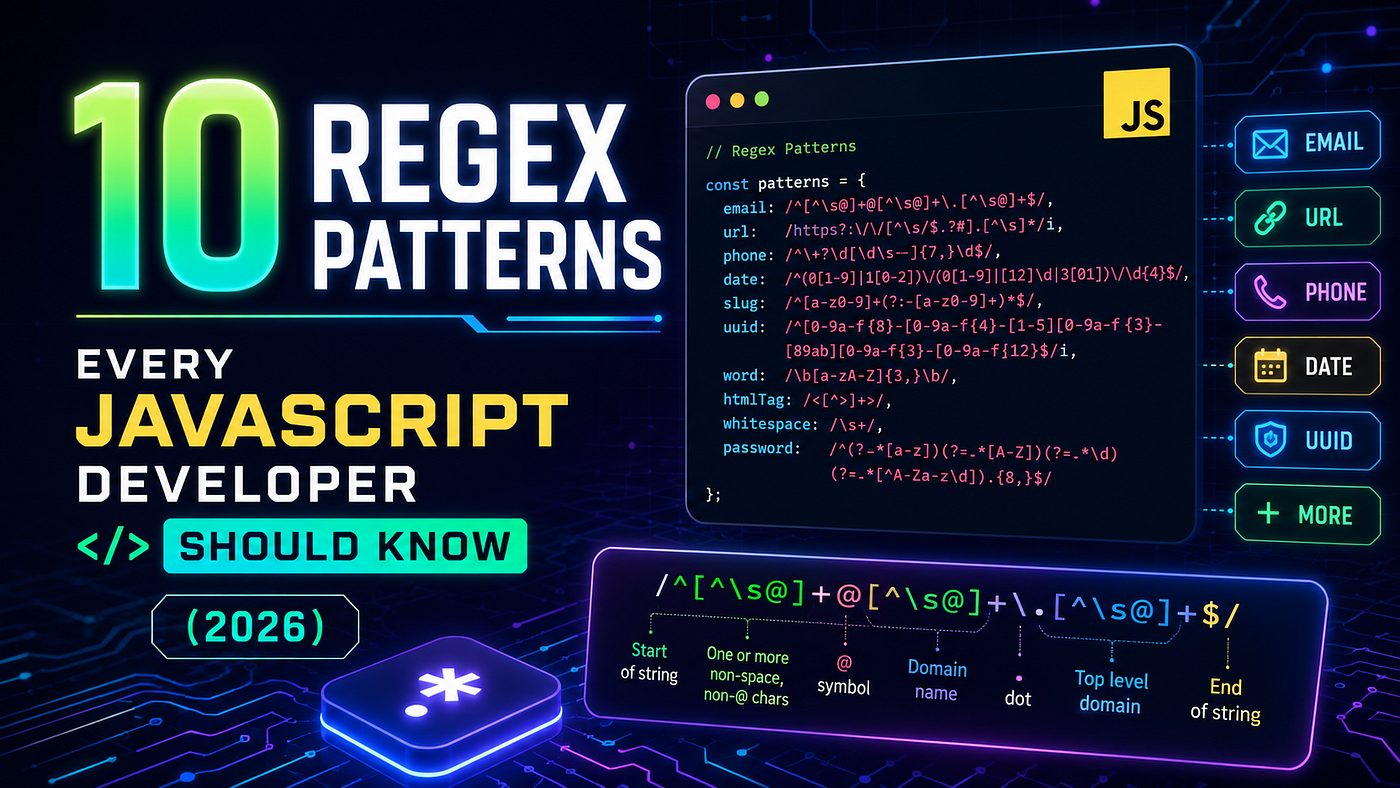
10 Regex Patterns Every JavaScript Developer Should Know (2026)
10 Regex Patterns Every JavaScript Developer Should Know (2026)
Copy-paste ready patterns for email, URL, phone, password, slug, and more — with real examples tested against edge cases that actually matter.
You’re halfway through building a signup form. Email field. Phone field. Password field.
And suddenly you’re Googling “email validation regex javascript” for the 40th time this year — copying a Stack Overflow answer from 2018, crossing your fingers, and moving on.
I’ve done this. On production projects. That’s embarrassing to admit, but it’s why I finally built a proper reference — patterns I actually understand, not just copy-paste blindly.
These are the 10 regex patterns I reach for constantly in JavaScript. Each one is copy-paste ready, explained properly, and tested against edge cases that actually matter.
Before diving in: the three methods you’ll use 90% of the time.
/pattern/.test(str)          // → true/false. Use for validation.
str.match(/pattern/g)        // → array of matches. Use for extraction.
str.replace(/pattern/, 'x')  // → new string. Use for sanitization.
Now the patterns.
1. Email Validation
const emailRegex = /^[^\s@]+@[^\s@]+\.[^\s@]+$/;function isValidEmail(email) {
return emailRegex.test(email.trim());
}isValidEmail("user@example.com"); // ✅ true
isValidEmail("user+tag@company.co"); // ✅ true — plus sign handled
isValidEmail("notanemail"); // ❌ false
isValidEmail("missing@tld"); // ❌ false[^\s@]+ means "one or more characters that are NOT a space or @". Simple, readable, and it handles the edge cases that trip up overcomplicated patterns — plus-sign aliases (user+filter@gmail.com), long TLDs like .photography, and subdomain emails.
One thing most tutorials won’t tell you: Regex validates format, not deliverability. It cannot tell you if the mailbox actually exists. For that, you need an email verification API or a confirmation email flow. Don’t over-engineer the regex trying to do something it structurally cannot do.
2. Password Strength (with Lookaheads)
const strongPasswordRegex = /^(?=.*[a-z])(?=.*[A-Z])(?=.*\d)(?=.*[!@#$%^&*()_+\-=\[\]{}|;:,.<>?]).{8,}$/;
const mediumPasswordRegex = /^(?=.*[A-Z])(?=.*\d).{8,}$/;
function checkPasswordStrength(password) {
if (strongPasswordRegex.test(password)) return "strong";
if (mediumPasswordRegex.test(password)) return "medium";
return "weak";
}checkPasswordStrength("Passw0rd!"); // strong
checkPasswordStrength("Password1"); // medium
checkPasswordStrength("password"); // weakEach (?=.*[A-Z]) is a positive lookahead — a zero-width assertion that says "from this position, confirm at least one uppercase letter exists somewhere in the rest of the string" without consuming characters. Chain multiple lookaheads to enforce multiple requirements simultaneously.
An edge case worth knowing: bcrypt — the standard for password hashing — silently truncates passwords at 72 bytes. If your users set 100-character passphrases, only the first 72 characters actually get hashed. Worth a comment in your security documentation.
3. URL Validation
const urlRegex = /^https?:\/\/(www\.)?[-a-zA-Z0-9@:%._+~#=]{1,256}\.[a-zA-Z0-9()]{1,6}\b([-a-zA-Z0-9()@:%_+.~#?&/=]*)$/;urlRegex.test("https://webtoolshub.online"); // ✅
urlRegex.test("https://sub.domain.co.uk/path?q=1"); // ✅
urlRegex.test("ftp://not-http.com"); // ❌
urlRegex.test("just-text"); // ❌Honest opinion: for serious URL parsing in production, use the built-in URL constructor — new URL(str) throws on invalid URLs, which try/catch handles more cleanly. The regex above is perfect for form validation where you want to catch obvious mistakes before they reach your backend.
4. Phone Number (International)
Phone numbers are where regex ambitions go to die. No single pattern handles every international format perfectly. Here’s the approach that actually works in production:
function isValidPhone(phone) {
  const digitsOnly = phone.replace(/[\s\-().+]/g, "");
  return /^\d{7,15}$/.test(digitsOnly);
}
isValidPhone("+92 300 1234567"); // ✅
isValidPhone("(555) 867-5309"); // ✅
isValidPhone("+44 20 7946 0958"); // ✅
isValidPhone("123"); // ❌Strip non-digits first, then validate digit count. Users type phone numbers in wildly different formats — with country codes, with parentheses, with dashes, with spaces, without spaces. Stripping formatting first and checking digit count handles 95% of real-world input better than any strict pattern. Save strict E.164 format validation for when an SMS API specifically requires it.
5. URL Slug (SEO-Friendly)
Essential for any CMS, blog platform, or content site. A slug: lowercase letters, numbers, hyphens — nothing else.
const slugRegex = /^[a-z0-9]+(?:-[a-z0-9]+)*$/;function slugify(text) {
return text
.toLowerCase()
.trim()
.replace(/[^\w\s-]/g, "") // remove special chars
.replace(/[\s_-]+/g, "-") // spaces and underscores to hyphens
.replace(/^-+|-+$/g, ""); // trim leading/trailing hyphens
}slugify("My Blog Post Title!"); // "my-blog-post-title"
slugify(" TypeScript & Next.js "); // "typescript-nextjs"
slugRegex.test("valid-slug-123"); // ✅
slugRegex.test("Invalid Slug!"); // ❌The slugify function is more useful than the validation regex alone. If you're building a Next.js application and auto-generating route slugs from content titles, this saves you from encoding issues and broken URLs.
6. Hex Color Code
For color pickers, design tools, CSS parsers, and Tailwind/Shadcn theme generators:
const hexColorRegex = /^#([A-Fa-f0-9]{6}|[A-Fa-f0-9]{3})$/;
const hexWithAlphaRegex = /^#([A-Fa-f0-9]{8}|[A-Fa-f0-9]{6}|[A-Fa-f0-9]{4}|[A-Fa-f0-9]{3})$/;
hexColorRegex.test("#fff"); // ✅
hexColorRegex.test("#FF5733"); // ✅
hexColorRegex.test("FF5733"); // ❌ — missing hash
hexColorRegex.test("#GGGGGG"); // ❌ — G is not a hex digitThe alternation ([A-Fa-f0-9]{6}|[A-Fa-f0-9]{3}) matches either 6-digit or 3-digit hex. A practical normalization step: check for the hash, add it if missing, then validate — users often paste hex codes without it.
7. ISO Date Format (YYYY-MM-DD)
const isoDateRegex = /^\d{4}-(0[1-9]|1[0-2])-(0[1-9]|[12]\d|3[01])$/;// The right approach — regex for format, Date for logic
function isValidDate(str) {
if (!isoDateRegex.test(str)) return false;
const d = new Date(str);
return d instanceof Date && !isNaN(d);
}isValidDate("2026-06-13"); // ✅
isValidDate("2026-02-30"); // ❌ — Feb 30 caught by Date constructor
isValidDate("2026-13-01"); // ❌ — month 13 caught by regex
isValidDate("13/06/2026"); // ❌ — wrong formatUse both. The regex catches format errors (wrong separators, missing leading zeros); JavaScript’s Date constructor catches logical impossibilities like February 30th or December 32nd.
8. Username Validation
const usernameRegex = /^[a-zA-Z0-9_-]{3,20}$/;// Must start with a letter (cleaner in URLs)
const strictUsernameRegex = /^[a-zA-Z][a-zA-Z0-9_-]{2,19}$/;usernameRegex.test("muhammad_awais"); // ✅
usernameRegex.test("dev-42"); // ✅
usernameRegex.test("ab"); // ❌ — too short
usernameRegex.test("has spaces"); // ❌
usernameRegex.test("has!special"); // ❌Adjust {3,20} to match your requirements. The strict version prevents usernames starting with underscores or numbers — they look cleaner in @mentions and profile URLs.
9. IPv4 Address (Properly)
The common pattern (\d{1,3}\.){3}\d{1,3} lets 999.0.0.1 through. This one actually validates the 0-255 range per octet:
const ipv4Regex = /^(25[0-5]|2[0-4]\d|1\d{2}|[1-9]\d|\d)\.(25[0-5]|2[0-4]\d|1\d{2}|[1-9]\d|\d)\.(25[0-5]|2[0-4]\d|1\d{2}|[1-9]\d|\d)\.(25[0-5]|2[0-4]\d|1\d{2}|[1-9]\d|\d)$/;ipv4Regex.test("192.168.1.1"); // ✅
ipv4Regex.test("255.255.255.0"); // ✅
ipv4Regex.test("999.0.0.1"); // ❌
ipv4Regex.test("192.168.1"); // ❌ — incompleteThe alternation does real math: 25[0-5] matches 250-255, 2[0-4]\d matches 200-249, 1\d{2} matches 100-199. Bad IPs cause cryptic downstream errors — use the strict version.
10. Credit Card Format
const creditCardRegex = /^\d{13,19}$/;const cardTypes = {
visa: /^4\d{12}(?:\d{3})?$/,
mastercard: /^5[1-5]\d{14}$/,
amex: /^3[47]\d{13}$/,
discover: /^6(?:011|5\d{2})\d{12}$/,
};function identifyCard(number) {
const stripped = number.replace(/[\s\-]/g, "");
if (!creditCardRegex.test(stripped)) return "invalid";
for (const [type, regex] of Object.entries(cardTypes)) {
if (regex.test(stripped)) return type;
}
return "unknown";
}identifyCard("4111 1111 1111 1111"); // visa
identifyCard("5500 0000 0000 0004"); // mastercard
identifyCard("1234 5678"); // invalidThis is format detection only — it won’t tell you if the card has funds or is stolen. For real validation, combine with the Luhn algorithm. In production, always use a payment processor for the final call and never store raw card numbers.
5 Mistakes That Ship to Production
1. Missing anchors (^ and $)
Without them, patterns match anywhere in the string. /\d{4}/ matches "I have 1234 somewhere". Always anchor validation patterns.
2. Unescaped dots
In regex, . is "any character". example.com also matches exampleXcom. Escape it: example\.com.
3. Catastrophic backtracking (ReDoS)
Nested quantifiers like /(a+)+/ can make your engine hang on long strings — a ReDoS vulnerability. Never nest + or * inside groups that already have + or *.
4. Missing the i flag
Email addresses are case-insensitive. User@Example.COM is the same as user@example.com. Always use /pattern/i or normalize with .toLowerCase() first.
5. Parsing HTML with regex
Don’t. Seriously. Use DOMParser in the browser or cheerio in Node. This is not a debate.
Test Before You Ship
Before committing any regex to your codebase, test it with at least 5–6 inputs — including intentionally bad ones. I use WebToolsHub’s free Regex Tester because it runs entirely in the browser (nothing sent to a server), highlights matches visually, and supports all JavaScript flags. Two minutes of testing has saved me from broken validation in production more times than I’d like to admit.
Reference Table
Use Case Pattern Email ^[^\s@]+@[^\s@]+\.[^\s@]+$ Strong Password ^(?=.*[a-z])(?=.*[A-Z])(?=.*\d)(?=.*[!@#$%^&*]).{8,}$ URL ^https?:\/\/(www\.)?[-\w@:%._+~#=]{1,256}\.[a-zA-Z]{1,6}\b Phone Strip non-digits → ^\d{7,15}$ Slug ^[a-z0-9]+(?:-[a-z0-9]+)*$ Hex Color ^#([A-Fa-f0-9]{6}|[A-Fa-f0-9]{3})$ ISO Date ^\d{4}-(0[1-9]|1[0-2])-(0[1-9]|[12]\d|3[01])$ Username ^[a-zA-Z0-9_-]{3,20}$ IPv4 ^(25[0-5]|2[0-4]\d|...) × 4$ Credit Card Strip spaces → ^\d{13,19}$
Originally published on WebToolsHub — free developer tools and technical guides.
메타데이터
- post_id
- 7a824ee6d30a
- slug
- 10-regex-patterns-every-javascript-developer-should-know-2026-7a824ee6d30a
- url
- https://medium.com/@webtoolshub/10-regex-patterns-every-javascript-developer-should-know-2026-7a824ee6d30a
- canonical_url
- https://medium.com/@webtoolshub/10-regex-patterns-every-javascript-developer-should-know-2026-7a824ee6d30a
- author_url
- https://medium.com/@webtoolshub
- status
- ok
- fetched_at
- 2026-06-15 20:49:13