AI Agents in Android: Cutting Through the Hype to Find What Actually Works
A developer’s honest field notes after months of building, breaking, and shipping agentic systems on Android
AI Agents in Android: Cutting Through the Hype to Find What Actually Works
A developer’s honest field notes after months of building, breaking, and shipping agentic systems on Android
There’s a particular kind of excitement that hits when you read an announcement about a new AI agent framework for Android. The demo is clean. The GitHub stars are climbing. The README promises that your app will become “autonomous,” “context-aware,” and “capable of multi-step reasoning.”
Then you integrate it. And you spend the next three days debugging why your agent keeps deciding to open the Settings app when the user asked it to set a reminder.
I’ve been there. Many times. Over the past several months, I’ve built, tested, and honestly, more often than I’d like to admit, discarded agents in Android-native environments. What I’m about to share isn’t a comprehensive list of everything that exists. It’s a genuine account of what actually delivers value and what is mostly noise dressed up in impressive technical vocabulary.
Let’s get into it.
First, Let’s Agree on What an “Agent” Actually Means Here
Before we talk about tools, we need to be precise about terminology. When I say “agent in Android,” I mean a system that can:
- Perceive the current state of the device or app (screen, data, context)
- Reason about a goal
- Take action by calling APIs, navigating UI, writing to storage, or triggering intents
- Observe the result and decide what to do next
This is fundamentally different from a chatbot embedded in your app. A chatbot responds. An agent acts. That distinction matters enormously when you’re evaluating tools, because most things marketed as “agents” are just chatbots with a tool-calling API bolted on. They look agentic in demos because the demo is scripted. In production, when the user’s state doesn’t match what the prompt expected, the whole thing falls apart.
With that cleared up, here’s what I’ve actually found useful.
1. Android Accessibility Services as the Agent’s Eyes (This One Is Underrated)
Before talking about any AI framework, I need to make the case for something that most developer content completely ignores. The Android Accessibility API is the most powerful agent perception layer you have, and almost nobody treats it that way.
If your agent needs to understand what is on screen, not just in your app but across the entire OS, AccessibilityService gives you a live view of the UI hierarchy. Every view, every text element, every button state. You can traverse the tree, extract semantic content, and build a reliable picture of device state without screenshot-based vision models.
Why does this matter? Because vision-based screen understanding, the approach where you feed screenshots to a multimodal LLM, is slow, expensive, and brittle. Accessibility tree parsing is deterministic, free at runtime, and fast. It’s not glamorous but that’s the point.
A real example from my work: I built an agent that monitors incoming WhatsApp messages for a specific client workflow and auto-drafts a response based on conversation history. The agent uses AccessibilityEvent to detect when a new message arrives, reads the thread via the accessibility tree, and pipes that context to an LLM for response generation. No screenshot OCR, no polling. Pure event-driven perception.
One thing to keep in mind: You need the user to explicitly grant the Accessibility permission. It’s a high-trust permission and Google Play has strict policies around declaring its use. Be honest in your manifest declaration and don’t abuse it. For internal enterprise tools, this is essentially a non-issue. For a consumer Play Store app, think carefully.
2. Gemini Nano On-Device via AICore (Know Where It Stops)
Google’s AICore API brings Gemini Nano directly to the device on Pixel 8+ and select other hardware. The promise is low-latency, private, on-device inference.
The reality in production is more nuanced. Gemini Nano is genuinely useful for a narrow set of tasks and completely wrong for others. Knowing the difference saves you a lot of wasted time.
Where it shines: short-form summarization of text that’s already on the device like notifications, emails, and notes. Classification tasks like “is this message urgent?” or “is this photo a receipt?” Simple intent detection, meaning mapping a voice command to a structured action.
Where it will frustrate you: anything requiring multi-step reasoning, because it hallucinates steps frequently. Tasks needing world knowledge beyond what Nano was trained on. Tool-calling and function-calling workflows, because the model’s reliability at this parameter count is inconsistent.
My honest take: Use AICore with Gemini Nano as a pre-processor, not as your primary reasoning engine. Run a fast, cheap classification on-device first to ask whether the query is complex enough to warrant a server round-trip, then decide whether to escalate to Gemini Pro or another API. This pattern cuts your API costs significantly and keeps simple tasks fully offline.
// Sketch of the on-device / cloud escalation pattern
val onDeviceResult = geminiNano.classify(userQuery)
if (onDeviceResult.confidence > 0.85 && onDeviceResult.complexity == "simple") {
    handleLocallyWithNano(onDeviceResult)
} else {
    escalateToCloudModel(userQuery)
}
3. Android’s App Actions and Shortcuts API (The Legitimate Way to Play the Long Game)
Here’s one that developers consistently underuse: App Actions with Google Assistant integration.
If you define your app’s capabilities in actions.xml using the official Built-in Intents or BIIs, your app becomes a first-class citizen that Google's Assistant and eventually other agents running on Android can invoke with natural language. This is the correct way to expose your app's functionality to an agentic layer, not by building a rogue accessibility service that scrapes the UI.
Why this matters architecturally: as Android moves toward a more agent-native OS model, which it clearly is given Google’s investment in Gemini on Android, apps that have properly declared their capabilities will be the ones that agents can orchestrate. Apps that haven’t will quietly get left behind.
Practical steps to get started:
Step 1: Define your capability in res/xml/shortcuts.xml:
<capability android:name="actions.intent.CREATE_TAXI_RESERVATION">
  <intent
    android:action="android.intent.action.VIEW"
    android:targetPackage="com.yourapp"
    android:targetClass="com.yourapp.BookRideActivity">
    <parameter
      android:name="taxiReservation.passengerSequenceName"
      android:key="destination" />
  </intent>
</capability>
Step 2: Test with the App Actions Test Tool in Android Studio. This simulates exactly what Assistant sees.
Step 3: Submit for App Actions review if you’re using restricted BIIs.
The developer investment here is real. You need to think carefully about your intent schema. But the payoff is that your app works inside any agentic workflow that speaks the BII vocabulary. You’re not coupling yourself to one agent framework. You’re building to an OS-level standard.
4. LangChain4j on Android (The Honest Review)
LangChain4j is the Java and Kotlin port of LangChain, and several developers including myself have tried running agentic workflows with it on Android.
My verdict: it works, but it’s fighting the platform the whole time.
LangChain4j was designed for server-side Java workloads. Running it on Android means you’re dragging in dependencies that are oversized for mobile, dealing with threading models that don’t play nice with Android’s lifecycle because it loves blocking calls while Android hates them, and debugging abstraction layers that obscure what’s actually happening in the LLM call.
That said, if you’re building a hybrid app where the “agent brain” runs in a background service or WorkManager task and not in the UI thread, and you’re comfortable with the APK size hit, it is functional. The tool-calling abstractions actually work reasonably well once you’ve wrapped your Android services like Location and Calendar as @Tool-annotated methods.
Where I’d actually use it: Internal B2B Android apps where you control the device, APK size isn’t a constraint, and the team is already fluent in LangChain concepts. Not for a consumer Play Store app. The tradeoff just isn’t worth it there.
5. WorkManager + LLM API: The Pattern Nobody Talks About But Everyone Should Use
This is the most practical, most stable, and honestly least glamorous approach to agentic behaviour in Android: combine WorkManager for task orchestration with direct LLM API calls.
Here’s the idea. Instead of running a continuous agent loop, you model your agent as a chain of WorkManager workers. Each worker represents one reasoning or action step. Workers can be chained, retried on failure, constrained to run only on WiFi, and scheduled for future execution. This is exactly the reliability and lifecycle model that Android is designed for.
val step1 = OneTimeWorkRequestBuilder<FetchContextWorker>()
    .setConstraints(Constraints.Builder()
        .setRequiredNetworkType(NetworkType.CONNECTED)
        .build())
    .build()
val step2 = OneTimeWorkRequestBuilder<ReasonWithLLMWorker>().build()
val step3 = OneTimeWorkRequestBuilder<ExecuteActionWorker>().build()WorkManager.getInstance(context)
.beginWith(step1)
.then(step2)
.then(step3)
.enqueue()Each worker passes data to the next via Data objects, or a Room database for larger payloads. The LLM call happens inside ReasonWithLLMWorker where you're calling the Gemini API, OpenAI API, or your own backend. The result flows to ExecuteActionWorker, which takes the actual action.
Why this doesn’t get the attention it deserves: WorkManager handles process death, network availability, retries, and backoff transparently. Your agent doesn’t die when the user switches apps. It picks up where it left off when conditions are right. That’s production-grade reliability. That’s not a demo trick.
6. Things That Sound Exciting But Aren’t Ready Yet
To save you time, here’s my honest take on approaches I’ve tested that aren’t production-ready as of early 2026.
Screen-capture-based agents that stream screenshots to a vision-language model are too slow, too expensive, and fail badly on non-English UIs. Interesting research direction, genuinely not a shipping tool yet.
Fully autonomous device agents that claim to “do anything” don’t have the consent and safety model to back that claim up on Android. These are demos. Don’t build products on them.
Most no-code Android AI agent builders sound appealing right up until you try to do something real. The abstractions leak immediately and you end up fighting the tool rather than building the product.
Running large models fully on-device at 7B parameters and above causes thermal throttling, battery drain, and 4 to 6 second first-token latency. That makes for a terrible user experience on current hardware. Wait for the next hardware generation before going down this path.
The Stack I Actually Use
After all of this, here’s the architecture I keep coming back to.
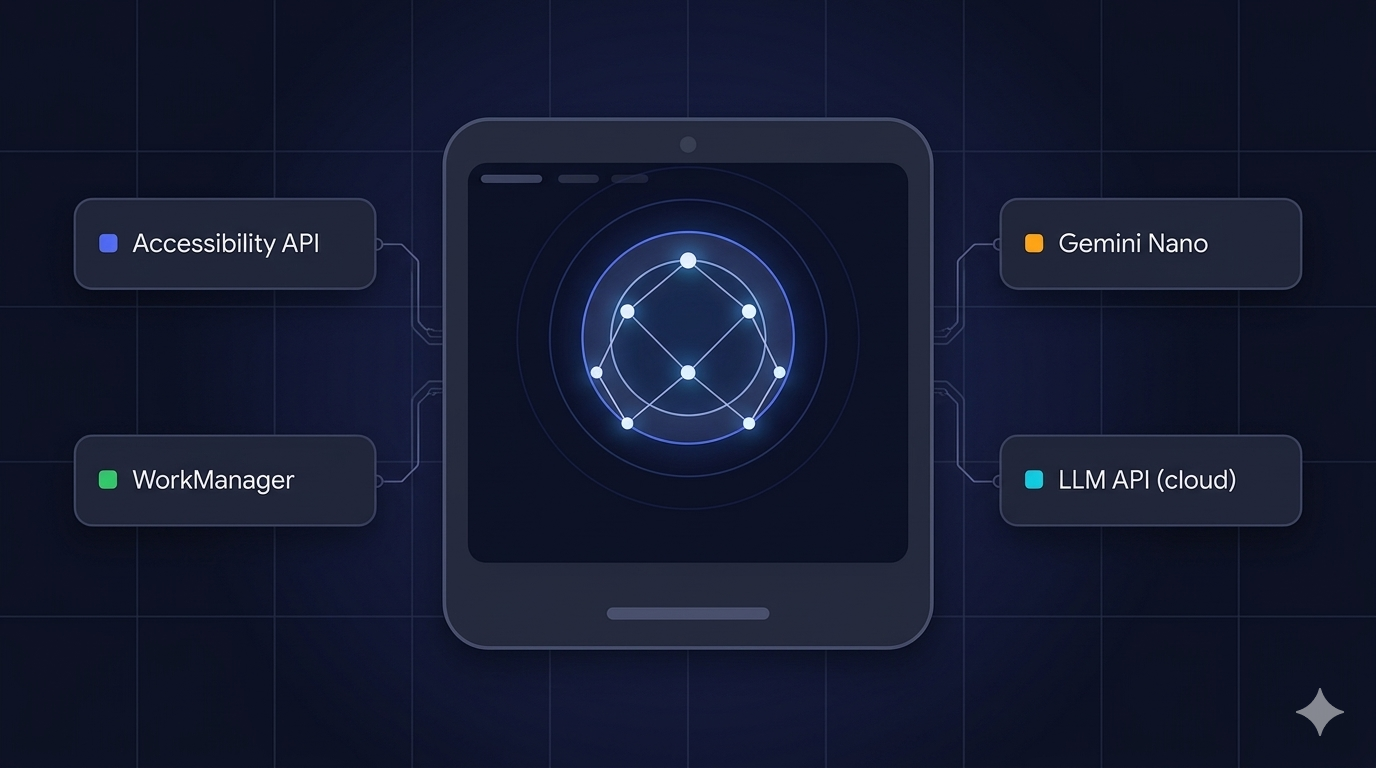
Accessibility API for perception when cross-app awareness is needed. App Actions and BIIs for exposing my app to external agents. WorkManager for reliable, lifecycle-aware task orchestration. Gemini Nano via AICore for fast, private on-device pre-processing. Gemini Pro or Claude API for complex reasoning, called from a background worker. Room DB as shared state between agent steps.
It’s not the sexiest stack. There’s no cool GitHub repo to point to, no conference talk with a catchy demo. But it ships. It survives process death. It respects Android’s power management. And it actually does what it says it does when a real user runs it on a real device.
That’s the bar. Everything else is a demo.
If you’ve built something different that actually works in production, I genuinely want to hear about it. The Android agentic space is moving fast and I’m sure I’ve missed things. Drop a comment or reach out directly.
메타데이터
- post_id
- 7ac8623af701
- slug
- ai-agents-in-android-cutting-through-the-hype-to-find-what-actually-works-7ac8623af701
- url
- https://medium.com/@sourav.dey0147/ai-agents-in-android-cutting-through-the-hype-to-find-what-actually-works-7ac8623af701
- canonical_url
- https://medium.com/@sourav.dey0147/ai-agents-in-android-cutting-through-the-hype-to-find-what-actually-works-7ac8623af701
- author_url
- https://medium.com/@sourav.dey0147
- status
- ok
- fetched_at
- 2026-06-09 15:37:30



